Every time you open their case, a menu appears on your device where you can see how much charge they have left. AirPods, and how much their case is. In addition, their name will appear here, which can be easily changed as well as the function by tapping the left or right earbud. So let's take a look together at how to do it.
You might be interested in
How to change the name and function after double-clicking AirFloors
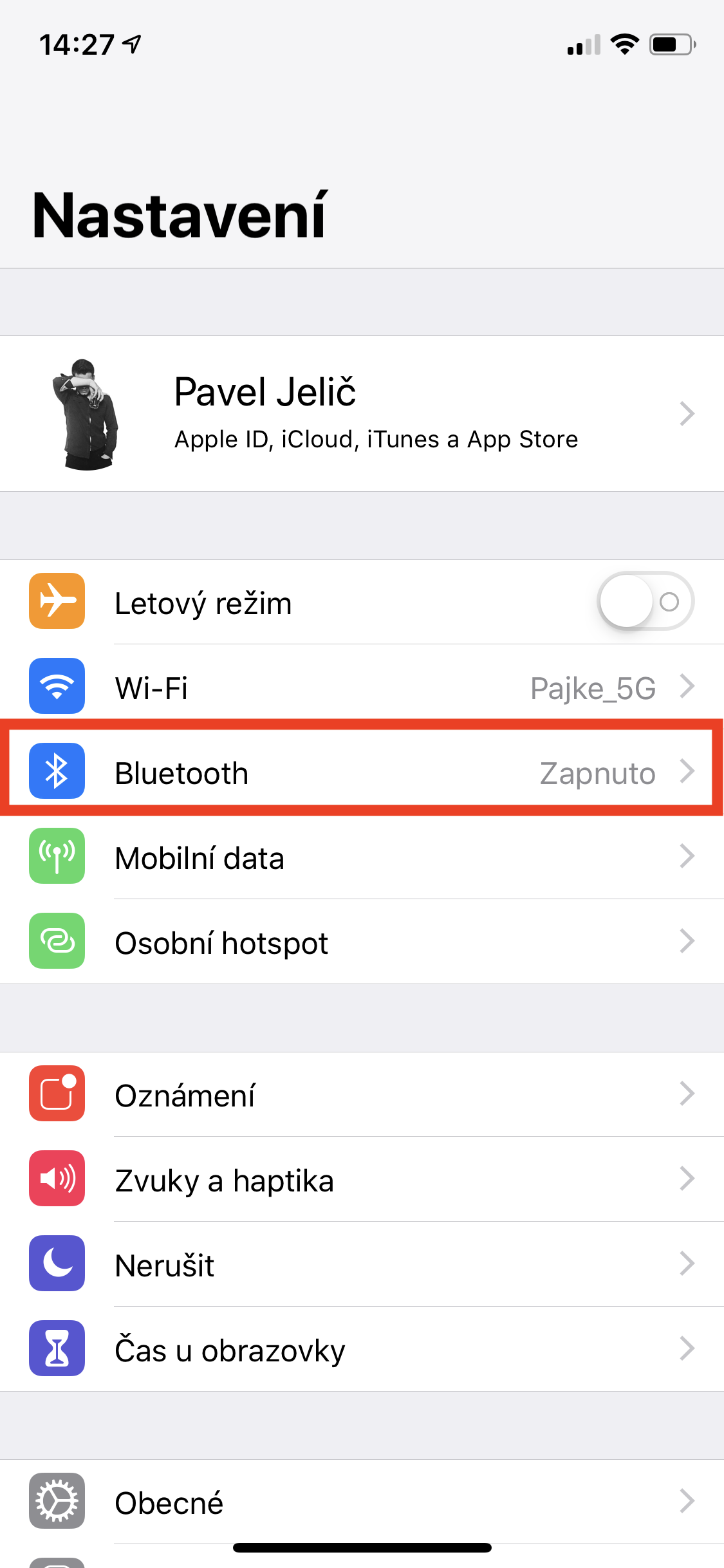
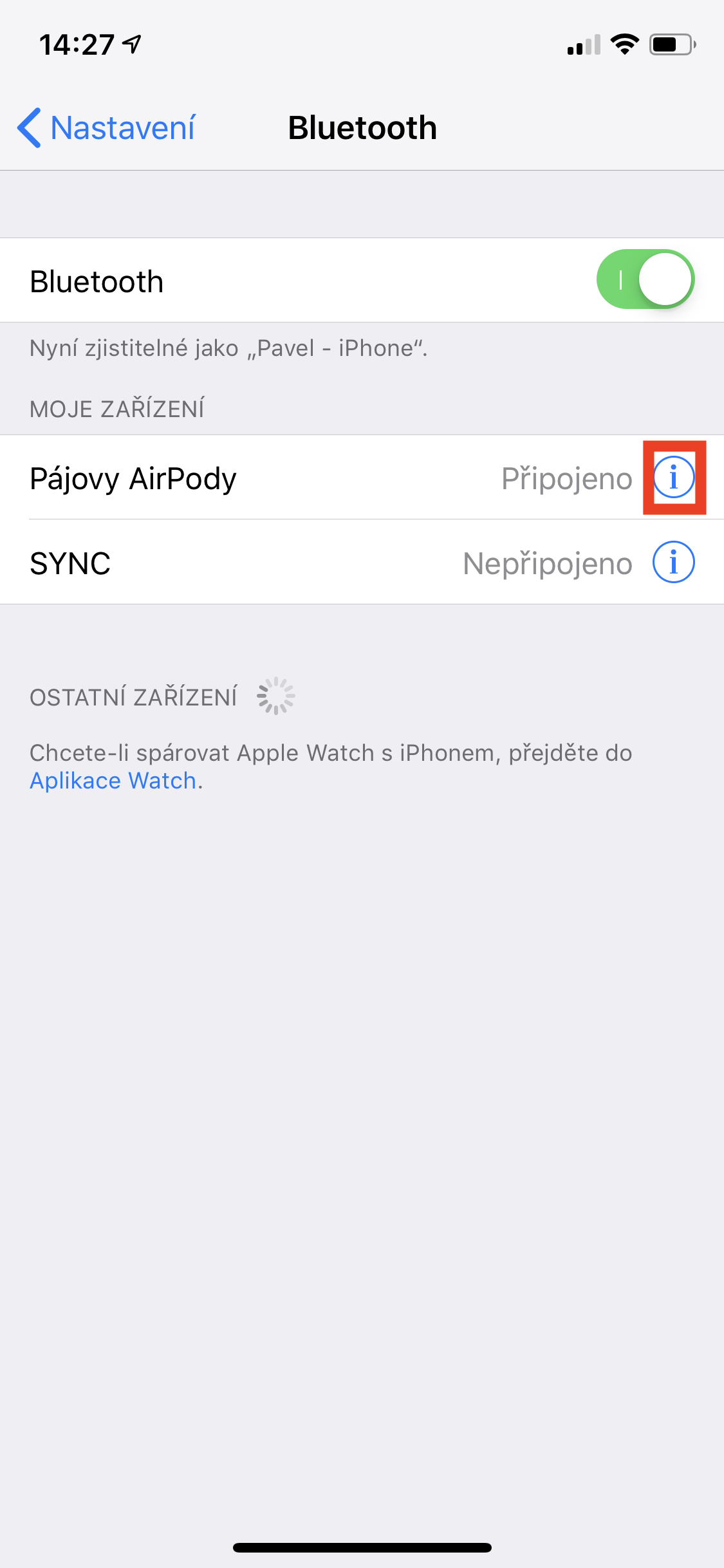
To be able to change the name and function after double-clicking, you must first have your AirPod attached for iPhone or iPad. You can achieve this simply by simply using both headphones you take it out of the case and or housing only open. After that, all you have to do is switch to the native application Settings v iOS and here they clicked the box Bluetooth. A list of all Bluetooth devices will appear. Find between them yours AirPod, make sure they are connected and click the blue icon next to them "i" in a circle. A window will appear with setting AirPods.
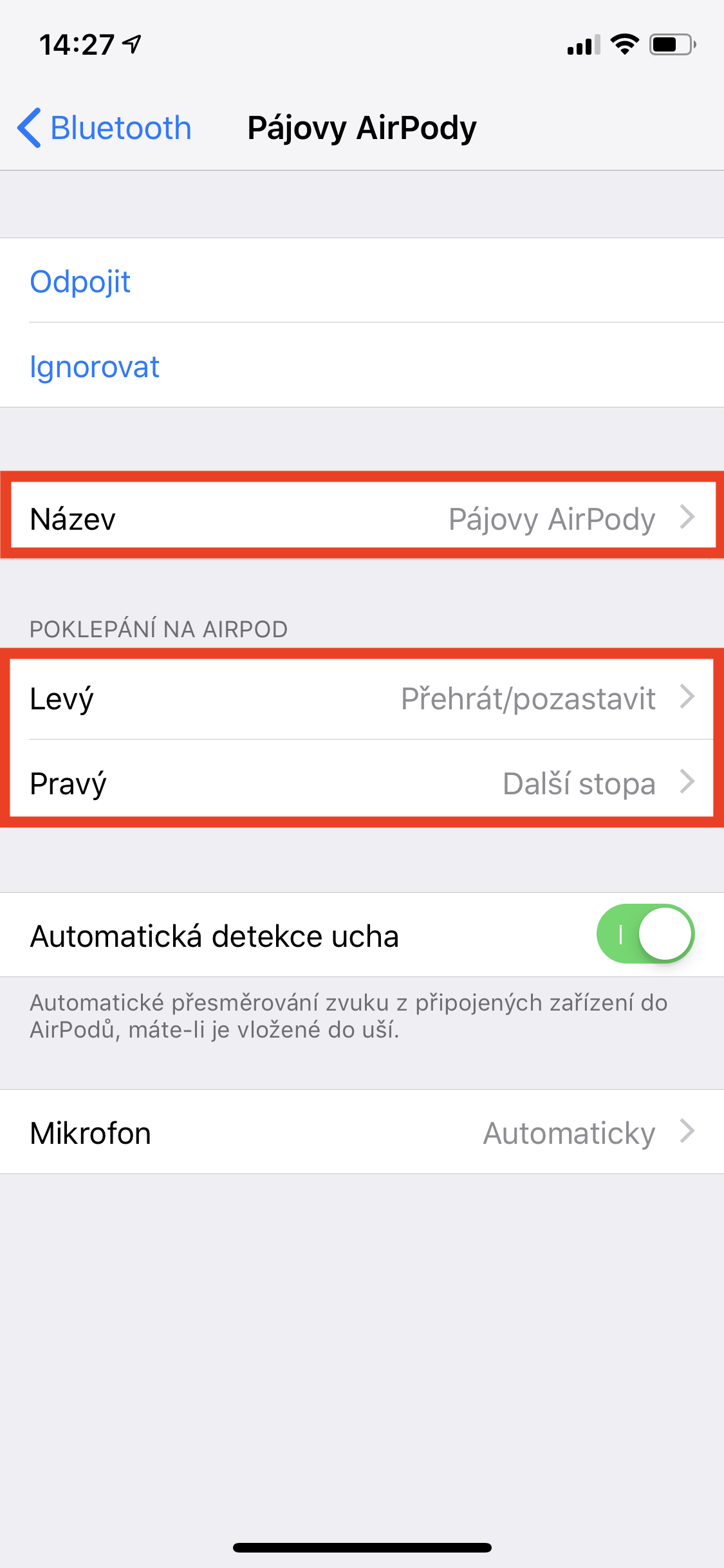
Pro name change AirSimply click on the box below Name, where all you have to do is enter a new name. If you want to change function after double tapping, just click on the box Left whether Right under the subtitle Double-click on AirYou have a total of five actions to choose from – activation Siri, Play/Pause, Next track, Previous track and Off (no action). You can also set the settings automatic ear detection whether AirUnder which will be preferred like microphone.
Gallery



Personally at AirI can't stand Pods and even though there are better sounding headphones on the market, I wouldn't change them. I like the design of true "wireless" headphones, where nothing connects the headphones, and the biggest plus for me is the tap function. AirIn my opinion, the pods are really perfect and if you are hesitating whether to buy them, then definitely go for them.