
Along with the introduction of new flagship phones from Applu, iPhone XS and XS Max and XR, a feature was also introduced that allows you to change the depth of field of a photo in post-production. Simply put, after taking a photo, you can blur the background to your liking for every photo you take in Portrait mode. But that wouldn't be Appleif he hadn't perfected this feature. In the new version of the operating system iOS 12.1 you can change the depth of field of a photo before taking the photo in real time, not just in post-production. So let's take a look at how to do it.
You might be interested in
How to change the depth of field of a photo in real time
On our iPhone XS, XS Max, or XR with the latest operating system iOS 12.1 we open the native application Camera. Here we move to the mode Portrait. Then simply click on the icon in the upper right corner fv circle, which activates the ability to control the depth of field. It will appear at the bottom of the screen slider, thanks to which you can easily change the depth of field value. But keep in mind that you still have to respect the aspects that Portrait mode needs to take a photo. If something is wrong, a small window will appear at the top of the screen with information - for example Give up.
Gallery
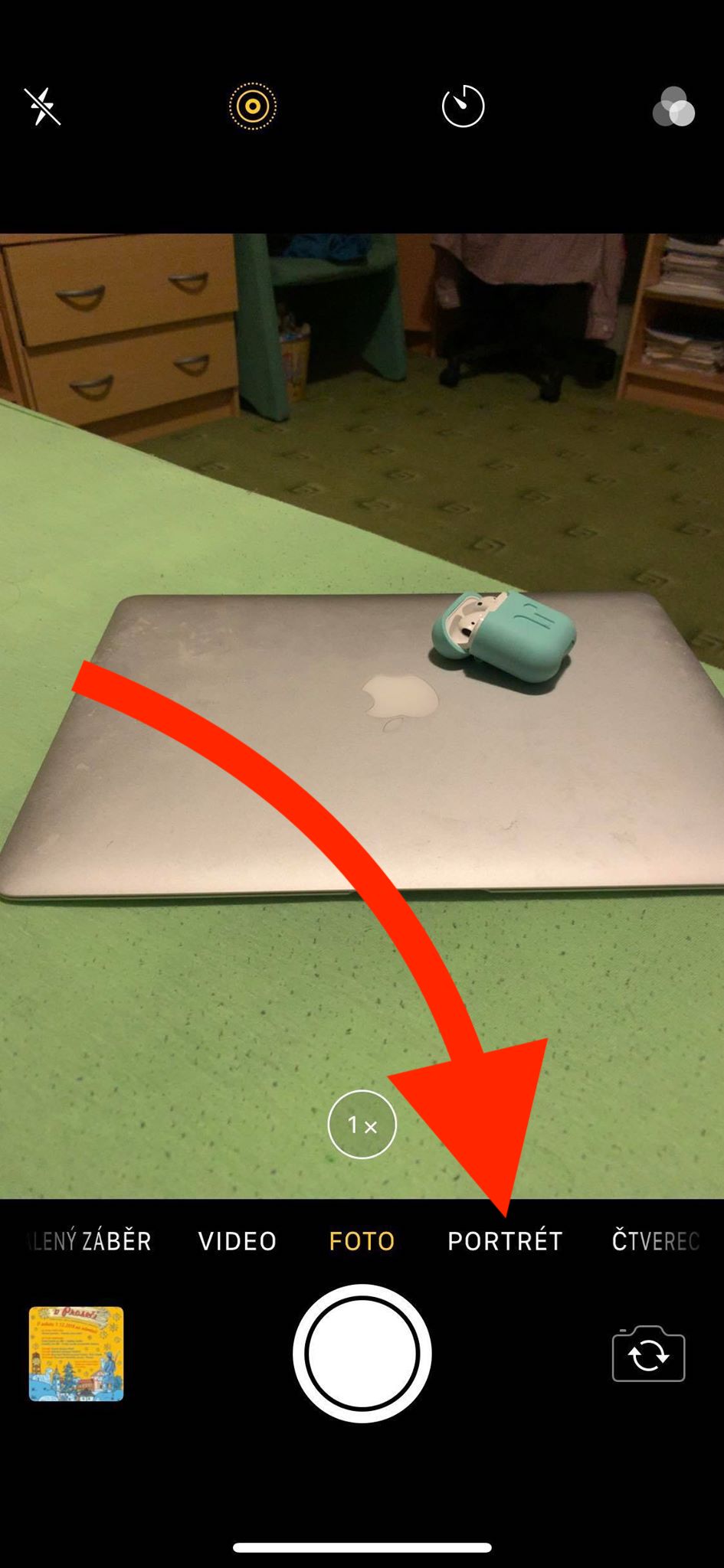
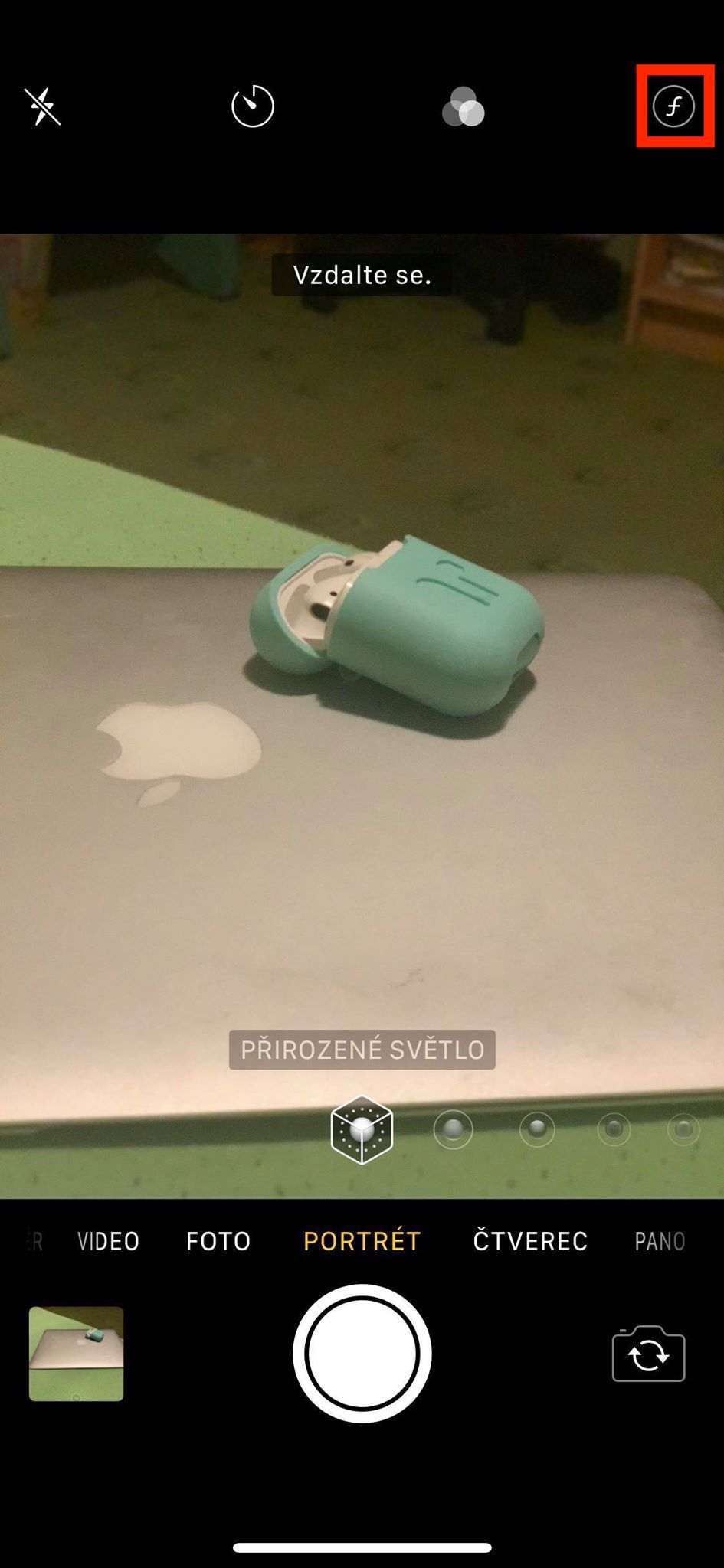
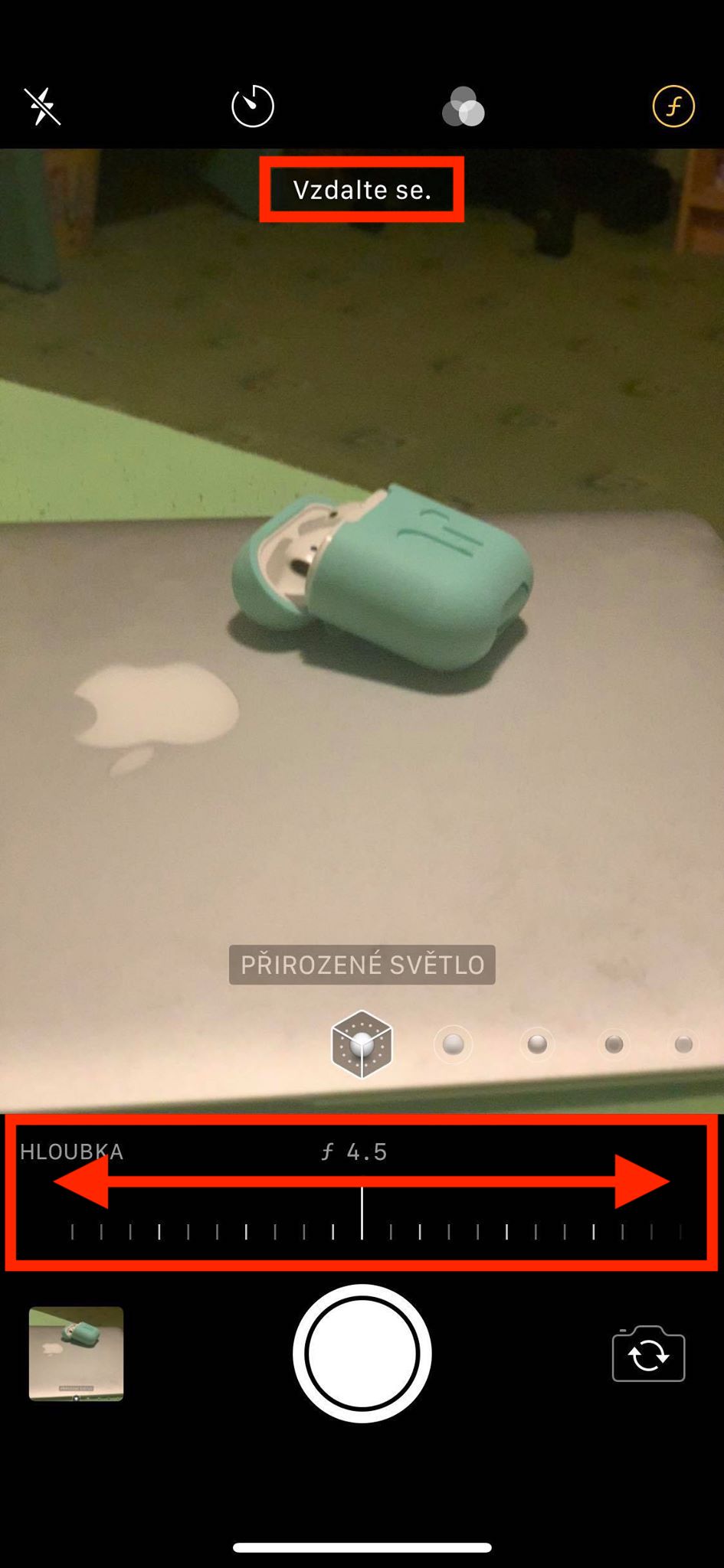
In my opinion, this function is really great, because you can easily see how the final result will look before taking the photo. Of course, I can't forget to mention that even if you adjust the depth of field in real time and you're not happy with it, you can always change it in post-production. You can see the differences in depth of field in the gallery below:
Gallery











Both the Samsung S9+ and Note 9 have been able to do this since their release. And it works great. Portrait mode also works at a greater distance, unfortunately Apple does not allow
huawei p9 was already able to do that two years ago, I think even for shooting videos,
iPhone Unfortunately, X can't do that, which is sad that the annual model, which has become quite old, did not receive such an update or software.
They can, but not natively app but through appthird party services
yes, I tried that through focos and halide, I stayed with halide
It can also be activated simply with the Up gesture.
Pro they don't reach the top corner of the threshold 😜