
In today's guide, we'll look at how to easily find out the condition in which you purchased your iPhone directly from your iPhone settings. iPhone. Accordingly, we will look at how to tell if yours is iPhone purchased as new, refurbished or if it was exchanged for a defective item. You don't need any third-party application for this, you just need to know where to look in the settings, and then follow the next paragraph of this article, where we will break it all down. So let's get to it.
You might be interested in
How to find out the condition in which you purchased your iPhone
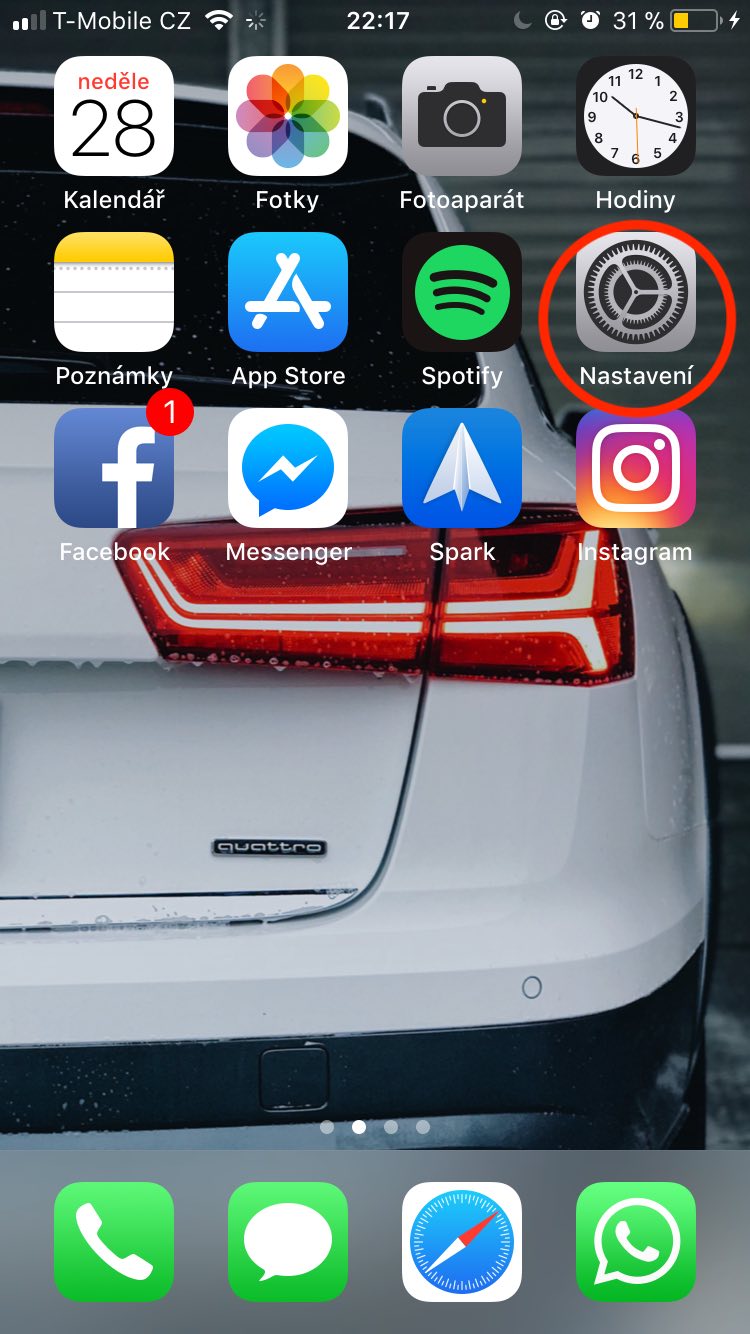
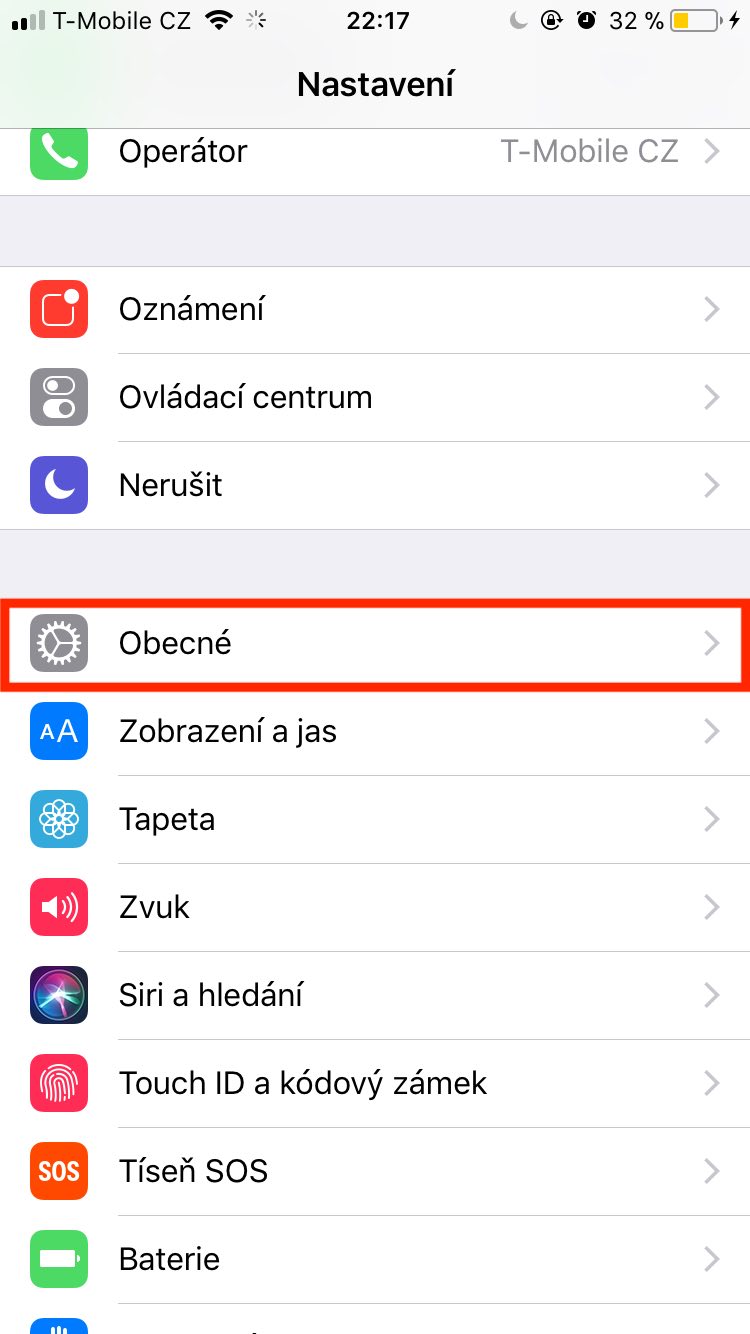
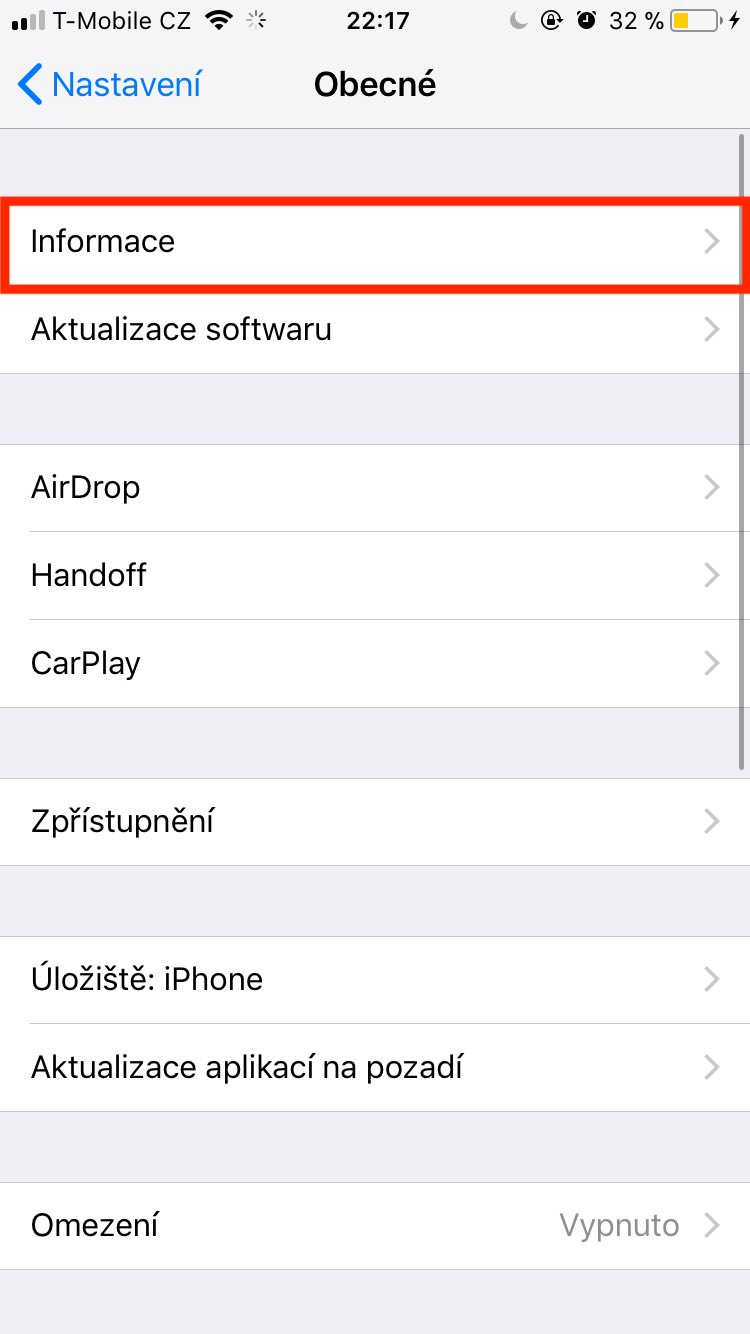
First, you need to open the native app on your iPhone Settings. Then we move to the bookmark In general and click the option Information. Now all the information about our device has been opened to us, from the storage capacity to the name of the operator to the Model field, which we are interested in in this case. In my case, the Model column has the format MKxxxxx/A. To see if it is iPhone new, refurbished or replaced, we need to focus on the first letter. If the initial letter is:
M = this is a device that was bought new,
F = it is a device that is refurbished,
N = this is a device that has been replaced with a new one (mostly due to a recognized complaint).
Gallery
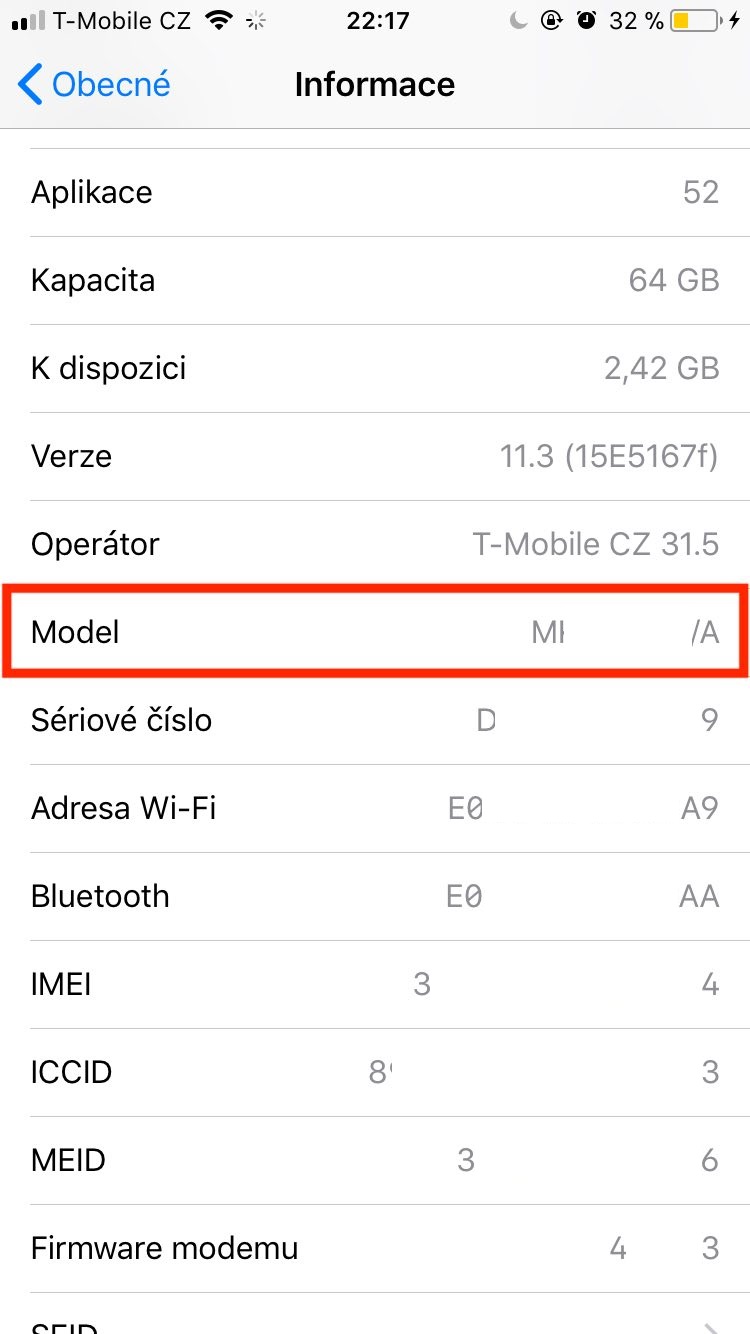
But that's not all. Using the model number, you can also find out which country your device is from. iPhone comes from. To make it as easy as possible for you to find out where your phone comes from, we have created a special guide for our readers. Letem svetem Applem they have prepared a simple tool that you can switch to using this link. Just enter the model number in the appropriate text field and the tool will immediately display all the available information that can be found about the phone.
You might be interested in
This identification of the Model number can be perfectly useful, for example, when you want to buy a new phone (not only) through a bazaar. The advertisement may state that it is a new phone and you can easily find out whether it is a so-called refurbished model. We have also encountered a situation where a newly purchased phone from an online store was reported as exchanged. ProThis tool or knowledge of the Model number could be useful to you.



Hello, it starts at number 3 for me.
You will probably have that. iPhone in Demo version
Don't you know what that means for me? I haven't had any problems yet. iPhone I bought it at Smarty.cz.