Like many other competing services, it also started WhatsApp offer another step towards higher security, which is two-step verification. The optional setting will verify your phone number after installing the application using a six-digit code that you generate using this feature. The application will then ask you for this each time you install it. Unlike other services, this way you WhatsApp It does not generate the password itself, but you create it yourself.
You might be interested in

You don't have to worry that if you forget it, you won't be able to see your account anymore. Your email is a backup, which you can use if you forget your code. WhatsApp will send a link to deactivate two-step verification. However, entering your email is optional, which means that if you don't set it up and forget your code, you can just create a new account. Your number will be disabled for seven days. After this period, you will be able to verify your number again, but you will lose all messages sent in the meantime.
One last very important note is that if you verify your number after 30 days from the last time you used the service, your account will be permanently deleted and a brand new one will be created. It is therefore a good idea to verify the number again as soon as possible in case of forgetting the code, in order to avoid unwanted loss of messages and contacts.
How are you? WhatsApp na iOS activate two-step verification
- On your own iOS device, launch the application WhatsApp.
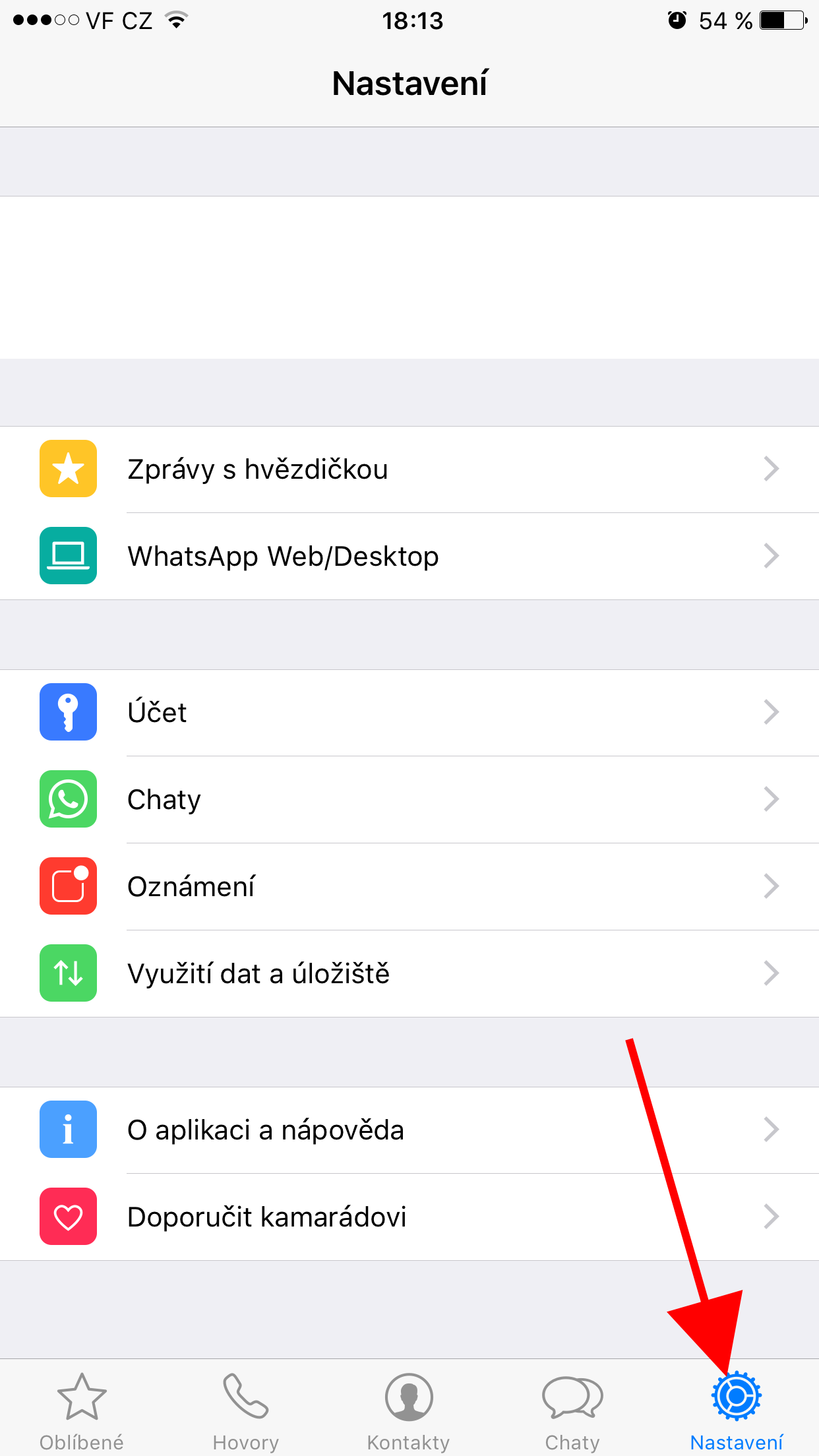
- In the bottom panel, click the Settings button.
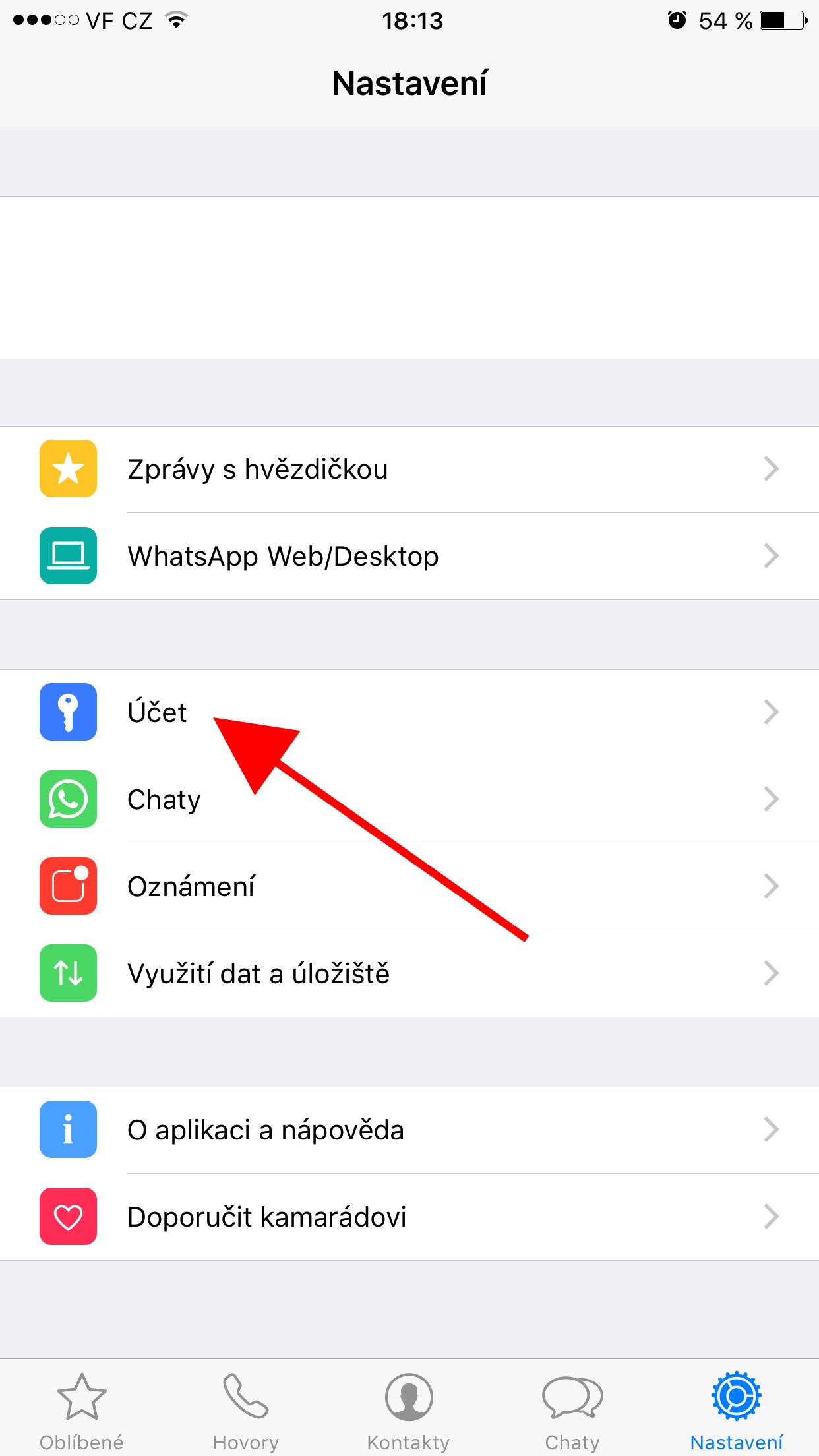
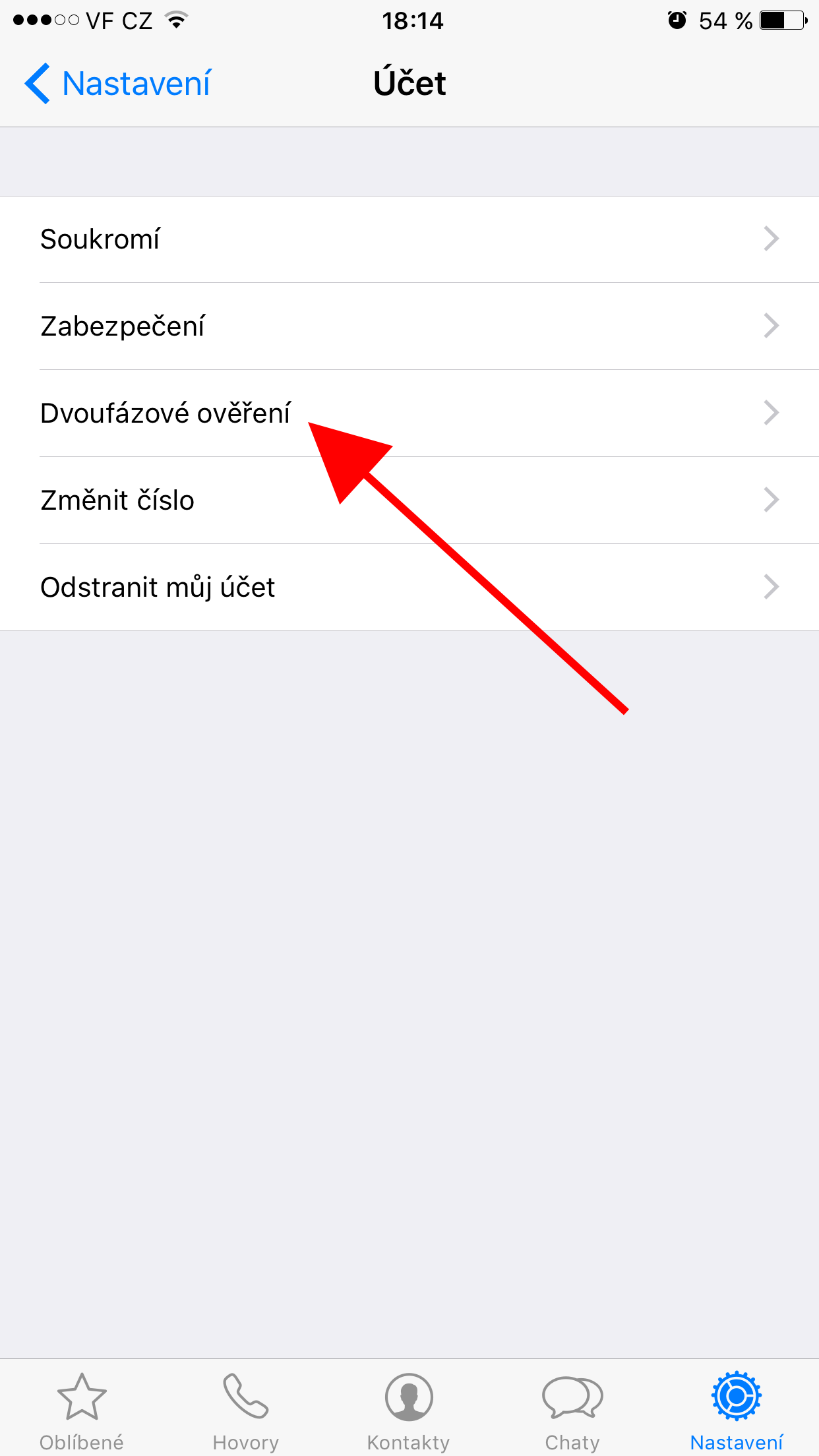
- Select Account.
- Select Two-Step Verification.
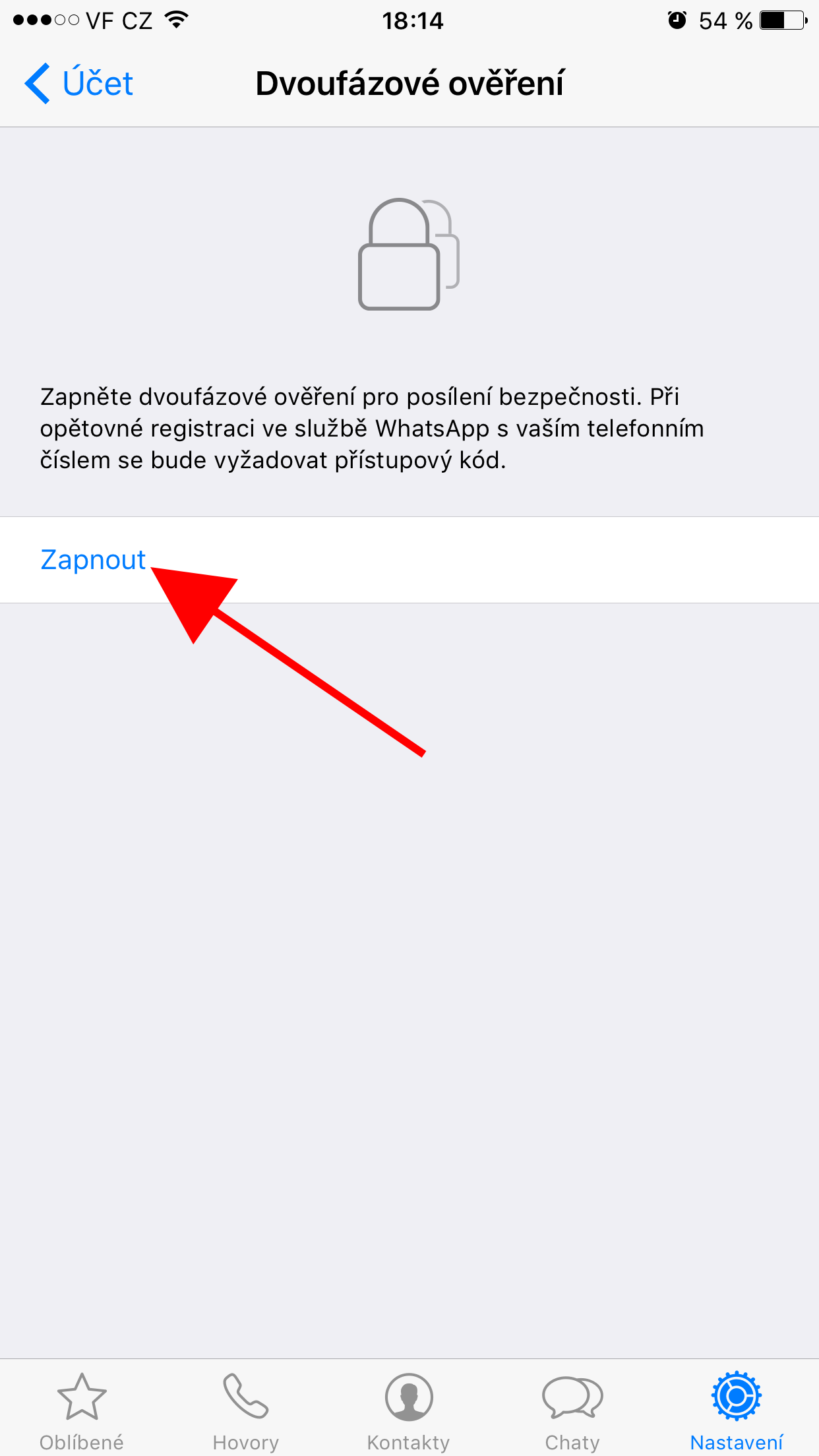
- Click Turn On.
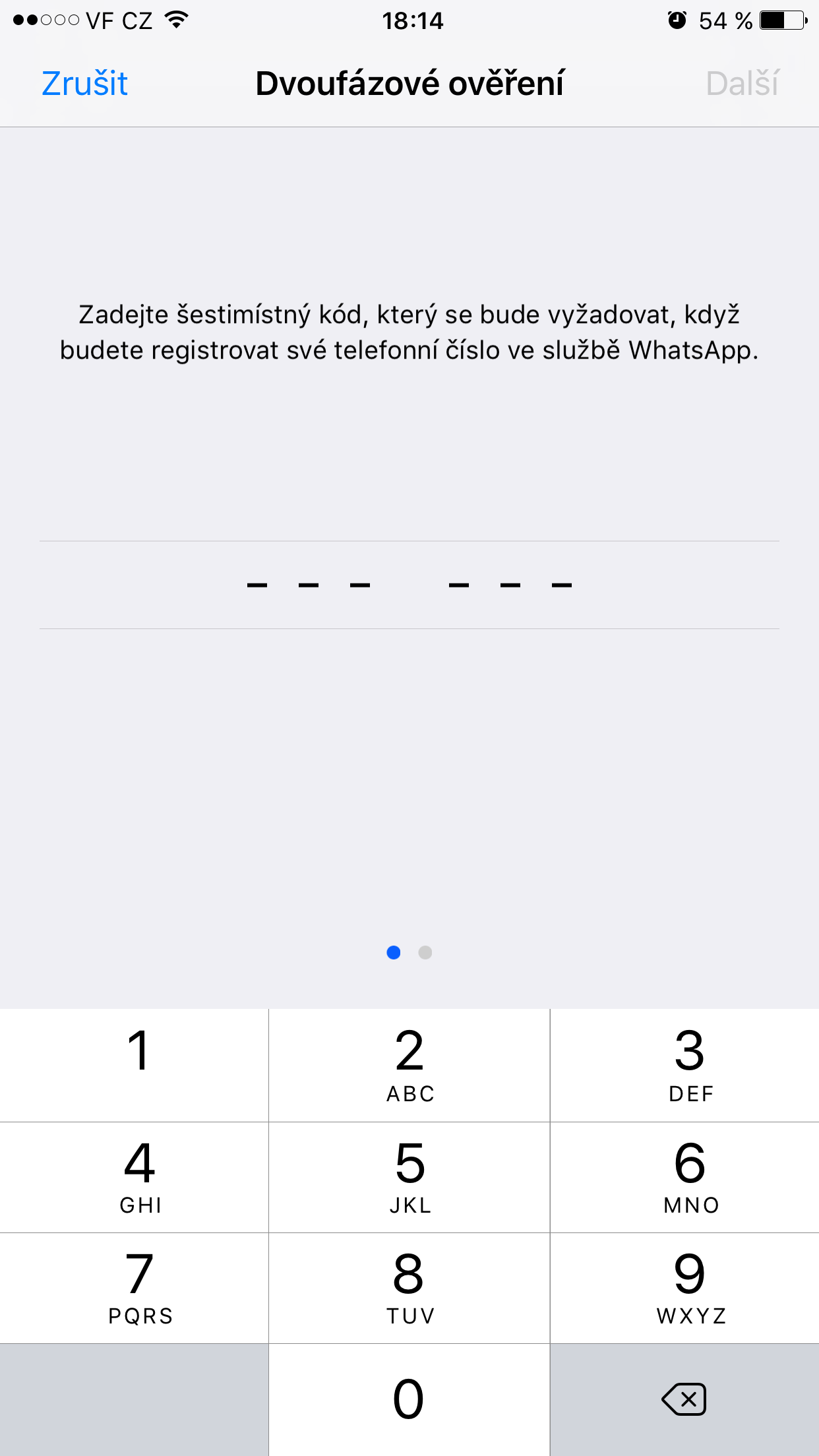
- Choose a code that will be sent to you when you re-register your number. WhatsApp In addition, the application will ask you to enter it regularly during use.
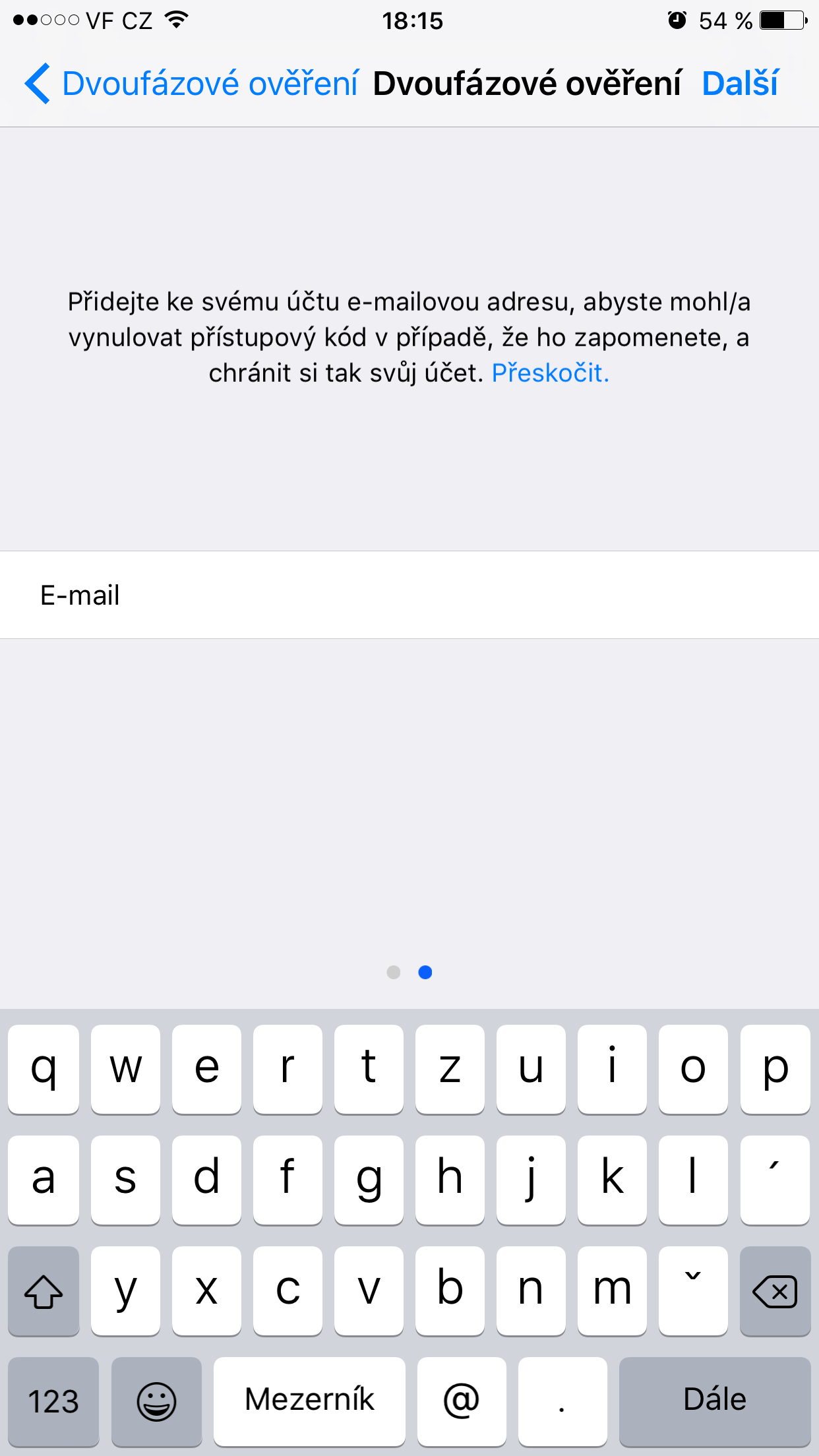
- Now you can optionally enter a rescue email. The application does not send any confirmation to the email - so make sure you enter it correctly.
- Click Done.
Gallery
Now the feature will be enabled in seconds and your account will be more secure.