
How to add a vaccination certificate to Zdraví a Apple Wallet is a question many iPhone users have asked themselves. Until now, if you wanted to prove yourself with a vaccination certificate, you had to use the domestic Tečka application. Adding a certificate to Zdraví a Apple Wallet was not available yet, although we kind of knew support was coming. The good news is that we were right and after the update was released iOS This option was made available on 15.4. You can add your vaccination certificate to Health and Safety very easily, with just a few clicks. Apple Wallet. Right from the start it is necessary to mention that of course You must have the latest update installed on your iPhone. iOS 15.4!
You might be interested in
How to add a vaccination certificate to Zdraví a Apple Wallet
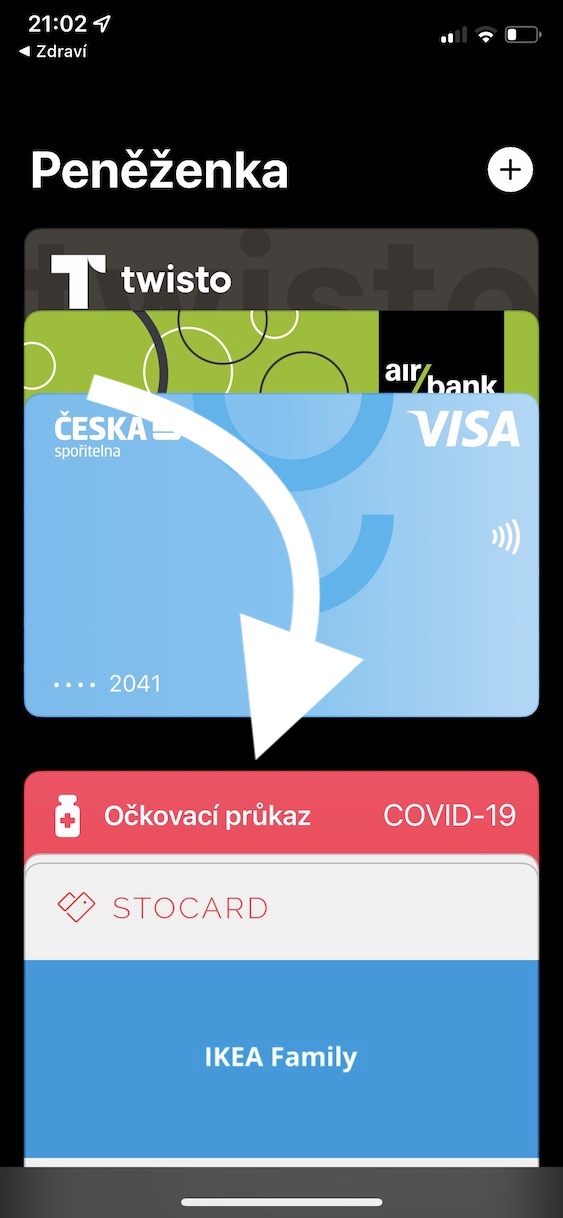
Of course, the mentioned application Tečka works simply and practically without any problems, but Apple presents its own solution, so in most cases it is more elegant and, above all, easier to use. In addition to what we will lie to ourselves, it is definitely more stylish to show your vaccination certificate on the iPhone by double-pressing the button and within the interface Apple Wallet you will find it and present it. For Dot, it is necessary to unlock iPhone, open the application and click on the certificate - simple and easy, an unnecessarily lengthy procedure. Pro adding a vaccination certificate to Health and Apple Wallet just continue as follows:
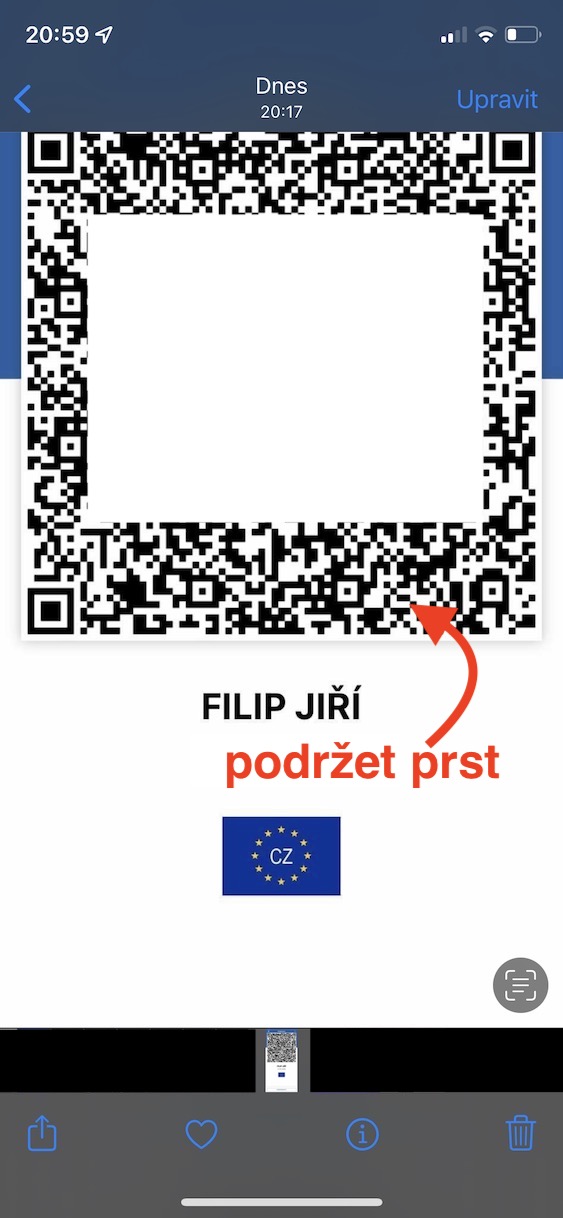
- First, you need to move to the application Dot and created here screenshot of the QR code with the certificate.
- iPhone s Face ID: press the side button and the volume up button at the same time;
- iPhone s Touch ID: press the side button and the home button.
- Then go to the native application Photos, where are you open the created image with the QR code.
- Once you do so, to QR code(s):
- iPhone 11 and later with Haptic Touch: hold your finger for a few seconds;
- iPhone XS and older with 3D Touch: press harder with your finger.
- If the option to add does not appear after holding your finger on the QR code, check whether you have active Live Text function, which is necessary. If you have older iPhone without Live Text, then follow the procedure below.
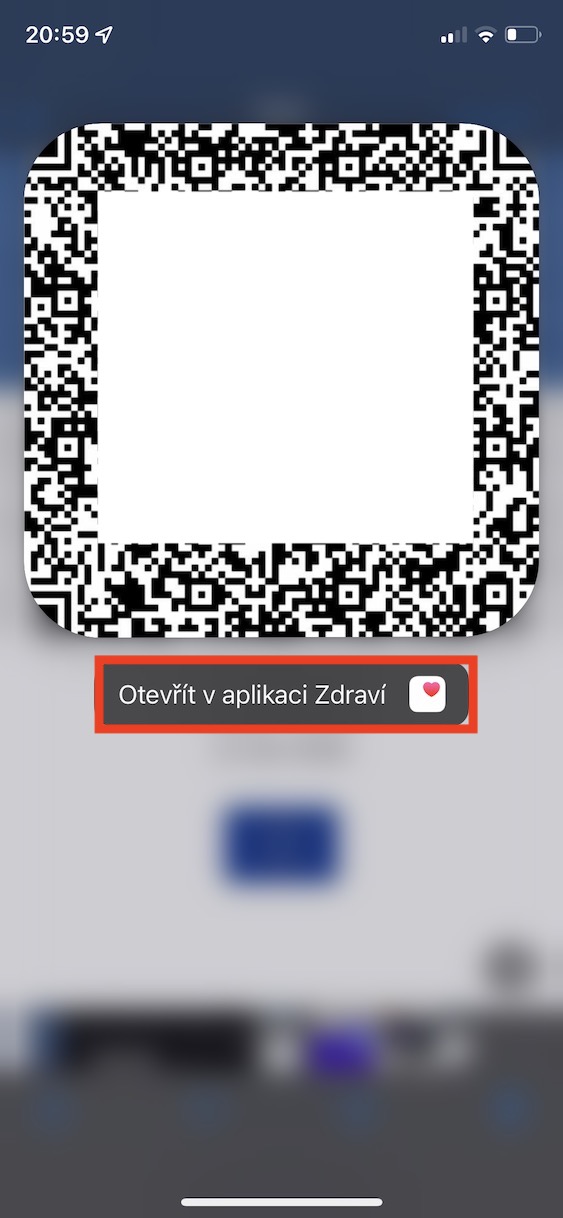
- After that, the QR code will be loaded and bordered. An option will appear Open in the Health app, which you tap.
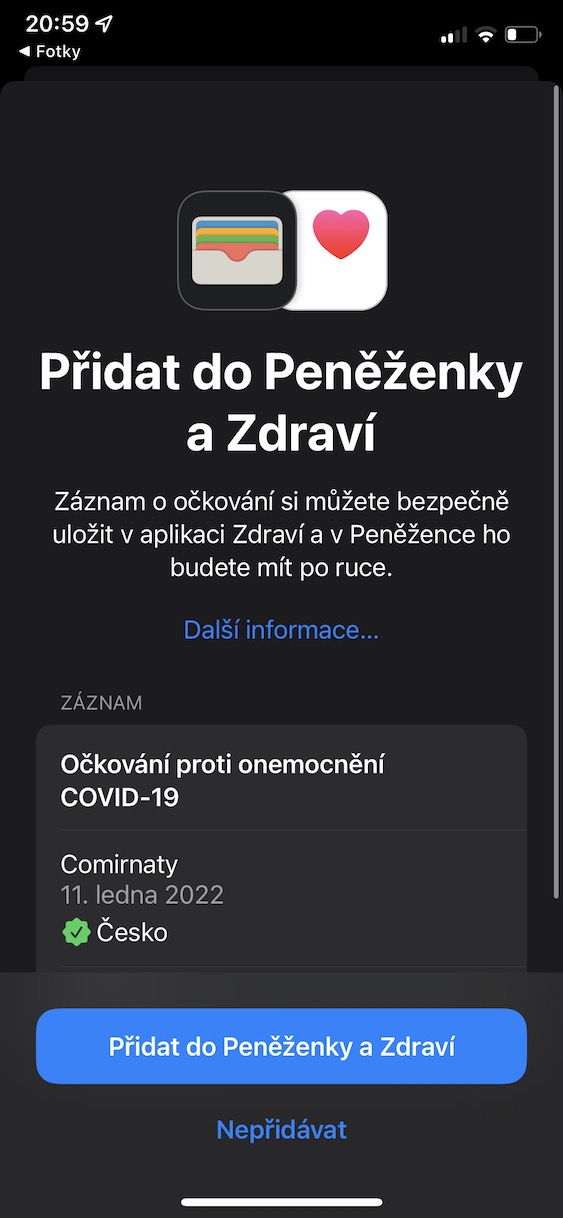
- You will immediately find yourself in the interface of the Zdraví application where you are check the data and tap on Add to Wallet and Health all the way down.
- nakonec you just need to confirm the action by tapping Continue.
How to add a vaccination certificate to Zdraví a Apple Wallet
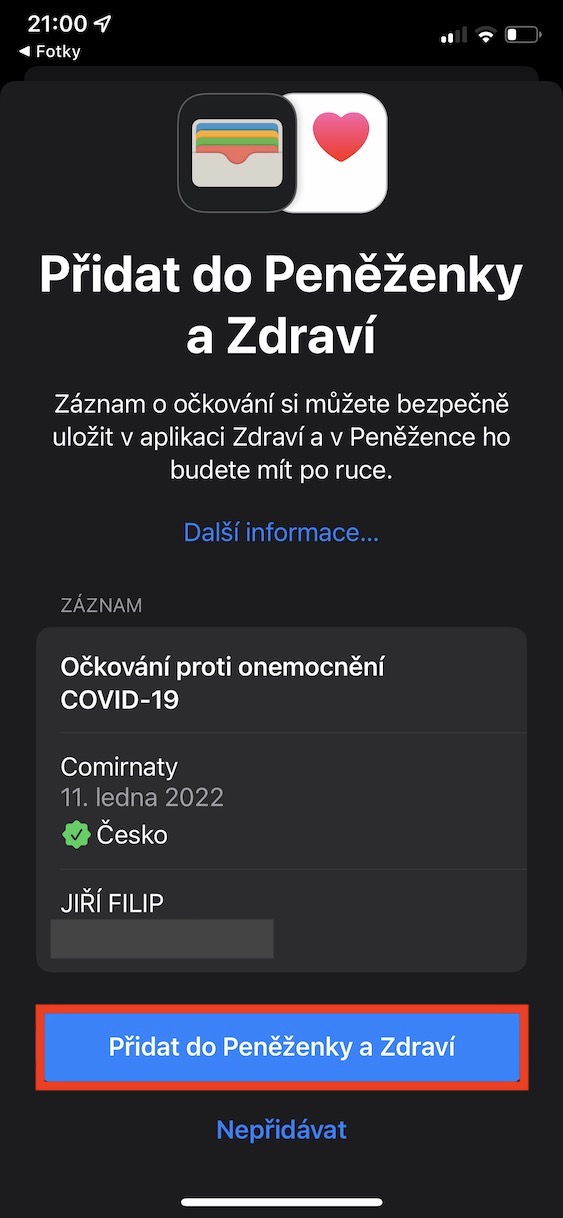
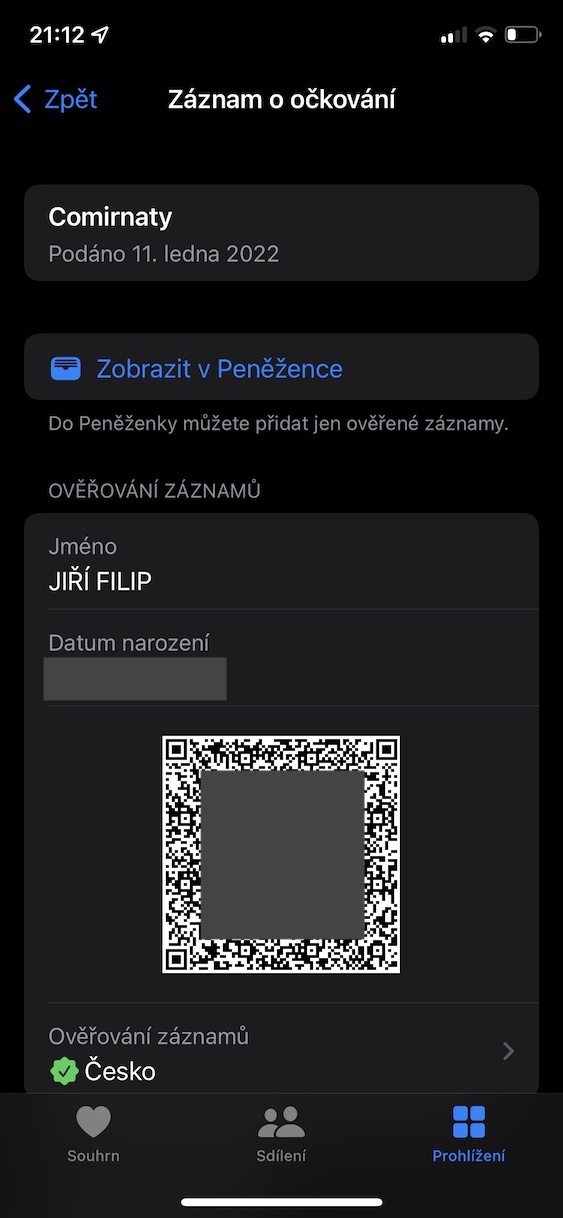
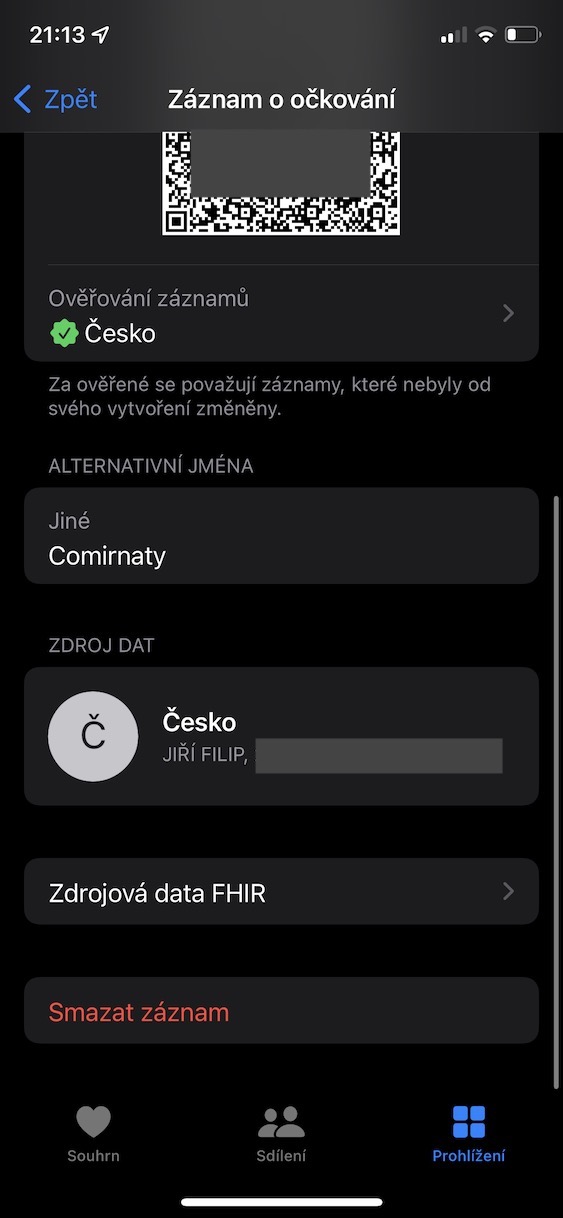
If you don't have a newer one available iPhone with the Live Text feature, you don't have to despair. Just print the QR code or forward it to another device. Then go to the app on your iPhone Camera, or until built-in QR code readers, and then iPhone point to the QR code. Will appear information about the vaccination certificate, which you tap and then simply add the certificate, same as above.
How to add a vaccination certificate to Zdraví a Apple Wallet via Camera
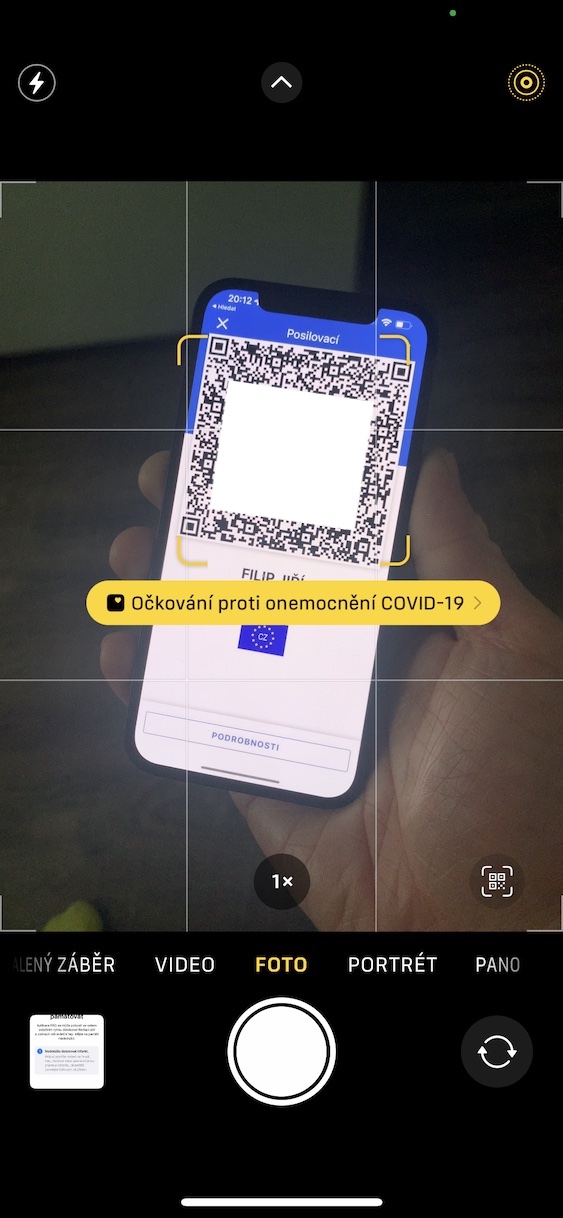
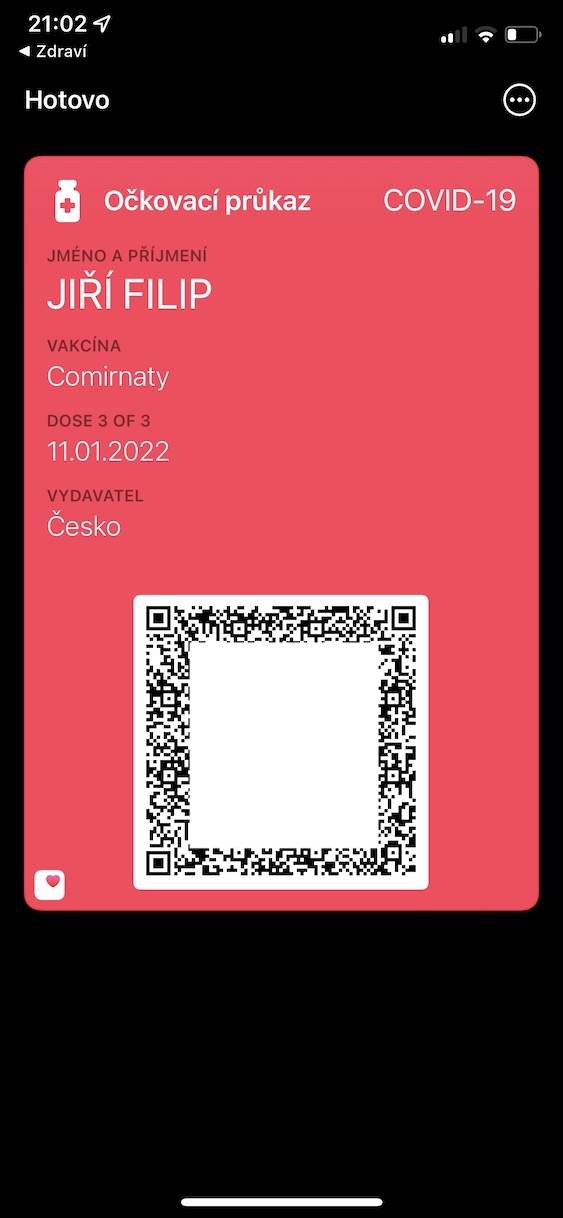
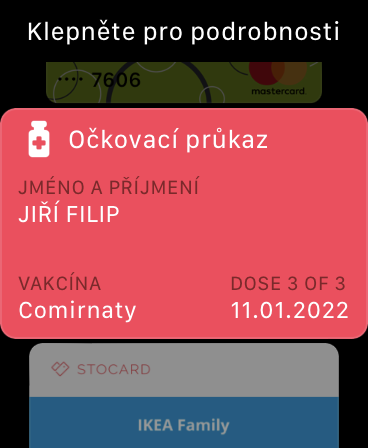
Using the above procedure, it is therefore possible to Health a Apple Wallet add your vaccination certificate. In some cases, you may find yourself in a situation where you see a message at the end stating that the certificate could not be added to Apple WalletThis message is incorrect and you can simply confirm it - and still get your certificate within Apple Wallet you will find, so there is nothing to worry about. If the above procedure does not work for you and the option to add does not appear after holding your finger on the QR code, then check whether you have the Live Text function active, which is essential. In Health then you can find your vaccination certificate in the section Immunization. Pro display of the certificate in Apple Wallet so you just need to go to it, just like when using Apple Pay, and then tapped on it with their finger, which will make it appear immediately. The certificate is available in Apple Wallet and on Apple Watch. Elegant, simple and above all fast.
How to view the vaccination certificate in Apple Wallet



Maybe it would happen fromminithat a certificate of illness or a certificate of test cannot be loaded into a wallet like this, but only into a health card.
So I can see it in my wallet too. I don't know what this is about...
In the instructions on Apple it is stated on the pages, it doesn't work for me, so I don't see it....
I did both and it still asked...it just didn't work to scan the QR code :( I had to take a picture of the paper
Code cracking doesn't work for me either. iOS 15.4 IP8
Unfortunately it doesn't work for me...
I open the photo of the Vaccination Certificate in the photo application, put my finger on it and nothing...
The same with me Jardomile
You need to hold your finger on the QR code for at least a second. Of course it has to be iPhone updated to 15.4.
If, according to the instructions, it doesn't work for someone like me, I recommend reading the QR code of the certificate using the camera, for example from paper or from another device, and then you will automatically be offered to save it in the Wallet application.
Iphone 8+. It didn't work for me in the gallery either. I had to use the camera.
I confirm, via photo from app That's not possible. However, if I take a picture of the QR code, it's a matter of seconds.
Thanks for the tip.
For me too...the hold doesn't work (phone updated to 15.4, iPhone 13 mini) I squeeze and nothing... I would chop it up :( ... I printed it out and it worked right away (both in terms of health and wallet), so I don't understand what the problem was with the "squeeze"...
I got it iPhone 13 mini and holding works :-)
iPhone 13 Pro. When adding a certificate from Photos or via the camera, there is only the option to insert it into Health. The option to insert it into Wallet ( Wallets ) are missing. Does anyone have the same? Thanks
Yes, I have exactly the same - 13 PRO too.
U iPhone 11 for your health and wallet without any problems
Good morning, the above instructions work for wallet only for vaccination certificates – you cannot upload those about past illnesses or tests there. At the same time, you must have iOS 15.4 and if you can't scan the code from screenshotu, another option is to scan from another device. ProSome people don't see the option to add to Wallet Unfortunately, we have no idea, but we will check.
I (only) uploaded the certificate of past illness to Zdravi without any problems :-)
Thanks. It worked absolutely flawlessly. IP12PRO.
It doesn't work for me either when taking a picture or by touching it directly. Iphon 12pro ios 15.4.
Pro everyone: the website getcovidpass.eu also works well for this :-)
Thank you, thanks to the message you wrote, I had it right away🙂
For holding on a QR code to work, Live Text must be turned on in Settings / General / Language & Region. And English must be added as an additional language (Ponechat language Czech)
So here is the core of the poodle for everyone!!! For example, I don't set up the phone in any particular way and simply "just" use it almost in the factory settings, which has just been deactivated here. I reset and it works… for next time, I already did it in the morning via the printed page and the camera.
na iPhone Xs without problems and QR code in photos
in newer iPhones, 3D touch was replaced by haptic touch and apparently it doesn't work in the gallery
Hello, due to the fact that the procedure did not work for some of you, the article has been supplemented with some procedures and information:
I greet you, even though I am over 70 years old, and iPhone I bought it a week ago, I've always used Android, so I have a much simpler solution for everyone that also works on Android. Proso what the article refers to works partially, or not at all. It was copied to health, but from there it didn't work in the wallet. because it said that only verified records can be added. I have it saved in PDF. If anyone wants it, here is a simple and quick procedure, you just need to digitize the certificate and insert it into the wallet, in a few seconds. Open the link below, you can create it, and you have two options, QR or PDF, follow the instructions.
Open this link:
https://www.getcovidpass.eu/?lang=cs
"There is genius in simplicity" :-)
Thanks for the instructions, the photoshoot is okay. Just wondering why my expiration date is in a year? Has it been shortened again? It used to be after the 3rd dose. minialmost 5+ years... Thank you.
I always want to vaccinate every three months, so a year is still fine :-(
😂 … thanks Mirek for the answer. Well, that's embarrassing 🤦🏻♂️ Maybe it's just a bug in iOS 😏
And why should I add it to Walletor Health, if I have a Dot and it works normally?
ProThe integrated solution is usually better - there is no need to install another application.
On iPhone 13 Pro max upload without problem