If you are even slightly interested in creating content for social networks, it is quite possible that you have already come across Patrik Kimi Kindl . Social networks, building a personal brand and creating videos have become his daily bread in recent years. He returned to creating content in full in 2023 and in February 2025 founded the Kimi Kindl Media profiles , with which he managed to build a base of more than 190 thousand followers across platforms in just one year and, together with content for clients, collect over 112 million views. Interestingly, he created a large part of this content practically only using an iPhone, on which at one time he managed to prepare over 300 reels per month.
Today, he shares his experience with creators, entrepreneurs, and companies through courses, mentoring, training, and his own community. And since he is also a long-time user of the products Applu a iPhone considers it his main tool for creation, we had more than enough reasons to interview him. Therefore, we talked not only about photoshoots and filming iPhonem, but also on social media algorithms, building a personal brand, artificial intelligence, the applications he uses in his creations, and of course, on the new iPhone Duo, which he was among the first Czechs to try.
Follow Patrik on his networks:
Many people follow creation on social media today, but few realize how big a role the image plays. What do you iPhone What is the most suitable creative tool?
Look, for me, when I look at the quality of most videos, most creators use iPhones anyway. There are very few big creators who use something with Android. For me, it's obviously the quality of the image and the final output.
I know a lot of people write to me in the comments that Android had some things a long time ago or that it has a better camera. I'm not saying that it isn't, but the final video that is iPhone capable of creating, is still the best option for social media in my opinion. When you're shooting content on a phone, you'll get the best output from an iPhone. I'm not just saying that because I'm a heavy user of things from Applu — it can also be seen in the work of great creators.
Of course I'm caught up in the whole ecosystem. Plus, some apps work better on iOS or they weren't on Android at all before. Like Captions for subtitles. And there are more similar things.
How do you see the evolution of iPhone cameras over the past few years? Is there any advancement that you think ordinary users might not appreciate?
When I compare it to, say, the iPhone 11 Pro to 16 Pro - s 18 Pro I still have it. nestihl — there are situations where the result is quite similar. With any phone, the light is often the most important factor. Light is the alpha and omega. If it's bad, it almost doesn't matter if you have a new one iPhone, or a six-year-old model. The result will usually not be good.
iPhone 18 Pro but it has changed that drastically. Even in poor light it can take a nice, bright photo, which is a big step forward. There is also progress in zoom capabilities and frame rates, although you don't use them that much in normal creation. Once you have 4K at 30 frames per second, it's great.
The big difference is in the aperture of the lenses and how much you can zoom in. The more zoom you can use meaningfully in your video, the more professional the result can look.
Do you use it in your own creations? iPhone as a main camera, or more of a quick addition to professional equipment? What types of content do you think it is best for?
It's for me iPhone primary camera — or rather primary cameras. I have here iPhone XR, 11 Pro, 14 Pro Max, 16 Pro Max and now 18 Pro MaxI'm not giving those phones away because I use them when I create, even if only for comparison.
Of course, I have other cameras from DJI or Insta360, but they are more of an add-on for me. When I want to record a vlog for YouTube, it is easier to turn on DJI or Insta360. The image is stabilized, after turning the camera on myself I can see what I am recording, the camera follows me and at the same time I do not take up the memory of the phone. A vlog can easily be 80 or 90 GB.
Na iPhone but I am able to record all content — YouTube, social networks, video lessons for the community and various professional outputs. The difference compared to professional technology is often not even noticeable. Now I plan to make a podcast and I will also record it only on iPhoneA person doesn't really need more.
What do you think are the most common mistakes people make when taking photos and filming on iPhone?
It's not just about the iPhone, but the most common mistake when taking photos and filming is using the basic 1x zoom. I'm not saying you can never use it. But if you don't want fast, natural video and want a nice shot, it's worth using miniAt least 2x zoom — for both photos and videos.
With the iPhone, portrait mode, contour light and slightly reduced exposure also help a lot. iPhones themselves overexpose a little, so it's better to set the exposure to -0,3, or even -1 depending on the light. I have it on all my phones.onech in base −0,3.
And then movement is important. When I want a nice shot, I move the phone.oneI slowly move it in one direction and don't wave it in all directions.
If you had a person who wants to iPhoneTo take better photos, what would you recommend for three very basic things?
For me, it's the same things I talked about before: working with the zoom, working with the composition, and watching the exposure.
When it comes to composition, it's good to create space in your photo. For example, take a photo over an object, then have the main object and the background behind it. This makes the photo look more three-dimensional.
What about video — which iPhone settings should a beginner focus on first to make their footage look better?
There's certainly no need to shoot at the highest frame rate your phone offers. That's unnecessary. The most natural regular video can be shot in 4K at 30 frames per second, or 24 frames per second. For example, I shoot YouTube videos at 24 frames per second.
The most important things for me are exposure, zoom and 4K at 30 frames per second. If I want to slow down the footage, I'll use 60 frames per second or more.
How important is light? Do you think that even without expensive equipment, you can achieve significantly better results just by understanding how to work with natural light?
Sure, light is everything. When you shoot outside, the shot will almost always be better. If you don't have your own lighting and you can go outside, go outside and shoot.
Of course, when it's midday in July and the sun is at its brightest, it can be more harmful. Then it's better to wait a while, go to the shade or out of the main sun.
Even indoors, you can get by with a very simple light. You can light yourself with a second phone.onem, a flashlight or a lamp. If you have to shoot indoors, I wouldn't just use overhead lighting. I'd rather buy a simple battery-powered work light for a few hundred. It's still better than nothing.
Do you use one of the more advanced iPhone modes when taking photos and videos, such as ProRAW, ProRes, slow motion or film mode? Which one has real practical benefits for the average creator?
ProRAW ani ProI don't use Res. They take up an extremely large amount of space and I don't see any reason for my regular work to subsequently deal with color grading and coloring videos or photos. Pro I don't think it makes any sense to the average person, and it doesn't even make sense to me. I've tried D-Log and similar things on other cameras, but it's just too much work for me.
This makes sense when you are shooting on multiple devices and want to color-match all the footage, or when you are creating a more elaborate program. But then you need iPhone with large storage or an external drive.
I don't use slow motion at all. I use movie mode for video lessons, for example. It's also useful when filming yourself with the front camera, when you want to blur the background and create a spoken video. Plus, it's available on newer iPhones and iOS 27 it is possible to switch some normally recorded videos to film mode and back, which is a big step forward.
Where do you think meaningful photo and video editing ends and the attempt to unnecessarily "overdo" the result with effects or filters begins?
I only edit photos directly in the gallery on my iPhone. I either use one of the filters, like dramatic, or play around with black, white, and other basic options. I don't use any external photo apps.
For video, it helps a lot to lower the exposure while shooting. If the video comes out the way it should, there's no need to edit it significantly. I'll use maxA light filter that will enhance the colors a little, but I don't overdo it.
If you really want to play with colors, you should shoot in ProResu or take pictures in ProRAW and create the result from neutral colors. If something goes wrong during filming, for example there is too much light in the image, of course it needs to be fixed. But if you create a good result during filming, there is no reason to over-tune it afterwards.
What photo, video, or editing apps would you recommend to people who want to get more out of their iPhone but don't want to spend hours learning complex programs right away?
Newer iPhone already offers more professional options, such as working with exposure time or manual aperture. There is also the Black appmagic Camerawhere you can adjust the color temperature, insert a filter, and work with the camera more professionally. Pro But it's not necessary for regular creation. I shoot almost everything in the regular Camera app.
For editing, the most useful app for me right now is Instagram's Edits app. It's free and has already caught up with CapCut in terms of features. Pro It's more than enough for most people. Its weakness is still subtitles. If you want to make content more professional and not waste time on subtitles, I think it's worth paying for Captions. The subtitle work there is unbeatable and Edits is not even close to it yet.
So for me, you need two apps for content: Edits and Captions. And then publish the content wherever it makes sense.
Content creation and social networks
Do you have a simple process for preparing a video for Instagram or TikTok — from idea to filming to publishing?
I don't work with scripts at all. MaxI usually decide on a topic or what I want to make a video about. I don't really like scripts. I'm not saying it's the only right way, but I also encourage others to try freestyle because it feels the most natural and works best on social media.
It makes sense to jot down ideas in Notes or Reminders about what you want to film about or what people might be interested in. Then I find a good location, shoot the video, edit it lightly, add subtitles, and publish it across all platforms — Instagram, Facebook, Threads, Snapchat, YouTube Shorts, LinkedIn and possibly X.
You built a strong community on Instagram organically and without paid advertising. When did you realize that content creation was no longer just a hobby, but could be a full-time job?
From the beginning. ProI started fil with the idea of getting clients for content creation. But it quickly turned into training, courses, and mentoring.
When your work is seen, people naturally want you to create content for them too. But as an individual, you can't serve everyone unless you want to build an agency. And when you see that some agencies do content poorly, it doesn't work for clients and they're upset, you realize that for many people, it will be a better and cheaper way to learn to create content yourself. A business owner always has more know-how about their field than an external agency.
ProI'm trying to teach people in the Czech Republic and Slovakia how to create quality content for social networks in a way that works for them and supports their business and sales.
What was the biggest mistake you made when building your own profile in the beginning?
I don't really know. I don't take anything as a mistake or a fundamental error. I got provoked once and there was a beef between my profile and another. That was probably the only thing I would call a mistake.
Otherwise, creation involves constantly working, testing, trying new things, and finding what works. If you try content that doesn't work, it's not a mistake. And just because something works today doesn't mean it will work in a week. Trends and what people enjoy are always changing. ProFor me, it's no trial and error.
How does one of your videos come together from the first idea to publication? Do you have a fixed system, or do you leave room for chance?
I either tell myself that I have some time, or I agree with Verča, my wife, to go and film. During one block, we film maybe five or six videos, and if there is time, ten.
I have some ideas written down in Notes, others come to me while I'm filming. I shoot the video, edit it lightly in Edits, add more footage from the second camera if needed, then put it in Captions and add subtitles. Then I go back to Edits, add a text hook, and publish the video.
If necessary, I can make the entire video, including editing and publishing, in about twenty minutes. Of course, it depends on the type of video. I don't have a completely fixed system, it comes together very naturally. But the technical process is usually the same: shoot, edits, captions, edits again, and social media.
Which devices and applications are absolutely indispensable for you when creating content?
One hundred percent iPhoneThen microphones — I recommend the DJI Mic Mini, now DJI Mic is also released Mini 2. I don't have much experience with other microphones, but from what I've had in my hand, the DJI still works best. A tripod and of course a light are also useful.
Of the apps, Edits, Captions and the social media apps themselves are essential for me. I sometimes use Google Drive for transferring files when I need to send them to someone. Nothing else is absolutely indispensable to me.
Do you shoot and edit mostly on your iPhone, or is a computer essential for more demanding work? What are the advantages for you? Apple Are the devices strong and where do you encounter limits?
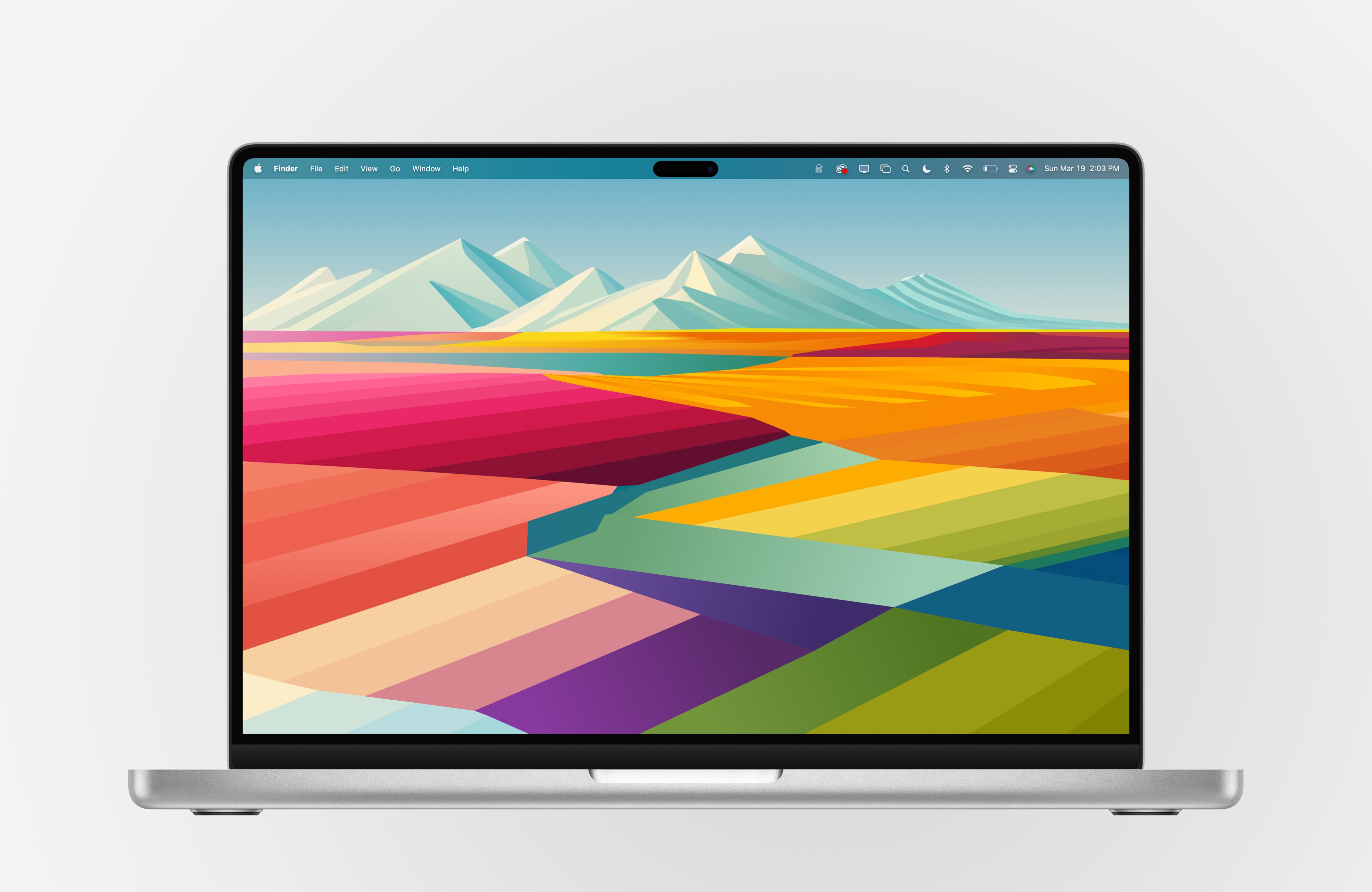
For the first three quarters of a year when I started creating content, I did everything on my mobile. Now I've kind of gotten back into it. There was a period where I was making about 385 reels a month on my mobile. Then I thought maybe it was time to move to a desktop, partly for storage and organization reasons. I took MacBook Pro with the M4 and now we have another one with the M5.
The biggest advantage Apple The device is an ecosystem. You copy something on your mobile and it's on your computer, and vice versa. iCloud, Notes, Comments, Safari, AirDrop and the ability to answer a call on your computer — everything works together and you don't have to worry about where everything is. Of course, the advantage is also performance and simplicity.
I mainly use my computer to edit long videos for social media or video lessons, to write longer pieces of writing, and to work with AI agents. But if I didn't have it, I could only function with iPhonem.
What role do data and analytics play in social media growth? Which numbers do you track and which do you think creators often overestimate?
For me, there's no need to deal with anything overly complicated. If you have a product or business and don't want to be an influencer, you don't need tens of thousands of followers. If you find the right people and have a good product, five thousand, or even just a thousand, of the right followers can be enough to make a living.
It's good to track the fundamental differences in views. If one video gets three hundred views and another gets two thousand, it's clear that something wasn't working with the first one. So I track what content is working, what videos are bringing in new followers and what videos aren't.
But there's no need to dwell on analyses and statistics every day. It's more important to perceive what people enjoy, what they want, and what they write in the comments, and continue working with the content accordingly.
Algorithms are constantly changing. Is it possible to build a profile long-term without chasing a new trend every week?
Sure, but you can't stick to one style and think it's going to work forever. You have to keep working on the content. If I keep making the same exact videos, people will naturally stop enjoying it over time.
An algorithm is not some evil computer that goes against you. An algorithm is essentially people. What people enjoy and are interested in changes. Therefore, it is necessary to gradually adapt to this and not to stand still. But it is not necessary to blindly chase a new trend every week.
AI in content creation
Artificial intelligence is already significantly changing content creation. Where does AI actually save you time — for example, in idea generation, script writing, editing, or analysis — and where are you not consciously using it?
For me, AI still can't write a really good script that sounds natural and human. It doesn't even handle editing well on its own yet. For example, automatically switching shots in a podcast from multiple cameras depending on who is speaking is useful, but even that has to be checked by a person.
AI can be used for analysis or research. It can go through comments and extract important information from them, which saves a person time. It can prepare the basis for a script, but then I think you need to dig through the whole text yourself, add to it and translate it into the way a person actually speaks. It's not like I'm going to have ten scripts created and shoot them straight away.
AI makes a lot of sense to me when creating graphics, carousels and presentations. I was using it before the AI boom carousels. If you know how to work with it well, I think you can create a better design than in Canva, without the result looking like it was generated by AI at first glance. I also teach this in my community.
Do you think that with the mass use of AI, social networks will become full of interchangeable content? How can creators prevent this?
Sure, it's happening now. Social media was originally a bulletin board for our experiences and a place for people to follow their friends. Then influencers came along, people started following specific creators, and content became more and more professional. We got to the point where almost every other person was shooting perfectly lit talking-head videos at a table, full of pop-up elements and effects.
Now, AI has arrived that can easily imitate a nice video. What it can't do yet is make an "ugly" human video. That's why it all comes back to authentic, less perfect content and humanity.
When I open Shorts on YouTube on a profile where the algorithm doesn't yet know the user's interests, almost only AI content appears. That's already the reality. The creator can defend himself against this with authenticity and his own human expression.
In addition to your own work, you teach people and companies how to use social media. What is the most common mistake that causes their content to not work?
They don't think about what people are really interested in. When someone does something for a long time, everything starts to feel automatic. They don't realize what their audience may not know yet and what is not obvious to them. For me, it's important to make the content as simple as possible, almost like explaining the topic to a small child. A person without prior insight doesn't understand a lot of things.
Another mistake is that people try to make social media into TV commercials and want perfectly polished videos. That's not necessary and often doesn't work. If you want to function organically on social media, you have to create natural, human content. There's no need to force sales on people. It's better to step back from the whole situation and think about the content in a broader context.
What advice would you give to someone who wants to start creating but is discouraged by the technology, editing, algorithm, and feeling like they're "late" on social media?
It's never too late to start, and you really don't need much. If you have a topic you want to talk about, all you need is a phone, a front-facing camera, and the free Edits app. If you don't mind investing about three hundred a month, I recommend Captions.
You don't need anything else. You add a text hook, cut the beginning andonec so that you start talking right at the beginning of the video and the video ends immediately after the last sentence. And that's it.
There are ways to avoid spending hours on social media. You don't have to keep making funny videos and making a fool of yourself. You can always succeed. You just need to grasp the idea well and find a way to process it in the long term.
iPhone Duo in practice
You were one of the first Czechs to try it out. iPhone DuoWhat are your first impressions of him?
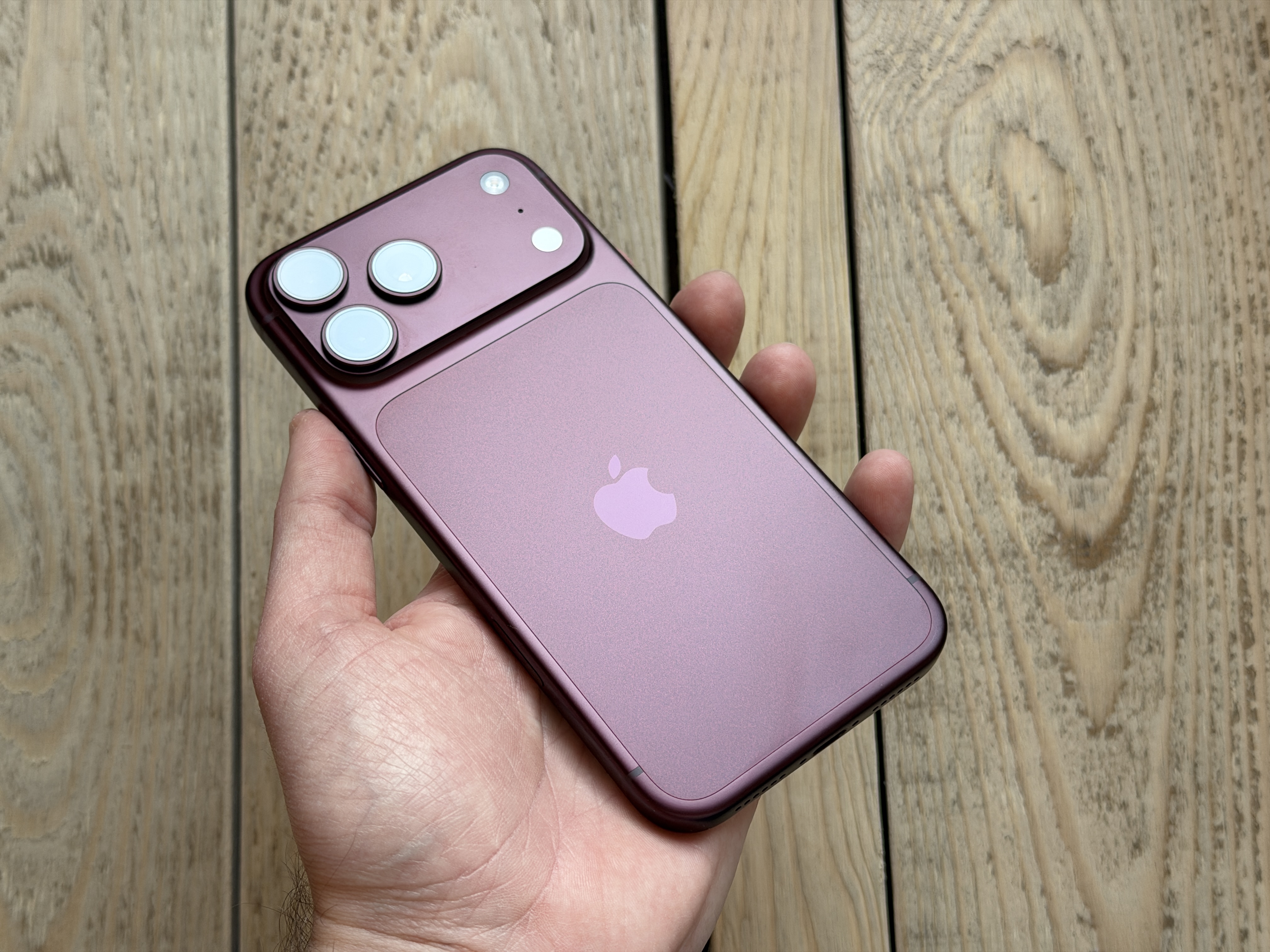
For me, it's a brilliantly tuned device. The picture is great, the transitions and animations are smooth, and both displays feel like one device, not two separate screens. When you're looking at something, you close the phone and the content seamlessly transitions to the second display. The symbiosis between the screens works great, and multitasking is also excellent on it.
It's basically a foldable tablet for your pocket. It works on Apple Pencil and when working on a mobile phone, it really offers a lot of possibilities. Of course, you need to think about whether you will actually use it.
How do you perceive the phone from the perspective of a content creator? Are the cameras of sufficient quality? Is the large display area a sufficiently large added value compared to classic iPhones?
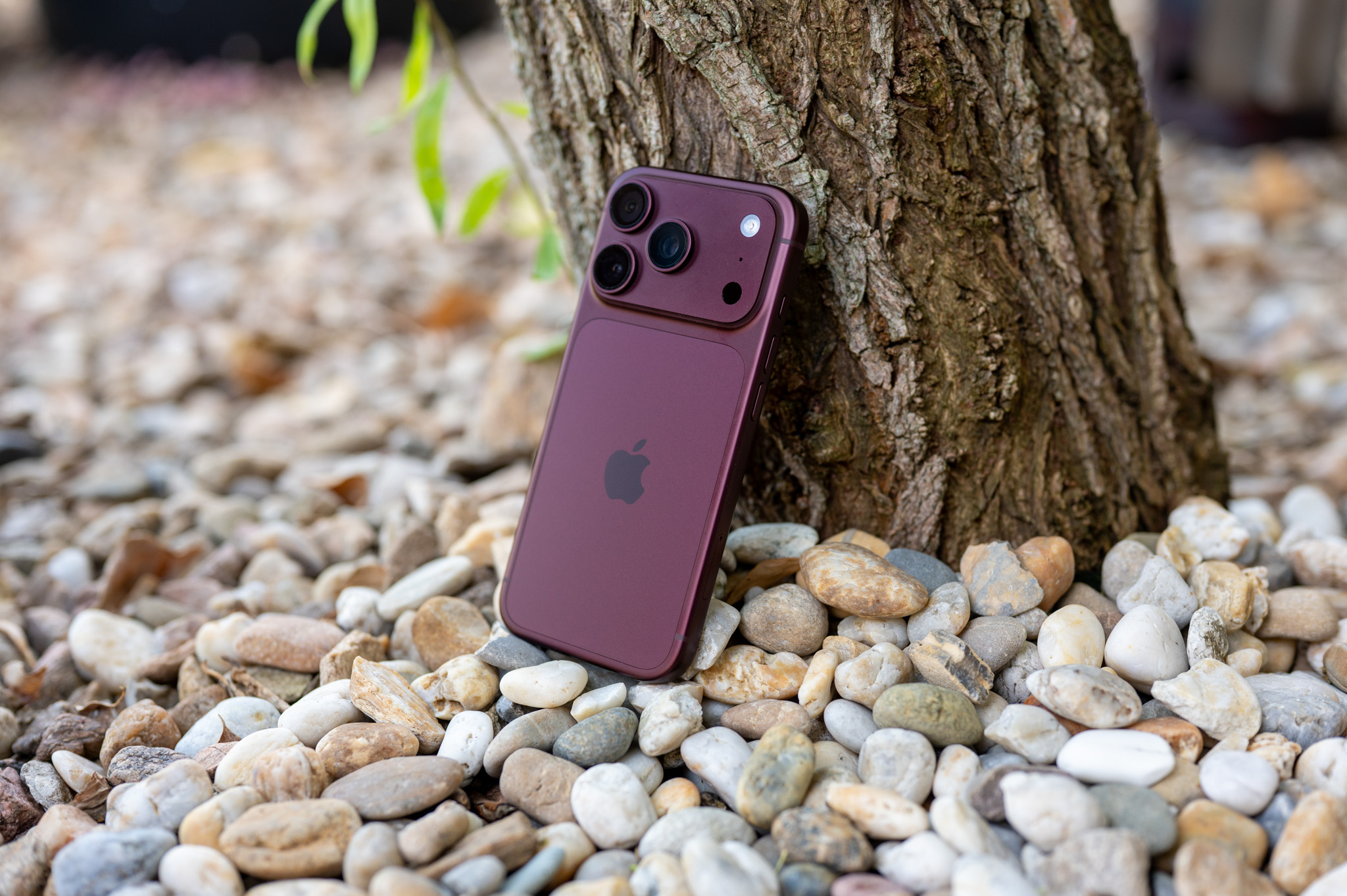
Pro Unfortunately, cameras are a stumbling block for content creators. Naturally, you will get maxat least 2x zoom, because there is no telephoto lens, and the aperture is lower than the iPhone 18 Pro worse. It's a big step back in terms of cameras. The front camera is also moved to the top right corner, so if you're used to filming yourself, you have to adjust your holding of the phone accordingly. The rear cameras aren't exactly the best either. Pro For the average person, they're fine, but for content creators, it's noticeable.
On the other hand, the large display is great for editing, working with photos, spreadsheets, data, and more.miniIf I didn't have a computer and cameras weren't essential to me, iPhone Duo I would buy it. If you don't want to carry a tablet and do most of your work on your phone, it makes a lot of sense.
Will it have according to you? iPhone Duo success among people, or who is it most suitable for?
We'll see how successful it is. I think a lot of people will buy it, even if they don't actually use its capabilities — similar to Apple Watch UltraThese are made for extreme sports and demanding use, but they are also worn by people who just go to the gym.ancdollars.
iPhone Duo is best suited for someone who works a lot on their mobile phone, uses spreadsheets and data, handles administrativ, plays games or doesn't want to carry a separate tablet. If you mainly use your phone to reply to messages, often have it on your desk or in a holder in your car and only use it on a regular basis, you probably don't need it.
You need to honestly decide whether you will really use the large display or whether a classic one would be better for you. iPhone 18 Pro with better battery life and significantly better cameras. But even if you only unfold the large display occasionally, it can be a great device at any given time.