
Autocorrect on your iPhone can save you a lot of time when typing, but it can just as easily change a correctly spelled word into something completely different. ProHowever, simply turning it off may not solve the problem. Unwanted corrections can also be caused by words learned in the keyboard dictionary, custom text replacements, or predictive text. So if you iPhone If he constantly changes words while writing, offers meaningless expressions, or adds something you don't want, we will show you all the options for modifying his behavior.
You might be interested in
How to turn off autocorrect on iPhone
If you want to turn off autocorrect completely, you just need to change one item in the keyboard settings.
- Open it Settings.
- Choose In general.
- Click on Keyboard.
- Turn off the option Car repairs.
From this moment on iPhone will not automatically replace words it thinks are misspelled. Autocorrect is turned on by default on iPhone. From iOS 17 In addition, the system temporarily underlines automatically corrected words, so you can tap on them and quickly undo the change you made.
You might be interested in
Autocorrect and predictive text are not the same thing
A common source of confusion is the fact that even after turning off AutoCorrect, iPhone always show word suggestions while typing. This is a different feature – predictive text. Predictions suggest words or phrases above the keyboard that the system thinks might follow. In some cases, the suggestion will also appear directly inside the text you type. Therefore, turning off AutoCorrect does not automatically turn off all suggestions as you type.
How to turn off predictive text on iPhone
- Open it Settings.
- Go to General → Keyboard.
- Turn off the item Predictive text or Prediction depending on the system version and language used.
You can also open the settings directly from the keyboard. Touch and hold the emoji or globe icon, select Keyboard settings , and then adjust predictive text.
What to turn off depending on what bothers you about your iPhone
| Proproblem | What to change |
|---|---|
| iPhone automatically transcribes my words | Turn off Auto Repair |
| Word suggestions appear above the keyboard | Turn off Predictive Text |
| A certain abbreviation always changes to a different phrase | Check Text Replacement |
| iPhone se learned a wrong or meaningless word | Reset the keyboard dictionary |
| One specific correct word iPhone still repairing | Add it to Text Replacement without abbreviation |
iPhone keeps changing one specific word? Will Text Replacement help?
If you don’t want to turn off autocorrect completely because you’re mostly fine with it, you can fix just a specific problem word. Go to Settings → General → Keyboard → Text Replacement and tap the + button . In the Phrase field , type the word you want to keep exactly as it is, and leave the Abbreviation field blank. This can help iPhone with words, names, surnames, or phrases that autocorrect repeatedly changes, without having to turn off Autocorrect for everything else.
If a certain combination of characters regularly turns into a completely different sentence or word, it may not be autocorrect at all. Check your custom text shortcuts in: Settings → General → Keyboard → Text Replacement Here you will see all saved abbreviation-phrase pairs. You can remove an unnecessary entry via Edit or by swiping over a specific entry. Text replacements are useful, for example, when you want to insert an entire address, phone number, or frequently used phrase after typing a few characters. However, an unintentionally created replacement can act exactly like broken autocorrect.
You might be interested in
How to reset the keyboard dictionary on iPhone
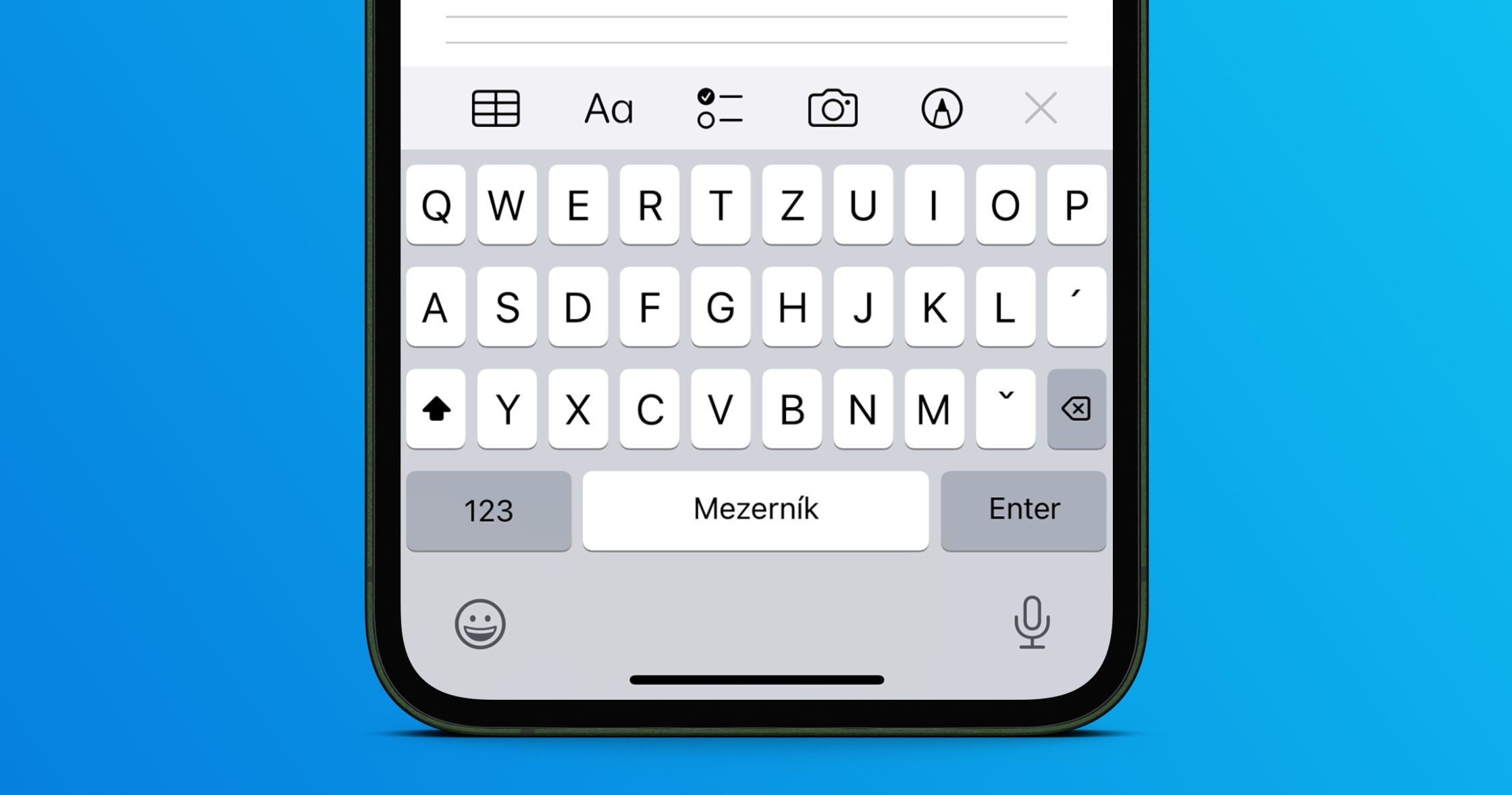
iPhone se It also learns from the words you use and the suggestions you reject as you type, so over time, the dictionary may learn a typo or a phrase you no longer want to use.
In this case, you can reset the keyboard dictionary to its default state:
- Open it Settings.
- Go to In general.
- Choose Transfer or reset iPhone.
- Click on resetovat.
- Select Reset keyboard dictionary.
This won't delete photos, apps, or other personal data from your iPhone. It will only restore the custom words that the keyboard has learned over time.
Autocorrect is only bad in Czech or another language
If you use multiple languages, it's also worth checking the installed keyboards. iPhone This is because it works with dictionaries for individual languages, and when combining them, the suggestions may be less accurate. Go to Settings → General → Keyboard → Keyboard and check if you have any languages here that you don't use at all. You can switch the active keyboard while typing using the globe icon.
If AutoRepair has been working properly for a long time and the problem only appeared now, there's no need to permanently turn it off right away. Check for updates first. iOS, restart iPhone and look at the Text Replacements settings. If iPhone repeatedly offers incorrect learned words, the next step is to refresh the keyboard dictionary. Only if you generally do not like the way autocorrect works, does it make sense to turn off Autocorrect completely and possibly ponechat predictive text only.
Frequently asked questions about autocorrect on iPhone
How to completely turn off autocorrect on iPhone?
Go to Settings → General → Keyboard and turn off AutoCorrect.
Proč iPhone does it suggest words even if I have autocorrect turned off?
ProAutocorrect and predictive text are two different features. If you don't want word suggestions, turn off predictive text in your keyboard settings as well.
How to remove a mis-learned word from autocorrect?
if iPhone learned a larger number of incorrect expressions, you can use the option Reset keyboard dictionary in the Reset menu. This will delete the custom words learned by the keyboard.
How to prevent iPhone from correcting one specific word?
On the menu Text replacement add the given word to the Phrase field and the Abbreviation fieldoneLeave it blank. You don't have to turn off AutoCorrect completely because of one term.
Will resetting the keyboard dictionary erase data from the iPhone?
No. Resetting the keyboard dictionary will delete the custom words learned by the keyboard, not photos, apps, or other phone content.



The best method is to replace it with an Android. This really doesn't happen there, even with the cheapest models, because they respect us as a nation more than the famous Apple...
Every now and then, instead of the text replacement, I get the whole phrase "No, yeah, no." I've deleted it about 3 times. But that's over the course of several years, I don't have a track record of it. Probably after major updates.