Do you often edit multiple photos in the same style? Lightening, contrast, color tuning - all of this can be unnecessarily time-consuming when you have a large number of photos. Apple fortunately already in iOS 16 added a handy feature that lets you easily copy and paste edits from one photo to other images, allowing you to unify the look of an entire series in seconds.
You might be interested in
When is copying edits most useful?
This feature is ideal for editing photos from a vacation, a single event, a sports tournament, or product shots. If the photos have similar lighting conditions, you can quickly give them a uniform look without having to adjust each parameter individually. Another great advantage is that all adjustments are copied.
How to copy edits from a single photo
First, you need to edit one photo exactly to your liking:
- Open the Photos app
- Select the image you want to edit.
- Tap Edit
- Promake all required changes (light, colors, filters)
- When finished, tap Done.
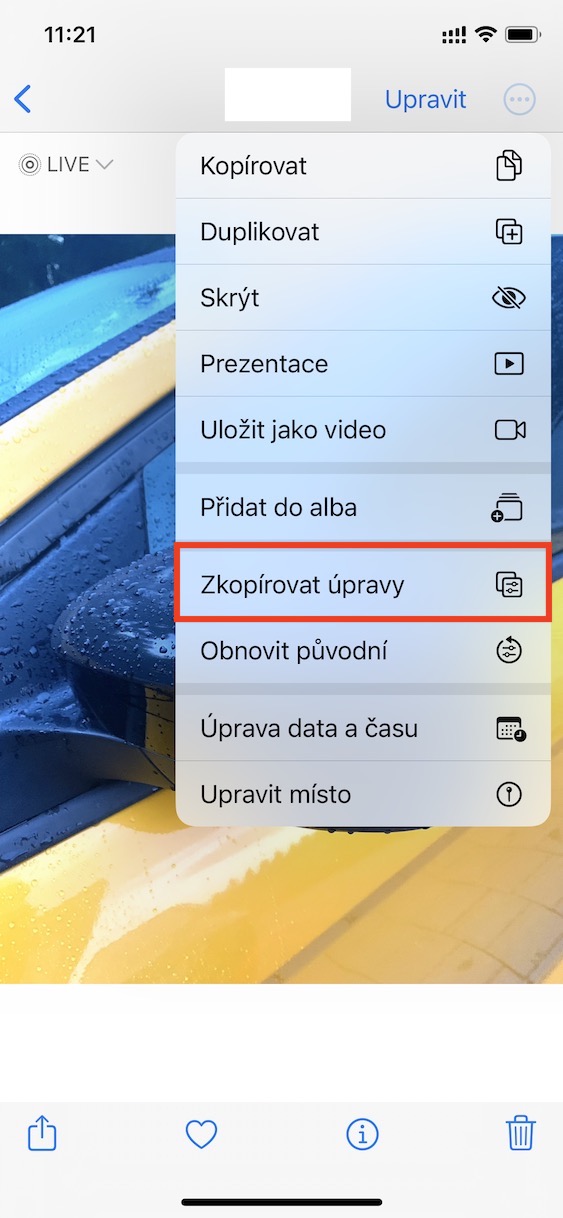
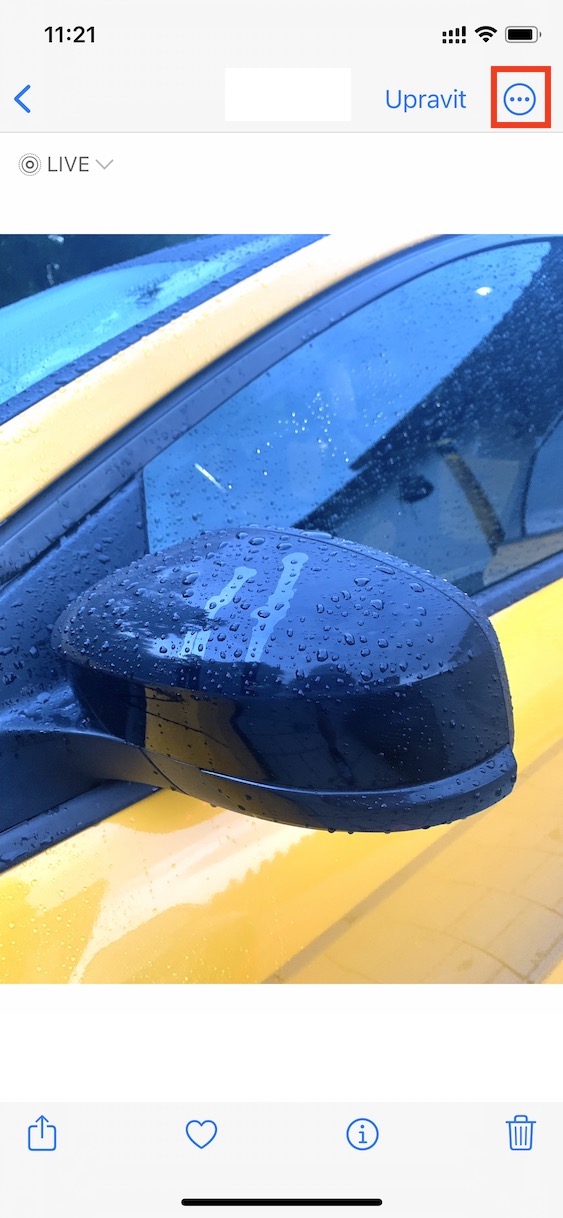
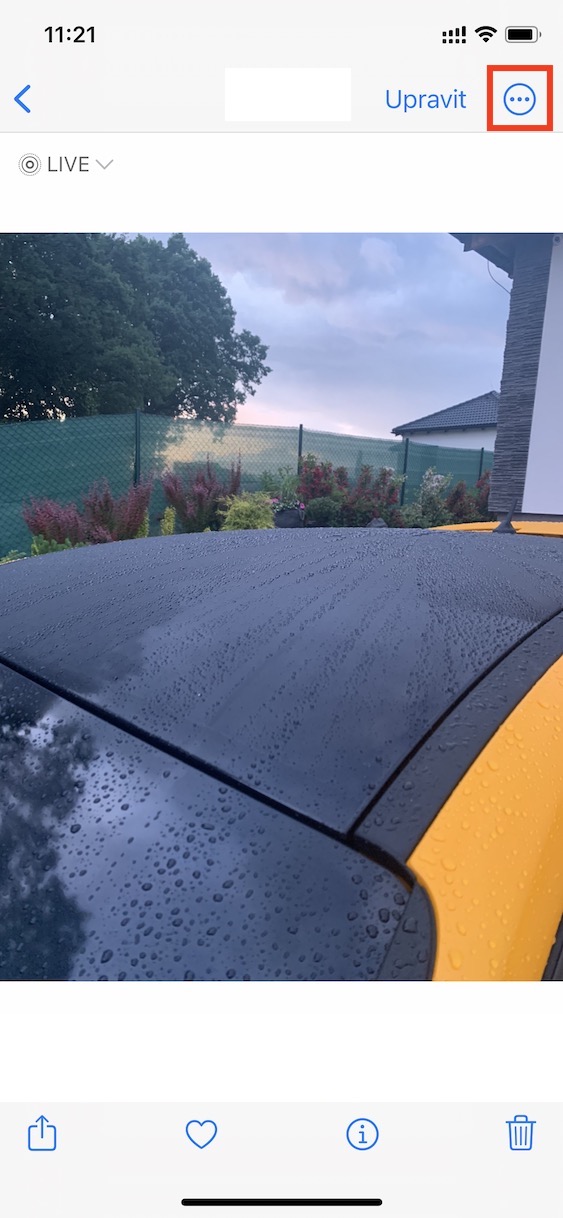
- In the top right corner, tap the three dots icon
- From the menu, choose Copy Edits
This step will save all the edits you've made to the clipboard. Once you've copied your edits, you can apply them to another image or to an entire group of photos:
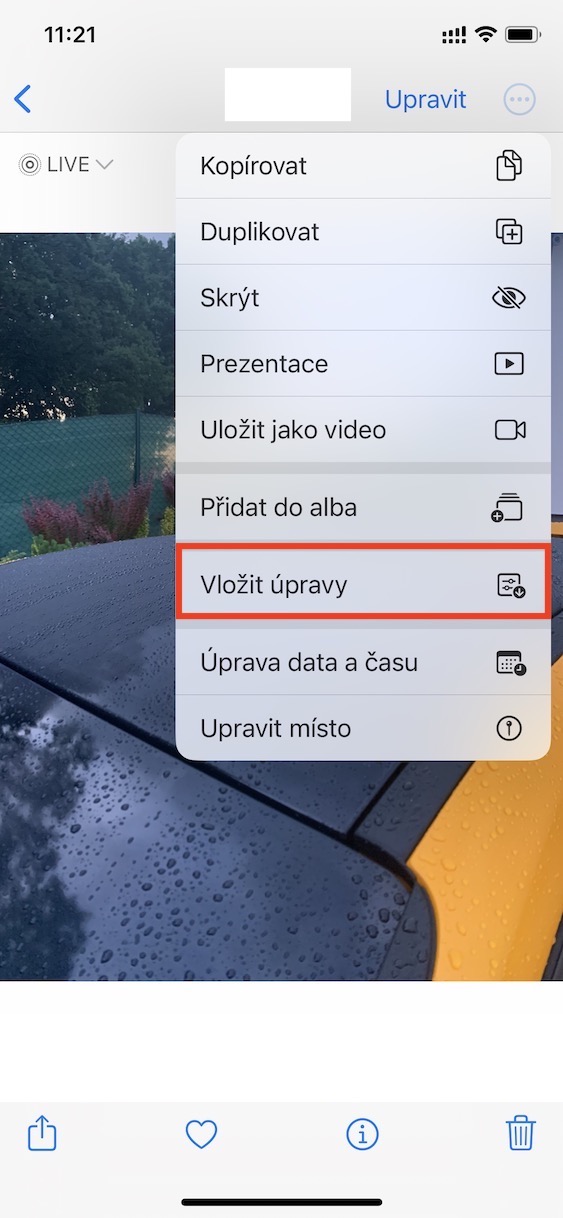
- Open another photo or select multiple images in your library
- Tap the three-dot icon again
- Select Insert Edits
Gallery
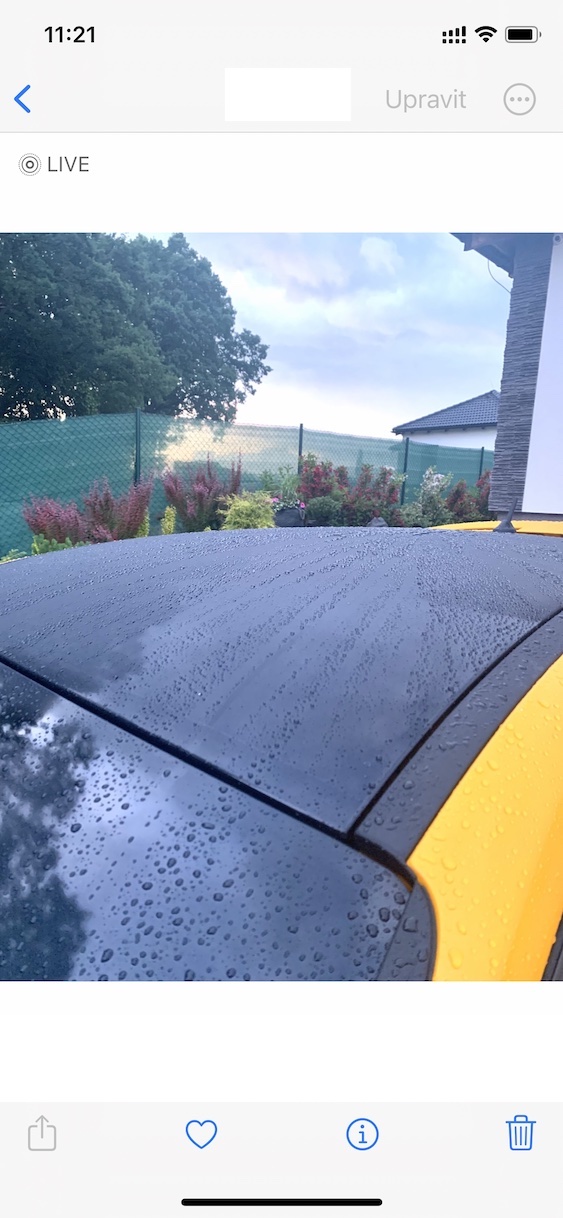
Copying and pasting edits in Photos on iPhone is one of those subtle but extremely useful features iOS. It significantly speeds up work with a larger number of images and at the same time helps maintain a uniform visual style. If you haven't used this option yet, it's definitely worth trying it out - you'll appreciate how much time it can save you when you make your first major gallery edit.