Unlock iPhone with Face ID is intuitive and fast, but sometimes it can be difficult to determine the exact moment when the device actually becomes accessible. If you want to get tactile feedback when you successfully unlock it, you can enable haptic feedback on your iPhone. This article will show you how.
You might be interested in
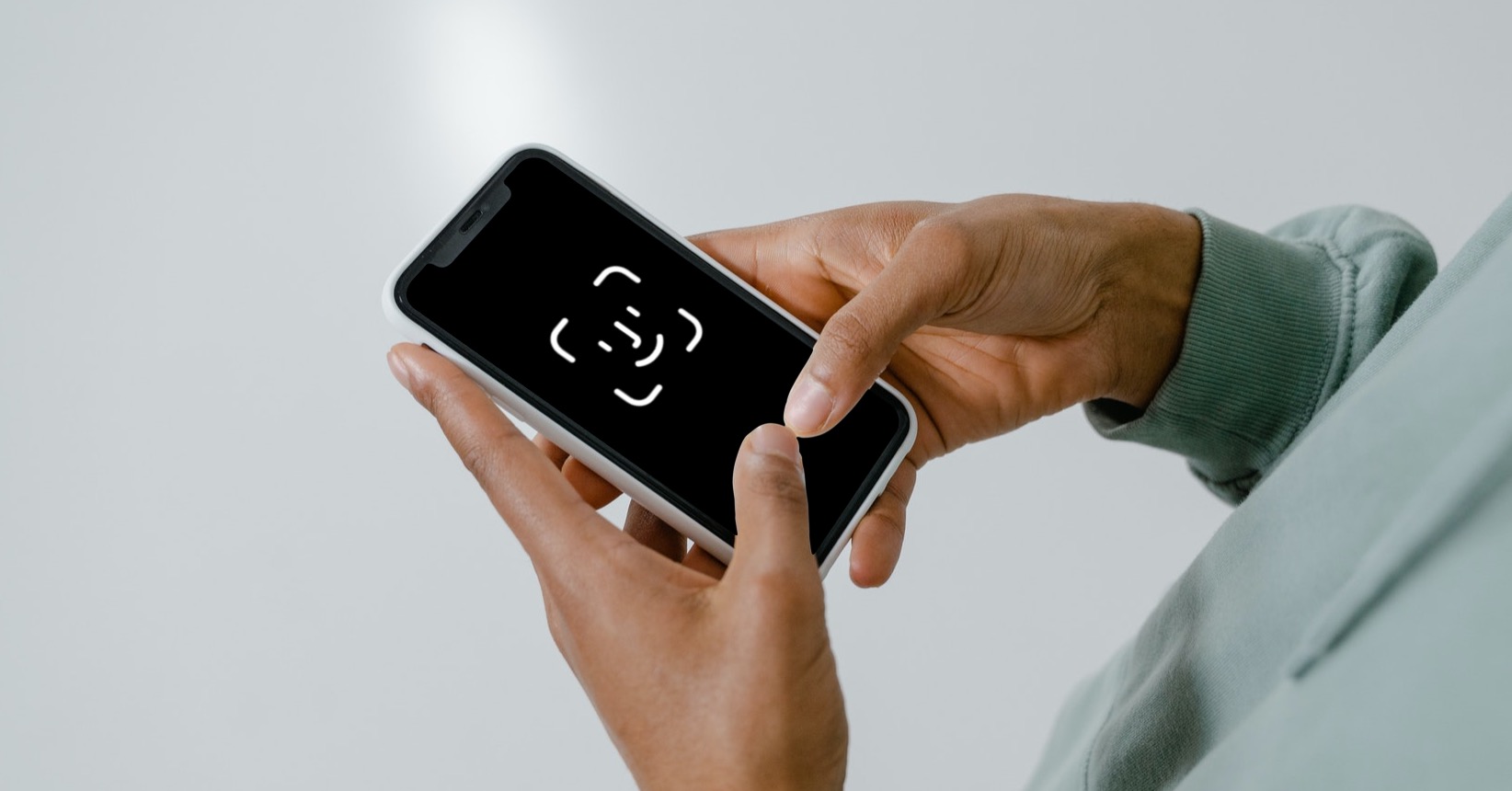
Face ID has become an integral part of modern iPhones and offers seamless and secure identity verification. However, there may be times when you are not sure whether your phone has really been unlocked – for example, if you do not look at the display immediately after verification. For these cases, there is an option to activate haptic feedback, which will gently vibrate to let you know that the phone has been successfully unlocked. How to turn this feature on? Let's show you step by step.
ProHow to activate haptic feedback?
Haptic feedback when unlocking is particularly useful in situations where you can't immediately look at the display. A short vibration lets you know your phone has been successfully unlocked without having to look up at the screen. This is useful when working, driving, or in other situations where you need quick, discreet feedback.
How to activate haptic feedback after unlocking your iPhone?
Enabling this feature is easy and only takes a few seconds. Just follow these steps:
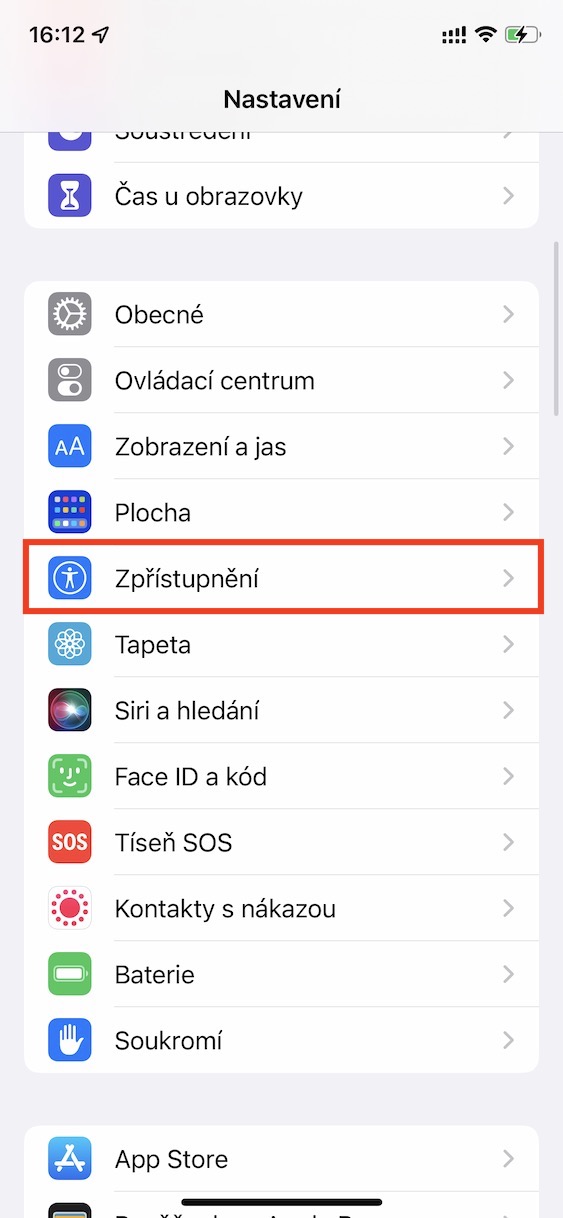
- Open the Settings app on your iPhone.
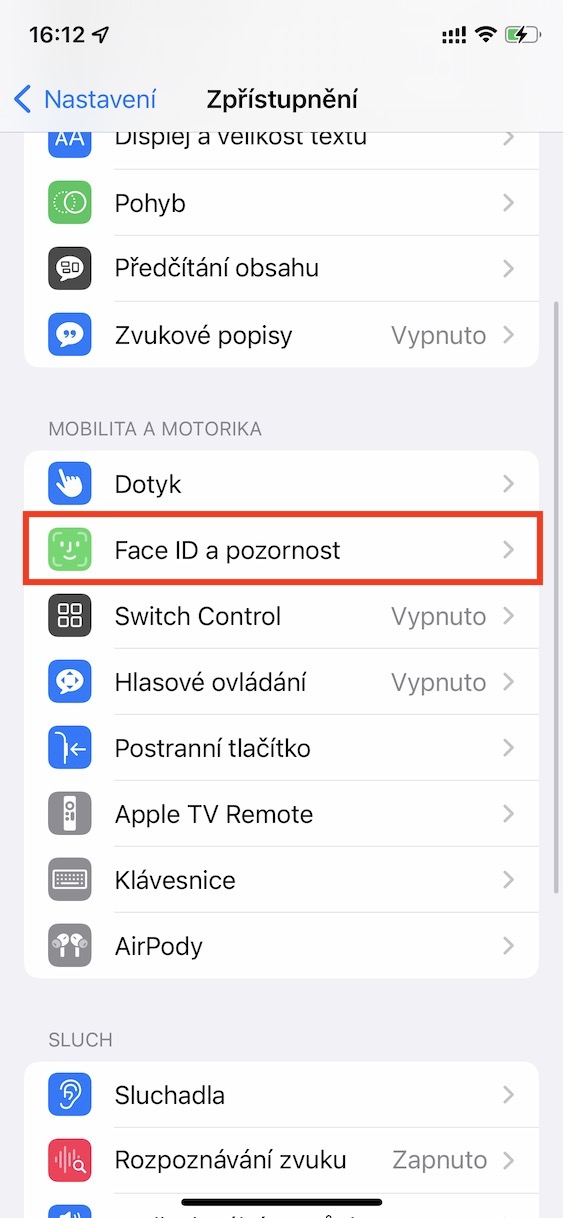
- Go to the Accessibility section.
- Tap Mobility and motor skills.
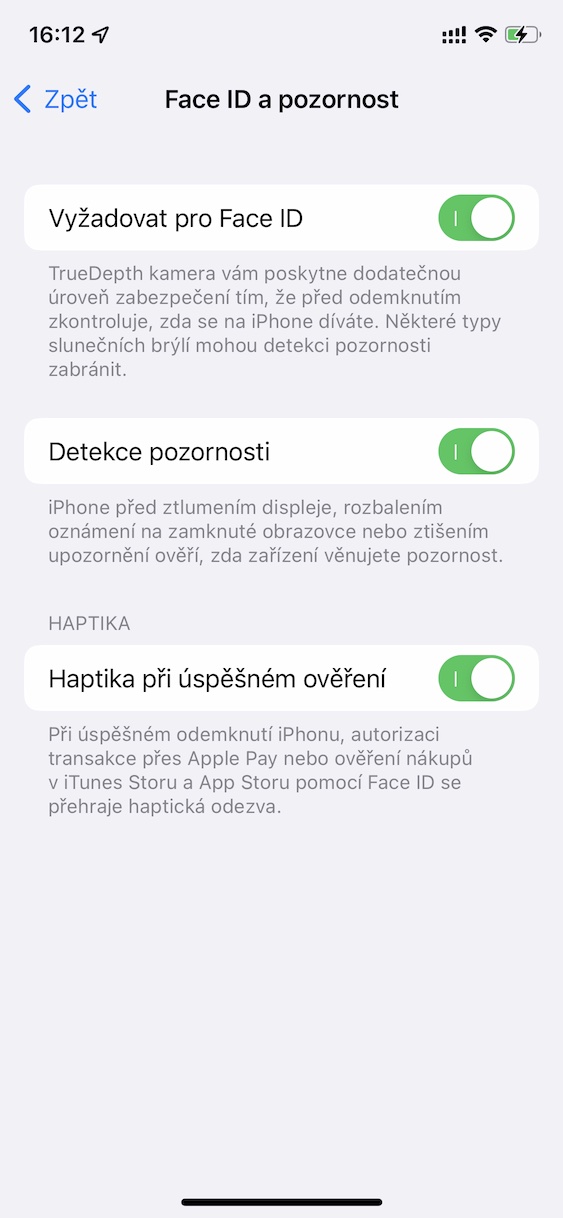
- Select an option Face ID and attention.
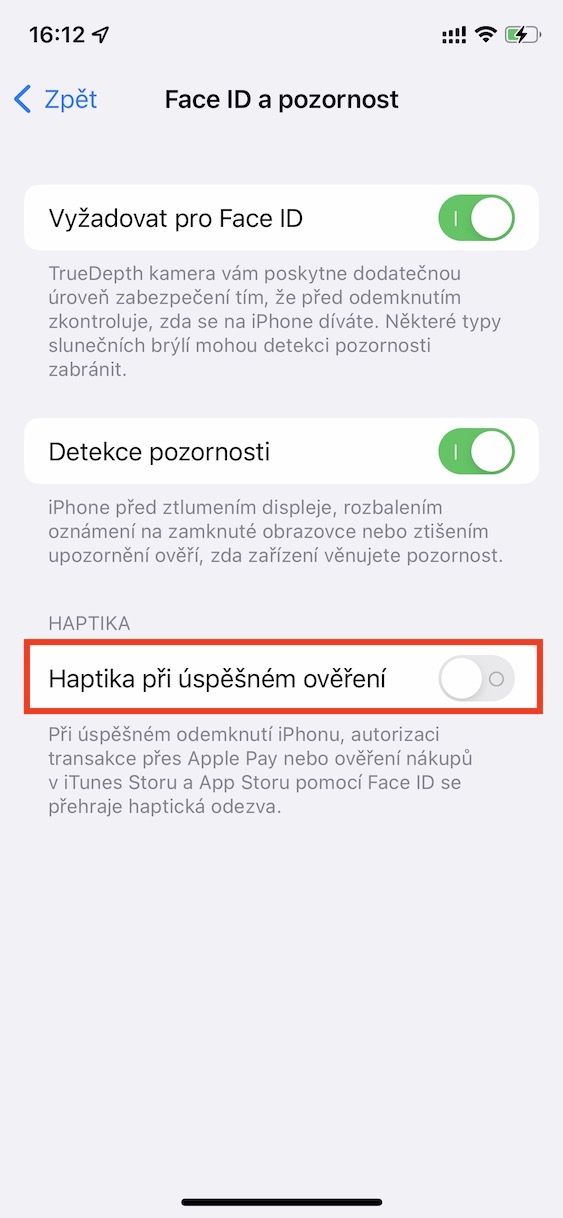
- Enable the Haptics on successful authentication switch.
- Once you enable this option, iPhone you with each successful unlock using Face ID will provide a gentle vibration as confirmation.
Gallery
Enabling haptic feedback when you unlock your iPhone is a subtle but useful enhancement that helps you better understand how you interact with your device. Although it's a small change, it can significantly improve the everyday experience of using your iPhone and add another level of comfort.