
For a new one Mac mini M4 (Pro) many apple farmers were waiting for mercy and when it was Apple introduced a few weeks ago, met with very positive reactions throughout. I was all the more curious to see how this new product actually works in person, and what impression it will make on a person after a few days of using it. And since I have already successfully completed that, it is time to introduce you to what this possibly hottest computer news from AppThis year's is.
Before we get into the review of the new Mac mini I'll let you know what I got my hands on specifically for the configuration. I had a model with a basic chip at my disposal. M4 Pro (i.e. 12 CPU cores and 16 GPU cores), 48 GB of RAM and a 512GB SSD. The price of this machine is according to the configurator Applu 53 990 CZK. But since it is Mac mini with M4 and M4 Pro essentially the same computer (except for performance and Thunderbolt 4/5 ports), in the following lines I will evaluate this machine in general, with the proviso that I will only delve into the performance section. M4 Pro. All other following lines will apply to both M4 and MXNUMX models. M4 Pro.
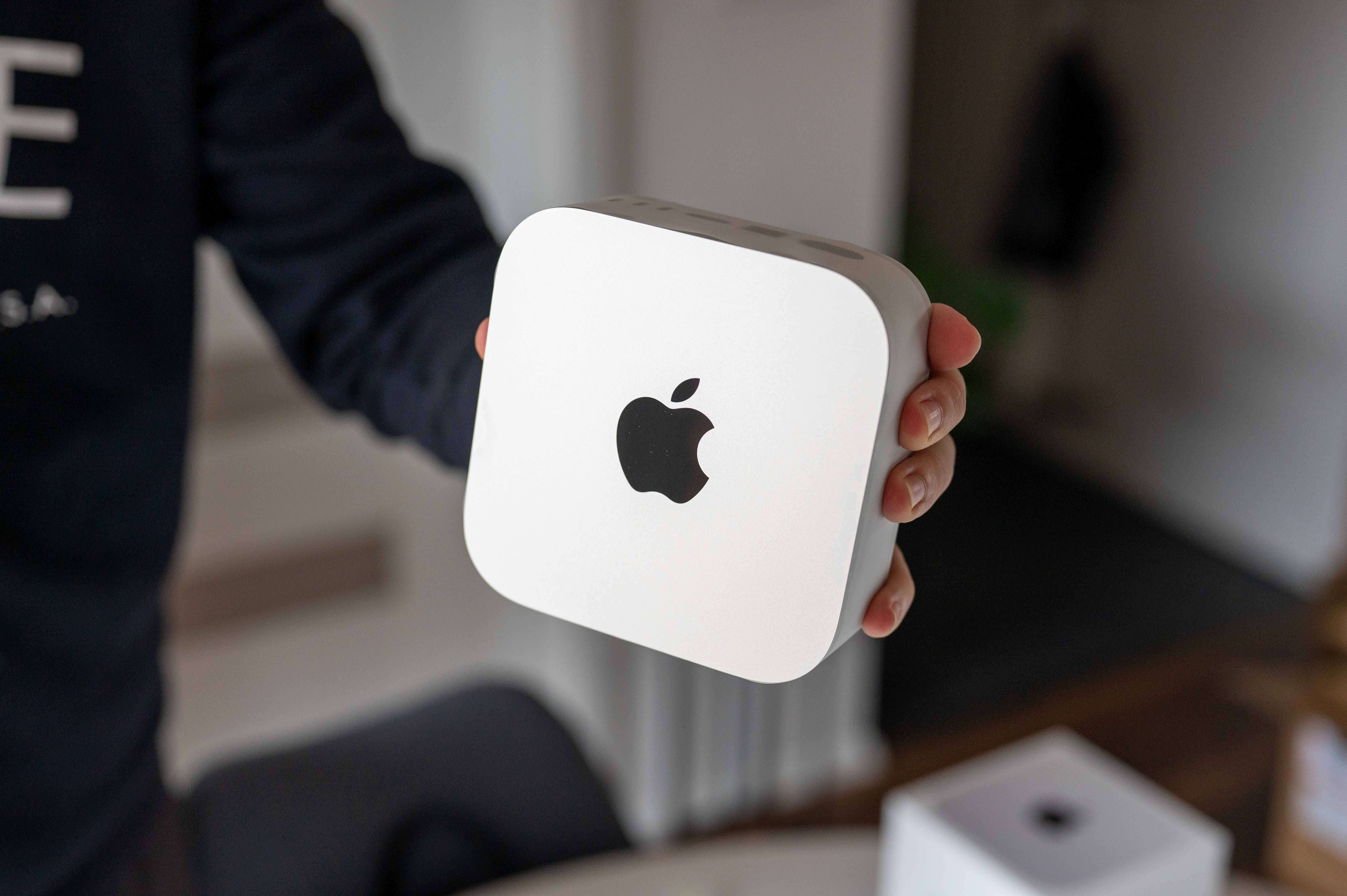
A look you know but still have fun with
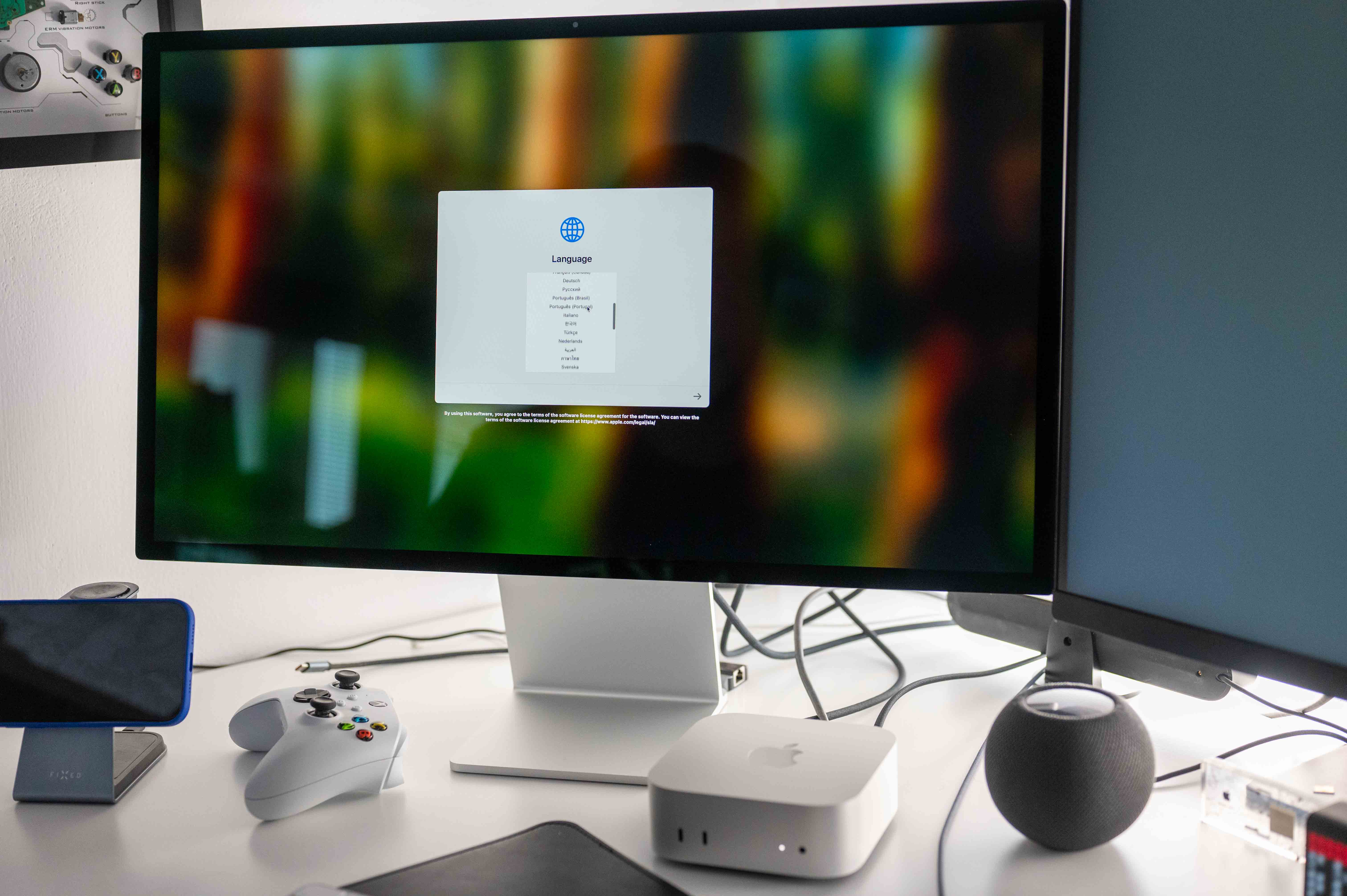
As I already wrote in my first impressions of this machine, after unpacking you may be a little disappointed that the novelty is not as small as was rumored in the corridors before its introduction. But let's leave the criticism aside, because he had these dimensions Apple certainly has its reasons, for example with the redesigned internal cooling, which should ensure sufficiently reliable removal of waste heat from the machine, i.e. minioverheating. And when it comes in a few years Apple with chips built on even more advanced manufacturing methods, miniMac aturation mini nothing will stand in the way. Until then, however, we will have to make do with a body measuring 12,7 x 12,7 x 5 cm at 0,67 kg for the M4 model and 0,73 kg for the M4 Pro model.
Just for reference, the previous version of Mac mini it had a body with dimensions of 19,7 x 19,7 x 3,58 mm and weighed 1,18 or 1,28 kg. It was therefore significantly wider and deeper, but lower, which in my opinion played into its cards, as it was able to "blend" better with the desk. And to make the comparison complete, the first two generations Apple TV The 4K had bodies measuring 9,8 x 9,8 x 3,5 cm, while the latest one has a body measuring 9,3 x 9,3 x 3,1 cm. From the new Mac mini are therefore Apple TV still quite distant, even though we heard more than once before the launch that these should be very similar products in size. Maybe next time.
Gallery
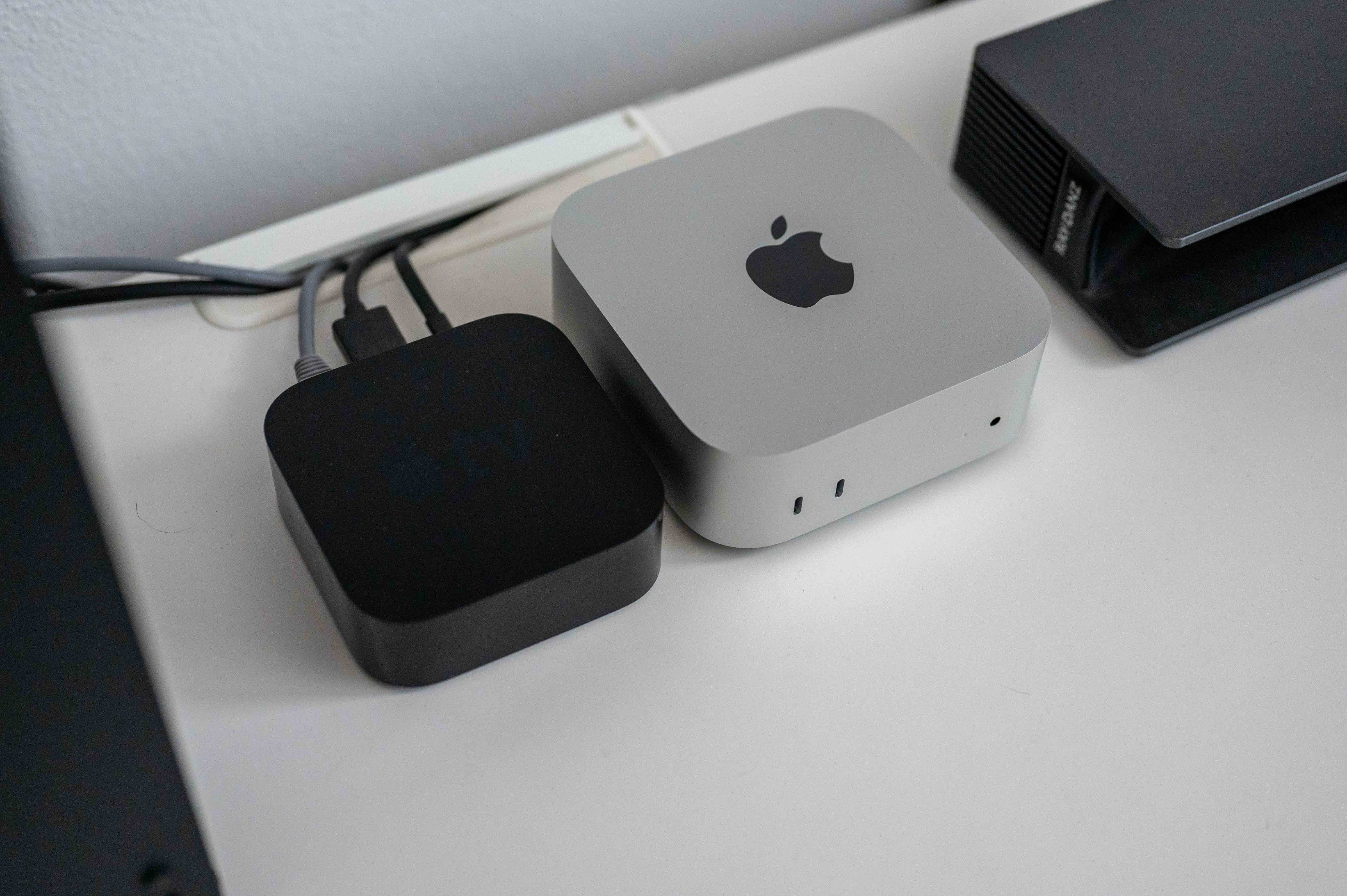
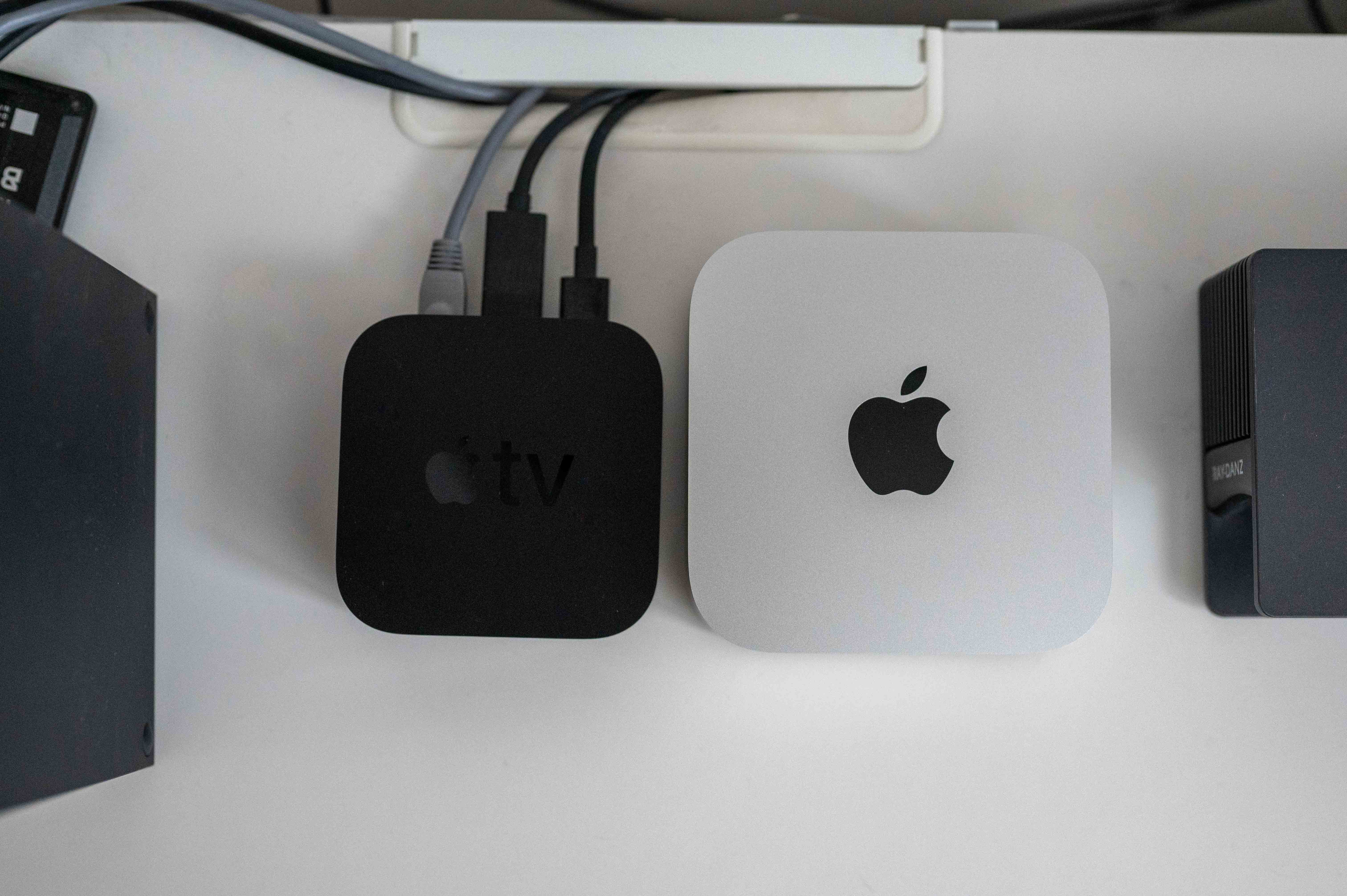
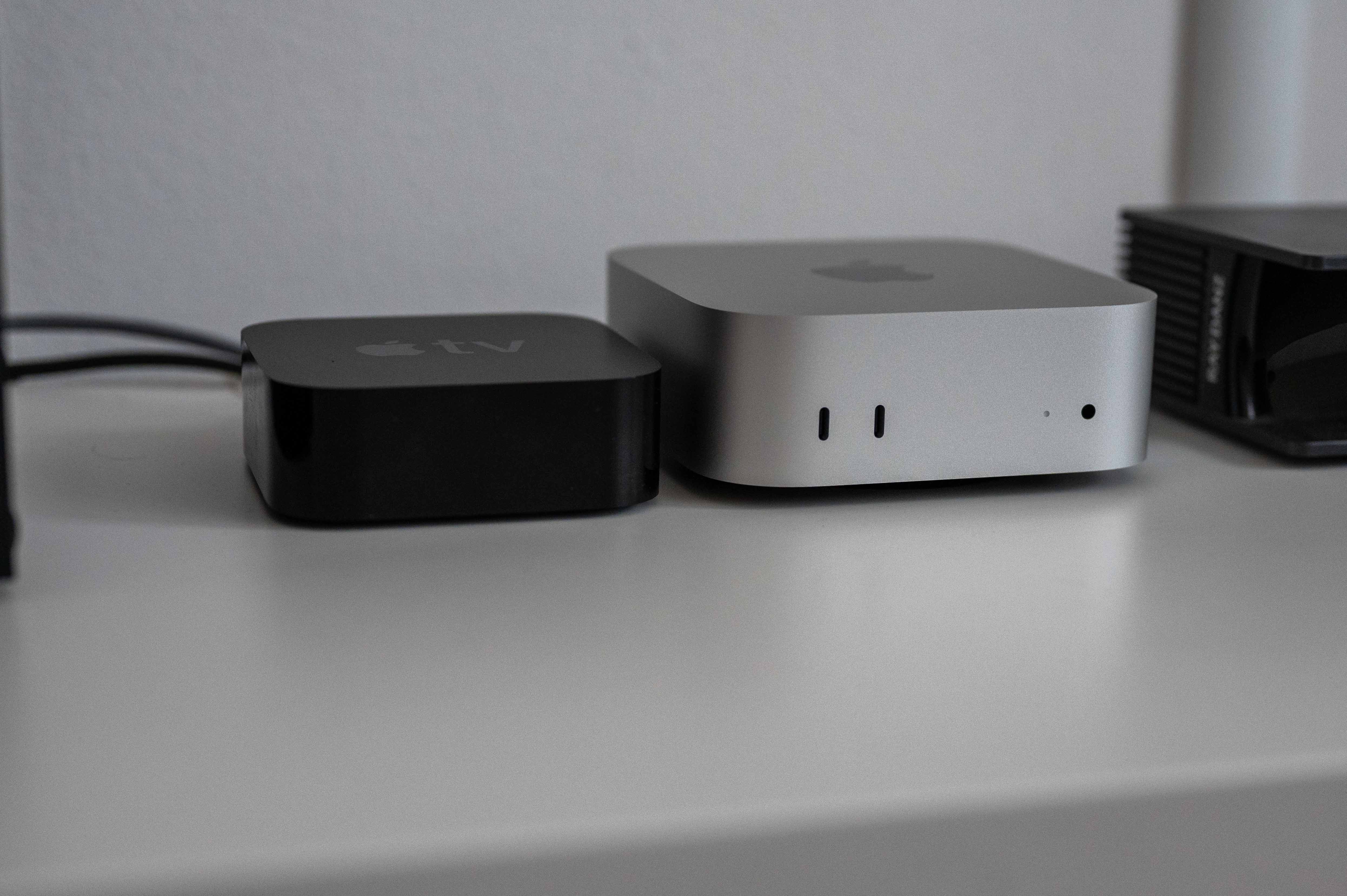
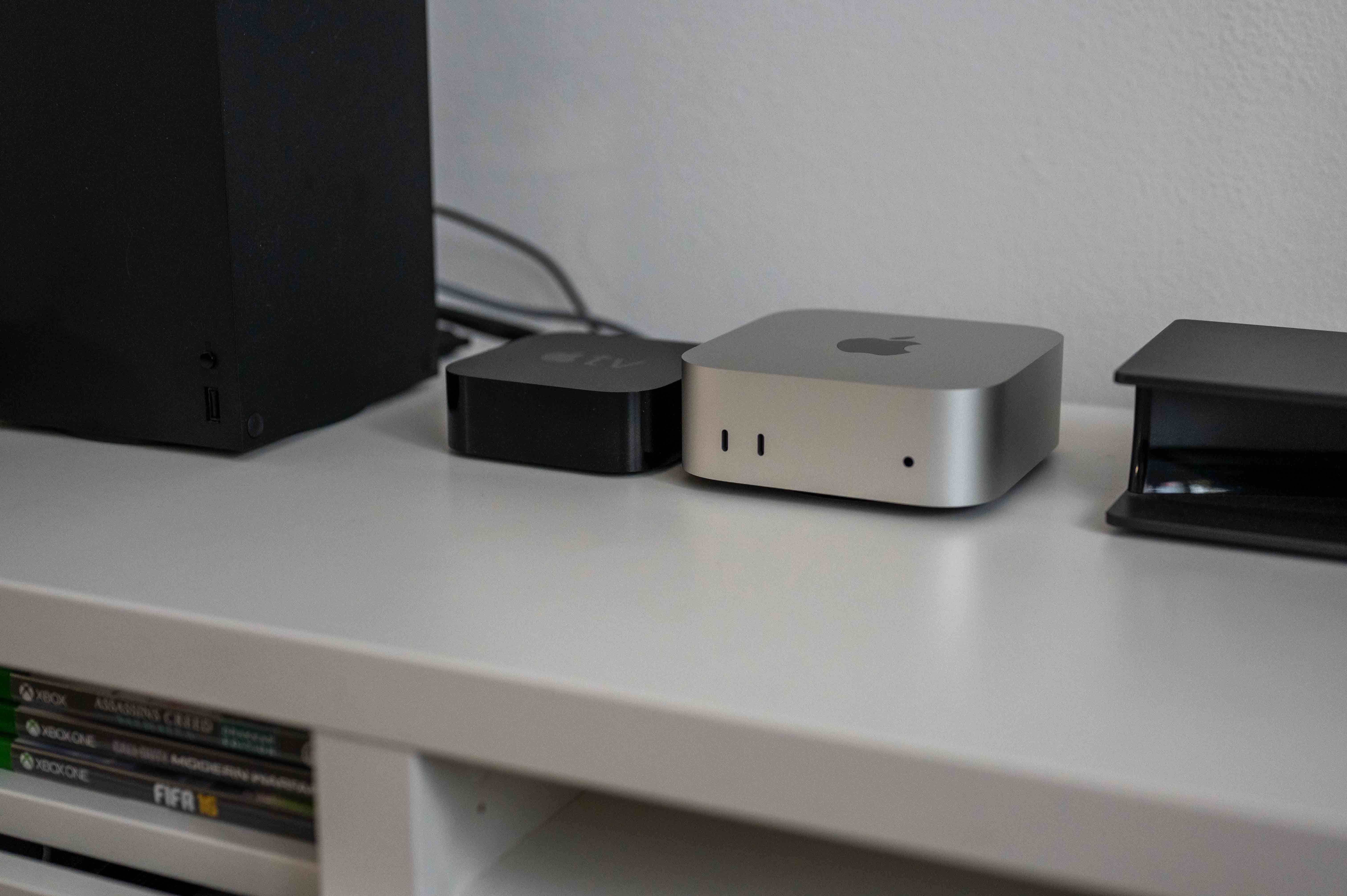
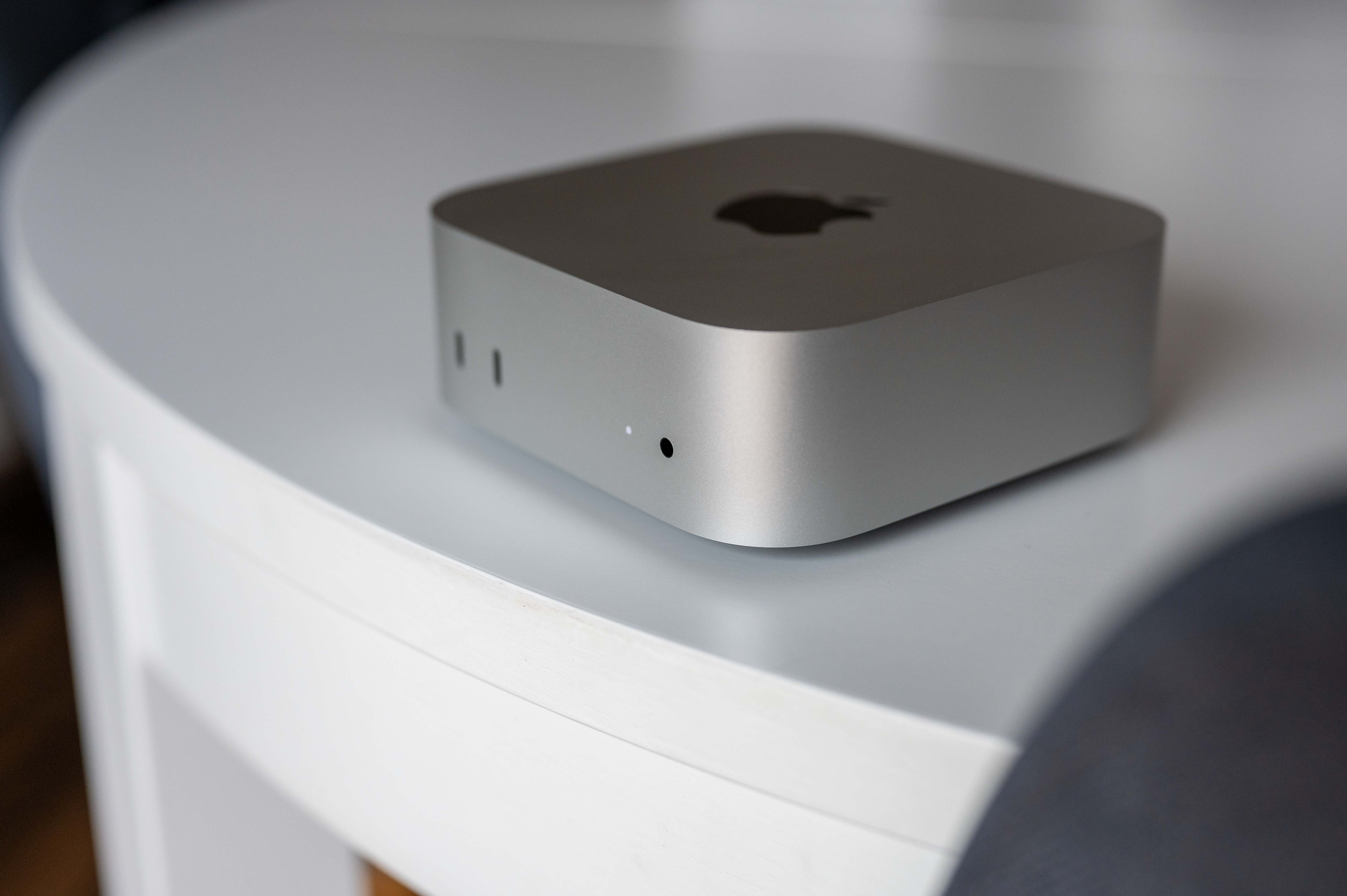
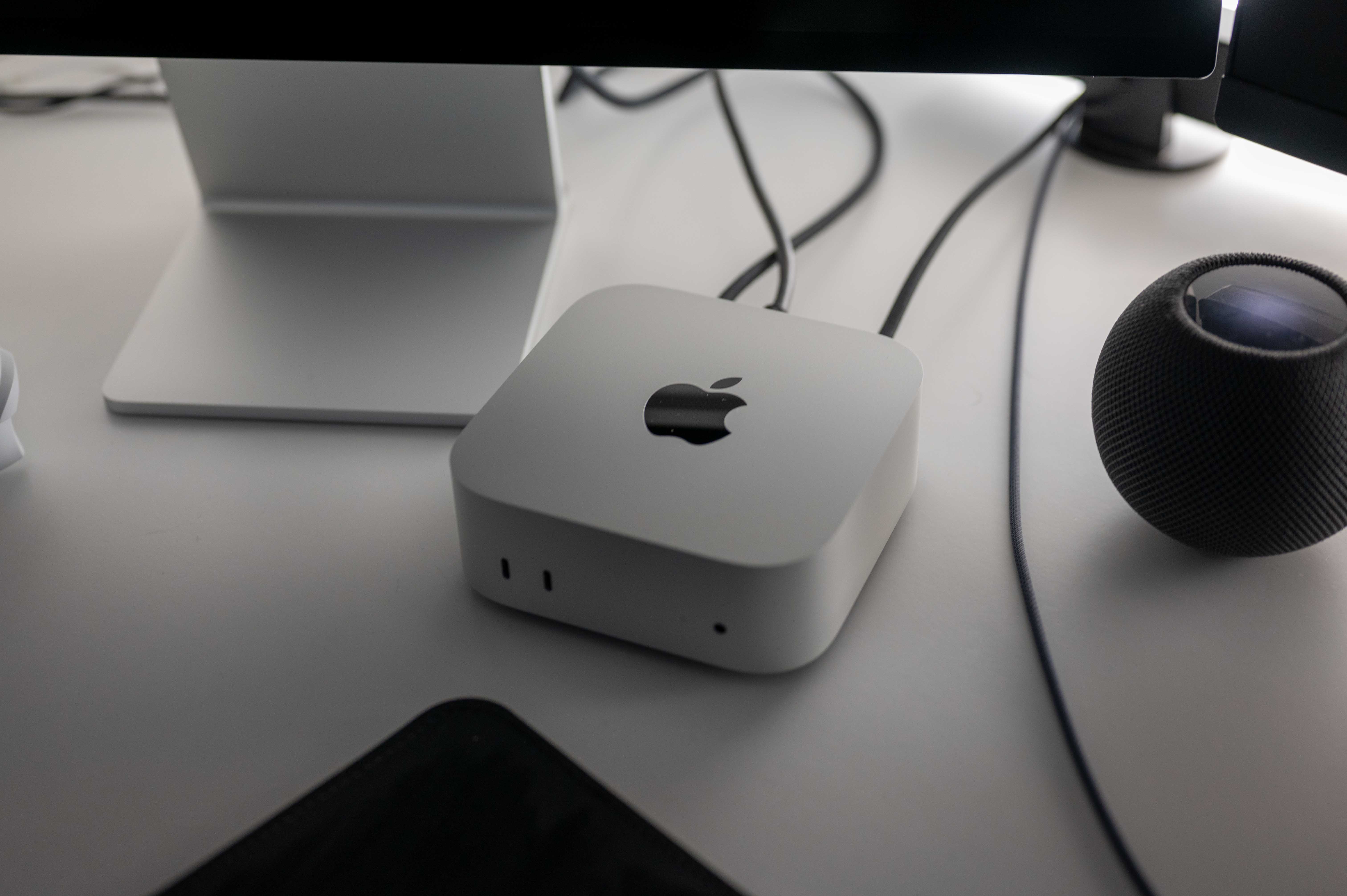
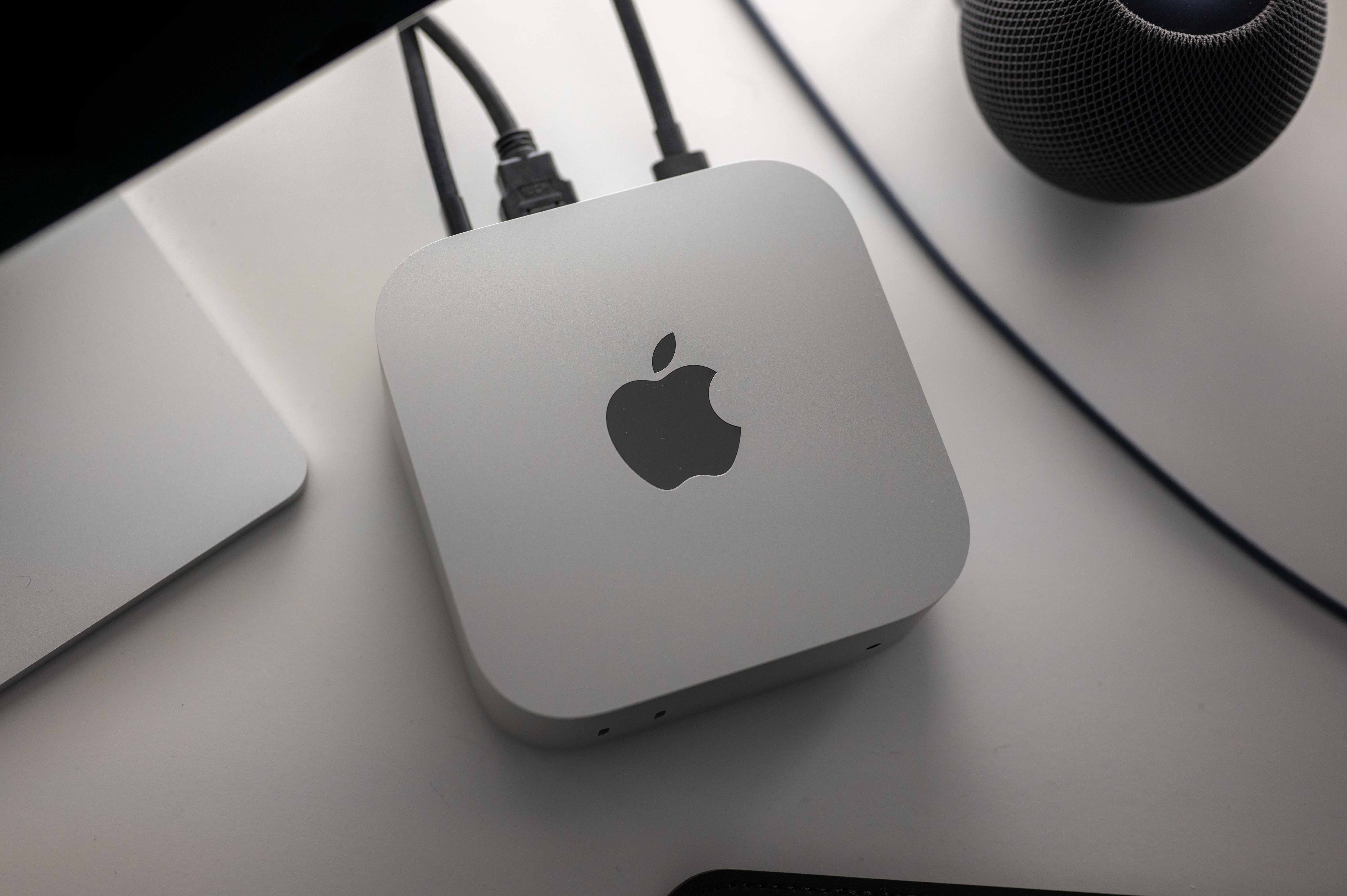
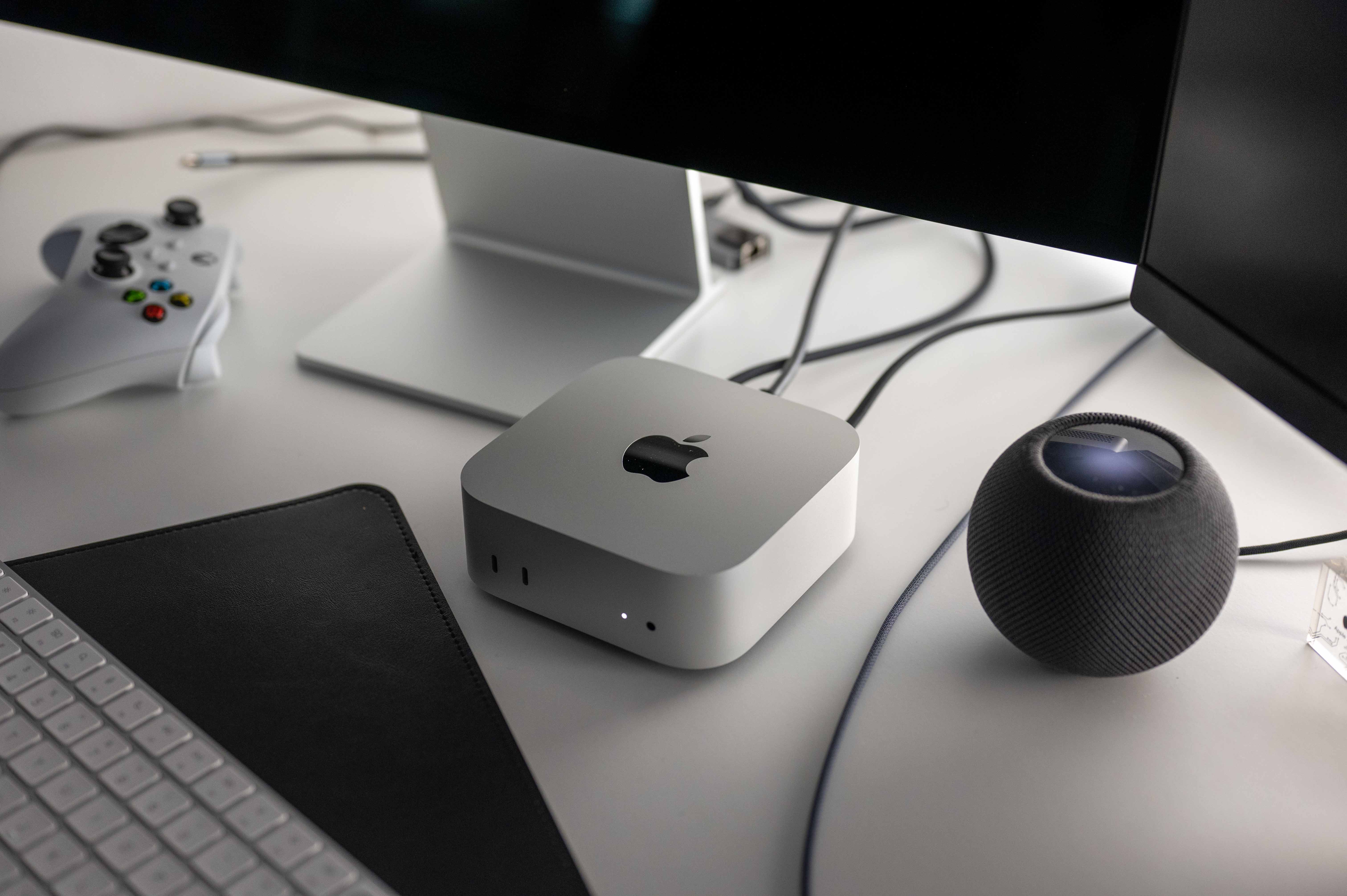
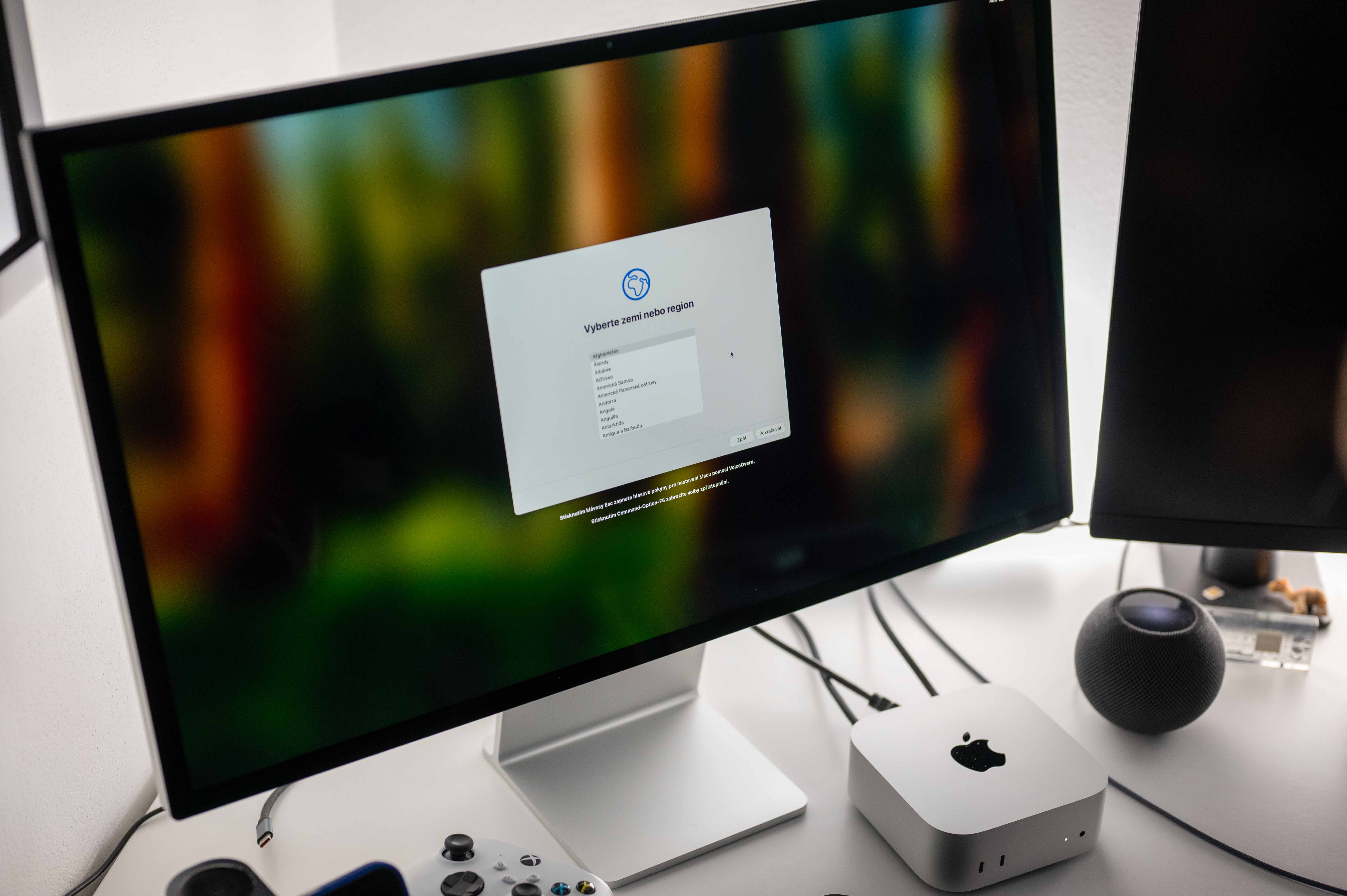
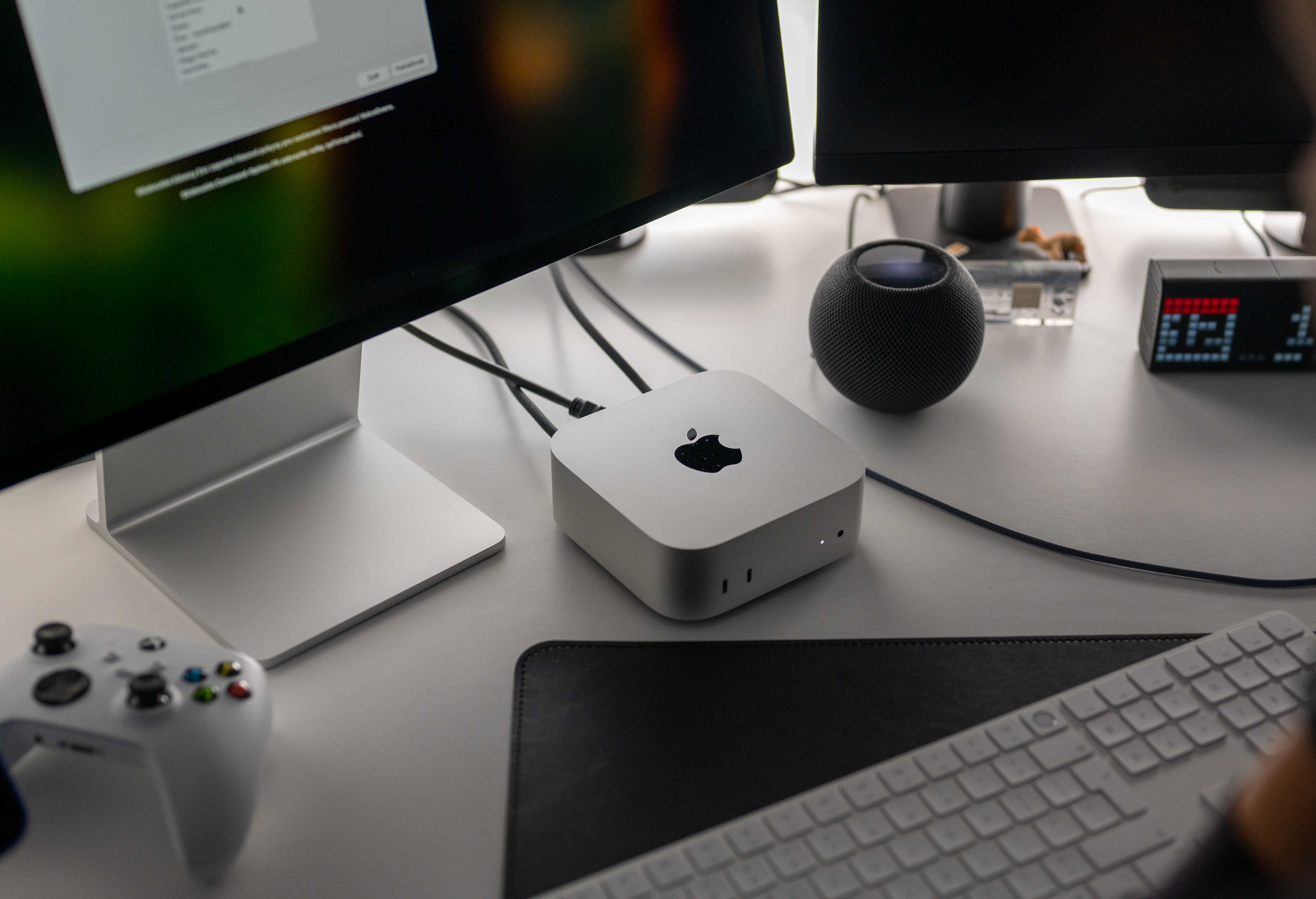
Although the design of the new Mac is mini new, inspiration from the larger Mac Studio is indisputable here. In fact, I almost want to say that it is mini actually "just" a smaller version of the Studio, which in the end doesn't matter, because in terms of design it is a very nice piece of hardware with a casing made of 100% recycled aluminum in the iconic silver color. The Mac mini It really suits him, and even though I thought during the performance that it might be a shame to Apple it doesn't even come in space gray, as was the case with the Intelácké version years ago, with hindsight I have to admit that the bet on one shade is definitely not bad here, because the silver coat suits the machine, as well as the shiny apple on its top. And that's actually the end of the appearance evaluation.
Gallery
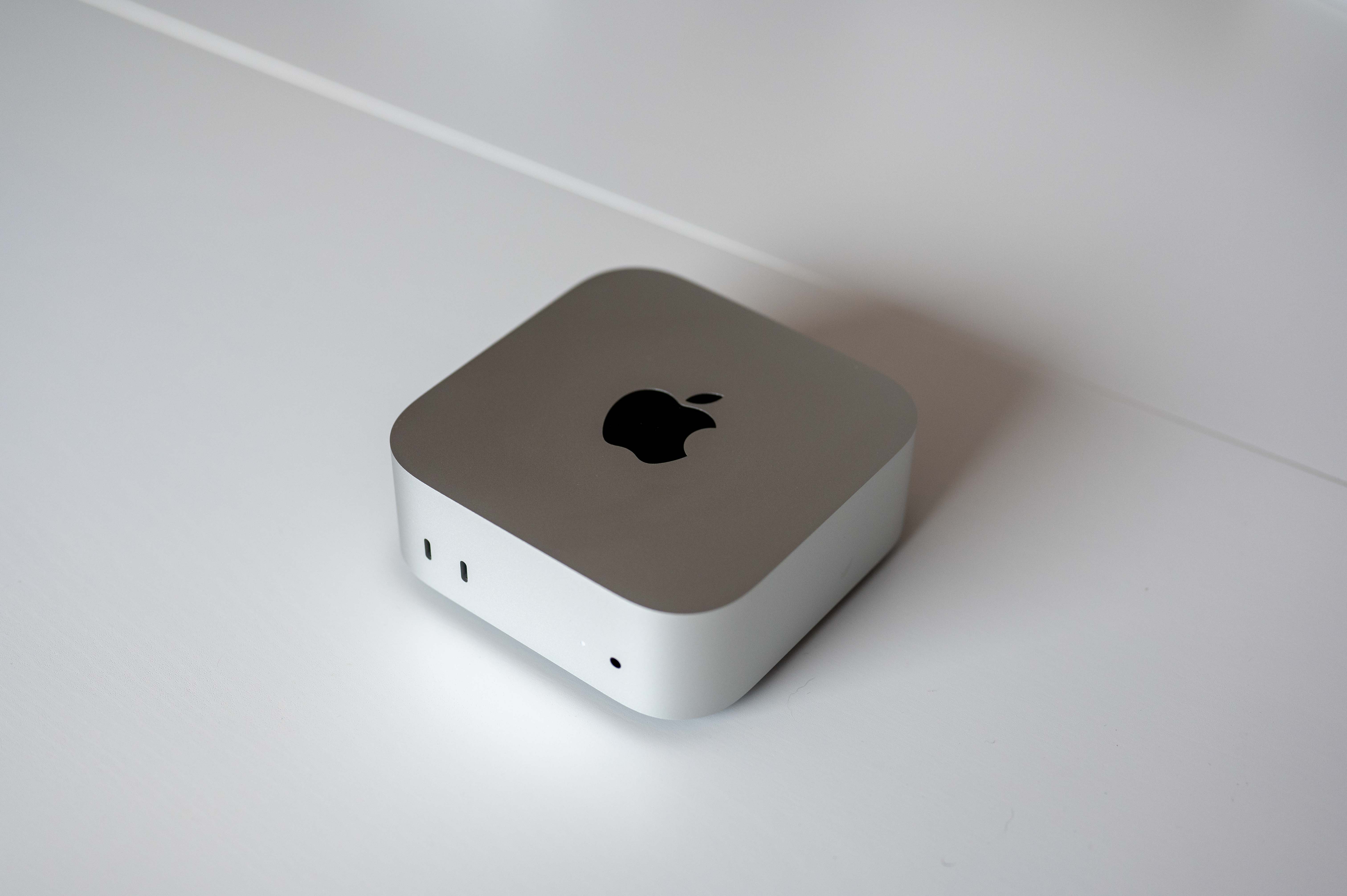
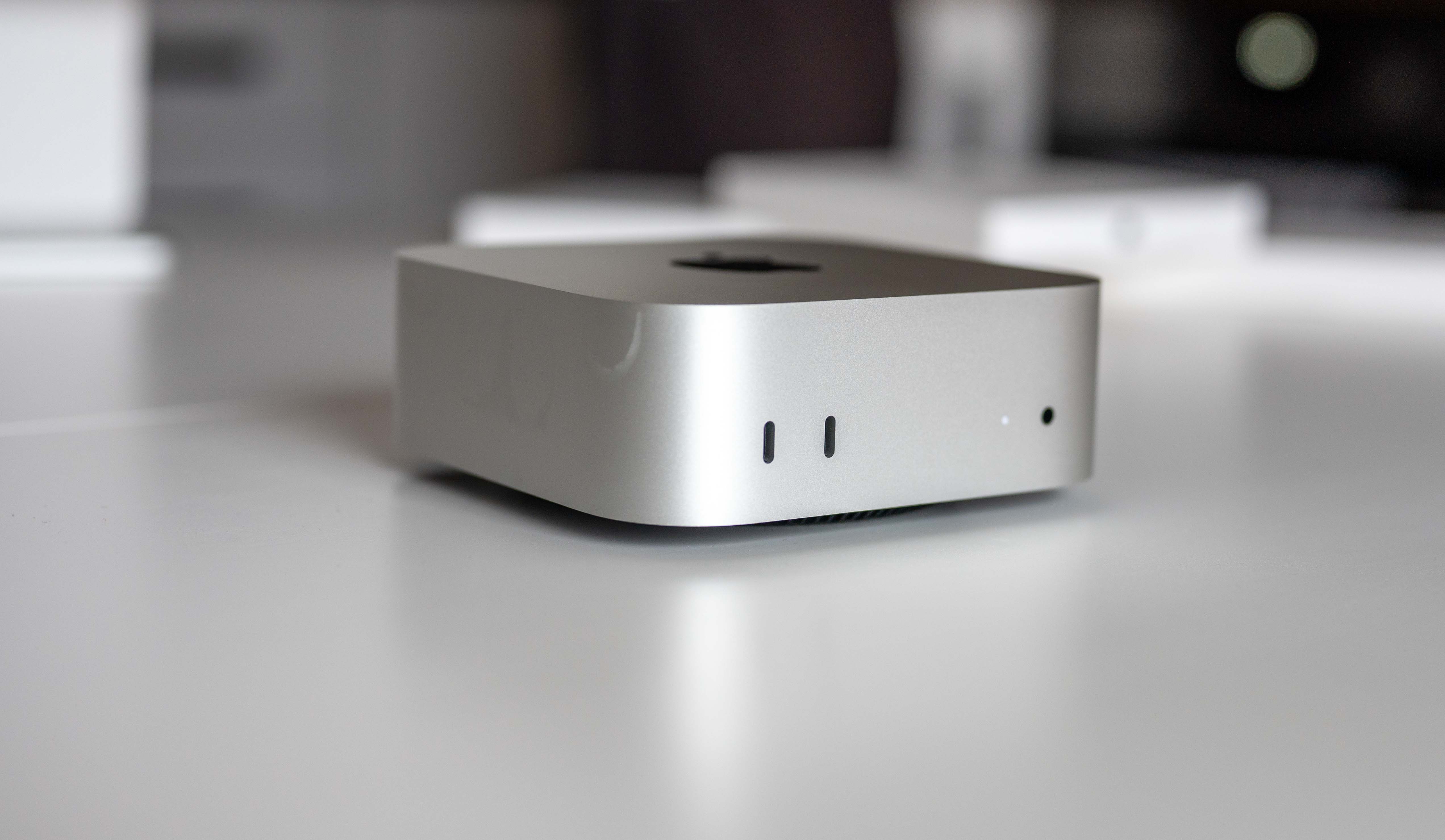
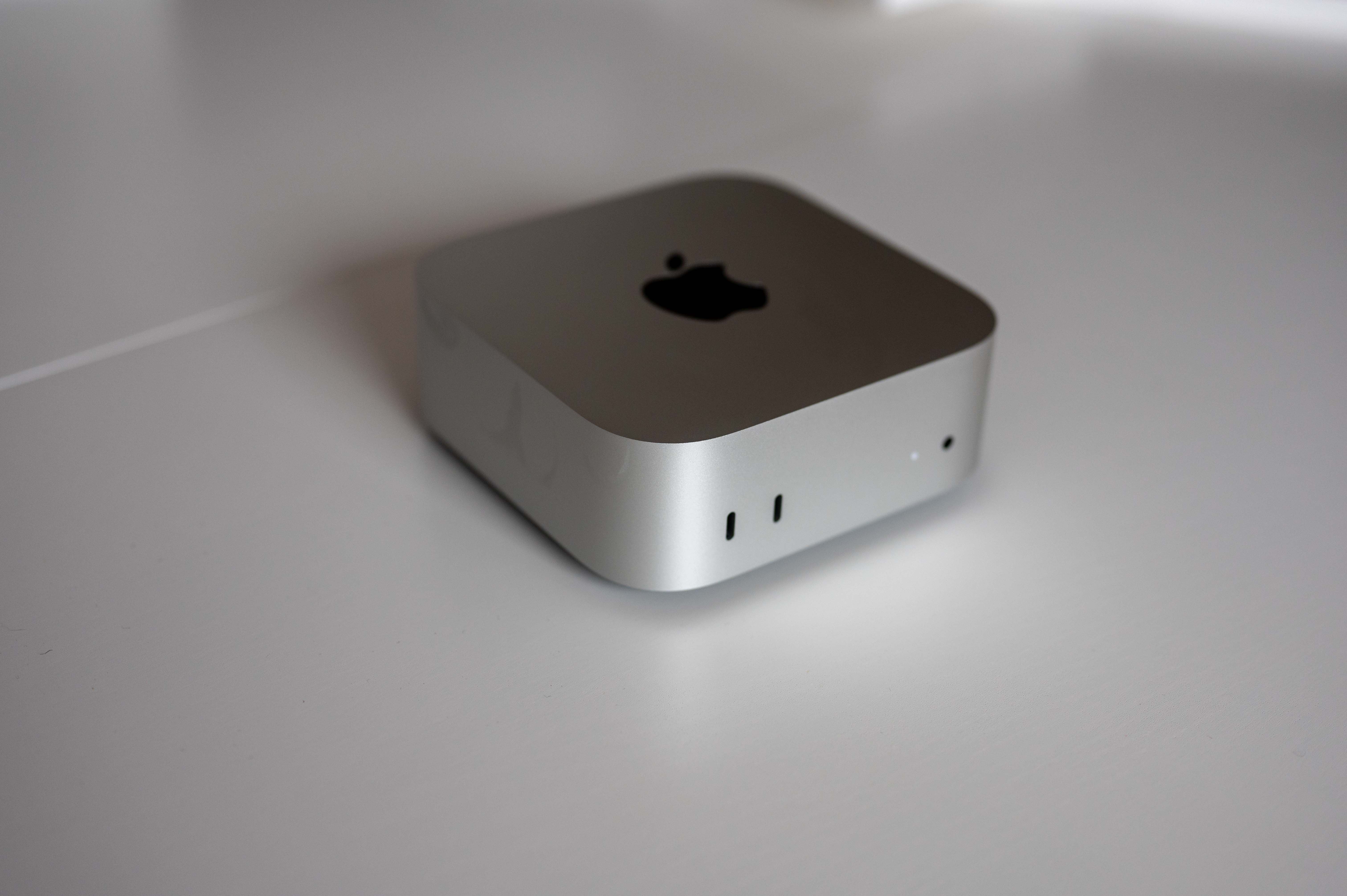
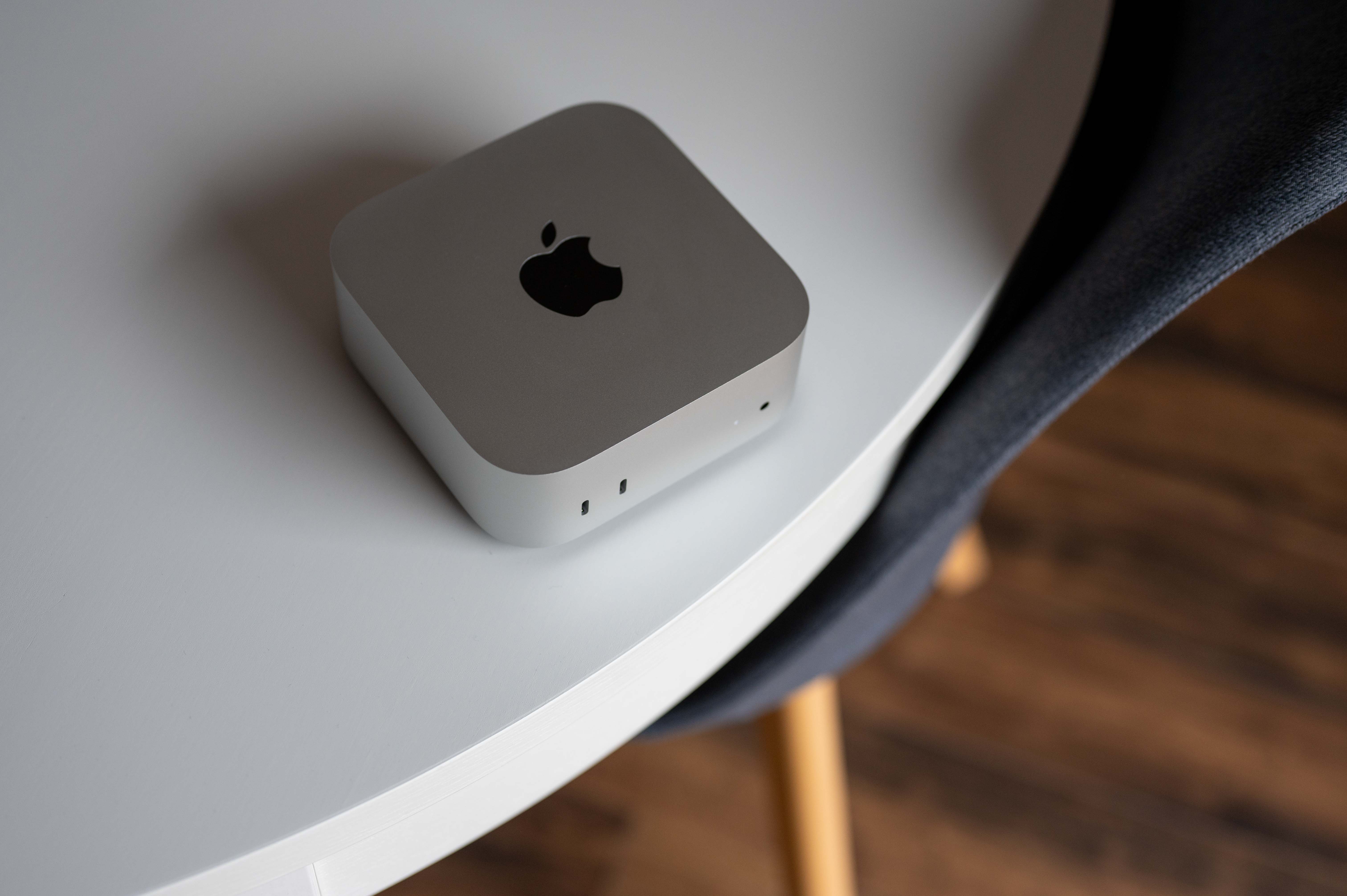
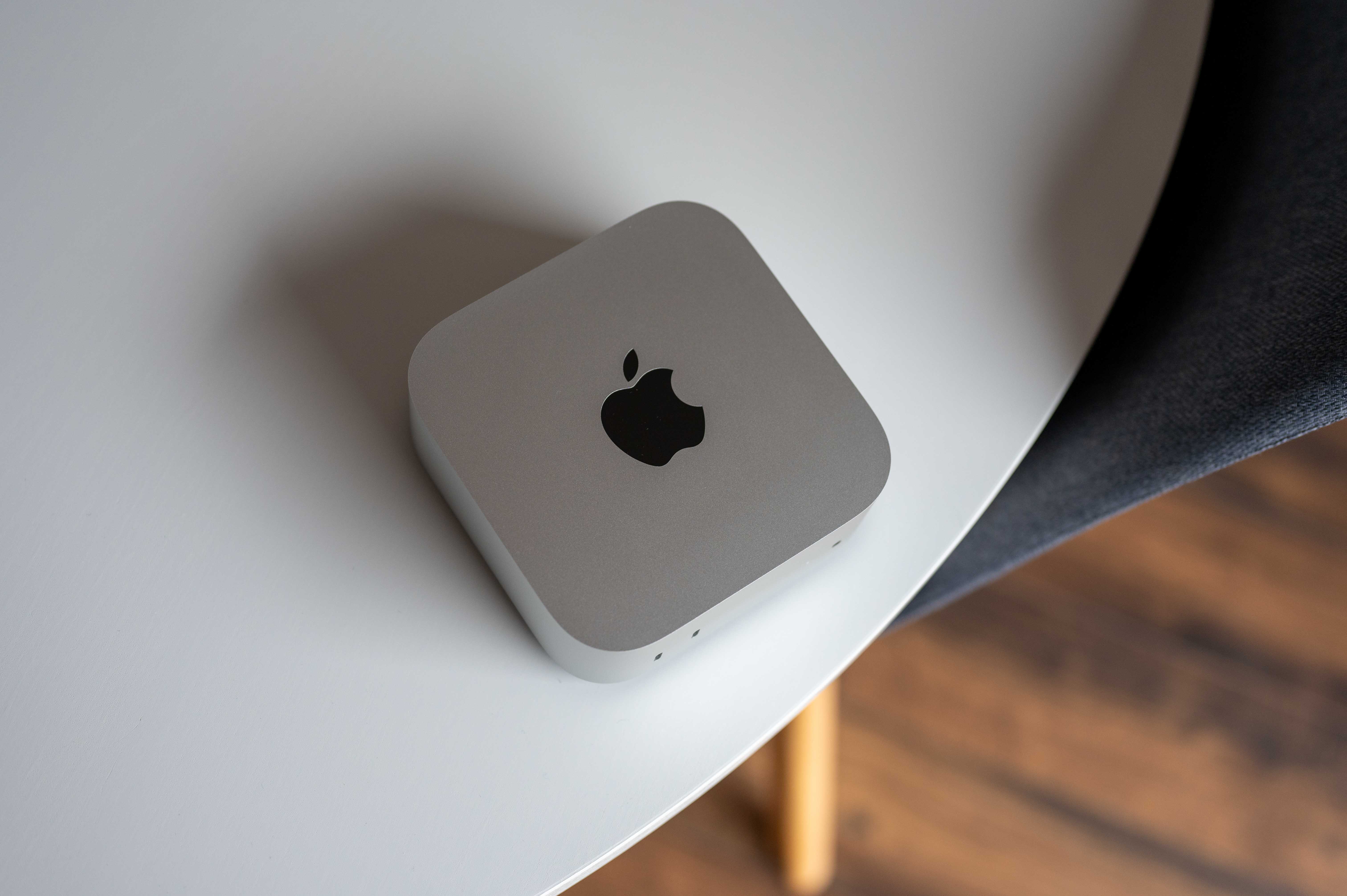
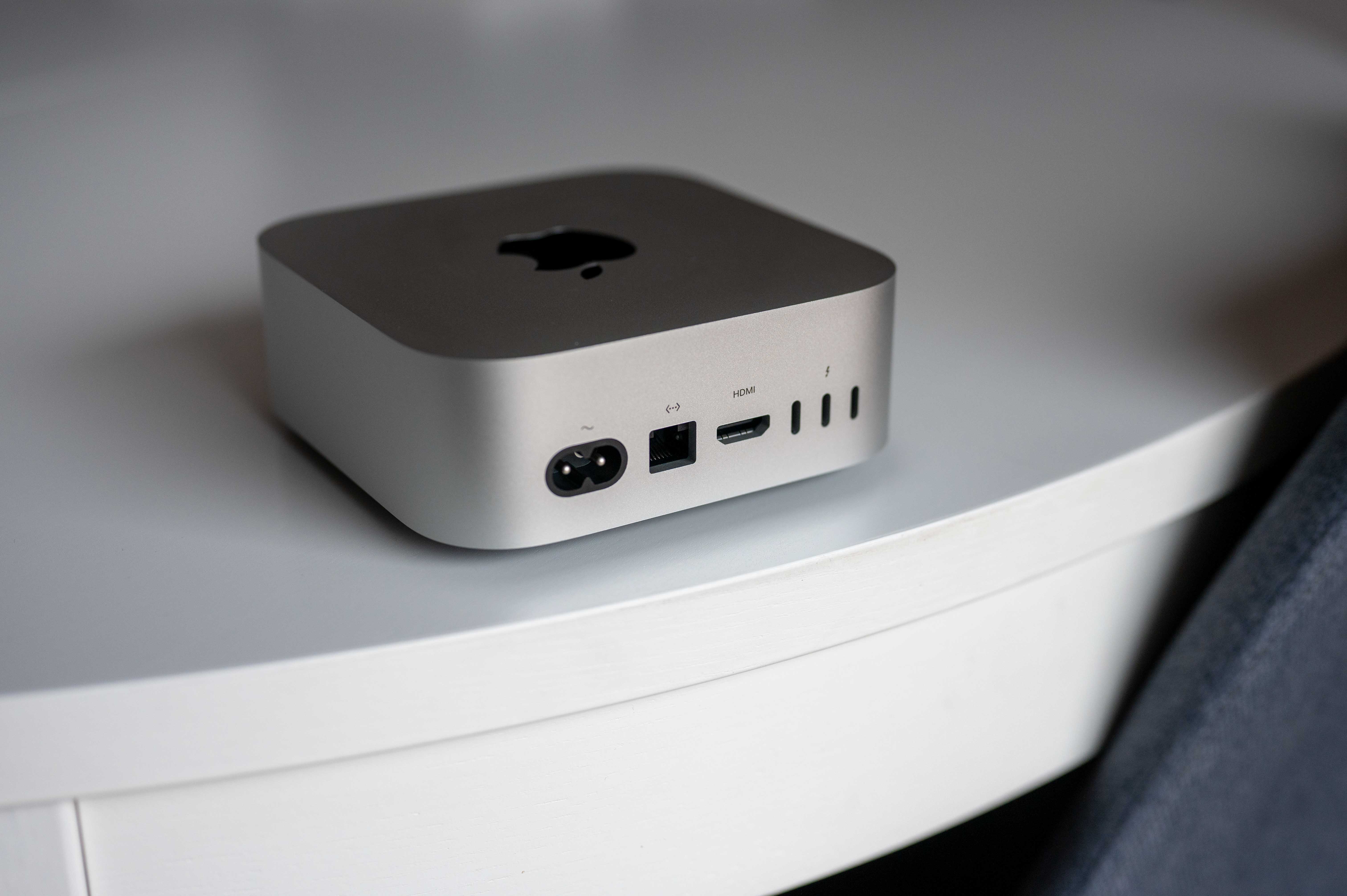
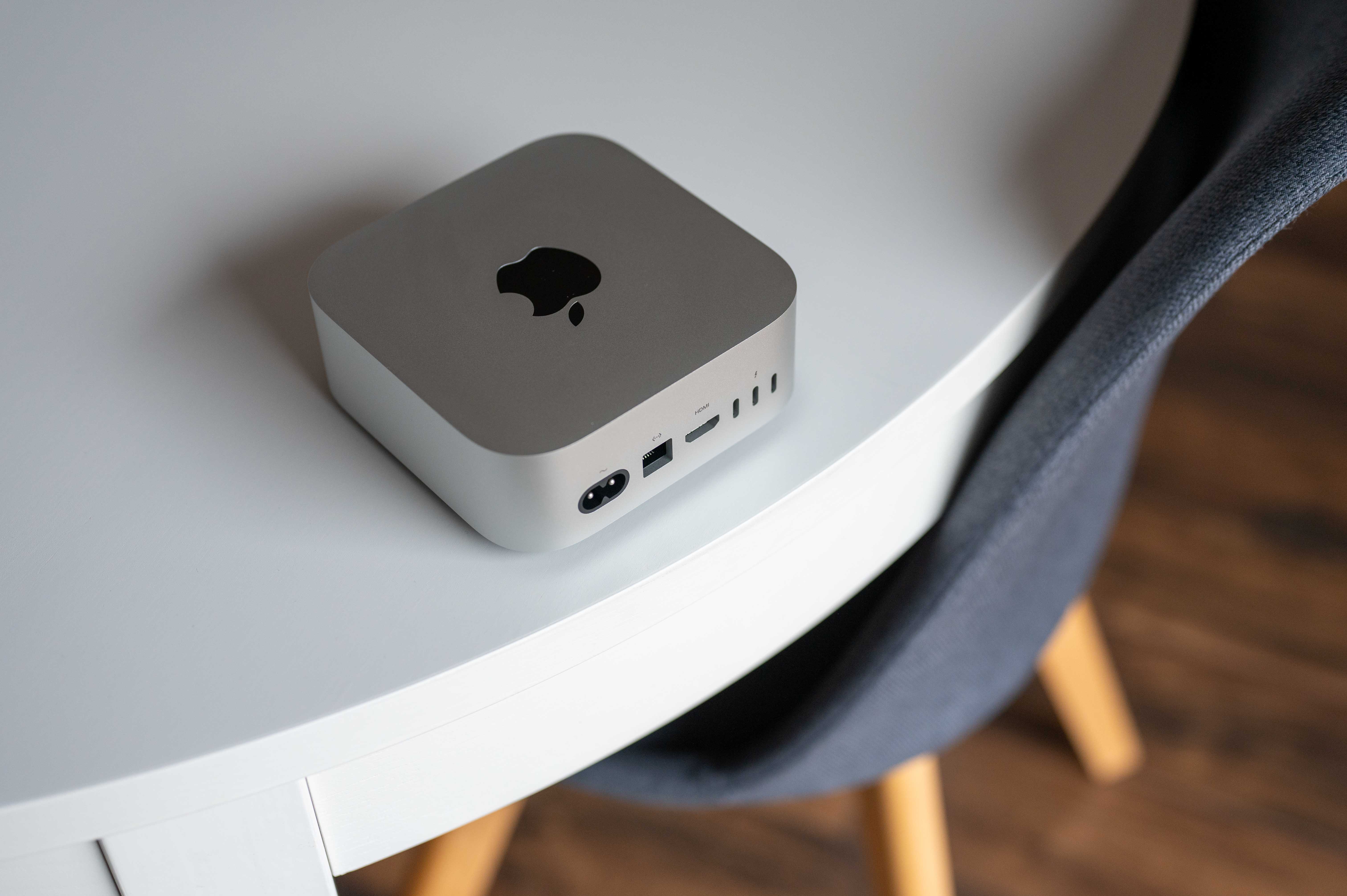
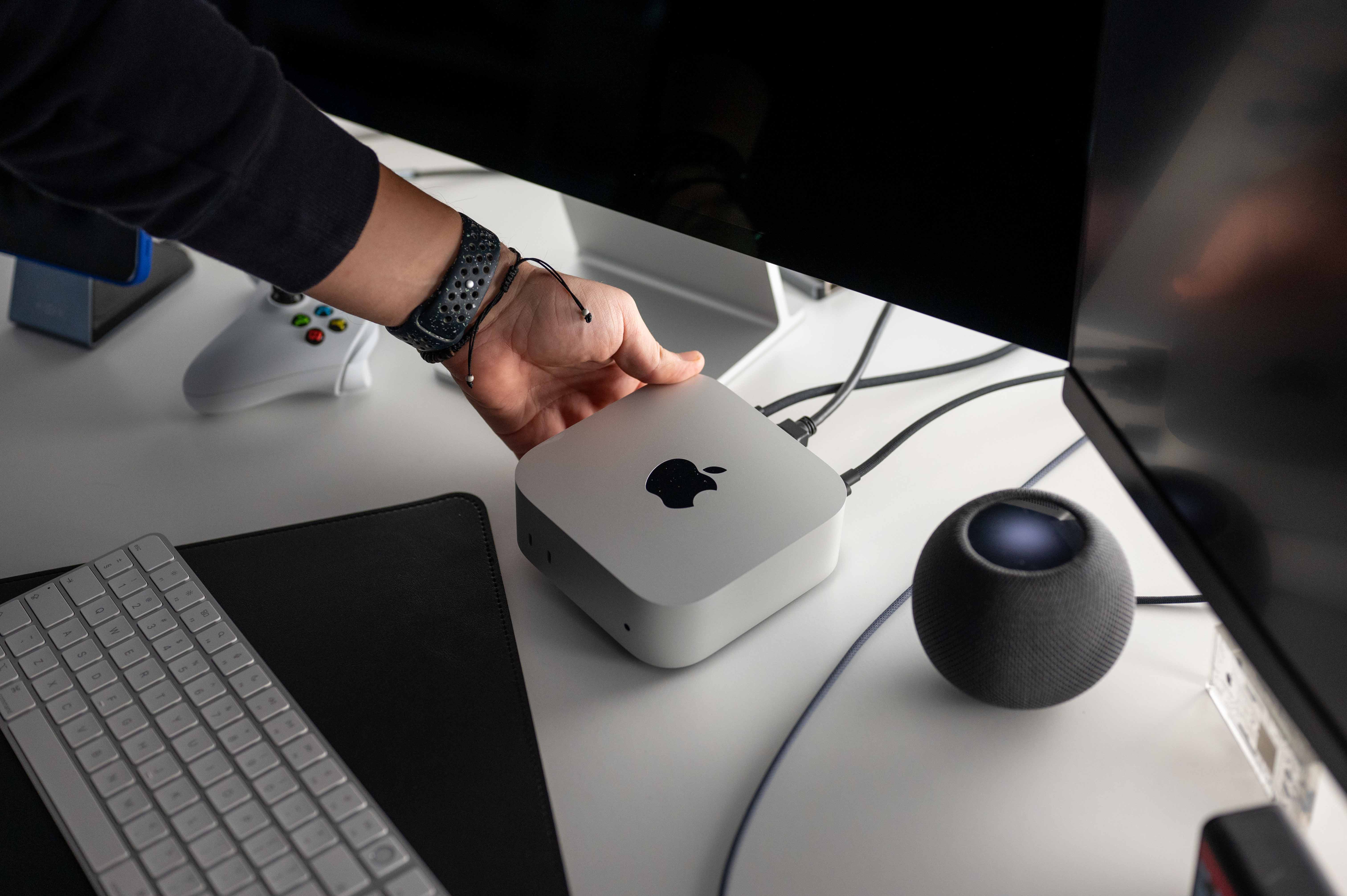
Well, actually not completely, because there is one thing that is related to the appearance of the machine in a way, even if it is not actually visible. I mean specifically the location of the power button, which Apple "cleverly" hid it in the upper left corner of the bottom of the computer so that it wouldn't be visible. Was it smart? Not for me. I'm one of those users who turn on their Mac right out of the box and then leave it running until it's time to replace it, but I think that good access to the power button is important and should be. Prothat's not even Apple Products are not infallible, like it or not, and I can't avoid the occasional "hard reboot" where I just hold down the power button. And that's exactly what's wrong with Macs. mini hook. To reach it, you have to lift it, which sometimes means pulling it out, because you will most likely have it tucked under the monitor. But this may mess up your cable management a bit.
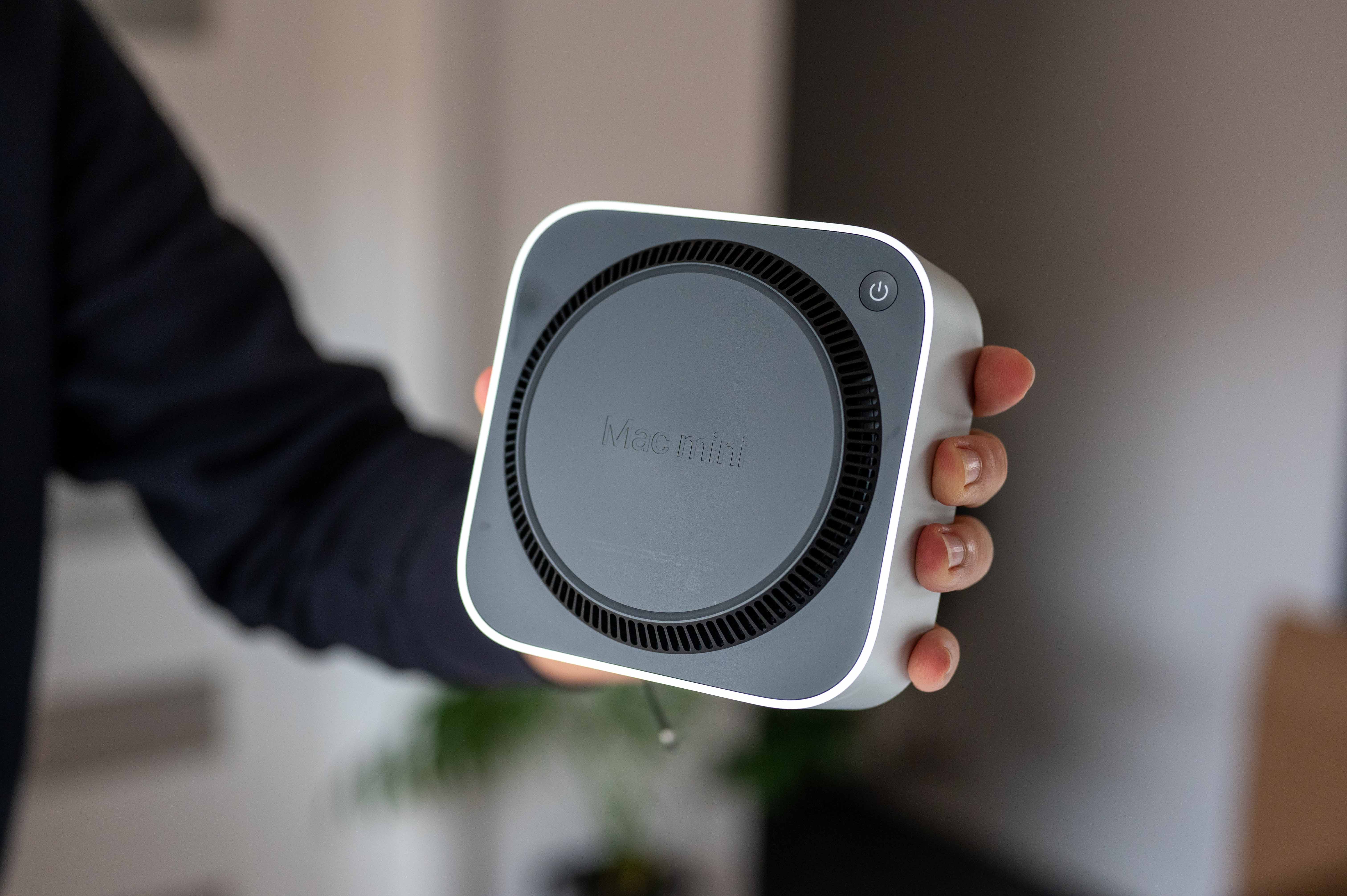
The second snag is when you start fumbling around on the underside looking for the button. Personally, I sort of intuitively looked for it first in the lower left corner and then in the lower right corner, because it somehow seemed logical to me that it Apple puts as close to the user's hand as possible. So it took a while to feel it in the upper left corner, and while it was really only a moment, it was exactly the moment when your head switches from work mode to "where the hell is that button" mode and you fall out of rhythm. And it's a shame. Apple I have associated products with an emphasis on intuitive control, and this just didn't work for me. I would have liked to put it in a visible place or something like that, but mainly to make it easier to get to the button. This is because his position is really upside down.
Koneactivity at the highest level
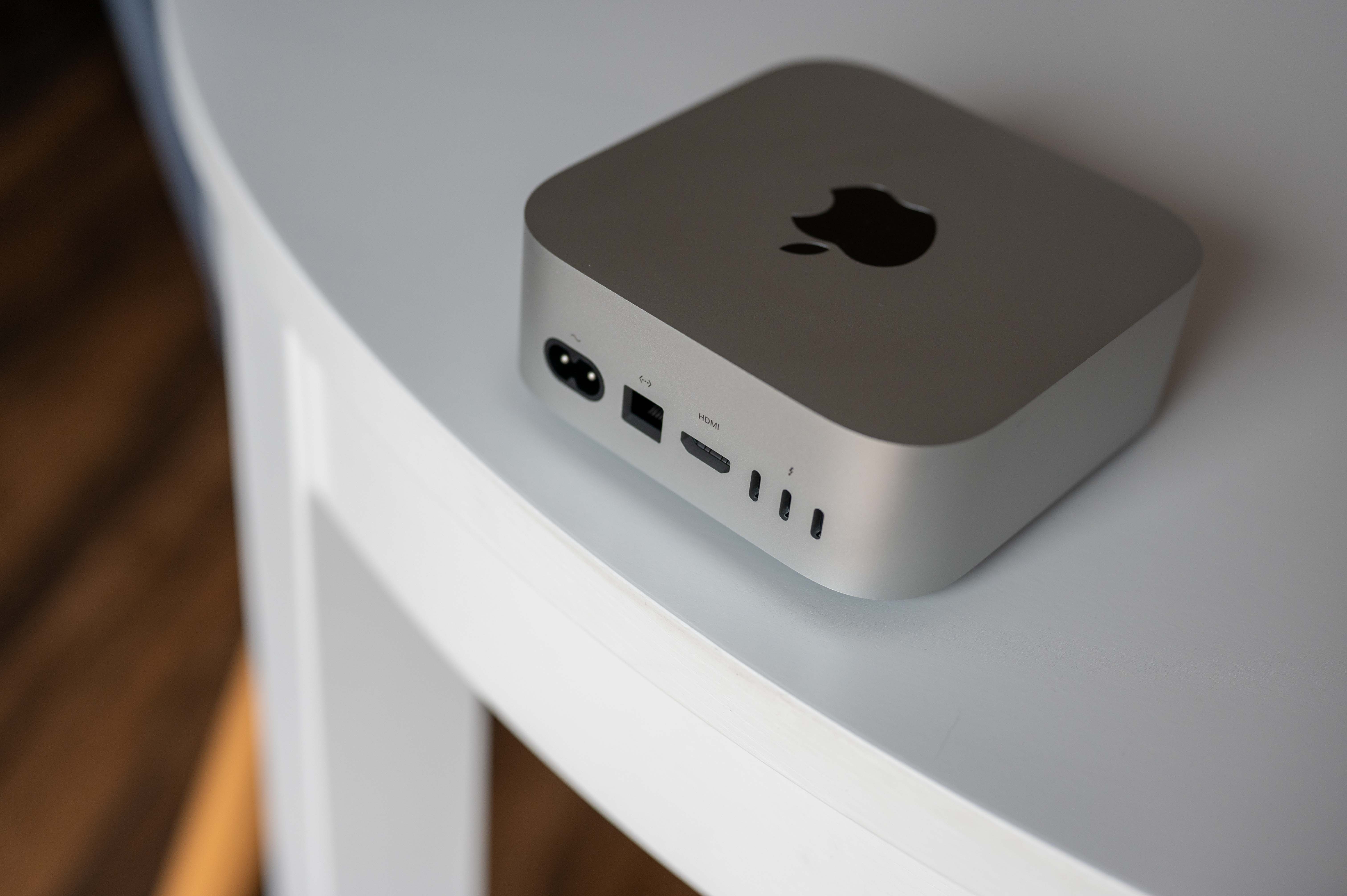
If you are new to me Mac mini gained something, then it is his possibilities tooneactivities. I don't even mean the Thunderbolt 5 port in the case of M4 Pro model that I had the opportunity to test, but rather a wise decision Appto put ononeI remember like it was yesterday when I had one of the older Macs here for review. mini and plugging all the cables into the rear ports was really annoying, because I had the computer placed under the monitor so that it would be as visually unobtrusive as possible. Of course, the solution at the time was to use a hub that would put the ports where I needed them for easier connection of drives and other accessories, but honestly I'm not a fan of hubs, because the clean design Apple products are usually quite trampled, although sometimes there is no use in it. But this year weoneThey were lucky to get a pair of USB-C portwith speeds of up to 10 Gb/s on the front and connecting anything is now a much more pleasant experience. Maybe it's just a bit of a shame that Apple it didn't fit at least one USB-A port on the back, because I certainly don't feel like we're living in a time when that interface is completely forgotten, but it's a detail that isn't that important.
Some foreign reviewers have wondered why on this machine Apple only deployed the WiFi 6E standard and not WiFi 7, which is available on previously introduced iPhones 16 Pro. To be honest, I don't really understand this fuss. Sure, the latest possible standard would be nice, of course, but Apple firstly, it always releases the latest standards to Macs with a year's delay, and secondly, let's remember that in order to take full advantage of WiFi 7, a home network must be based on it. And honestly, I don't think there are many households in the world at the moment that have WiFi 7 and are also grinding their teeth on the new Mac miniPlus, there's still Ethernet, which lets you connect your Mac to the internet using a cable, which will likely be faster than wireless, so I'd leave any heated emotions aside here.
The sound is not exciting, but it is enough
But what's not so great about it is, as usual, the sound. This generation of Mac is also mini It has an integrated speaker so that you have at least some audio component available in case you don't own speakers. But to be completely honest, as with the previous model lines, this is more of an emergency device than something you would want to listen to.chat several hours a day. Not that the speaker sounds bad, but it's probably clear to all of us that hiding quality audio It's simply not physically possible to fit everything else into such a small body, except for the speaker. For some YouTube, calls, and the like, it's perfectly fine for me, but if you're serious about audio, you'll have no choice but to connect headphones or speakers.
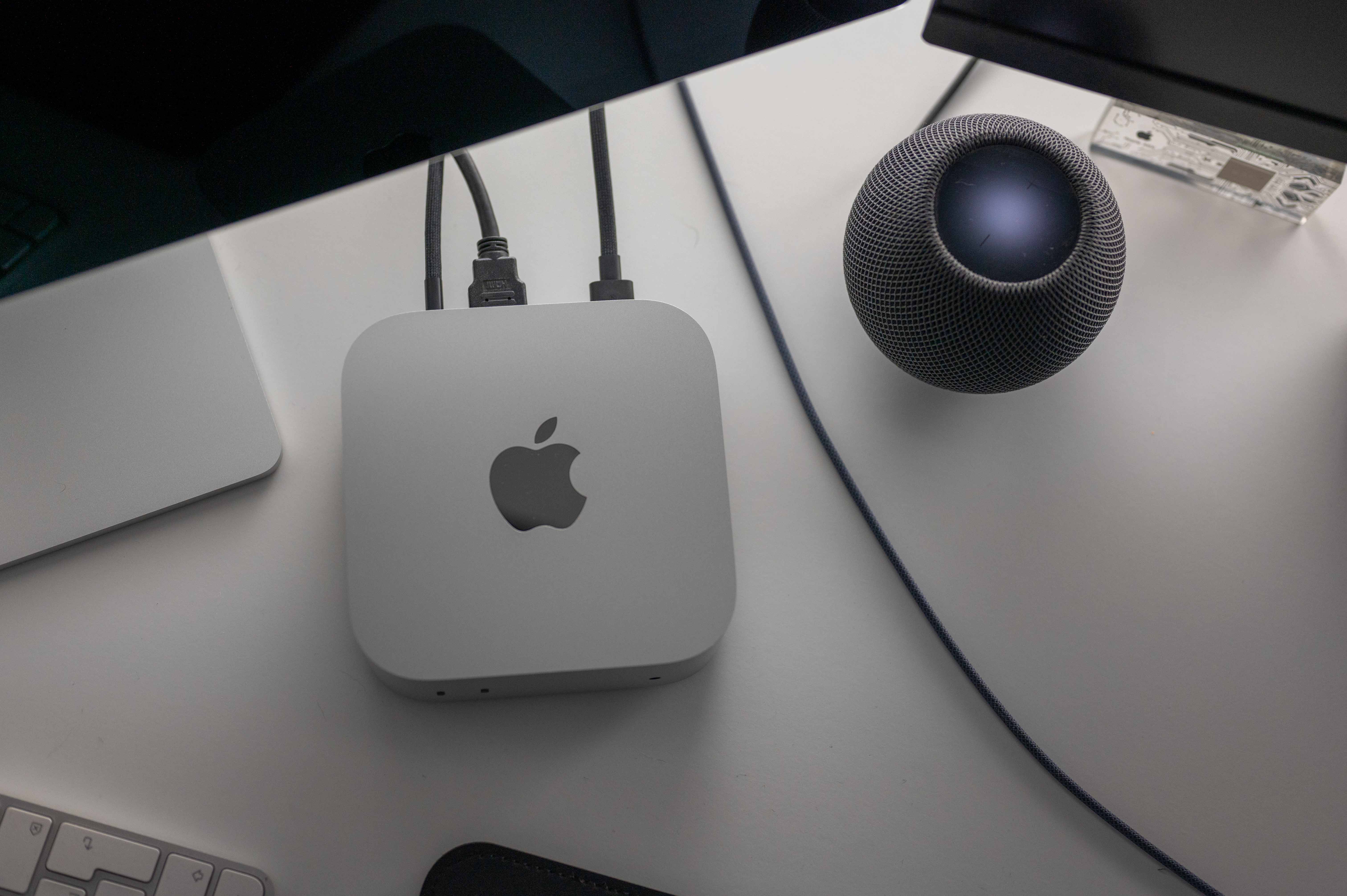
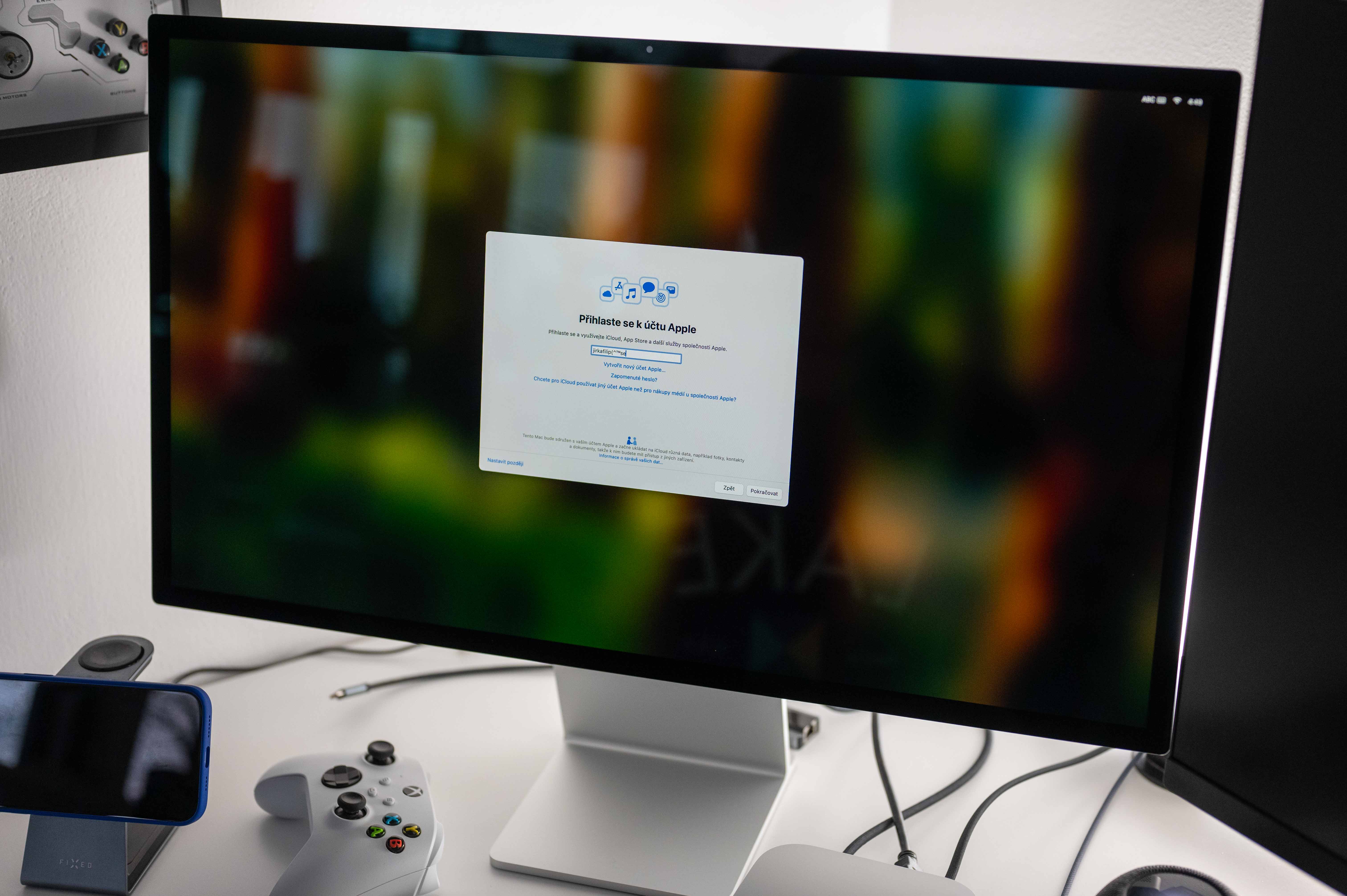
Fortunately, I had the opportunity to test Mac mini in combination with Studio Displayem and I have to say that after connecting it, the sound was literally a completely different song. But that's when you look at the technical specifications of the audio Studio Displaye cannot be surprised at all. This beauty has a hi-fi system of six speakers with woofers in an anti-resonance arrangement, support for wide stereo sound or surround sound in the format Dolby Atmos. I mean, great audio as a result, you can solve even quite tricky problems through the connected monitor, because minilittle by little Studio Display It sounds really great. But as I wrote above, if you don't need sound for your work or don't care about it, the internal speaker will do a solid job on its own.
Gallery
Performance measurement
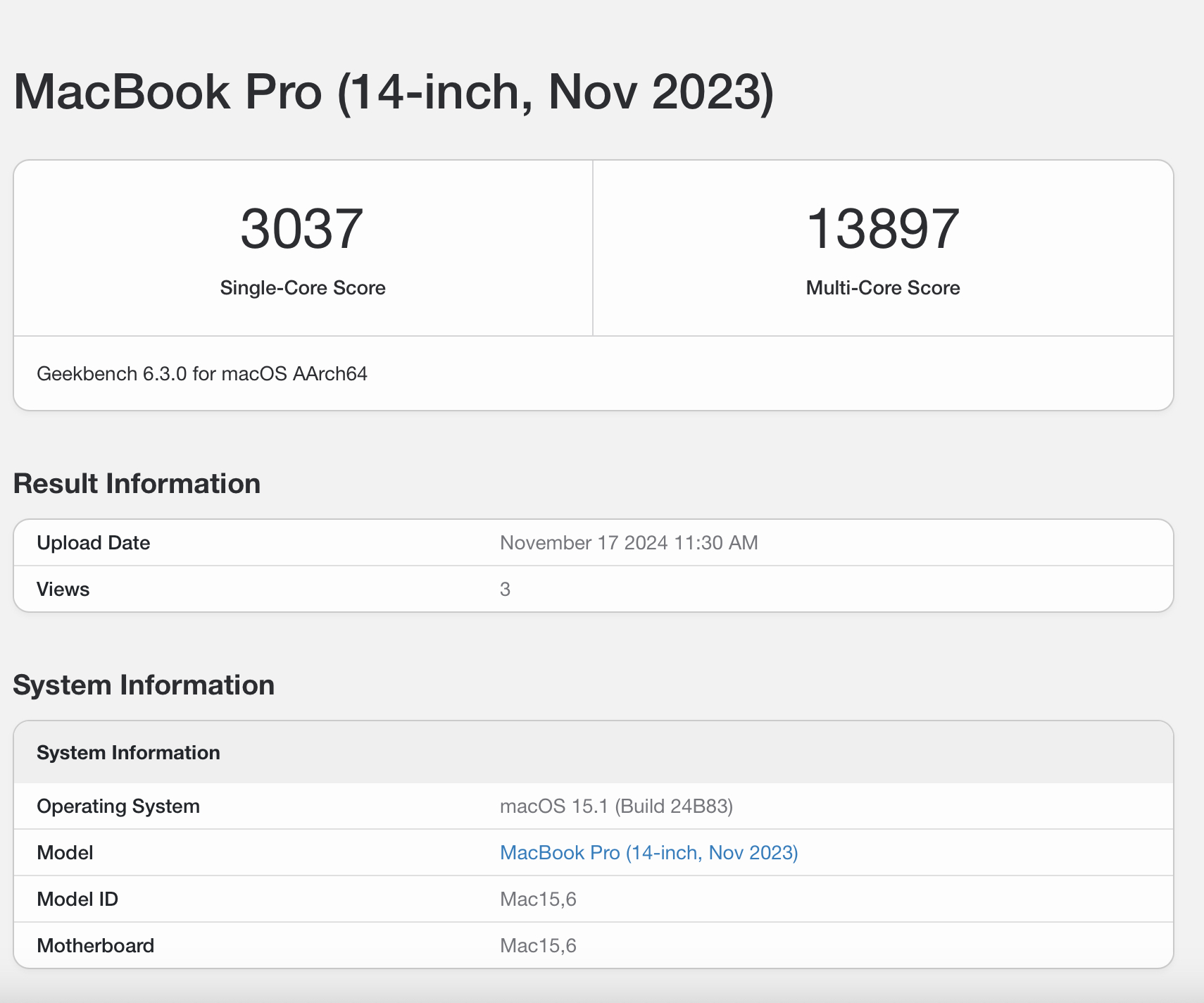
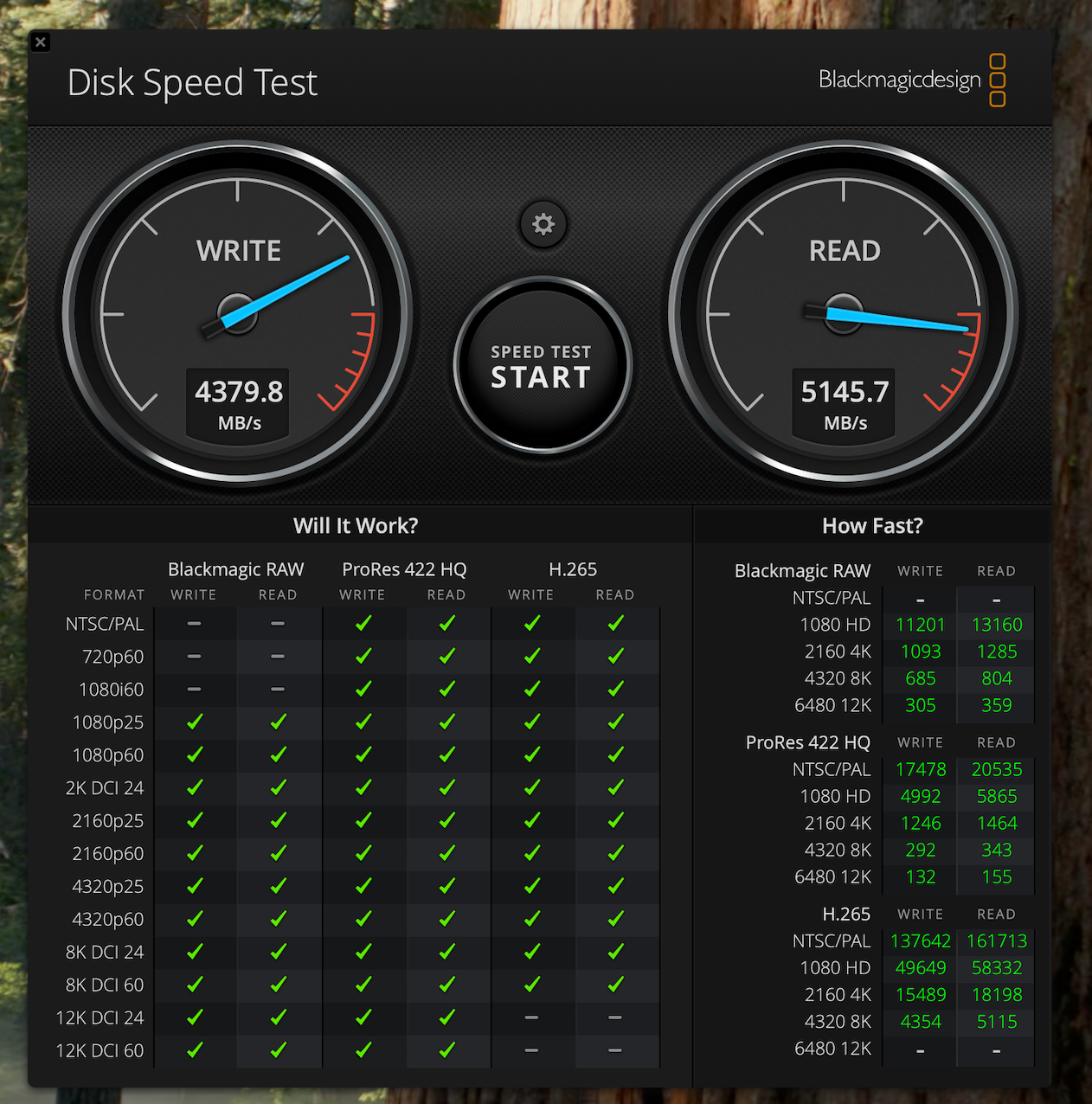
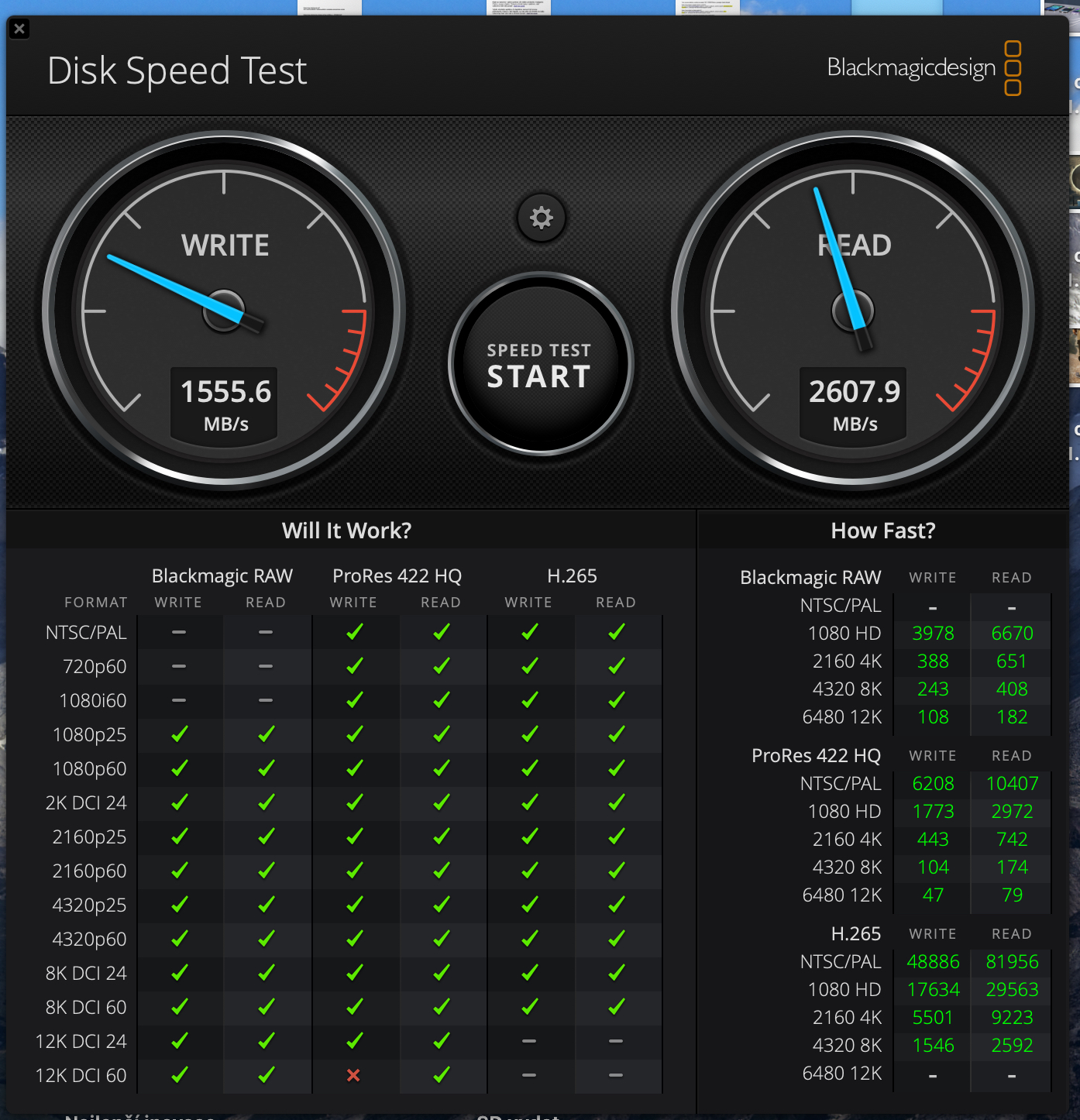
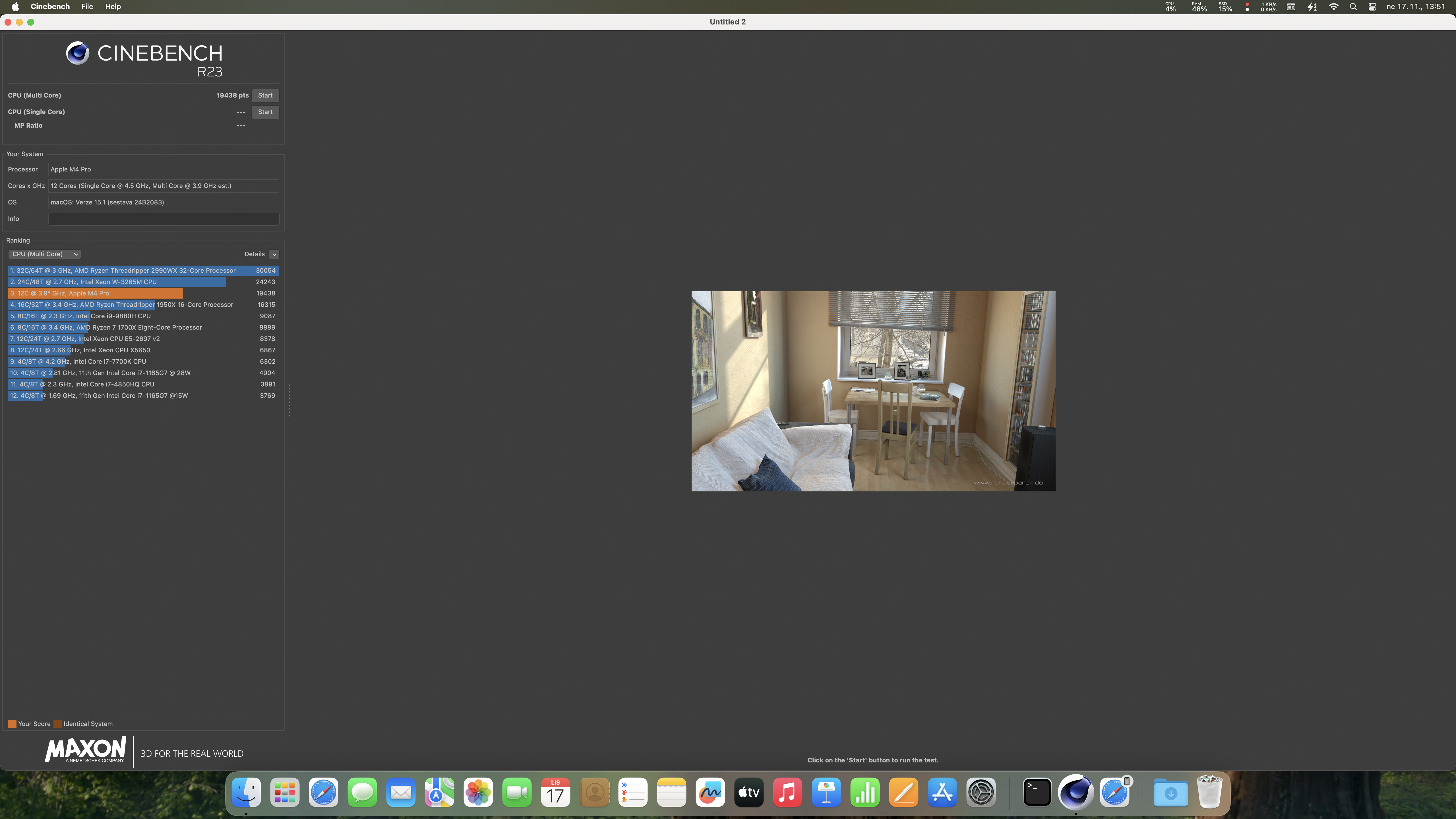
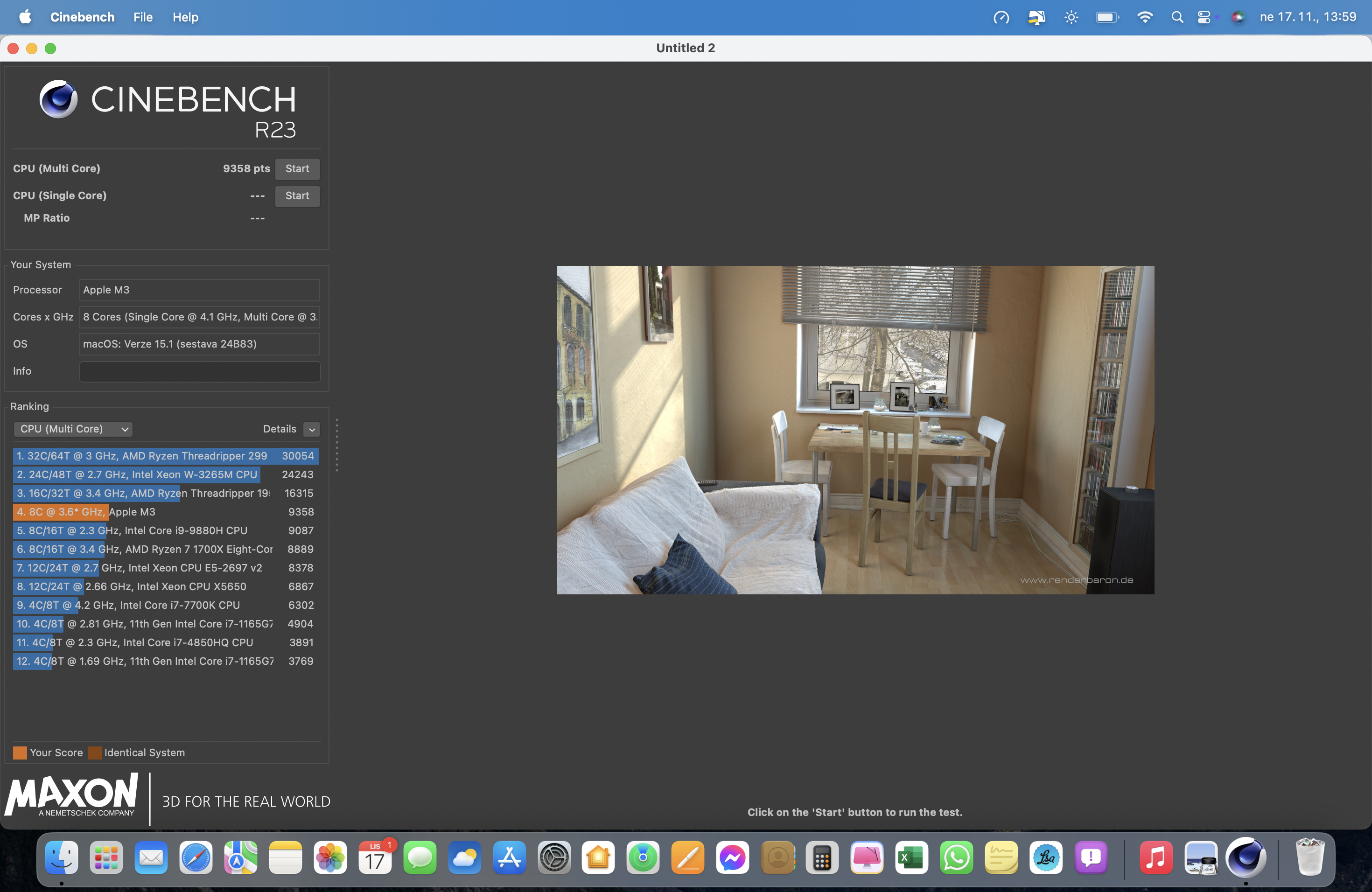
Test Mac performance mini s M4 Pro is really difficult for someone like me. This is a machine that is aimed at a completely different type of user than me. After all, with my style of work, which is completelyancThe M1 is still sufficient in terms of performance and I actually only have the M3 on a whim. MacBook Air. I therefore simply checked the performance through various benchmark tools, thanks to which you can get a good picture of what level it is at compared to other machines. Thanks to this, you should get a good idea of what it is good for and what it is not good for in case the Mac results mini compare with those you measure on your machines. Of course, I used measuring tools that are completely standardly available. Pro For completeness, I'll just add that I had it on my Mac mini High power mode activated, which is manifested by the fans running at high speed due to maxminimum cooling of the chip. However, this mode should ultimately "only" extend the maximal performance of the device for a longer period of time than increasing it.
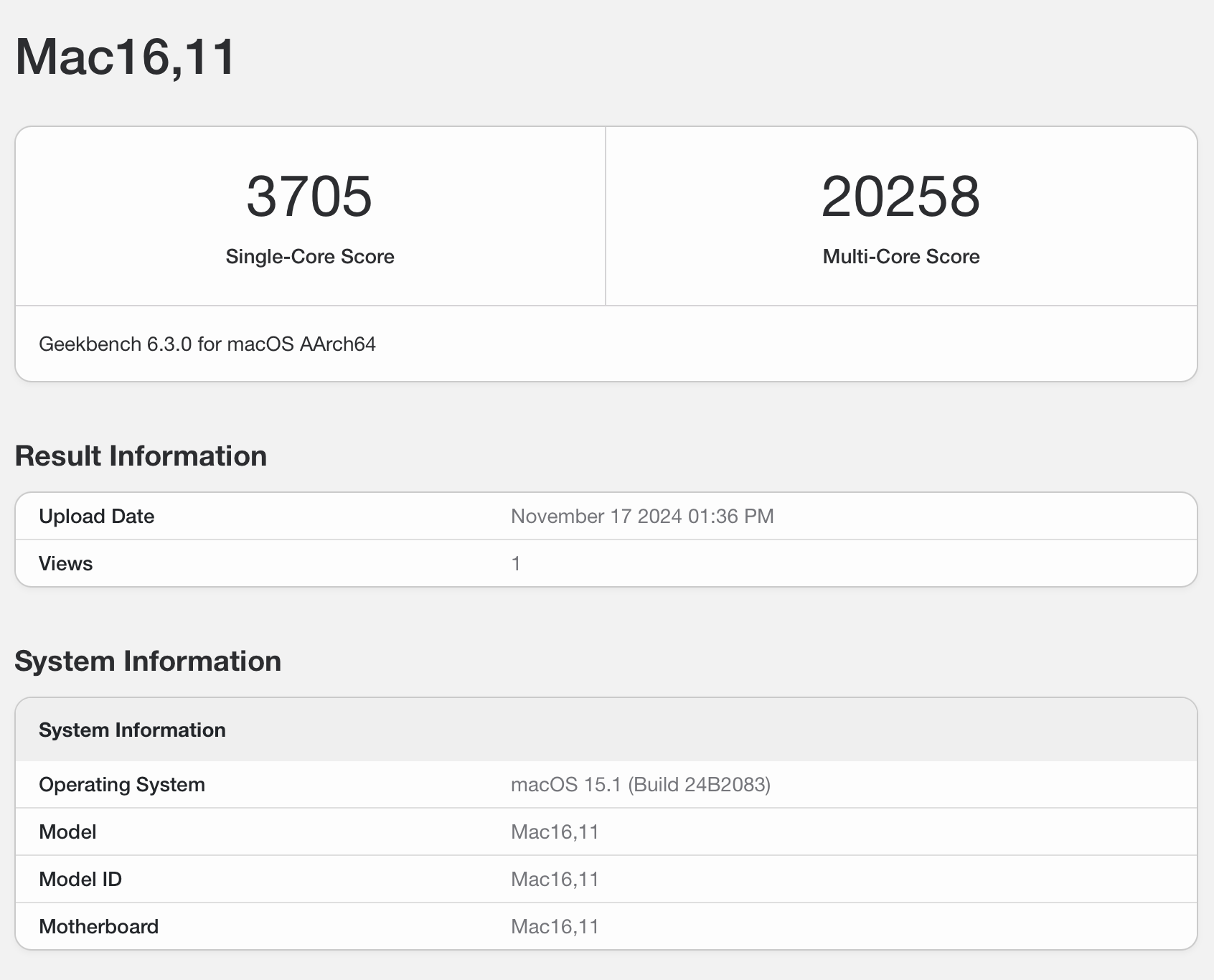
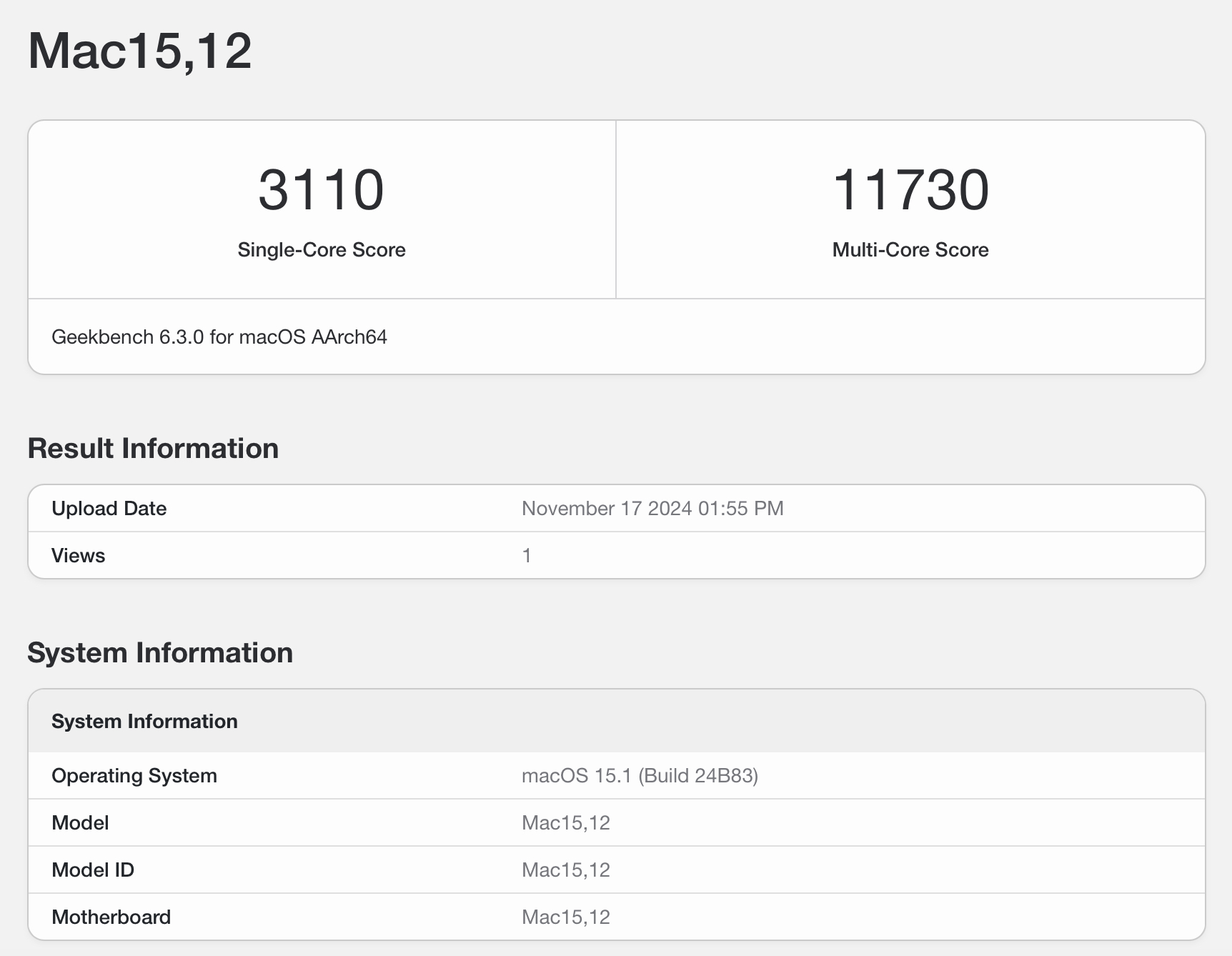
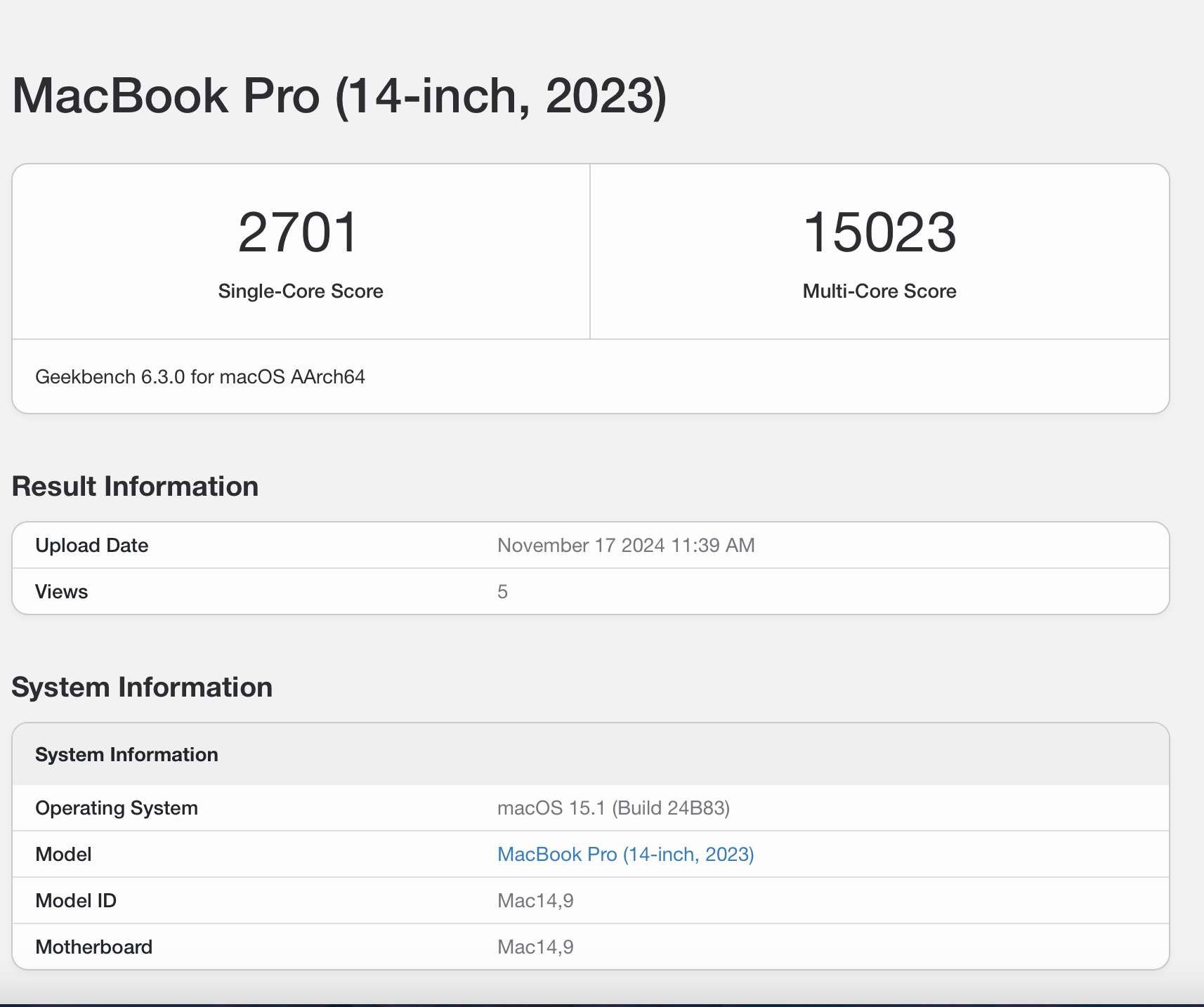
Geekbench 6
Programming Language Compilation Speed Test§

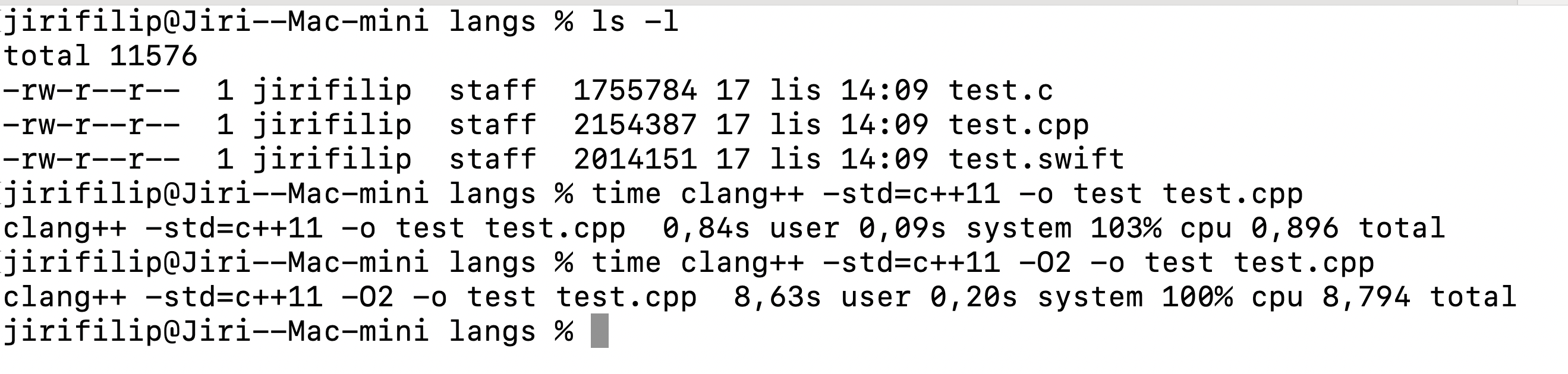

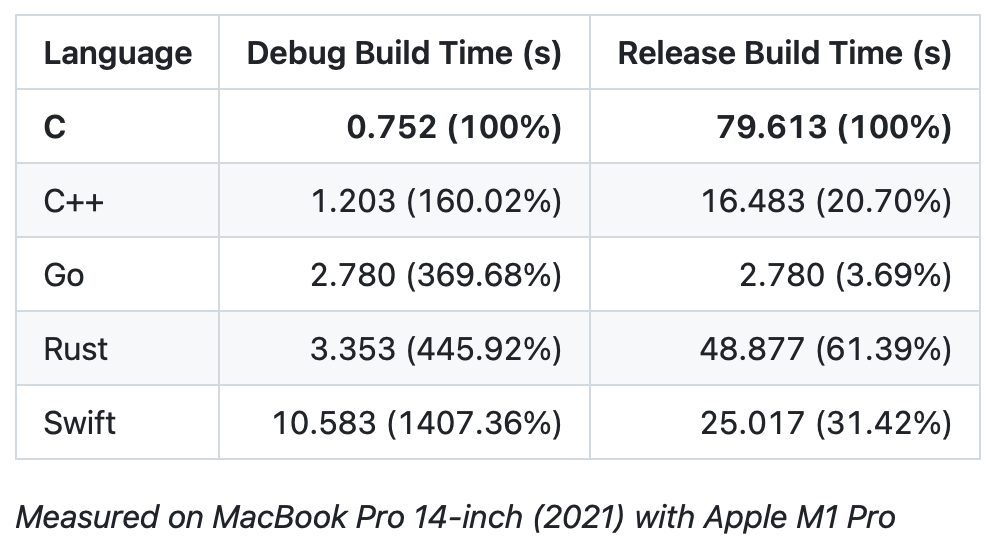
As you can see, it is efficient M4 Pro really well. That MacBook Air The M3 will crush it, of course, and I included this measurement in the review just out of curiosity and maybe a little bit of fun, so that users with requirements similar to mine would realize how much better this machine actually is in terms of performance. However, it is quite better than even Macs with chips. M2 Pro a M3 Pro, so I think switching to it is quite worthwhile due to the time savings in various operations.
As for the high performance mode, which he left for the first time ever MacBookya got into Mac mini, in foreign reviews, journalists complained that the Mac fans run very loudly. But I have to say for myself that this is definitely not an extreme, quite the opposite. For example, the fans in the latest Intel 16″ MacBooku Pro They "roared" far, but really much more. So just turn up the music, podcasts or YouTube videos, or put on headphones, and know that the fan will not disturb you.
Display compatibility and a small look at Apple Studio Display
At the very end, I would like to at least briefly touch on the displays, which of course you cannot do without with this machine. Apple specifically, it promises the following on its website:
M4
Supports up to three displays at once:
- Up to three displays: Two displays with up to 6K resolution and 60Hz refresh rate connected via Thunderbolt and one display with up to 5K resolution and 60Hz refresh rate connected via Thunderbolt or 4K resolution with 60Hz refresh rate connected via HDMI
- Up to two displays: One display with up to 5K resolution and 60Hz refresh rate connected via Thunderbolt and one display with up to 8K resolution and 60Hz refresh rate or 4K resolution with 240Hz refresh rate connected via Thunderbolt or HDMI
Digital video output via Thunderbolt 4
- Support for native DisplayPort 1.4 output via USB‑C
M4 Pro
Supports up to three displays at once:
- Up to three displays: Three displays with a resolution of up to 6K and a refresh rate of 60 Hz connected via Thunderbolt or HDMI
- Up to two displays: One display with up to 6K resolution and 60Hz refresh rate connected via Thunderbolt and one display with up to 8K resolution and 60Hz refresh rate or 4K resolution with 240Hz refresh rate connected via Thunderbolt or HDMI
Digital video output via Thunderbolt 5
- Support for native DisplayPort 2.1 output via USB‑C
Video output via HDMI
- Supports one display with up to 8K resolution at 60Hz or 4K resolution at 240Hz (M4 and M4 Pro)
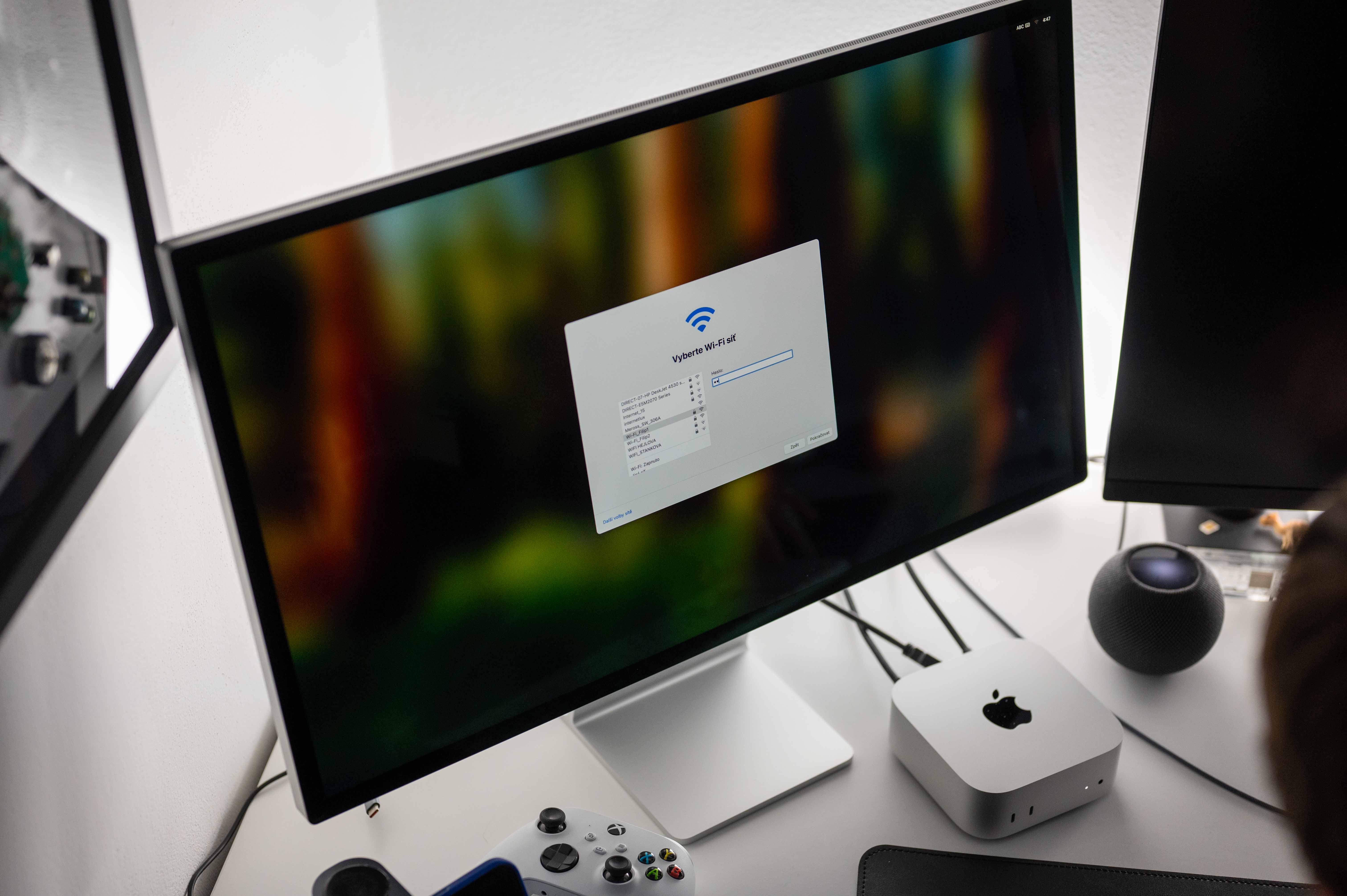
I tested Mac specifically in combination with Apple Studio Displaywith 5K resolution and LG displays with 4K resolution, which I connect to as standard MacBooku Air. Then to try out different connection options, Studio Display I connected it via Thunderbolt 4 cable, while I connected the LG display to the Mac via HDMI. In neither case did I experience any problems with connectivity, responsiveness, or anything like that. Still, it was interesting to try the two displays side by side.
I bought my LG monitor a few years ago in an attempt to ensure a sufficient display area in case one simply needs space to work, and that in the best possible quality, but at the same time at a reasonable price. I specifically chose a model with a stand that can be screwed to the table, a matte surface and 32". A few months later he came Apple se Studio Displayem, which was about 40% more expensive than the LG display I bought, but also smaller, with a webcam, overall nicer and with 5K resolution. Honestly, I had a lot in my head at the time, but thenonec I kind of let it go. And with the passage of time and thanks to the current test, I can say that I did quite well.
Apple Studio Display It is a truly beautiful piece of electronics that is a joy to have on my desk. Its display capabilities are also very good, although I would honestly expect a little better color reproduction, andoneThe port equipment at the back will also please you, as will the quality audio. But I have to say that my enthusiasm ends there. Its webcam could definitely be better, the glossy display doesn't suit me at all (although it's a lot about preferences and where you place your computer), the bezels around the display area should definitely have been made narrower years ago, and most importantly, in combination with a cheaper stand that only allows you to change the tilt, it seems quite low to me.
Gallery
I use a standard height desk and of course a standard chair, I'm about 185 cm tall and when I sit at the desk Studio Display I had to look at it with my neck slightly bent because it wasn't at eye level. Of course, this can be solved by buying various monitor stands or a stand with adjustable height and weight.onem, but these are additional costs. For a monitor for 42 CZK I would expect something a little different in this regard. And paying a good 990 thousand for a stand with an adjustable loadonem tall and therefore spending 54 CZK on this display seems really over the line to me. I would rather reach for a VESA mount and Studio Display "hung" it on the wall.
ProWhy am I writing all this? Actually, just so that you can get one if you want. Studio Display They expected something like this and weren't as surprised as I was. ProThis display always looks fantastic in the store, but when it's actually used, it's...onec will show its hidden negatives, which may be insurmountable for some. However, if I were to evaluate only its functionality in combination with the new Mac mini, there's really nothing to worry about here. The functionality is great, just like this setup is pleasing to the eye of every technology enthusiast.
Summary
Honestly, new Mac mini is almost as we dreamed it would be. Sure, we can speculate about whether it Apple couldn't make it even smaller because it would certainly please, just as we can argue about whether 256GB in the base M4 model is enough or should Apple konereally stop saving and "load" even the basic model with a 512GB SSD, as it does with M4 Pro models. In terms of performance, however, both in the basic and higher configurations, this is an absolutely brilliant device from a price-performance perspective that will delight you for many years. New Mac mini so it follows the same path that virtually all previous Macs with the Apple Silicon and if you buy it "right", in other words choose the right configuration for your needs, I'm sure you really won't need to change this machine for quite a few years. By the way, the owners are a great example MacBooků Air M1, who even a good four years after this machine was launched, don't really have a need to go "higher" in terms of performance.
On the other hand, I must add here that talking about Mac mini as a cheap computer, it can't be called that. Well, how can you put it? The base with M4 for 17 CZK is certainly affordable, as is the basic M4 Pro for 41 CZK (taking into account the performance, 490GB SSD and 512GB of RAM). However, in my opinion, these machines can only be considered affordable or, if you prefer, cheap solutions if you already have an older keyboard, mouse, trackpad and a monitor. If not, you'll still be hitting your pocket, which will suddenly make the basic M4 model a machine worth the price. MacBookor iMac and the gloss of availability is suddenly gone. And that is what needs to be realized and taken into account. But if you already have some of the equipment at home or are prepared to pay additional expenses, then there is nothing to worry about. Mac mini with M4 or M4 Pro is, in my opinion, the best desktop workstation for the vast majority of users that is currently available. So feel free to jump on it, because if I didn't use MacBook Air connected to the display, I'll do that right away too.


Can I ask what specific model of LG monitor you are using with Mac mini?
Thank you.
Satechi is even preparing a new design for this Mac Mini a base that expands it with classic USB ports, a card reader and a slot for an nVME SSD inside the base. And I won't forgive myself the sarcastic remark that it's almost like there's no need to pay extra for more built-in storage.
Link to the official site: https://satechi.net/landing/new-stand-and-hub-m4-mac-mini
You write really nice reviews, thank you very much. I like that it is a real user review, everyone can choose what they want from it and even though there are many things to discuss "storage, ports, display, power button ..." the overall impression of the machine is completely clear from it and that's what I think is the point. I'm really looking forward to the review macbooku.
Wifi 7 passes up to 1800mbps in my house, Wifi 6e is at the level of approx. 1400mbps, the cable is only 1000mbps, so the sentence that the cable will be faster is nonsense :)
Yes, not everyone has Wifi7 at home, but you don't buy that computer for 2 years, but for 5+ years
If you deal with the speed of the net to such "extremes", you will end up using 10Gbit ethernet, which is completely different from wireless.
I've said it many times, but the local bar sweepers made fun of me here 🤣