
Apple recently released an operating system iOS 16 for the public. So if you don't have it installed yet, definitely hurry up, because there are a lot of new improvements and features available. Of course, we cover all the news in our magazine so that you know about them as soon as possible and master the system. iOS 16 na maxThe improvement in iOS The Messages application also received an update in 16, and in this article we will look at 5 tips that you should know.
You might be interested in
Deleting a sent message
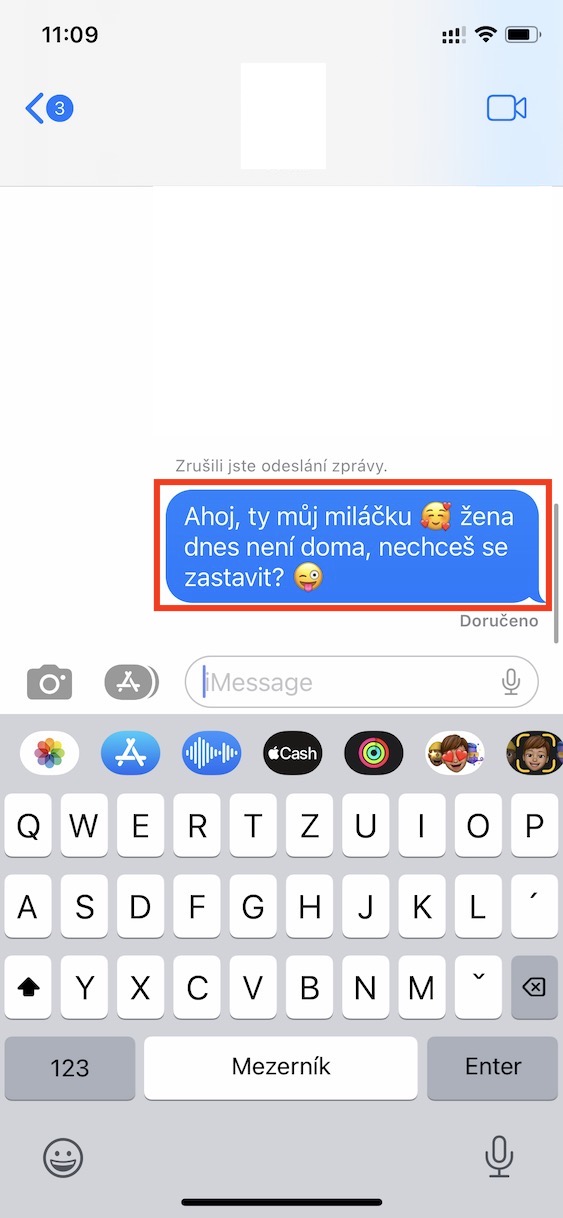
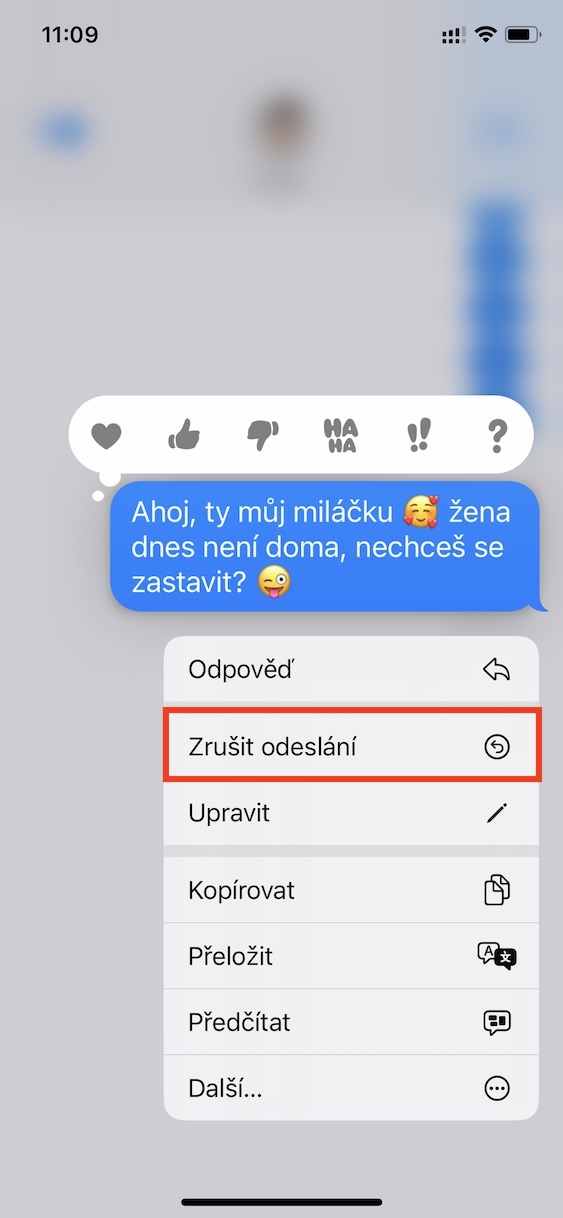
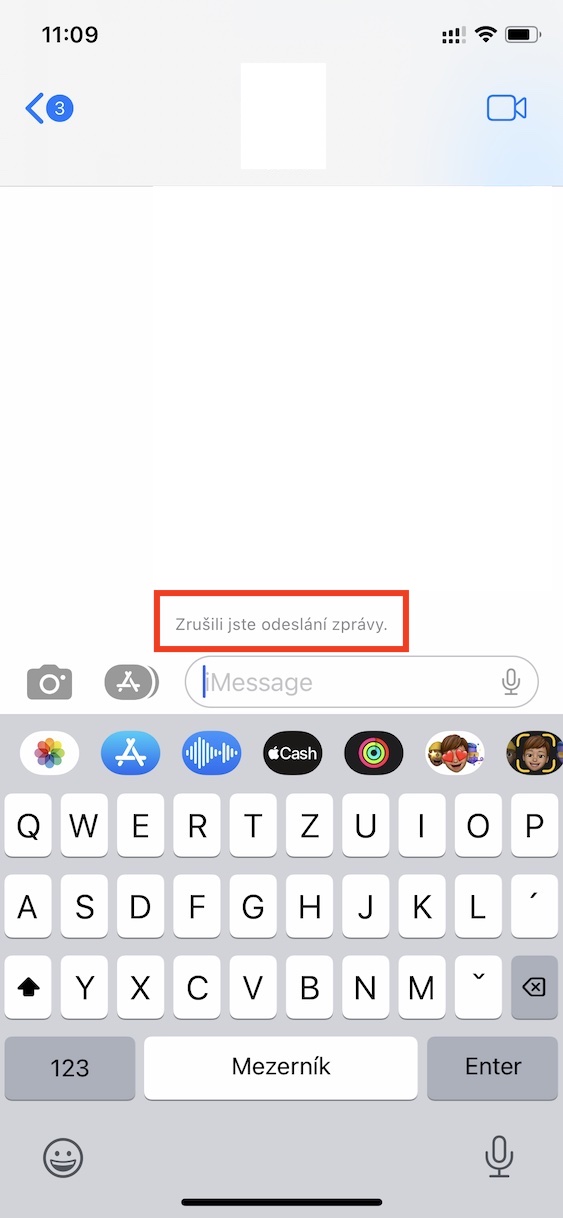
The biggest new feature is undoubtedly the ability to delete a sent message, or rather cancel its sending. If you have sent a message or a photo to the wrong contact, you could not take it back and could only wait for the consequences. If you would like to iOS 16 To delete a sent message, you just need to they held their finger on her, and then chose the option Cancel send. This option is available only 2 minutes after sending the message, and both parties in the conversation must have the system installed. iOS 16.
Gallery
Editing a sent message
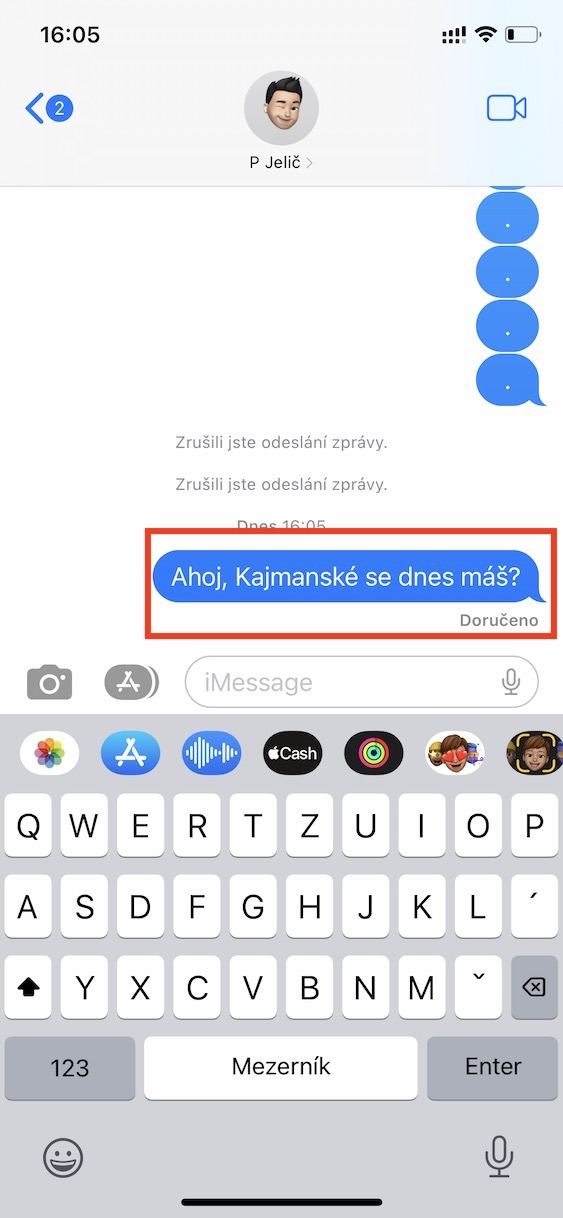
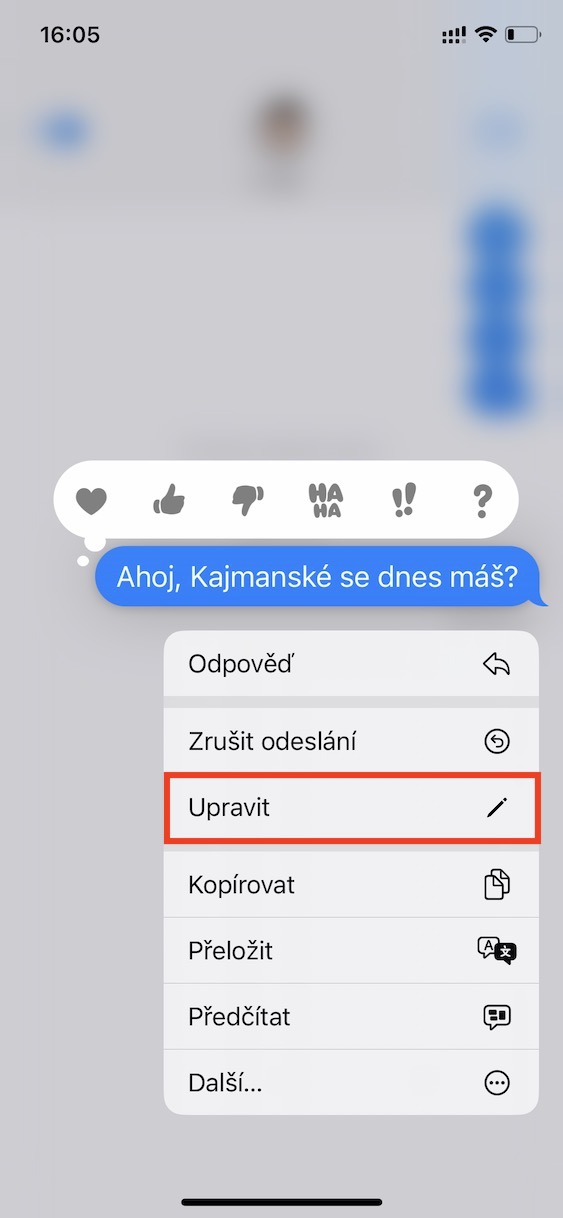
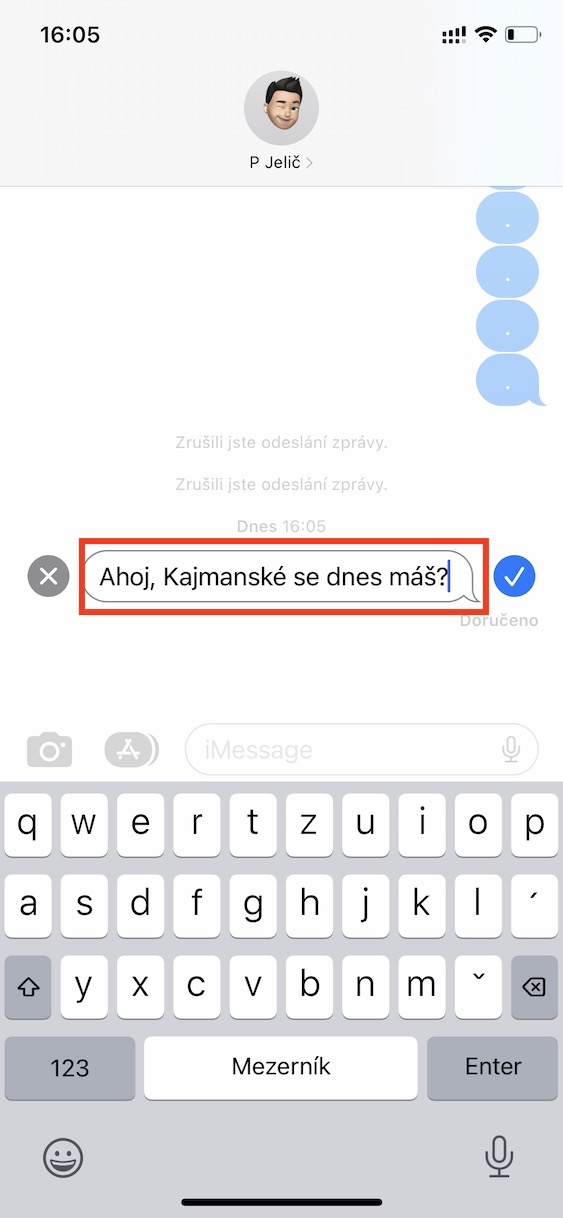
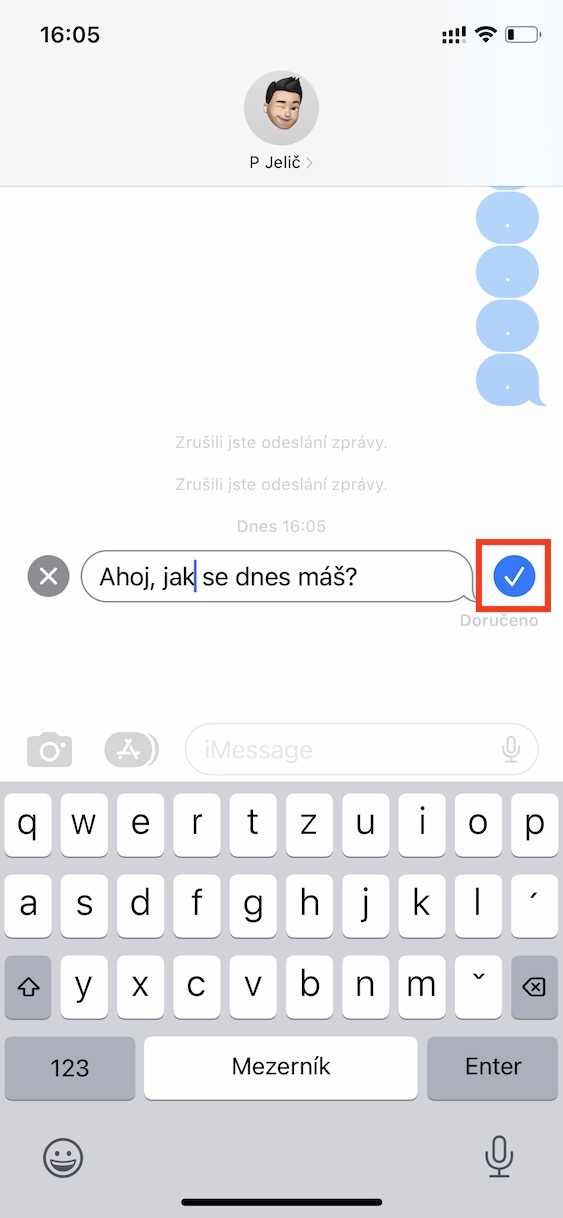
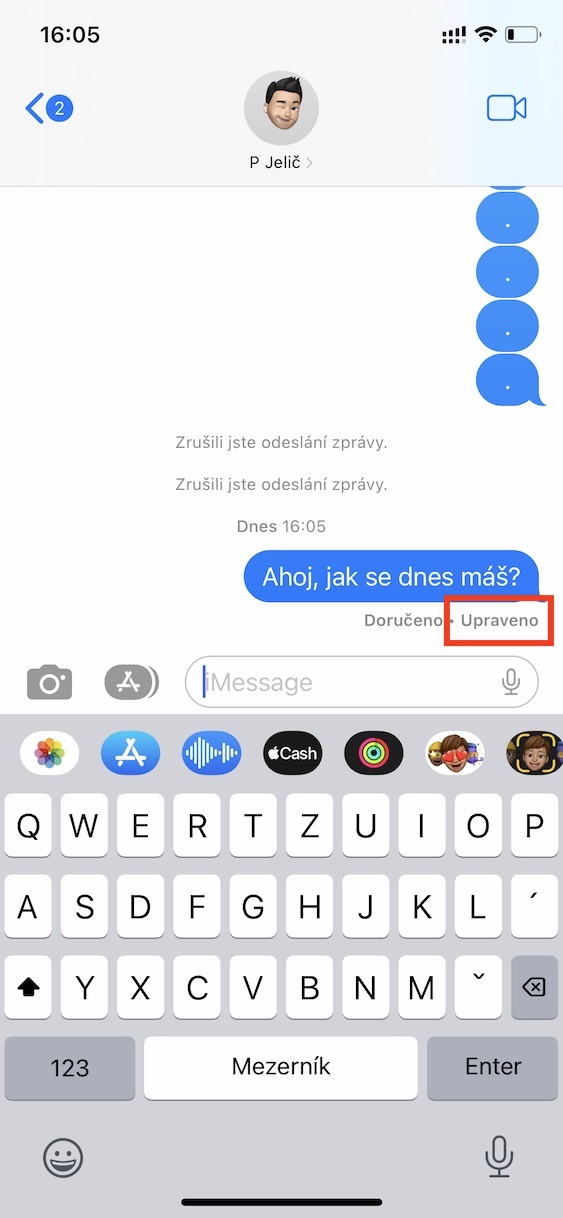
In addition to deleting sent messages, you can also edit them. Again, this is nothing complicated - you just need to na sent message they held up their finger, and then tapped on in the menu Edit. Then it's enough change the message and tap on pipe. The message can be edited within 15 minutes of sending and you can edit it as many times as you want. But it is important to mention that if you edit a message, it will be possible to view its previous text by tapping on Edited below the message. In this case, it is also necessary that both parties to the conversation have the app installed to use the feature. iOS 16.
Gallery
Recover deleted conversations
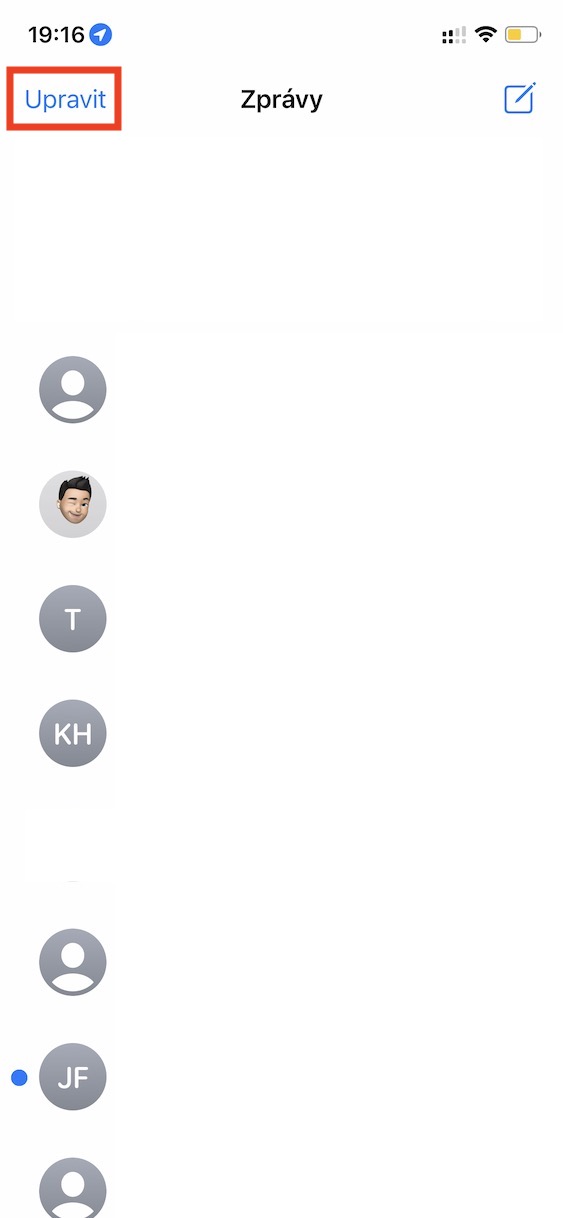
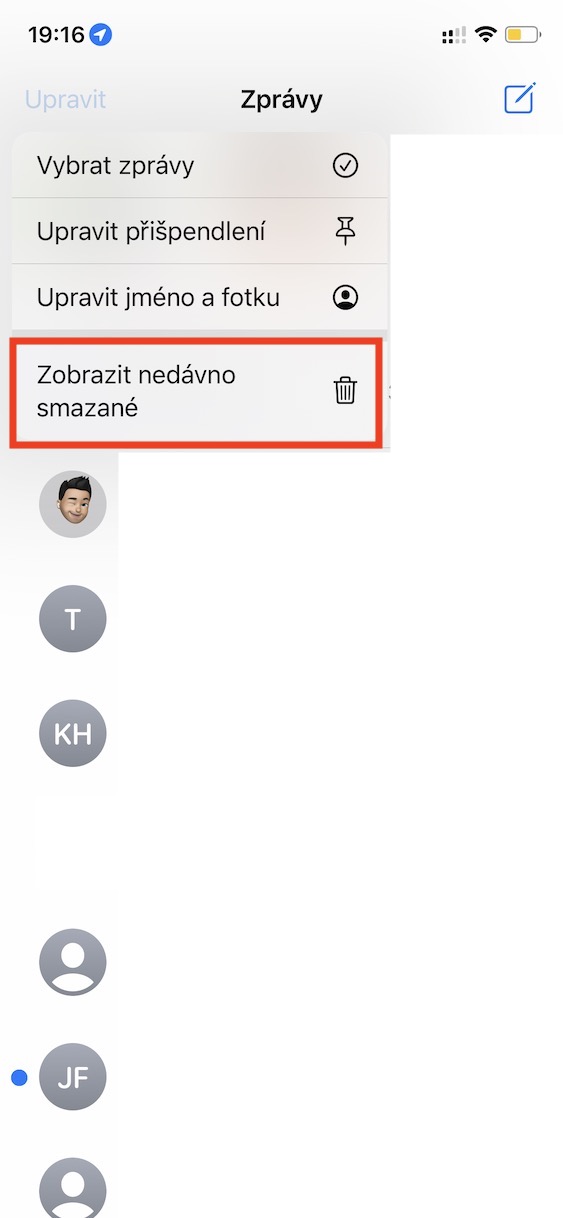
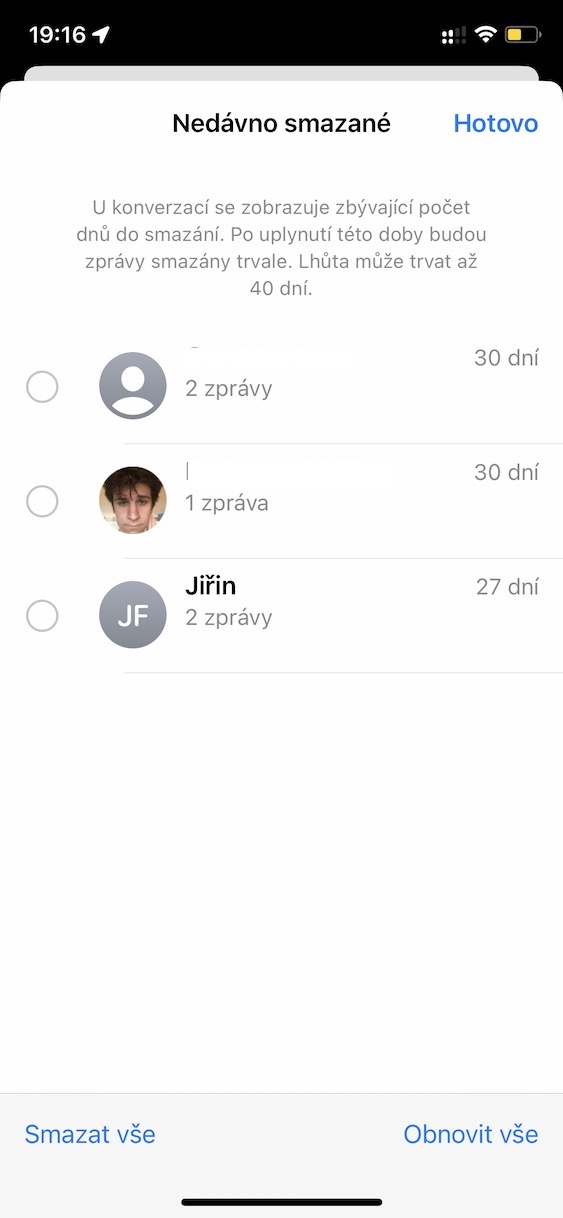
Have you ever accidentally deleted a message or even an entire conversation from the native Messages app? If you answered yes, then I have a surprise for you. In Messages from iOS 16, there is a new section that allows you to easily restore messages and conversations. It works exactly the same as in the Photos app, so your messages are available for restoration for 30 days. Pro To restore messages, you just need to News tap in the upper left corner on edit, and then on View recently deleted. Here it is already possible to report (bulk) restore, or delete.
Gallery
Recording an audio message
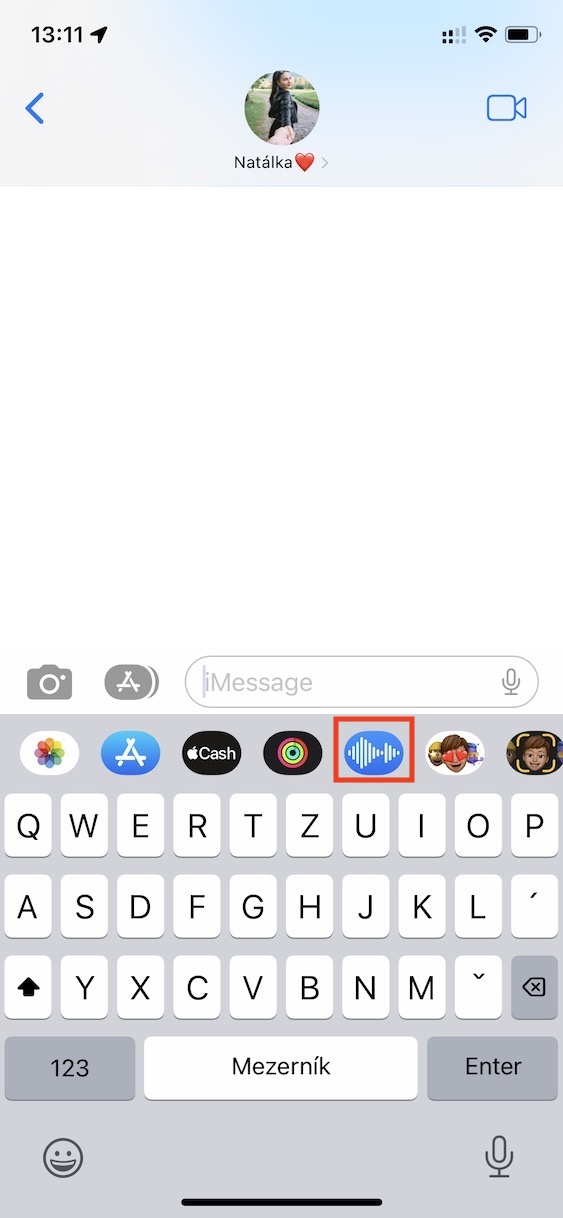
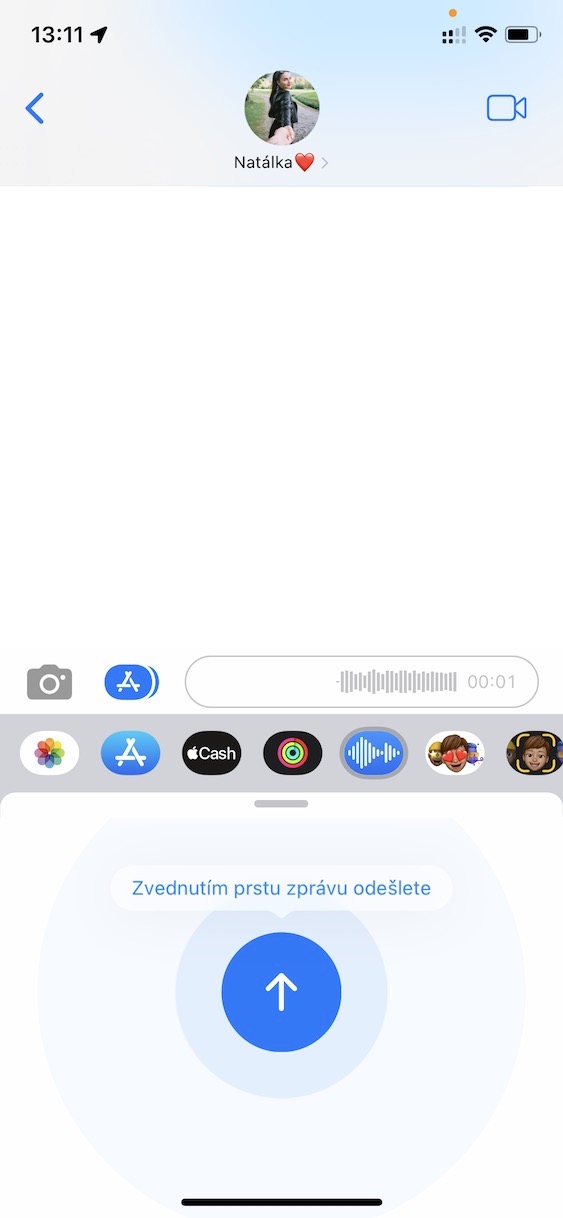
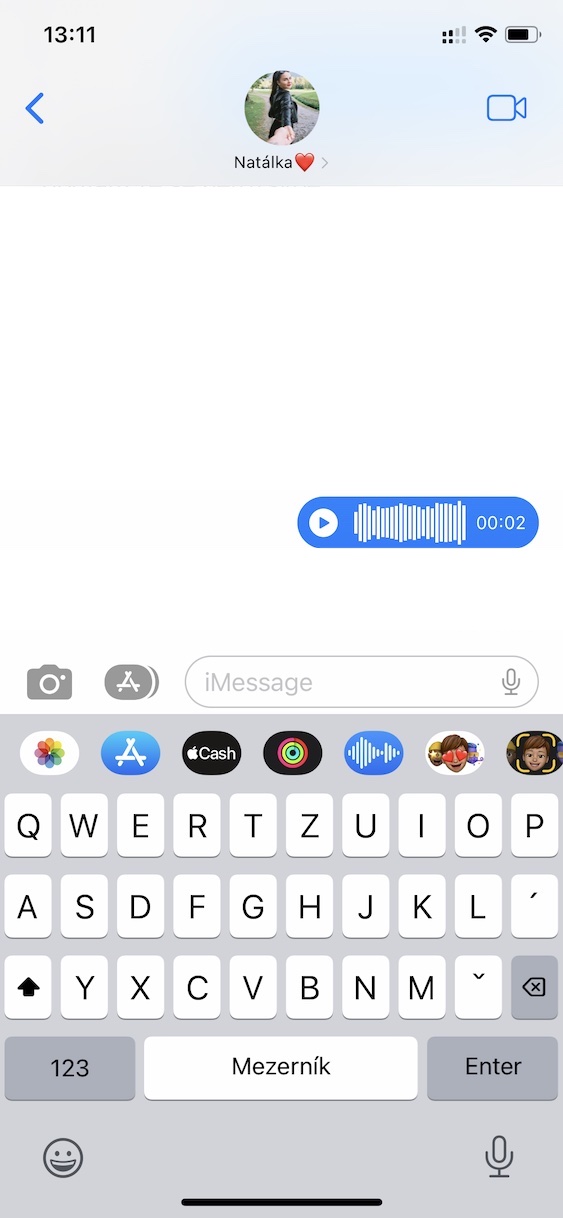
If you wanted to record an audio message in Messages so far, you just had to hold your finger on the appropriate icon on the right side of the message text field. In iOS 16 however Apple replaced this button with a microphone button for dictation. This decision is strange, since we can dictate by tapping the microphone within the keyboard, but we won't do much about it anyway. If you wanted to iOS 16 To record an audio message, you must tap above the keyboard icon App Store, and then press in the bar audio message icon. Then it will be displayed new interface, where possible record an audio message.
Gallery


New message filtering
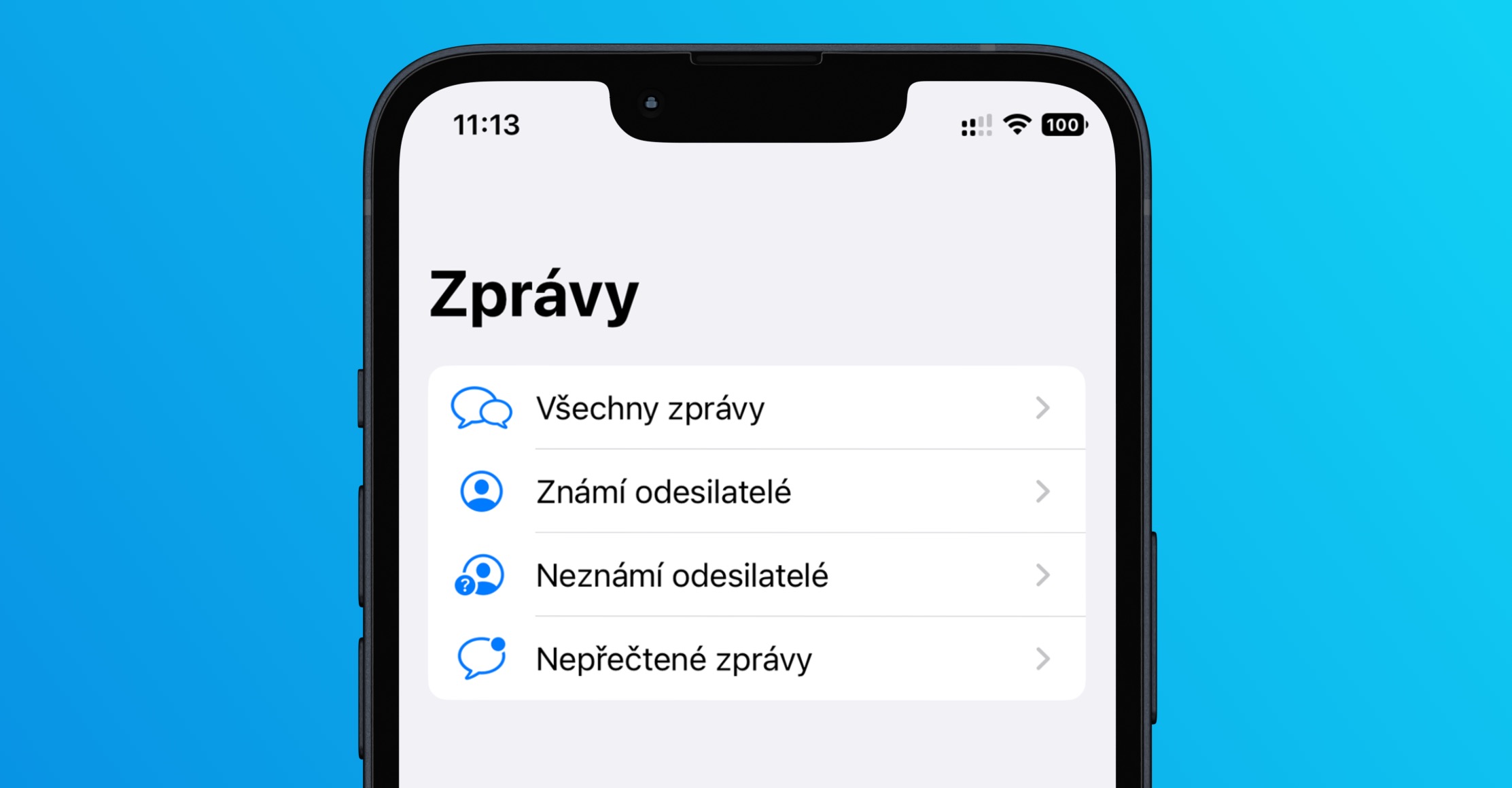
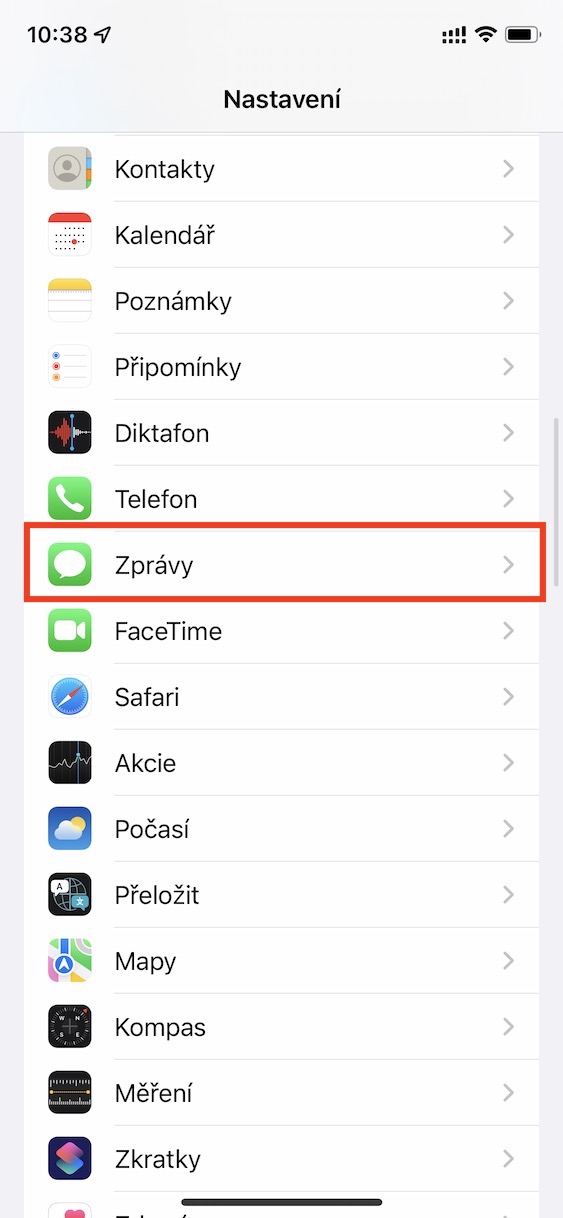
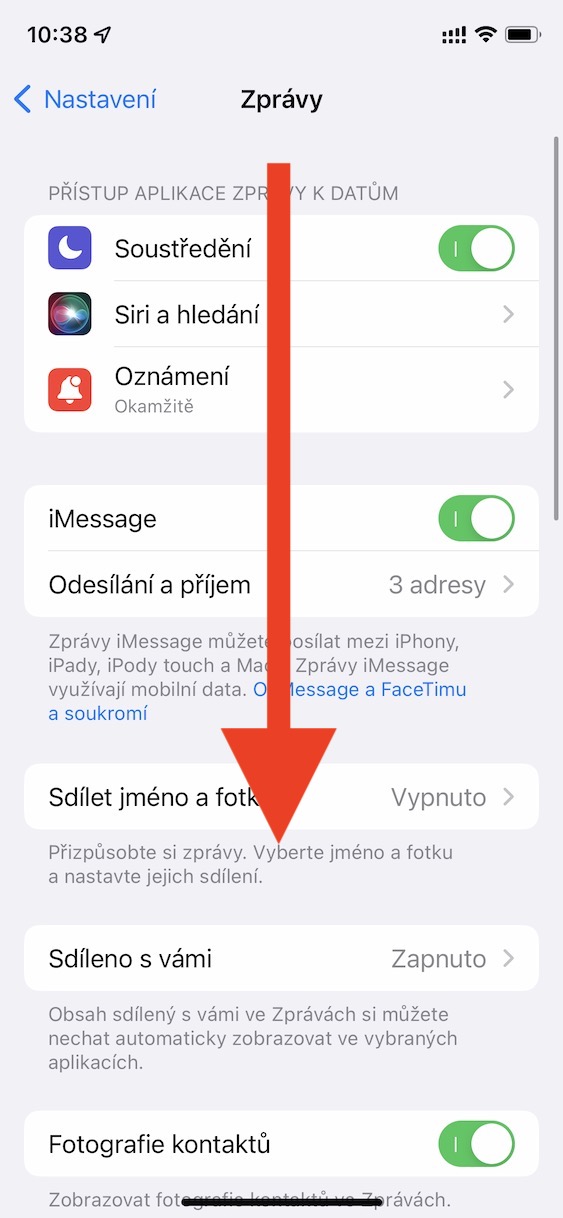
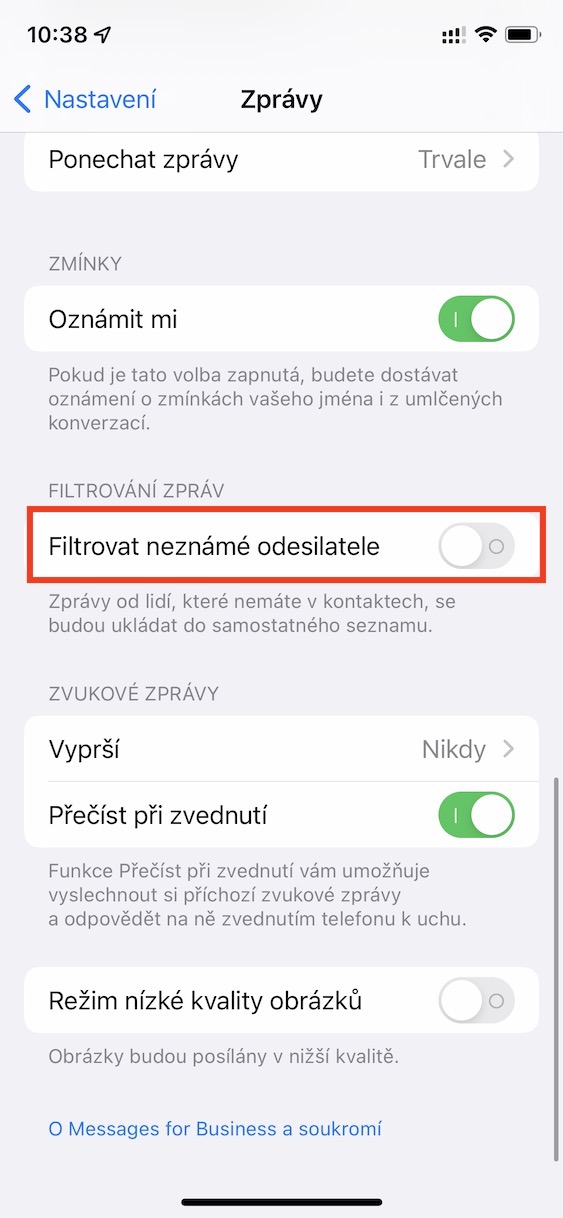
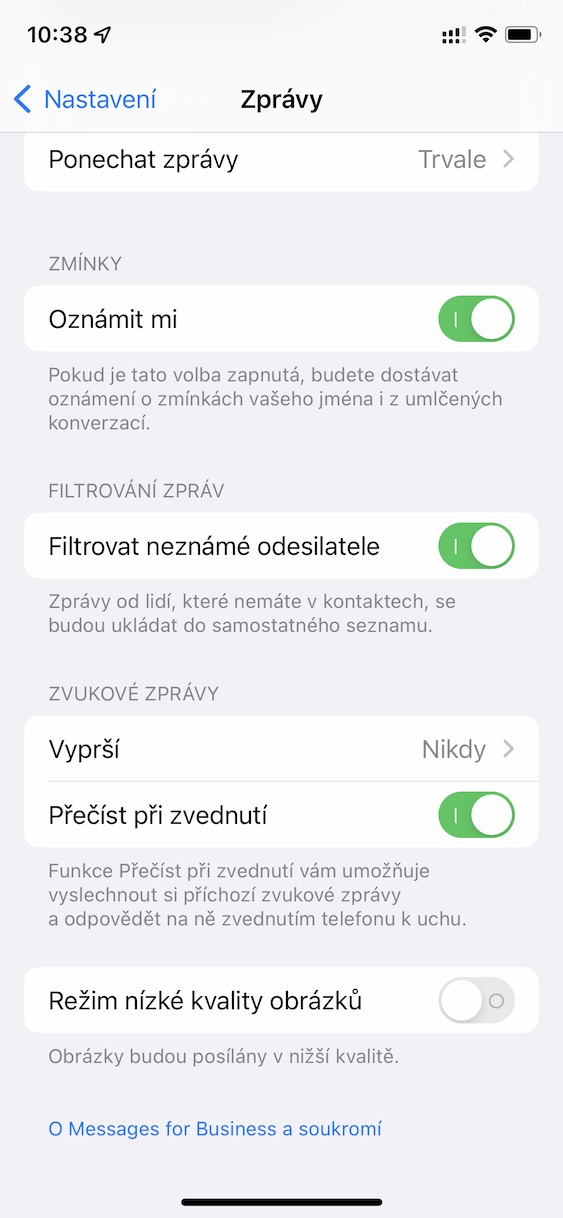
News in iOS 16 toonehave learned, at least in principle, to filter all incoming messages. Specifically, it is possible to filter messages from known and unknown senders, or you can display only unread messages. In order to use filtering, you must first activate this function. You do this in Settings → Messages → Filter unknown senders. Once you have activated the function, go to news, and then at the top left, tap Filters, which will show you all the options.
Gallery


Hi, regarding the last post with message filtering, I would just like to point out that only unread messages were added, filtering has been possible since iOS 14, if I'm not mistaken.