
iOS 16 to the public after months of his intensive beta testing foroneoutside! So if you've been impatiently waiting for it since its June premiere, but didn't want to take the possible risks in beta testing, you can now download itoneFeel free to download it. What does it bring, how to install it and which devices does it support?
You might be interested in
iOS 16 installations
Installation iOS 16 to be performed on a device with an older iOS completely standard way via Settings – In general – Software UpdateHowever, keep in mind that shortly after the system is released, hundreds of millions of users will attempt to download it, which places an enormous load on the servers. Applu. The download speed may therefore be very slow. However, it will return to standard values over time.
You might be interested in
iOS 16 compatibility
- iPhone 13 Pro (Max)
- iPhone 13 (mini)
- iPhone 12 Pro (Max)
- iPhone 12 (mini)
- iPhone 11 Pro (Max)
- iPhone 11
- iPhone XS(Max)
- iPhone XR
- iPhone X
- iPhone 8 (plus)
- iPhone SE (2st and 3nd generation)
Of course, the new iPhones 14 (Pro), on which the system will arrive pre-installed.
Gallery
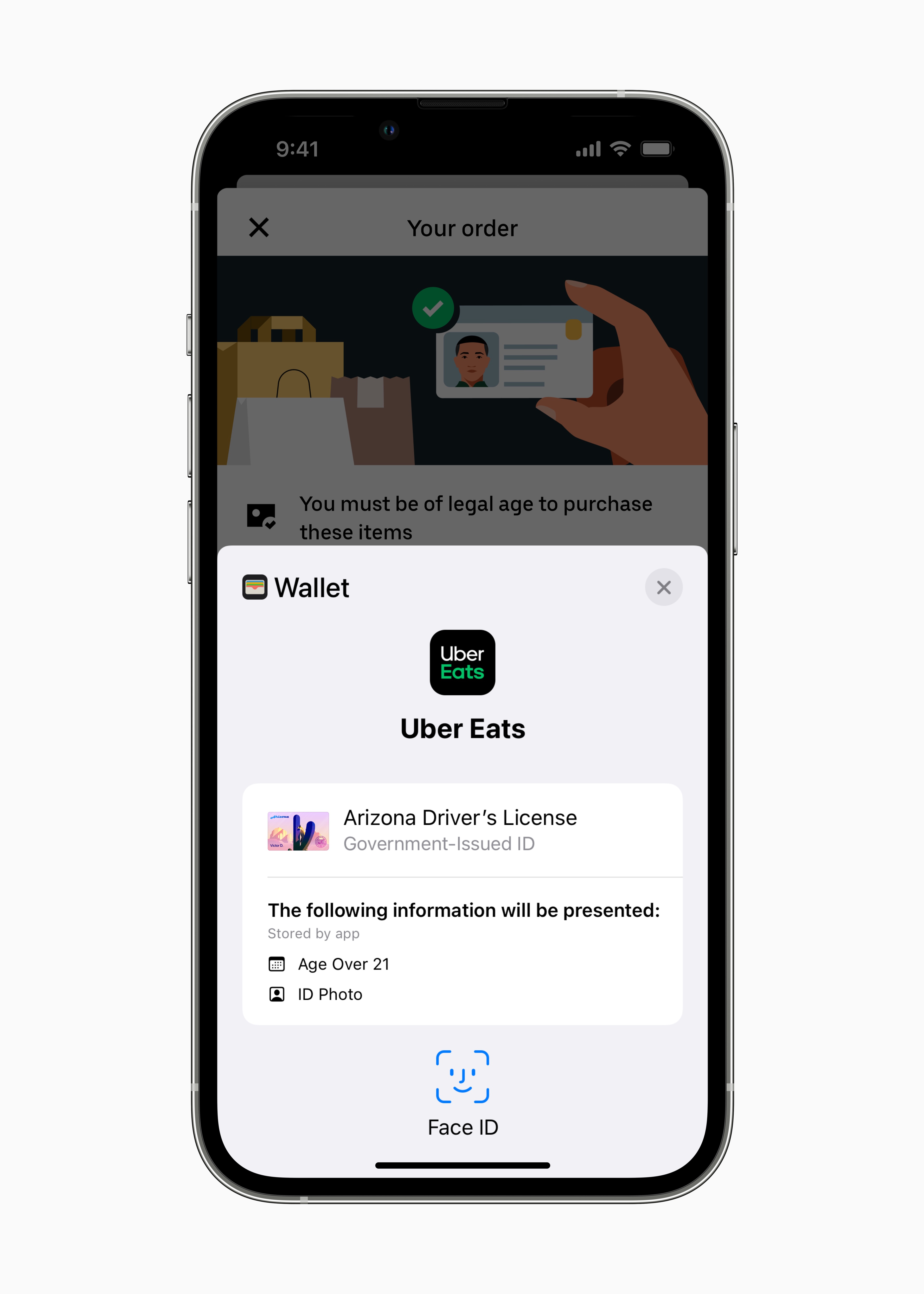
iOS 16 news
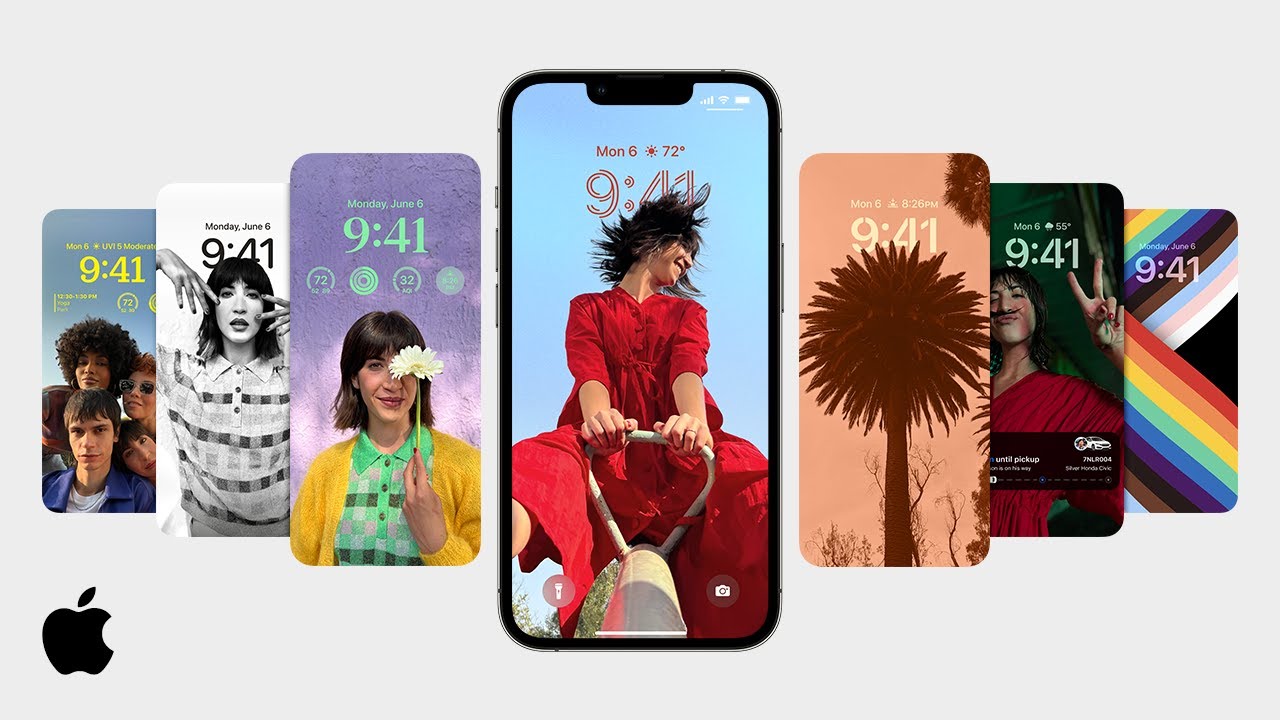
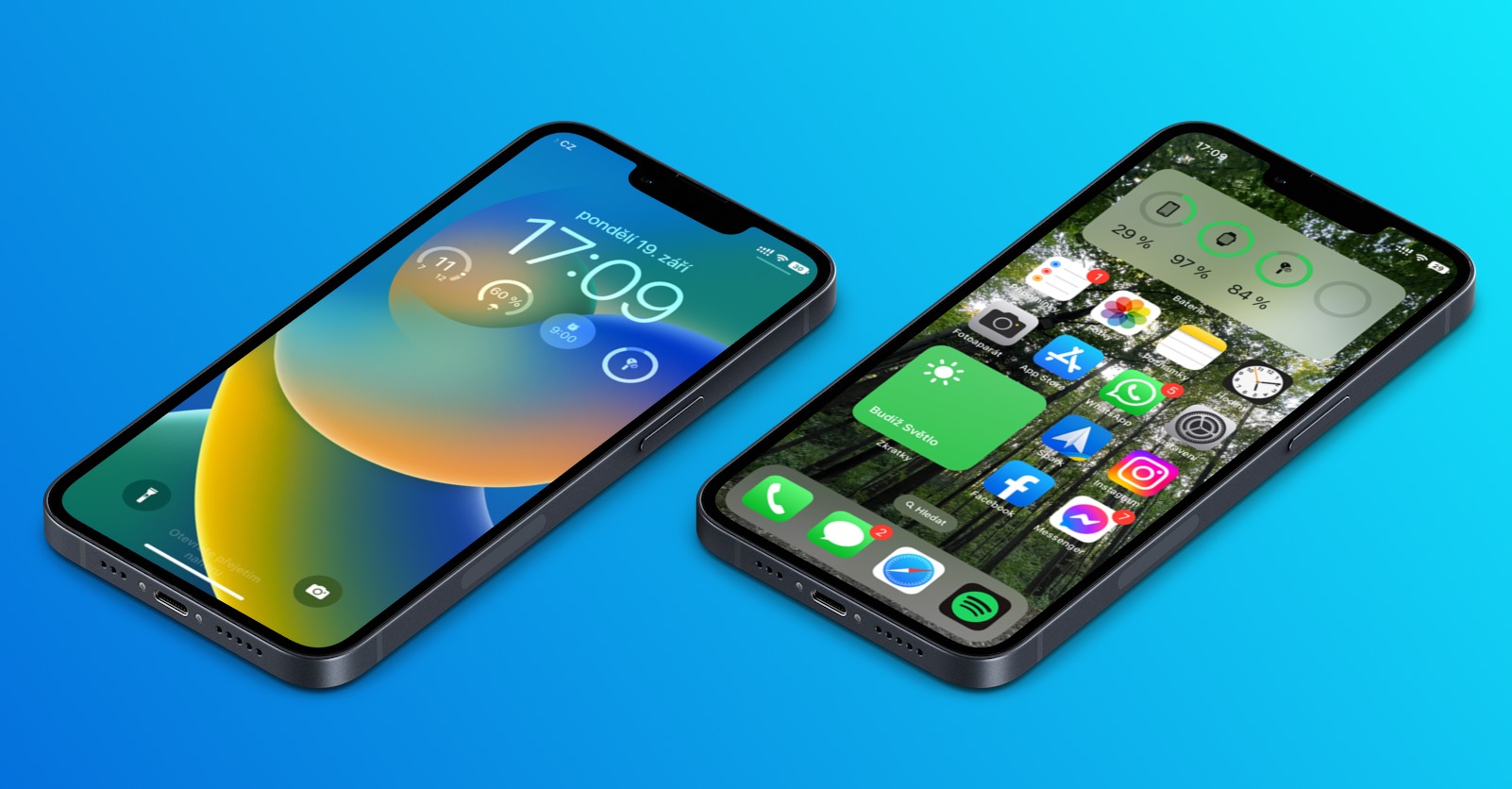
Lock screen
Lock screen gallery
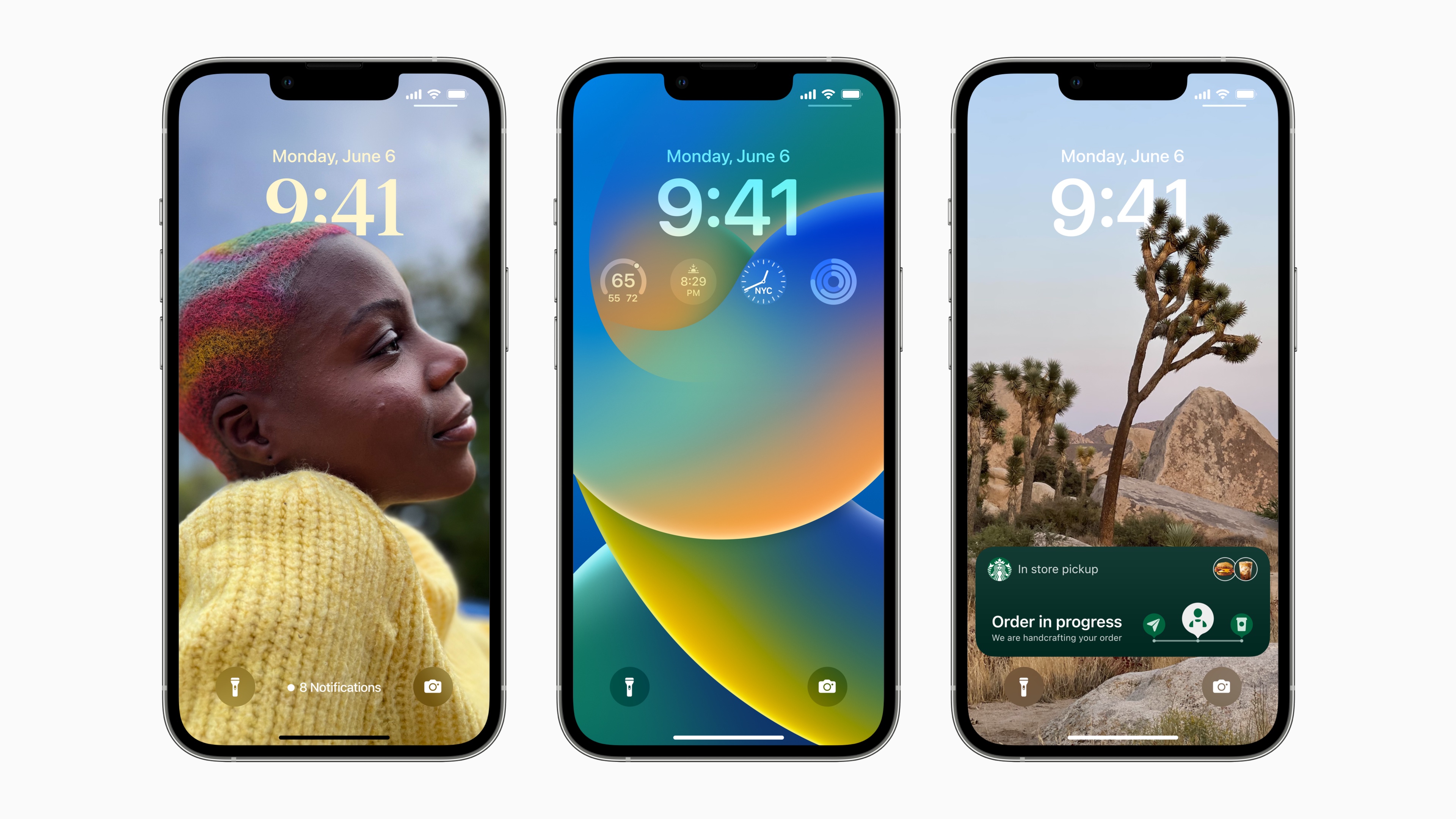
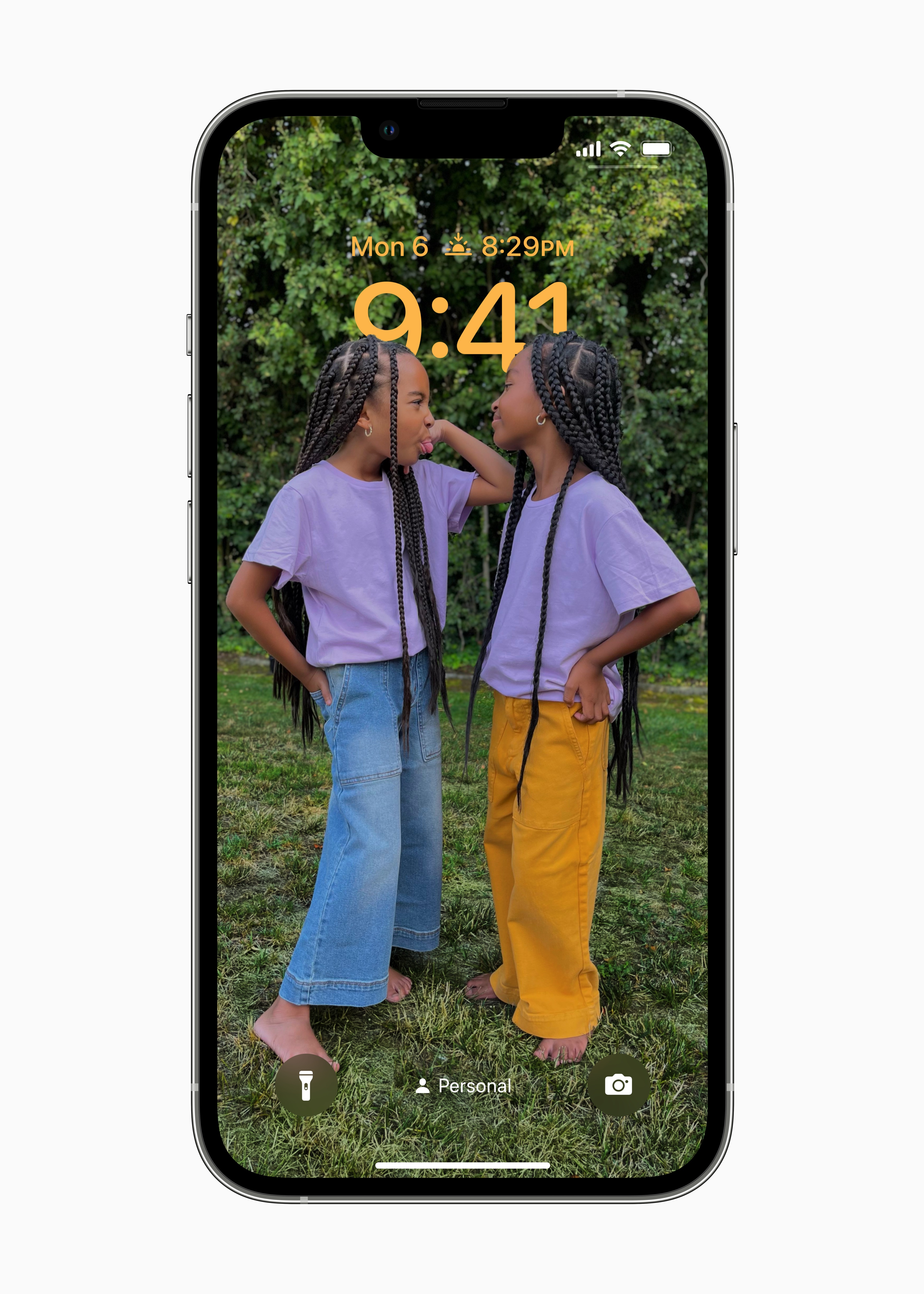
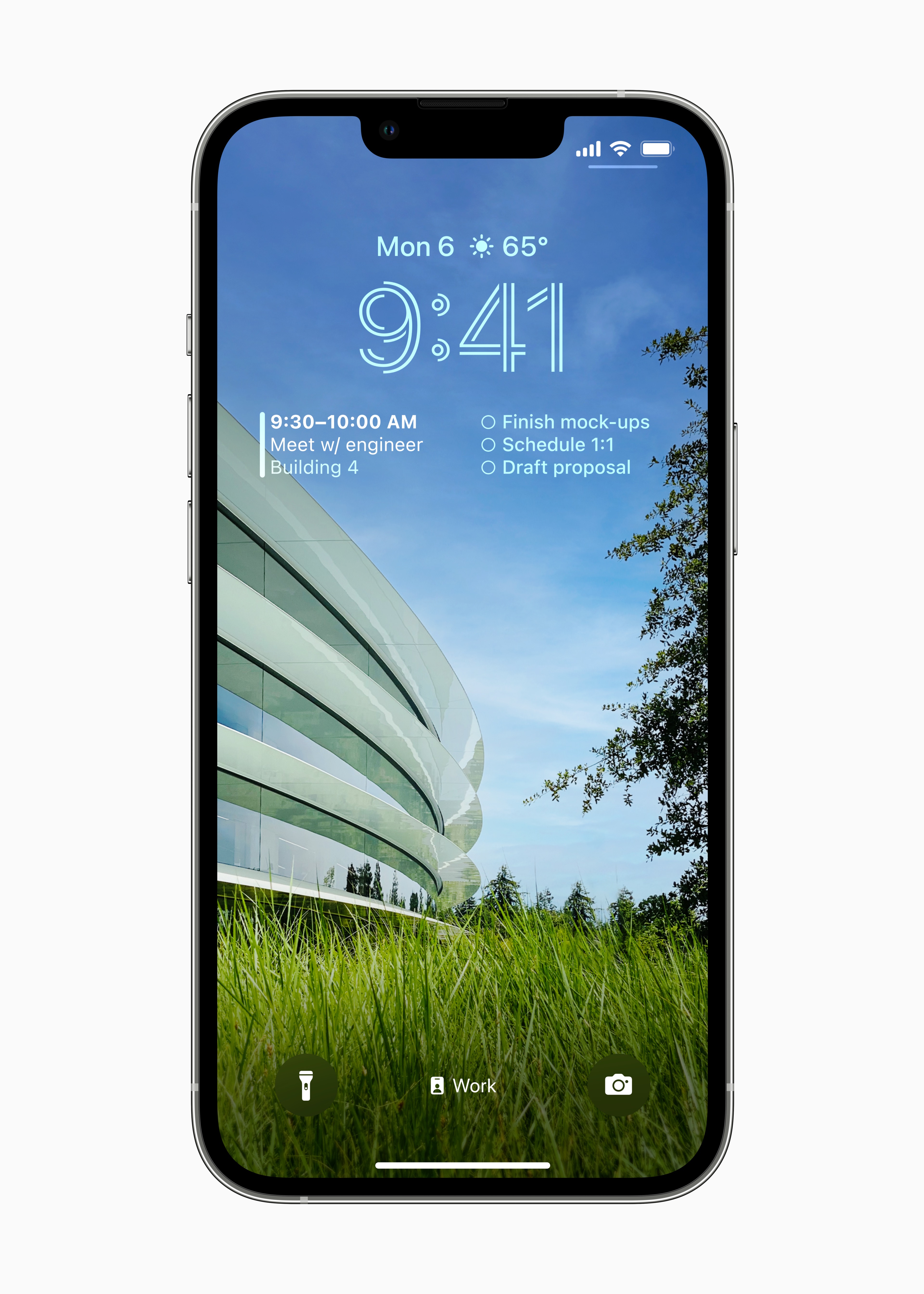
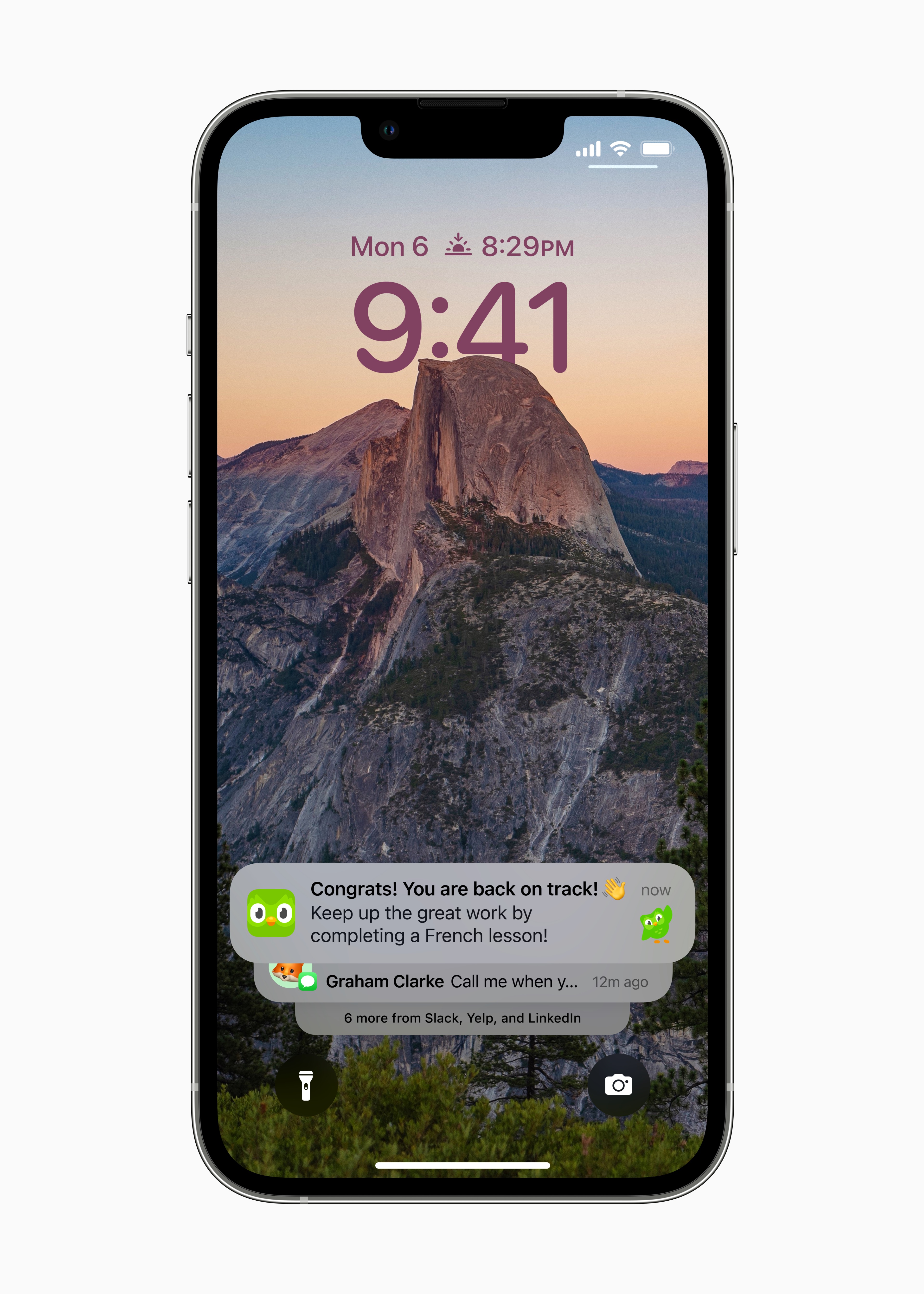
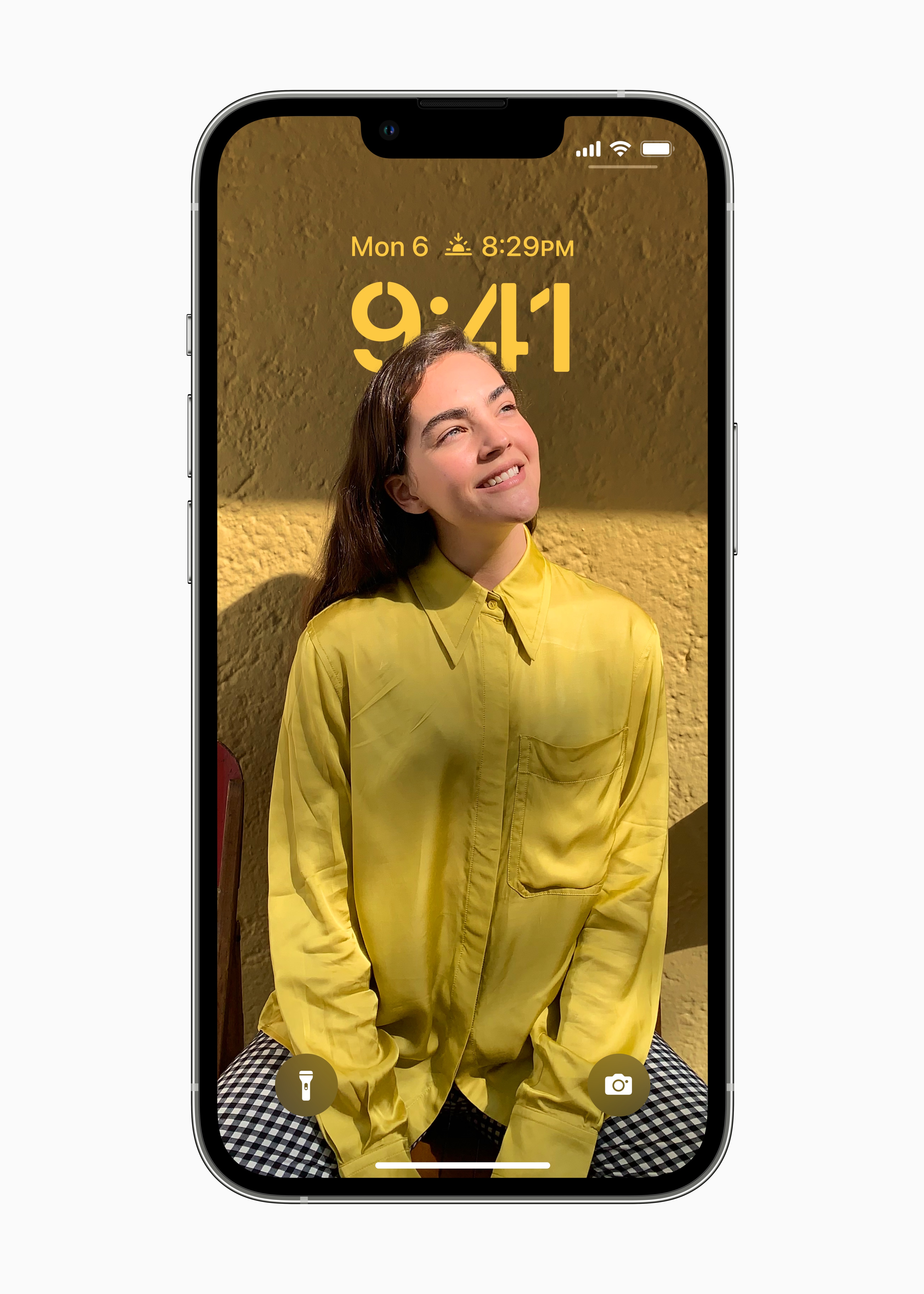
Draw inspiration from the extensive gallery of options for customizing your lock screen – by adding a unique background, a stylish display of the date and time, or whatever information you want to display.
Flipping lock screens
You can switch between locked screens throughout the day. You just place your finger and move.
Lock screen adjustments
By tapping on a specific element on the lock screen, you can easily customize its font, color or position.
Stylish date and time display
Thanks to expressive font styles and a choice of colors, you can customize the appearance of the date and time on the lock screen.
Multi-layer photo effect
The subjects in the photo are dynamically displayed before the time, so they stand out beautifully.
Suggested photos
iOS It intelligently suggests photos from your library that will look good on your lock screen.
Random selection of photos
Have a set of photos automatically rotate on the lock screen. Set how often a new photo should appear on the lock screen, or let yourself be surprised throughout the day.
Photo styles
When you apply a style to a lock screen photo, the color filter, tone and font style will automatically change to match each other.
Widgety on the lock screen
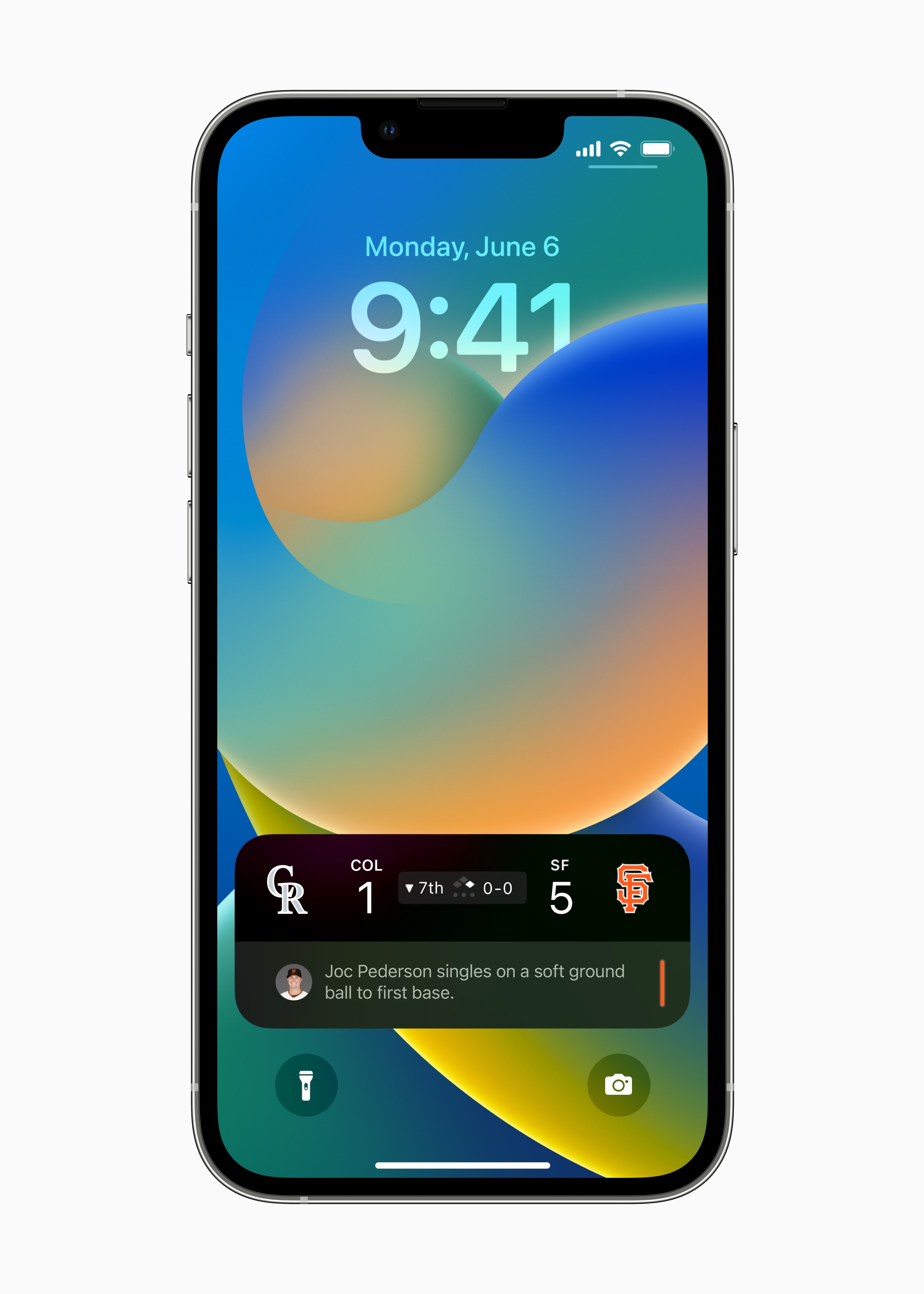
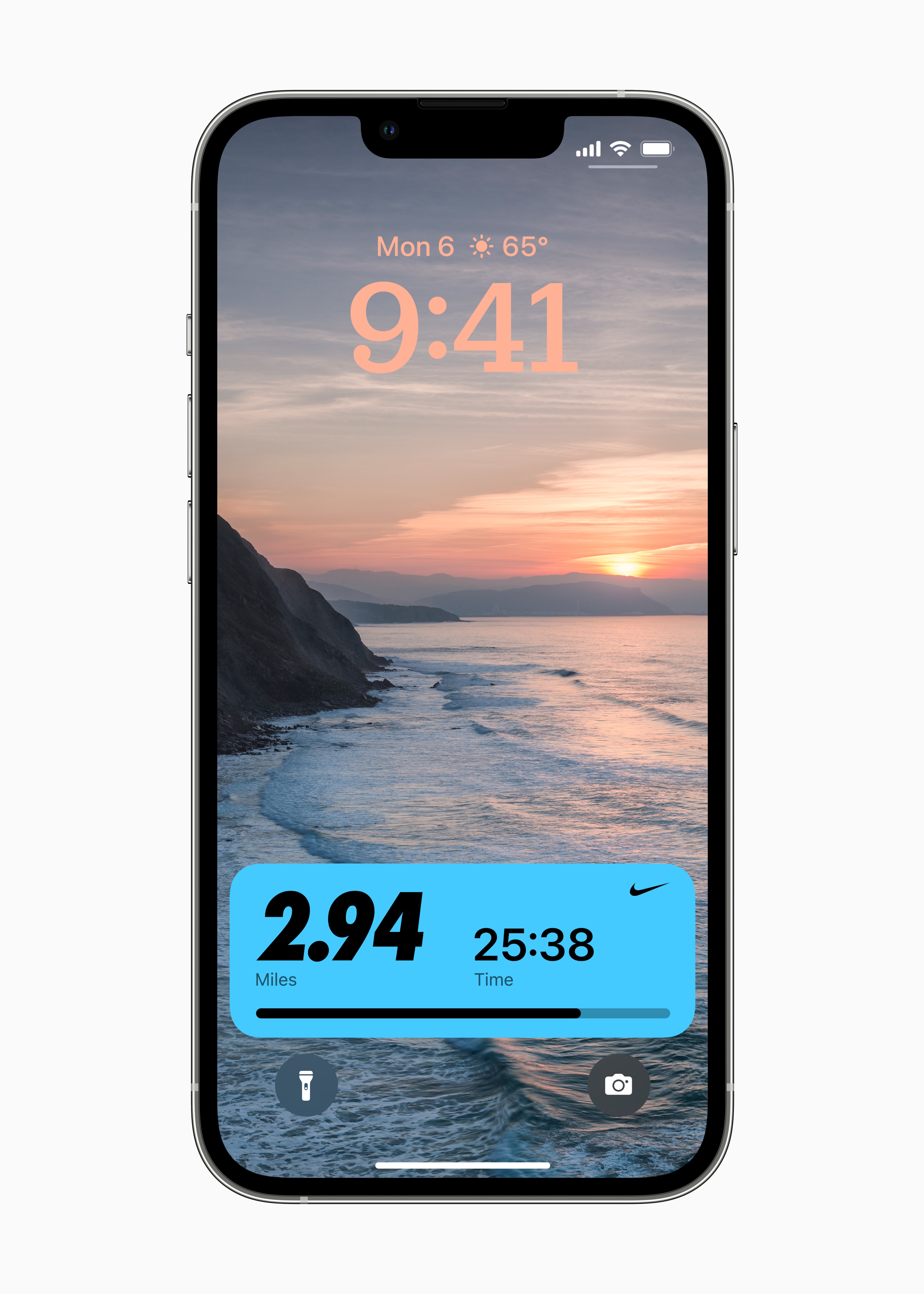
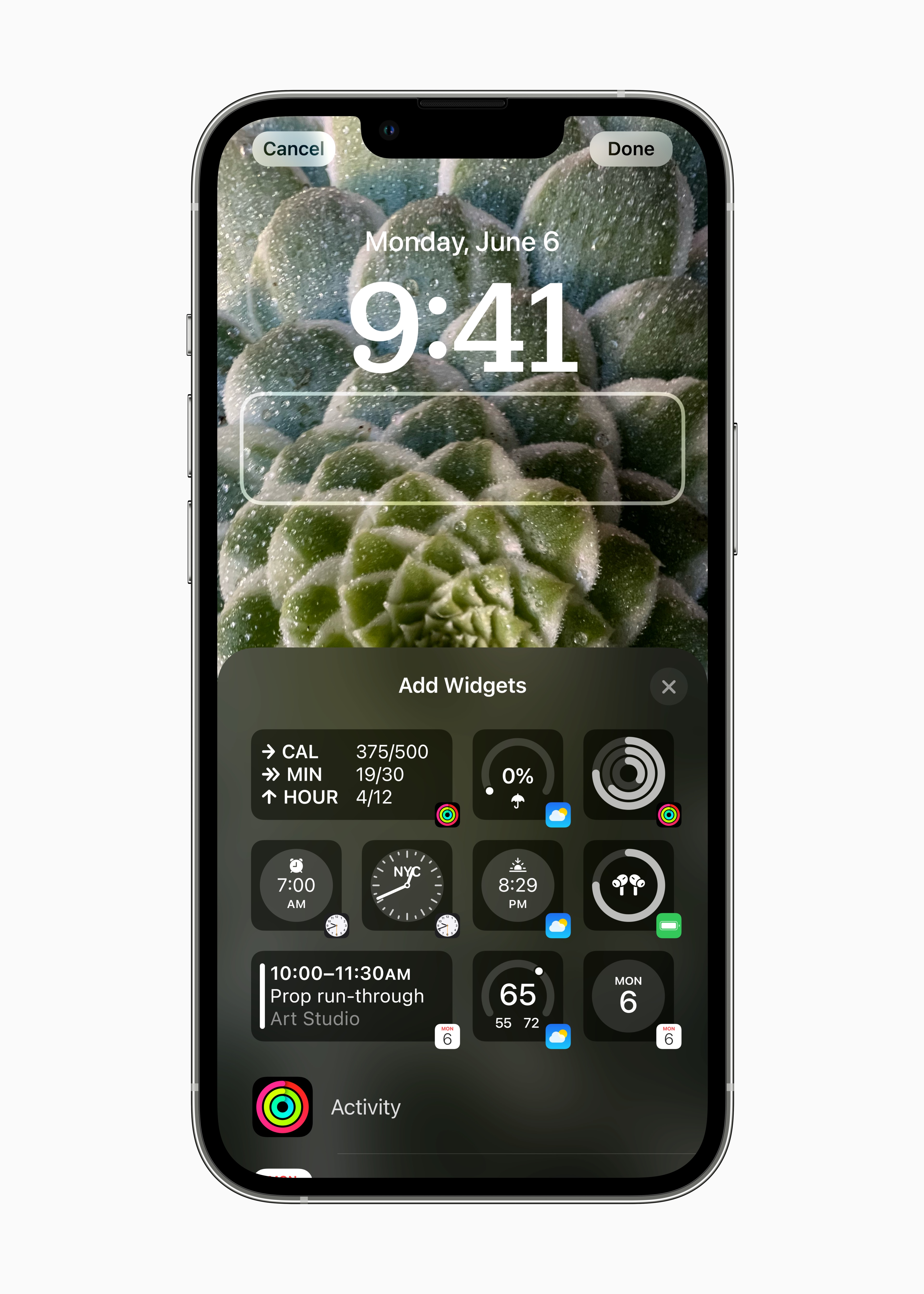
View on lock screen widgety, so you can stay on top of information like weather, time, date, battery levels, upcoming calendar events, alarms, time zones, and Activity rings.
API WidgetSomething
Add widgetyz frequently used applications from other developers. Near the time you can notchat display widgetyin text, circular or rectangular format with information about the weather or the fulfillment of movement goals.
Live activities
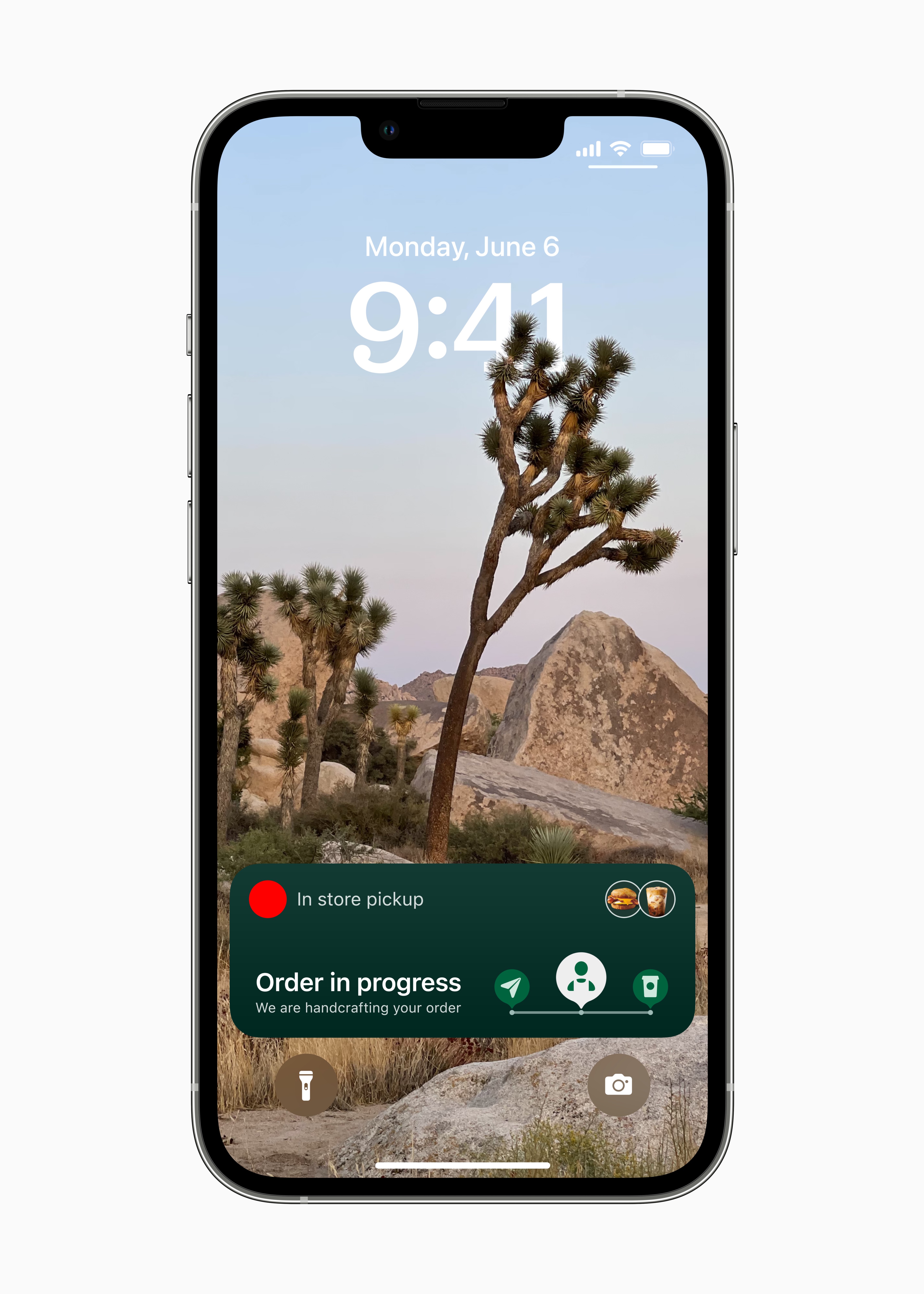
Live activities give you an overview of what's happening right on your lock screen. *
Live Activity API
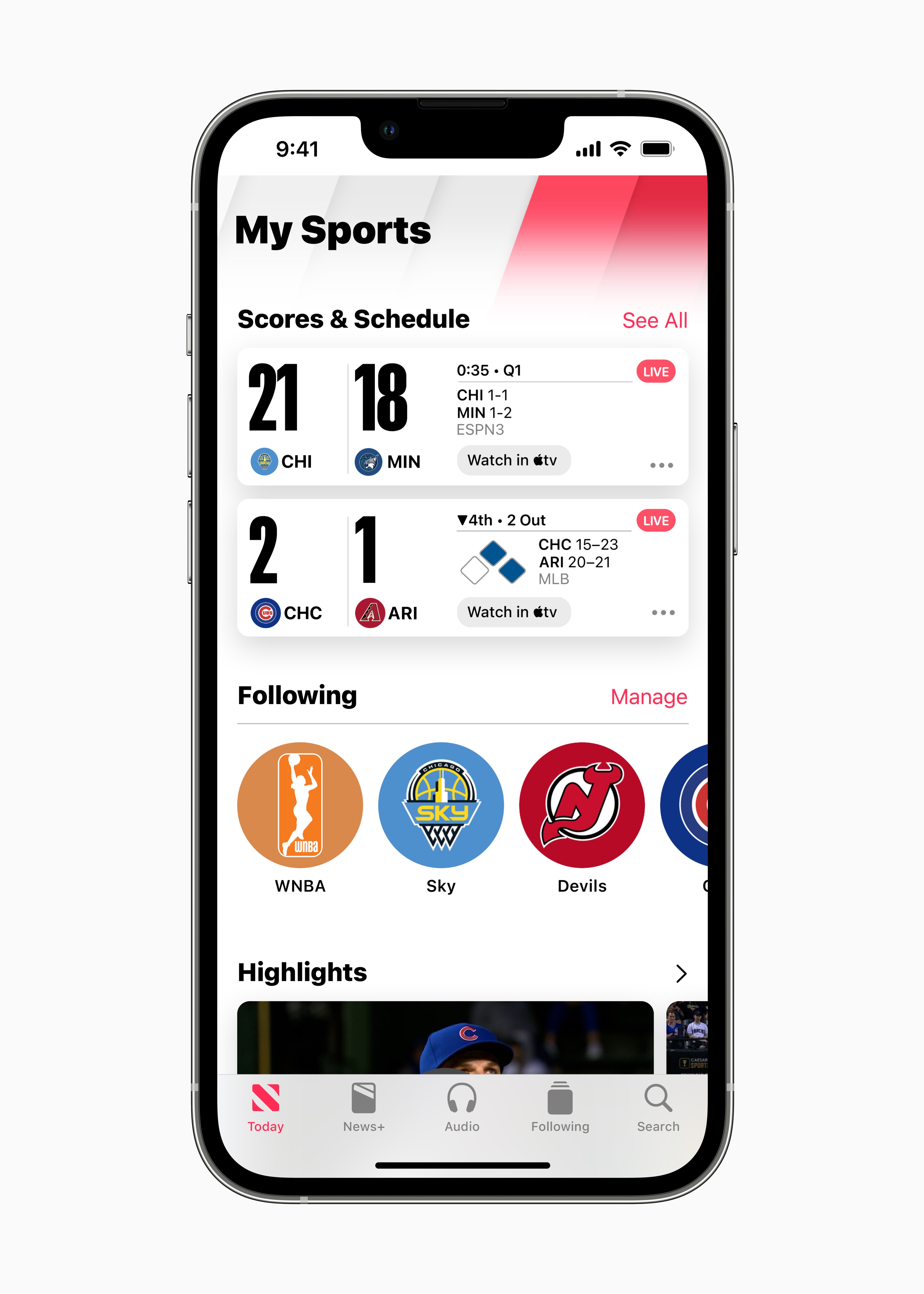
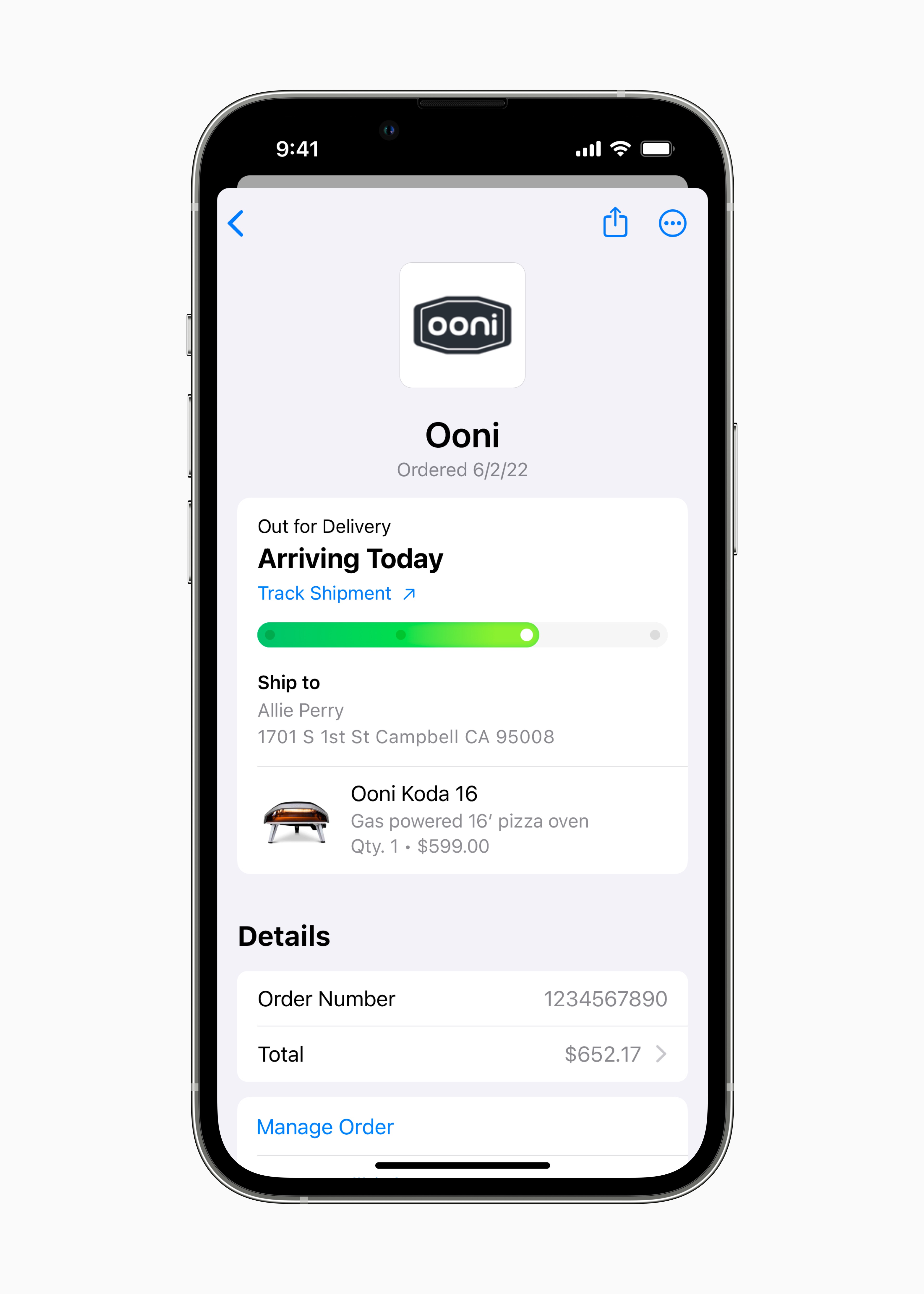
Track the score of an ongoing game, the remaining travel time, or the status of a package delivery. The new developer API gives you an overview of live activity from third-party apps. *
Lock screens for focus modes
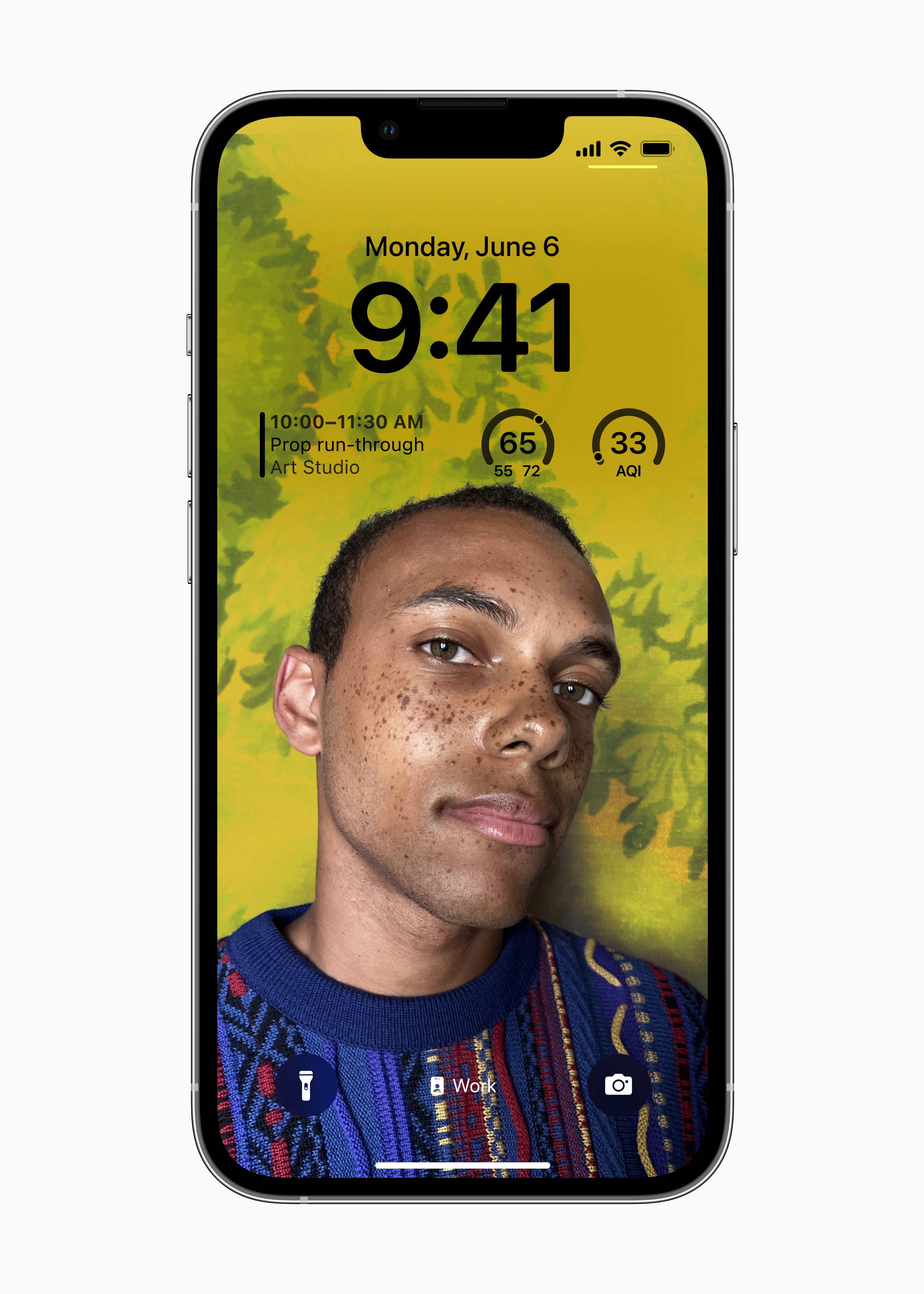
iOS It will suggest a suitable set of lock screens for preset focus modes – like a screen with comprehensive data for Work mode or a screen with a photo for Personal mode.
Collections Apple
Choose from a set of dynamic and classic lock screens created specifically for iOS – inclusive variant for landscape orientation. Collections Apple they also include lock screens that celebrate important cultural themes like Pride and Unity.
Astronomy
Earth, Moon, Solar System – dynamic themes of the lock screen show the current position of celestial bodies.
Weather
Add the current weather to your lock screen so you can see immediately what it's like outside.
Emoticons
Make your lock screen wallpaper with the pattern of your favorite emoticon.
Colors
Build a gradient of your favorite color combinations on your lock screen.
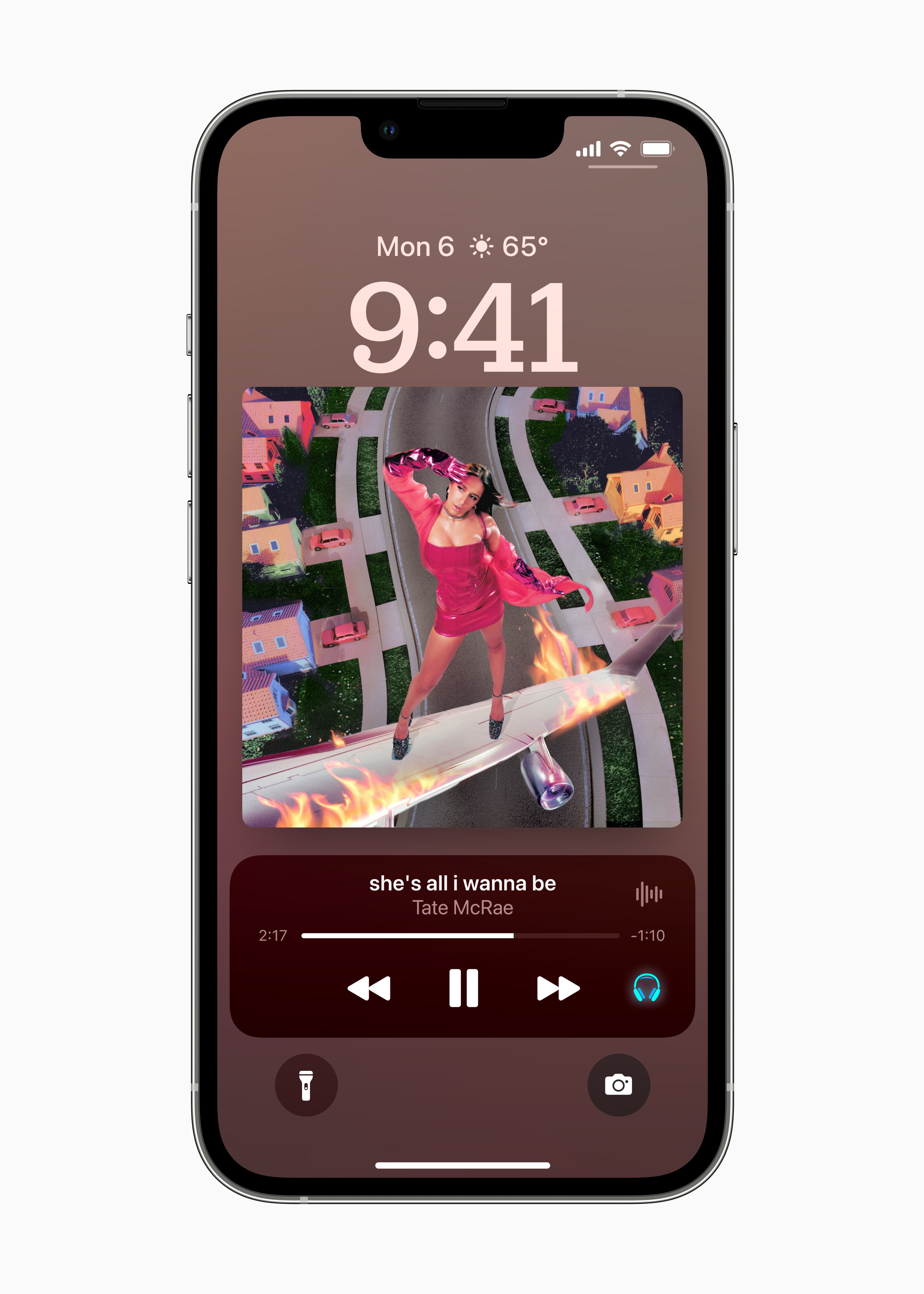
Newly designed Now Playing panel
With live activities, you can fill your entire screen with playback controls that adapt to the album artwork as you listen.
New look for notifications
Notices are clearer thanks to bold text and images.
Notification animation
The summary and full list of notifications now expands from the bottom of the lock screen, so you can better navigate everything that needs your attention.
Show notifications on the lock screen
You can't see notifications on the lock screen.chat display as a list, as a set, or just as the number of pending notifications. The arrangement in context can be adjusted with intuitive gestures.
Concentration modes
The purpose of the lock screen
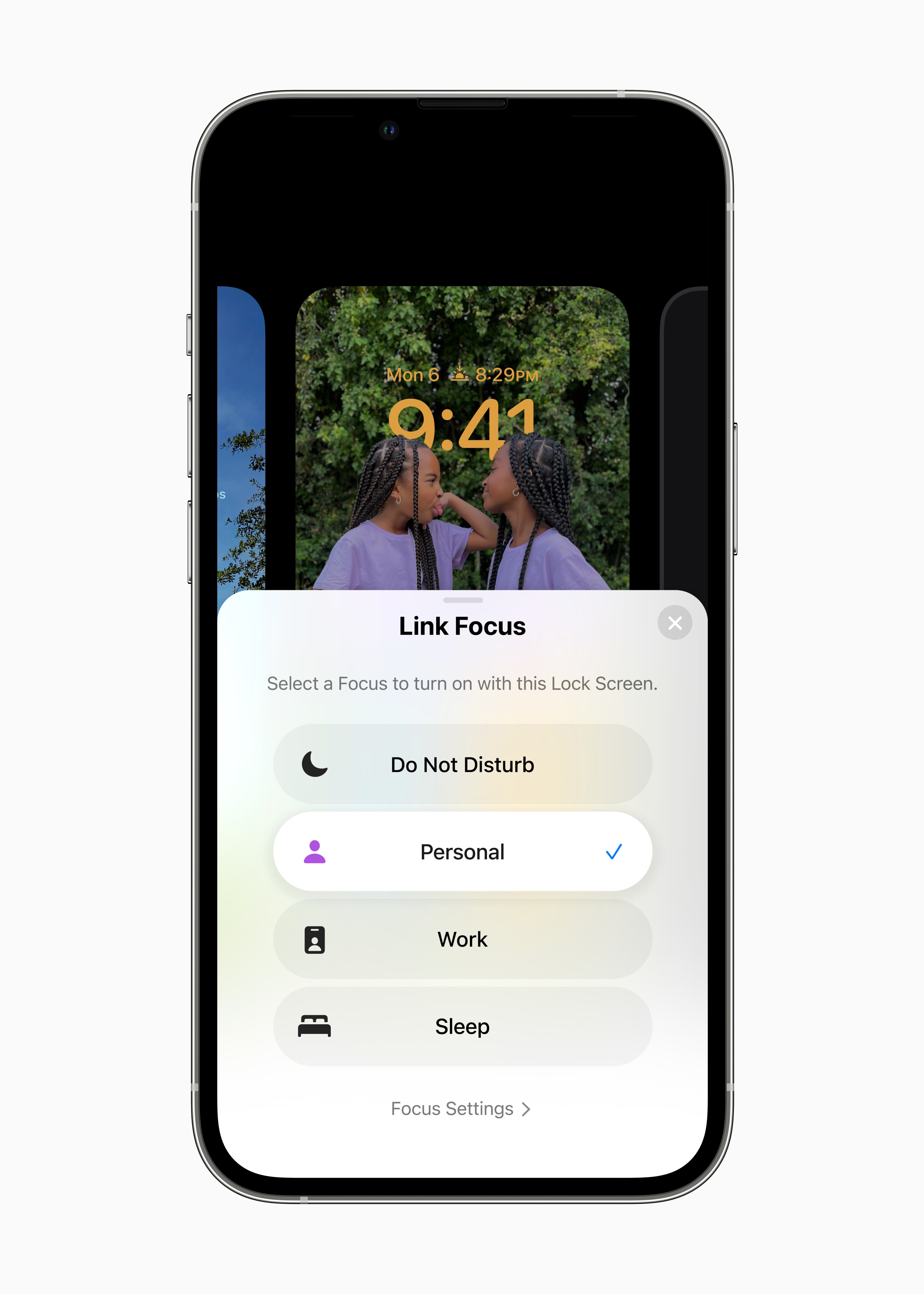
Change the look and purpose of using your iPhone at the same time - link your lock screens with focus modes. When you want to activate a certain focus mode, just swipe to the corresponding lock screen.
Lock screen designs for gallery focus modes
iOS It will suggest a suitable set of lock screens for preset focus modes – like a screen with comprehensive data for Work mode or a screen with a photo for Personal mode.
Desktop designs
When setting up focus mode, you iOS will design a desktop with applications and widgety that are most relevant for the selected mode.
Focus mode filters
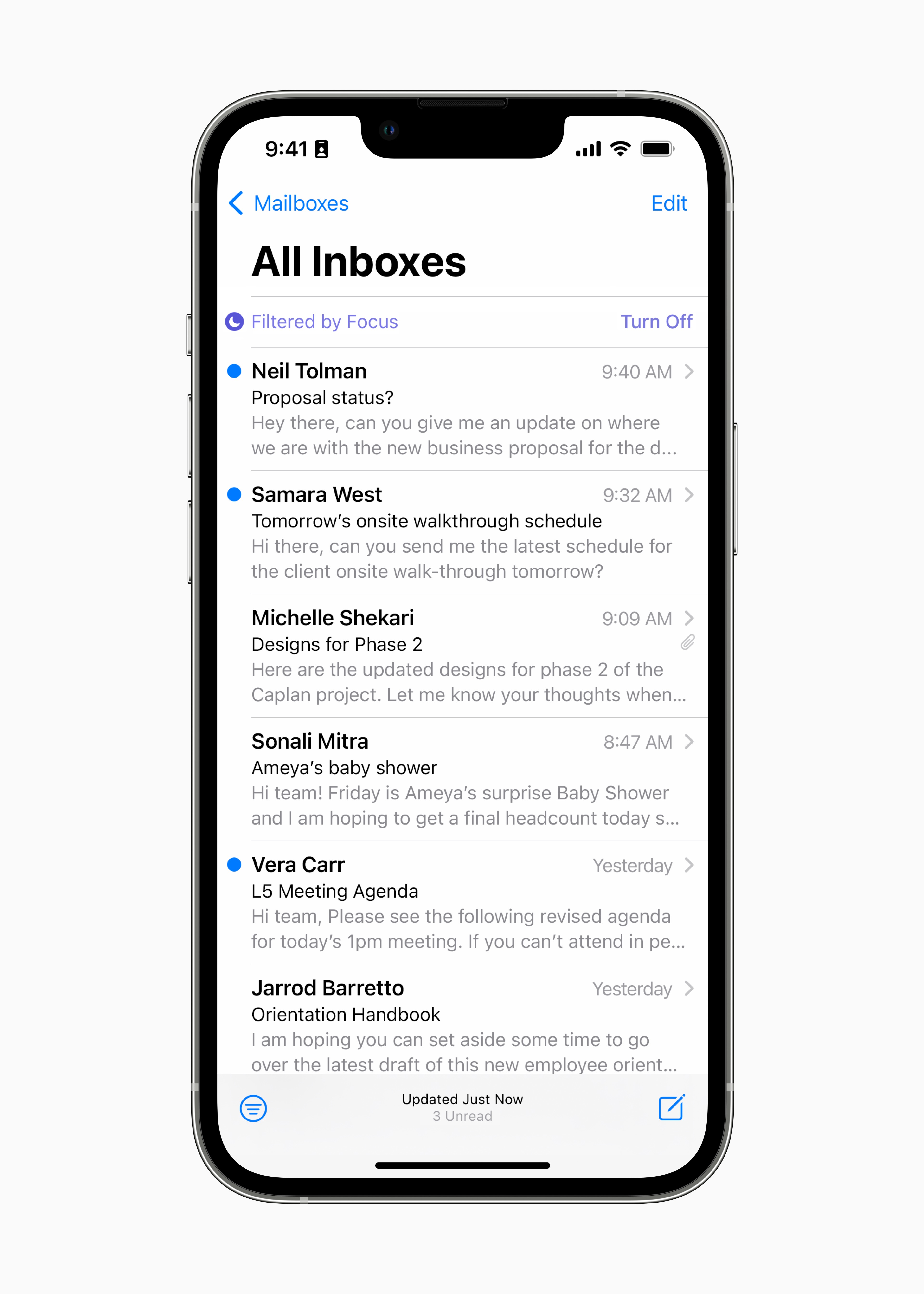
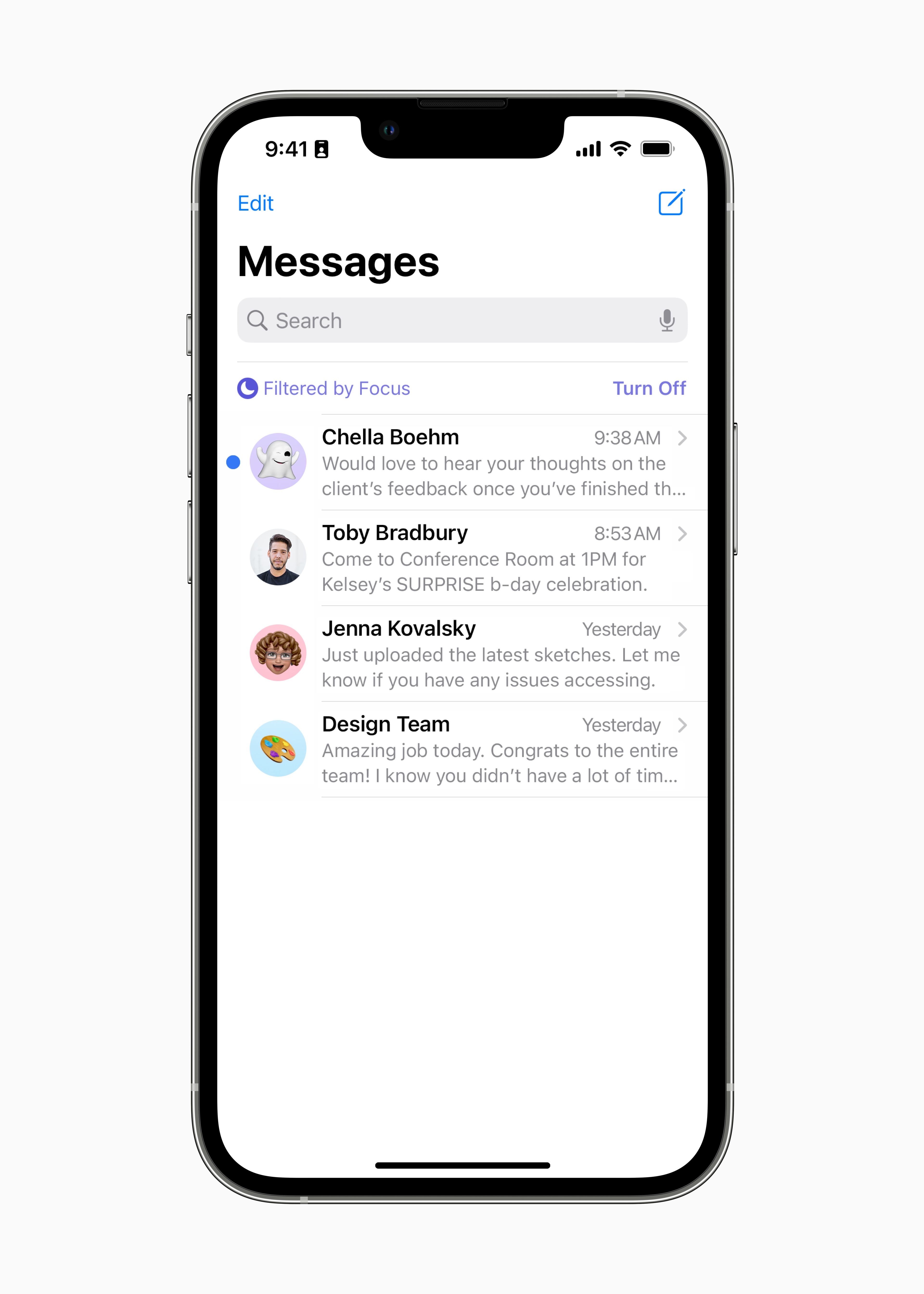
Set boundaries and hide distracting content in apps Apple, such as Calendar, Mail, Messages, or SafariFor example, choose the groups of panels that will open in Safariwhen you switch to Work mode, or hide your work calendar in Personal mode.
Focus Mode Filters API
Developers can use the focus mode filters API to hide intrusive content based on usage signals.
Schedules of concentration modes
Set focus modes to turn on automatically at a specific time, in a specific location, or when using a specific app.
Easier setup
When set up, each focus mode is beautifully personalized.
List of enabled and muted notifications
When setting the focus mode, you can enable or disable notifications from selected apps and people.
Still this yearShared photo library on iCloudu*
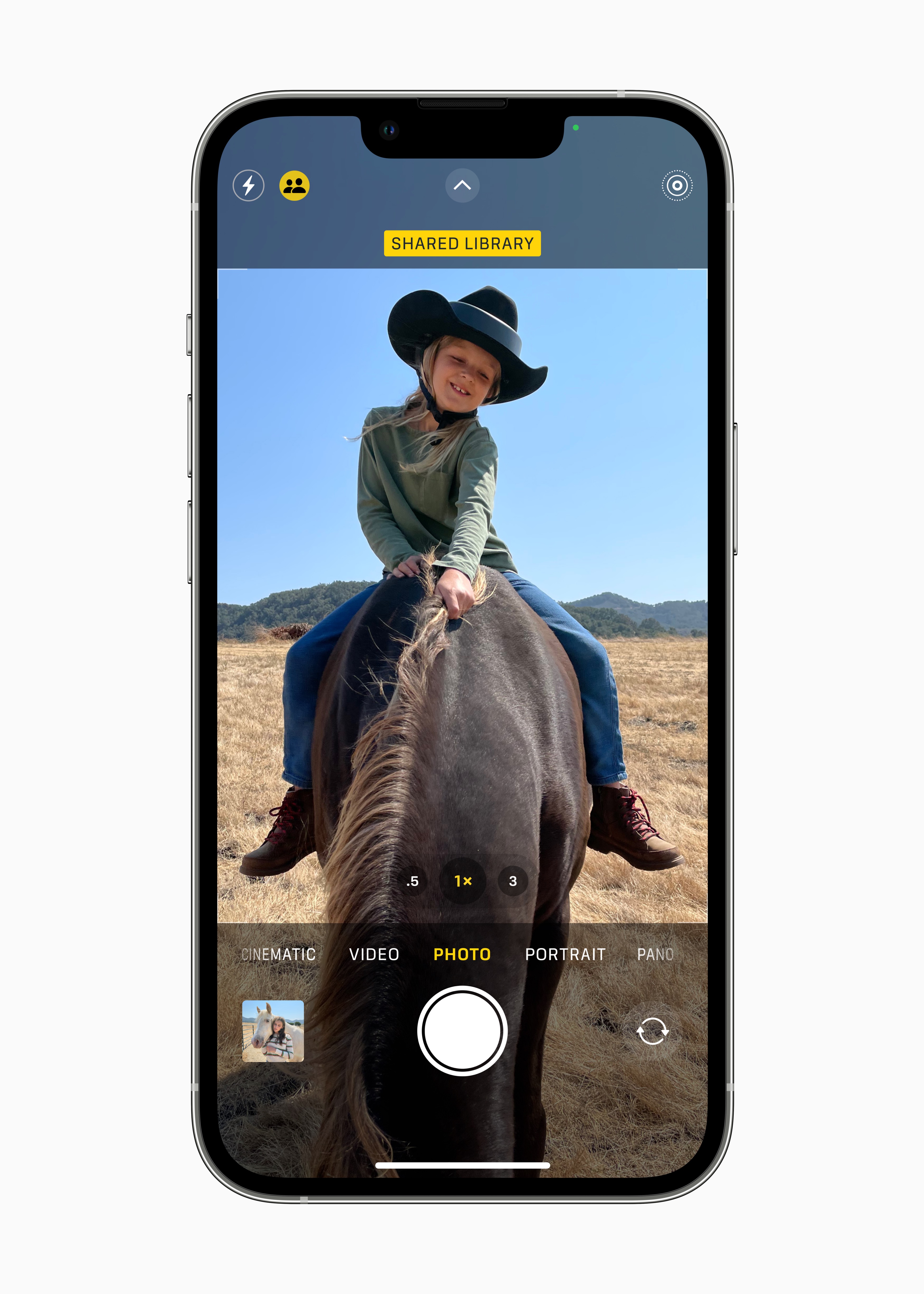
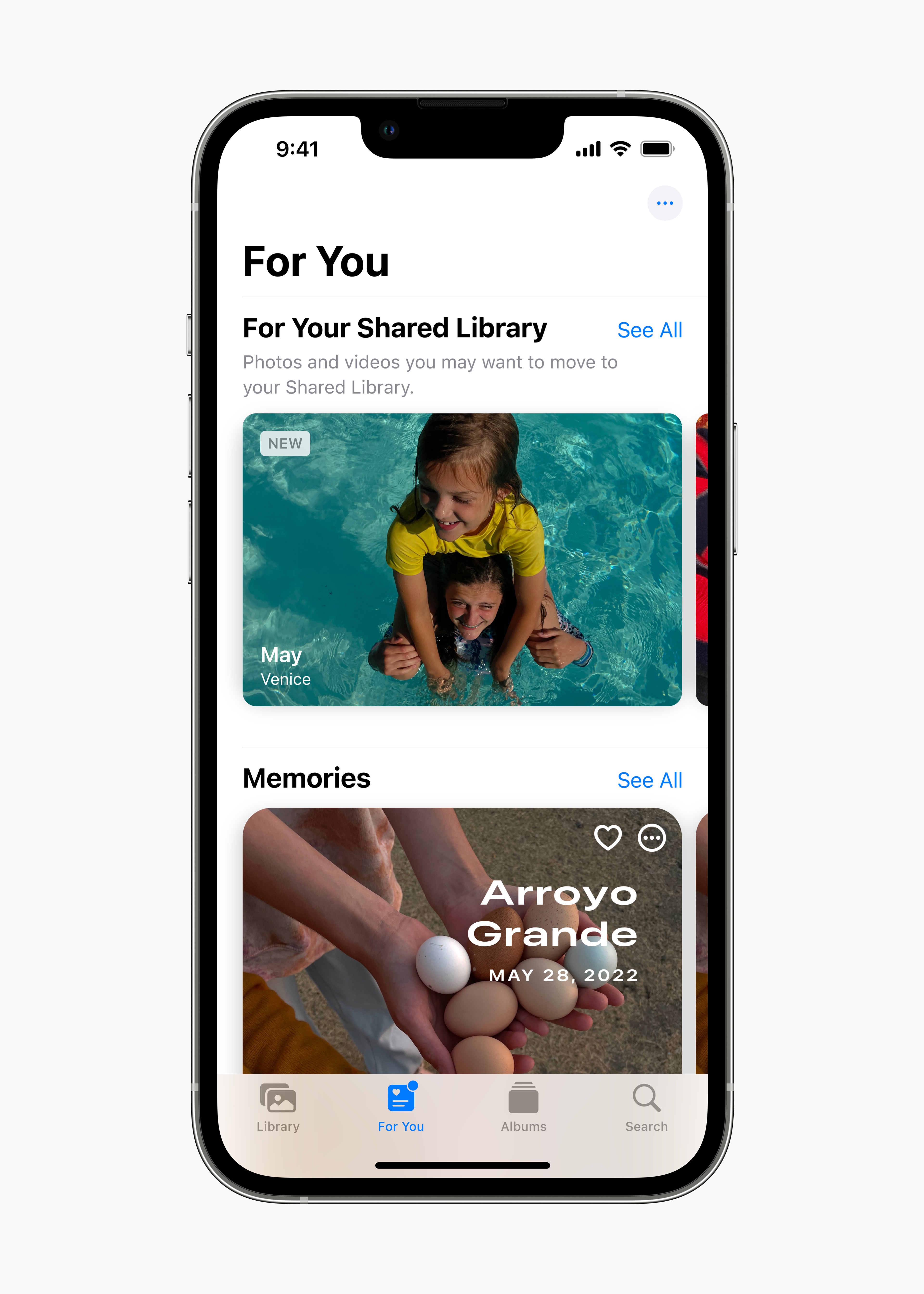
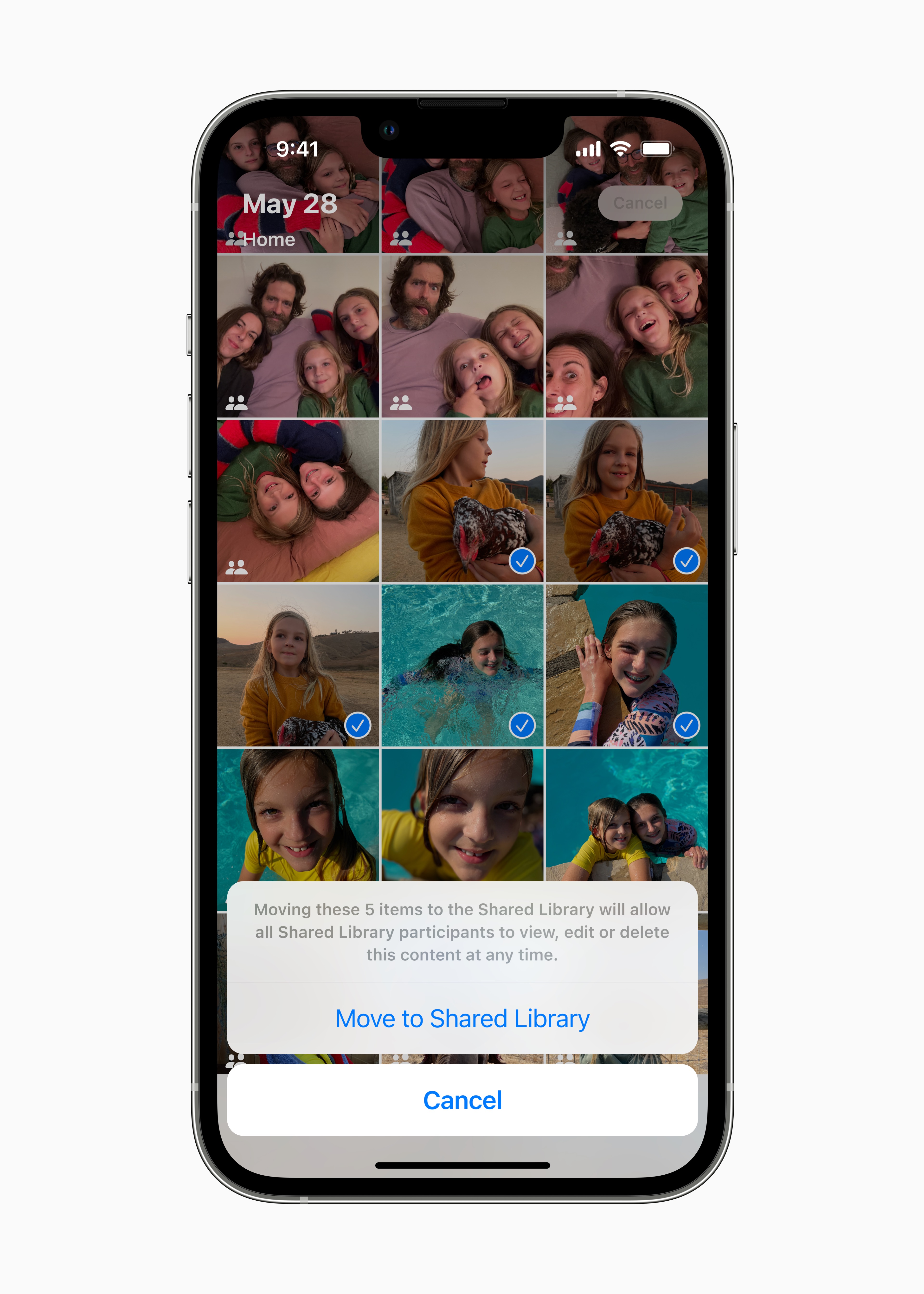
Share your photo library with your family
Photo library on iCloudYou can share with up to five other people.
Smart selection rules
Share all photos or use the selection tools to add images based on the start date or people in the photos.
Smart suggestions for sharing
Add photos manually or make sharing easier with smart features like quick switching in Camera, automatic sharing via Bluetooth when you bring your device closer, or sharing suggestions in the panel Pro your.
Co-creation of collections
Everyone has the same permissions to add, edit and delete photos, mark them as Favorites or add captions to them.
Remember more precious moments
Shared photos are also in Memories, Featured Photos, and widgetat Photos.
News
Edit message
Feel free to edit the sent message within 15 minutes. The recipient will see the message's edit history.
Cancel send
You can cancel sending a message within two minutes.
Mark as unread
Mark messages as unread if you don't have time to reply right away but want to come back to them later.
Recover recently deleted messages
You can recover recently deleted messages within 30 days of deletion.
SharePlay via Messages
Share movies, music, training, games and other synchronized activities with friends and discuss them right away in Messages.
API Shared with you
Developers can incorporate the Shared with you section into their apps, so if someone sends you a video or article and you don't have time to pay attention to it, you can easily return to it the next time you open the app.
Invitations to cooperation
When you send an invitation to collaborate on a project in Messages, everyone in the thread will be automatically added to the document, spreadsheet, or project. This works in Files, Keynote, Numbers, Pages, Notes, Comments and Safari even in applications from other developers.
Collaboration messages
When someone edits something, you will immediately know about it in the header of the conversation. And you can jump to the shared project by clicking on update.
API for collaboration via Messages
Developers can integrate collaboration elements from their applications into Messages and FaceTim, so you can easily divide tasks directly in conversations and have an overview of who is involved in the project.
SMS tapbacks on Android
When you respond to an SMS message with a tapback, the corresponding emoticon will also appear on the recipient's Android device.
Filter messages by SIM
You can easily filter conversations in Messages according to the SIM card they were sent to.
Playing audio messages
You can skip forwards and backwards while listening to audio messages.
Mail:
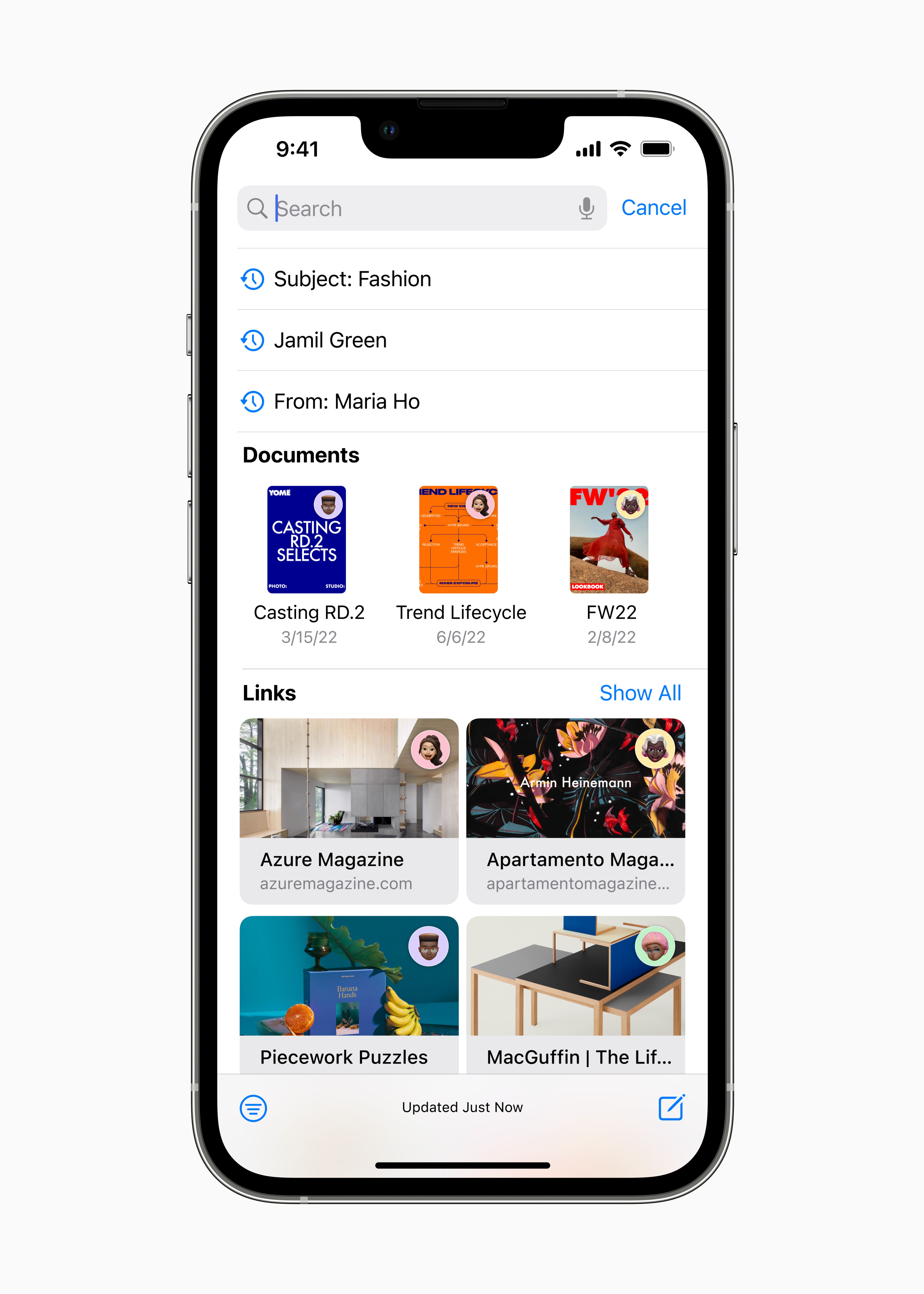
Intelligent search error corrections
Smart search corrects typos and even uses synonyms of search words to make results more relevant.
Smart search suggestions
Once you start searching for email messages, a more detailed overview of shared content and other information will appear.
Missing recipients and attachments
If you forget something, such as attaching an attachment or entering a recipient, Mail will alert you.
Cancel send
Easily unsend an email you've just sent before it reaches the recipient's inbox.
Timely shipping
Schedule an email to be sent at the right time.
To be resolved
Move sent e-mails to the top of your inbox so you can follow up on them quickly.
Remind
You'll never forget an open email you need to return to. You can choose the date and time when the message should reappear in your inbox.
Preview link
Add preview links to emails to see more context and details at a glance.
Safari
Shared panel groups
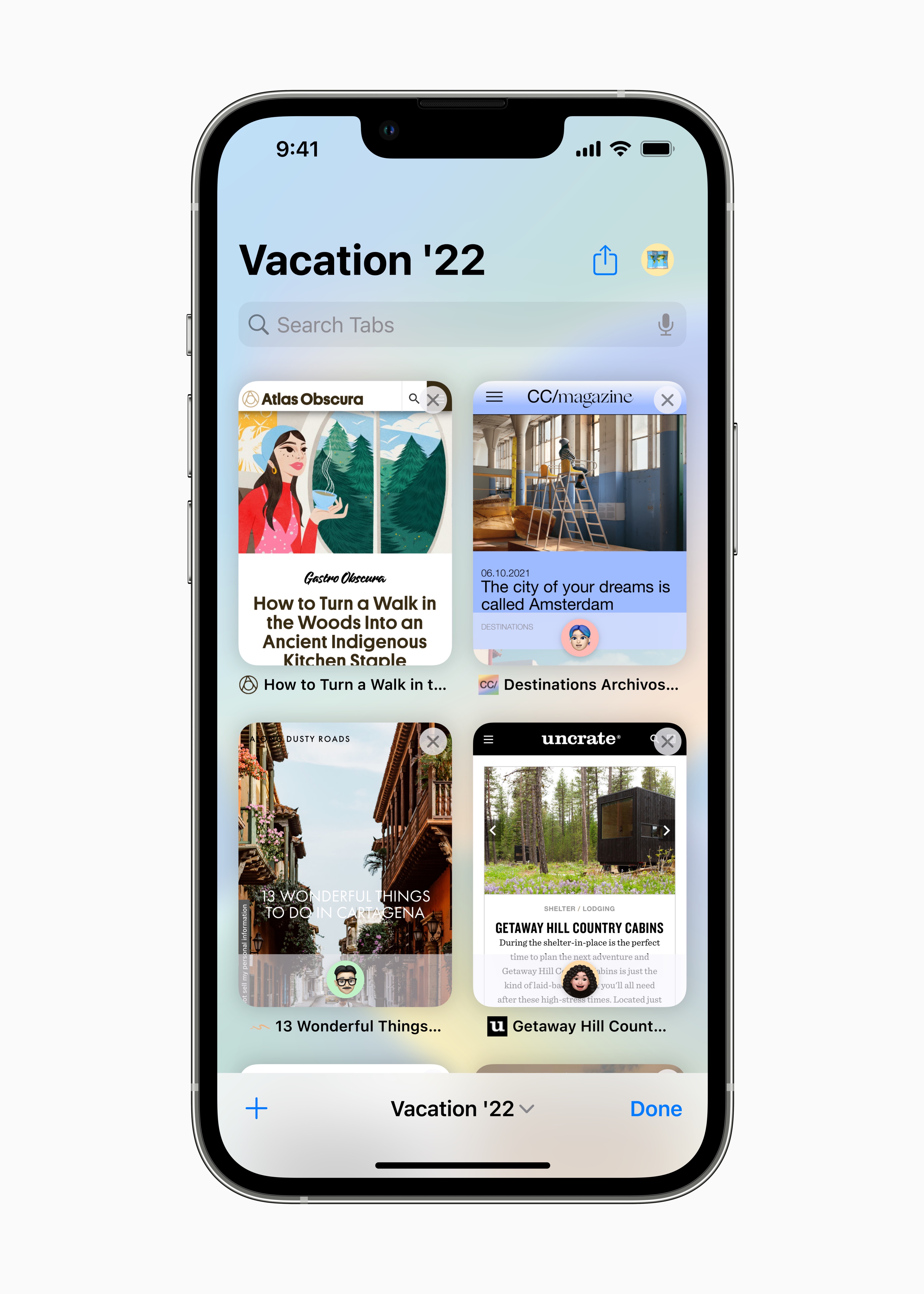
Share groups of panels with friends. Everyone can add more panels and the group is always updated immediately.
Homepage of panel groups
Panel groups have home pages where you can set a background image and favorite pages.
Pinned panels in panel groups
You can pin the panels that you need to have at hand in individual groups.
New API for web extensions
They allow developers to create other types of web extensions for Safari.
Push notifications from websites
Na iOS Support for optional notifications is coming. It will be added in 2023.
Extension Sync
In the preferences Safari You'll find extensions you have on your other devices. Once installed, the extension syncs, so you only need to turn it on once.
Synchronization of website settings
Settings chosen for specific websites, such as page magnification or reader display, are synchronized between all devices.
New languages
Website translation in Safari Newly supports Arabic, Indonesian, Korean, Dutch, Polish, Thai, Turkish and Vietnamese.
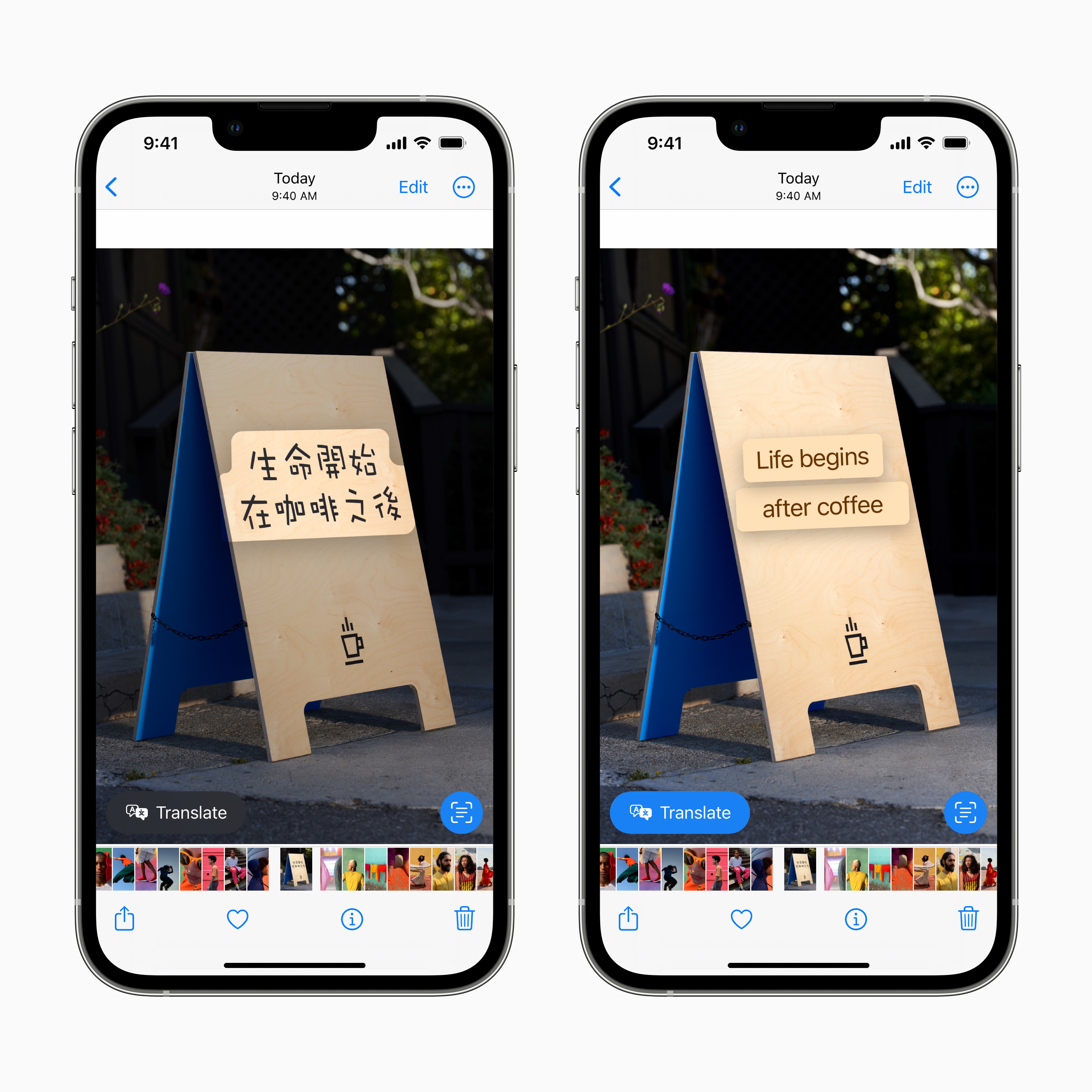
Translation of images on websites
Added support for translating text on images using live text.
Support for other web technologies
With better options and more control over website style and layout, developers can create more compelling content.
Editing strong passwords
Strong passwords suggested Safari can be customized to meet the requirements of a specific website.
Wi-Fi passwords in Settings
Wi-Fi passwords can be found and managed in Settings, where they can be displayed, shared and deleted.
Access keys
Access keys
Access keys are used instead of passwords. It's an easier and more secure way to log in.
Protection against phishing
Access keys are well protected against phishing attacks because they never leave the device and are unique to each site.
Protection against data leaks on the web
ProSince your private key is never stored on web servers, you don't have to worry about any of your account information being leaked.
Logging in on other devices
Sign in to websites or applications on other devices, including devices from manufacturers other than Apple using the saved access key – by scanning the QR code iPhonem or iPad and verifying with Face ID or Touch ID.
Synchronization between devices
Access keys are encrypted throughout the transfer and are synchronized between all devices Appleon which you use Keychain on iCloudu.
Live text
Live text in videos
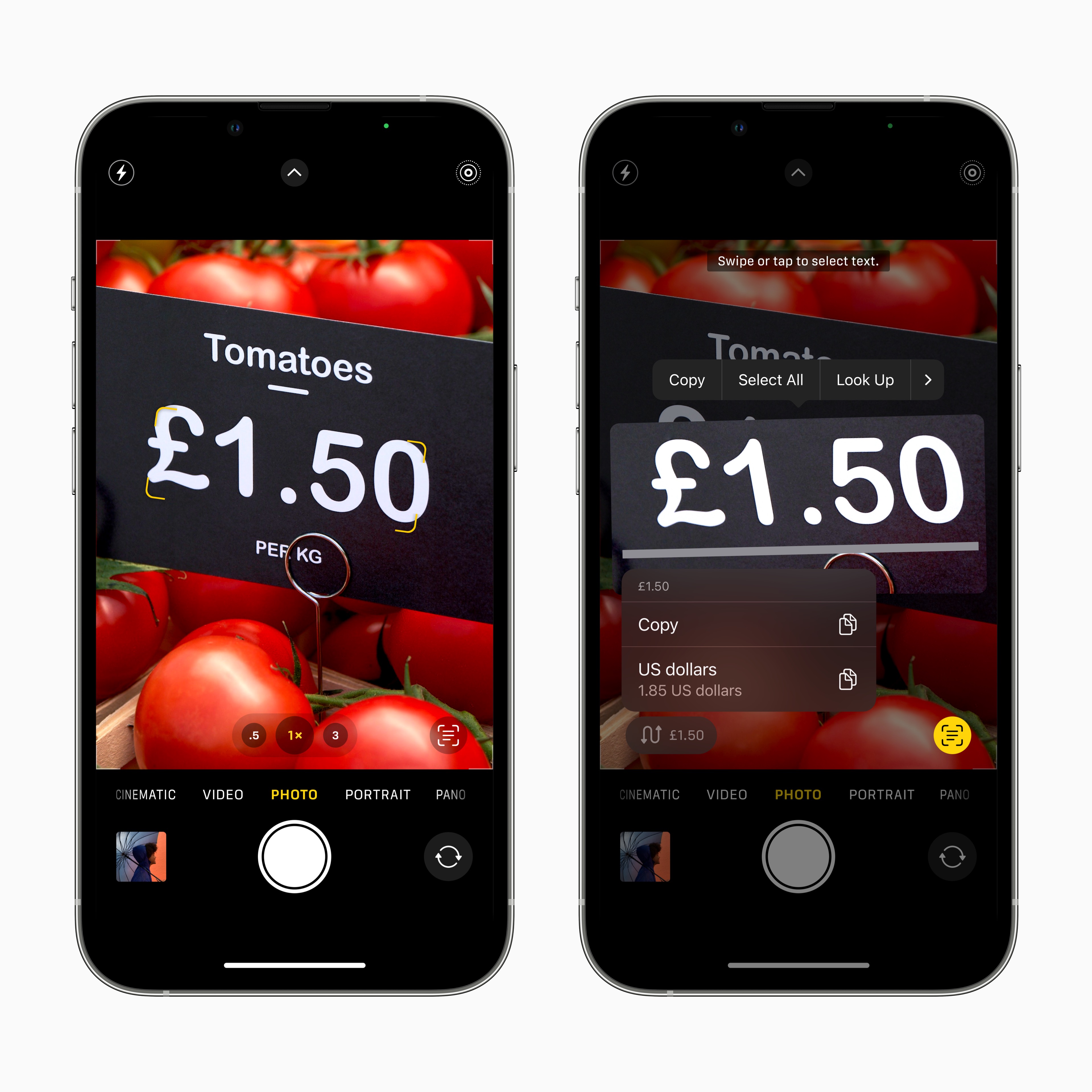
Text is fully interactive on each frame of a paused video, so you can use features like copy and paste, search, and translate. Live text works in Photos, Quick View, Safari and in other places.
Quick actions
With one tap, you can perform various actions with the data found in photos or videos. Track a flight or shipment, translate text in a foreign language, convert currencies and more.
New languages for live text
Live Text now recognizes text in Japanese, Korean, and Ukrainian.
Maps
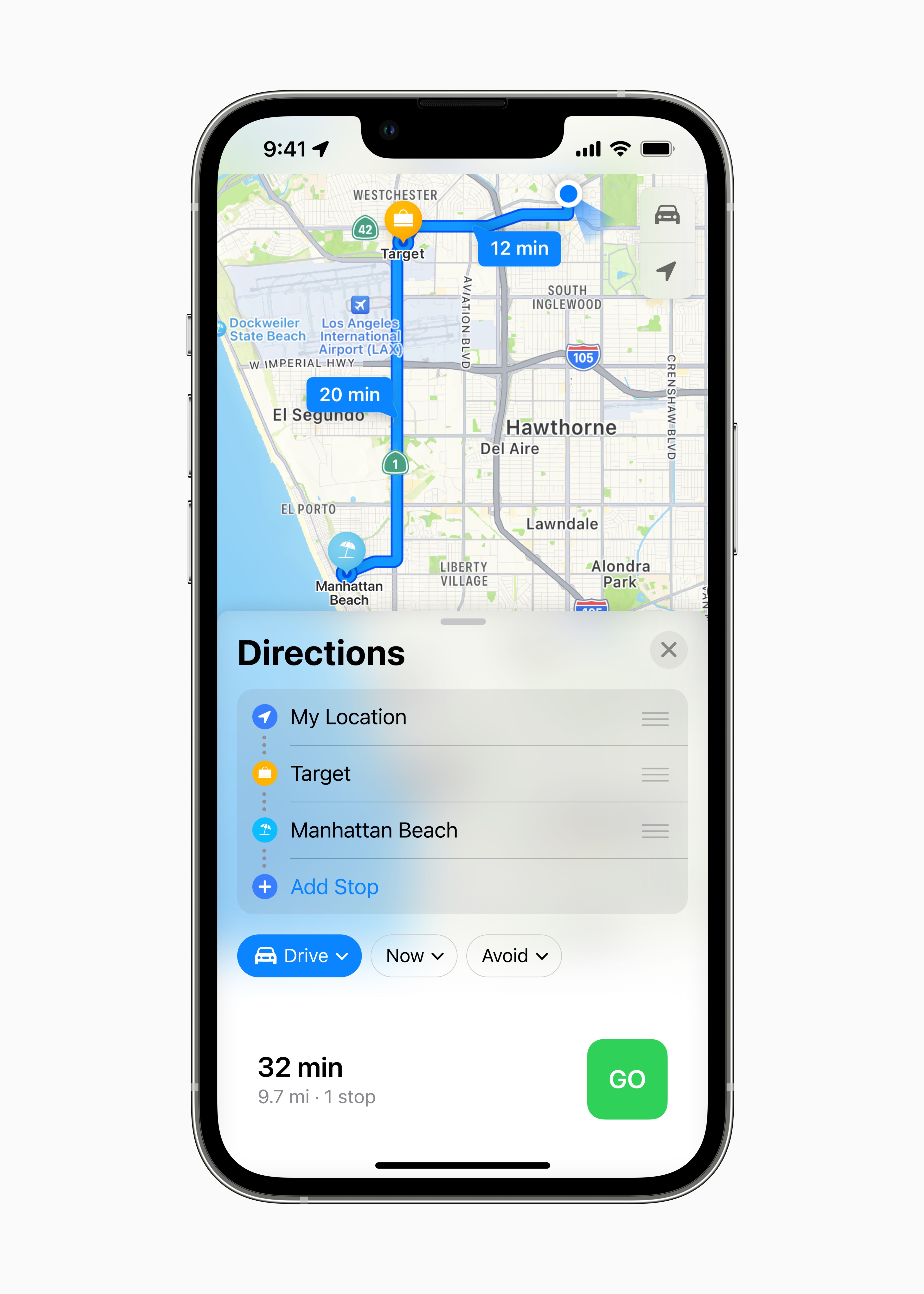
Adding stops
Put several stops on the route in Maps. Prepare a route with multiple stops on your Mac and thanks to synchronization you will also have it on your iPhone.
Apple Pay and Wallet
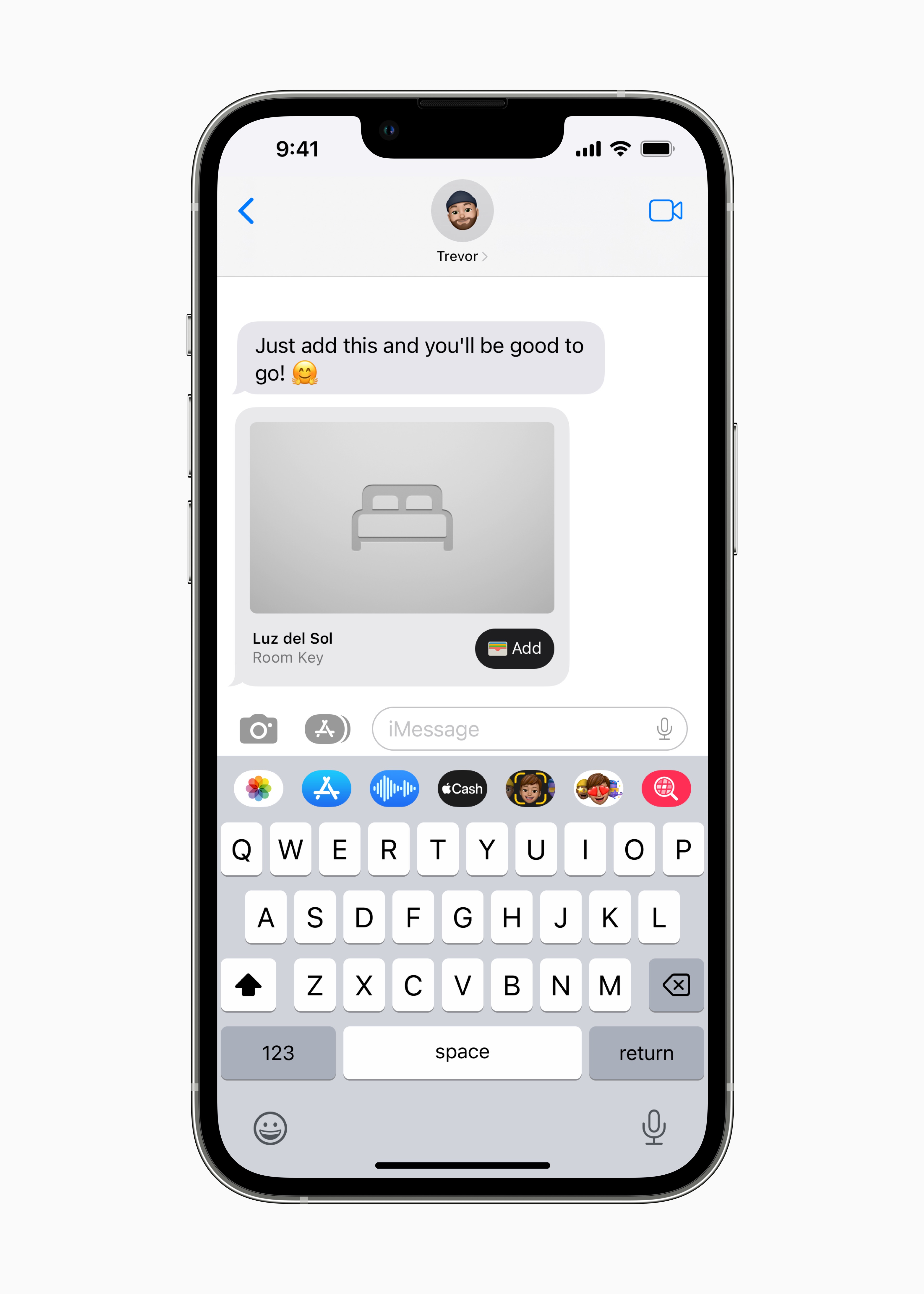
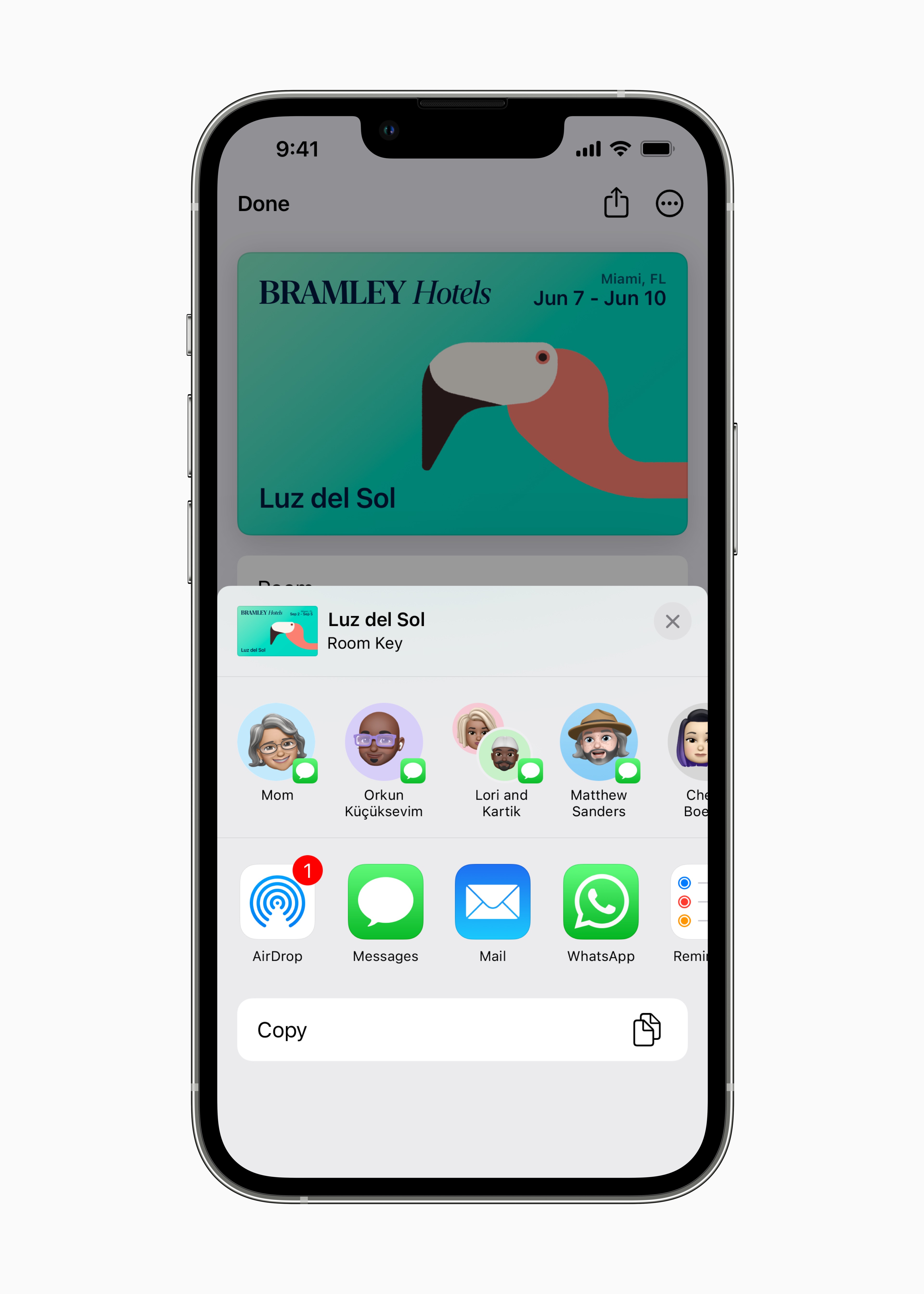
Key sharing
Keys from Apple You can use wallets through messaging apps – such as Messages, Mail or WhatsApp – share safely with people you trust.
Hotel key for multiple stays
You no longer need to add a new hotel key to your Wallet every time you check in. One key is enough for all stays in the same hotel chain.
Adding keys from Safari
You can now get new keys to your iPhone or Apple Watch safely add directly from Safari and you don't have to download any app for it.
Easily transfer keys to another device
When you set up a new device, the keys will appear among the available tabs - simply tap the "+" button in the Wallet and select the keys you want to add to the new device.
Quick access menu
In the quick access menu (available for selected tickets and cards), you can quickly access functions from the back of the tickets and cards with one tap.
Household
Redesigned Home application
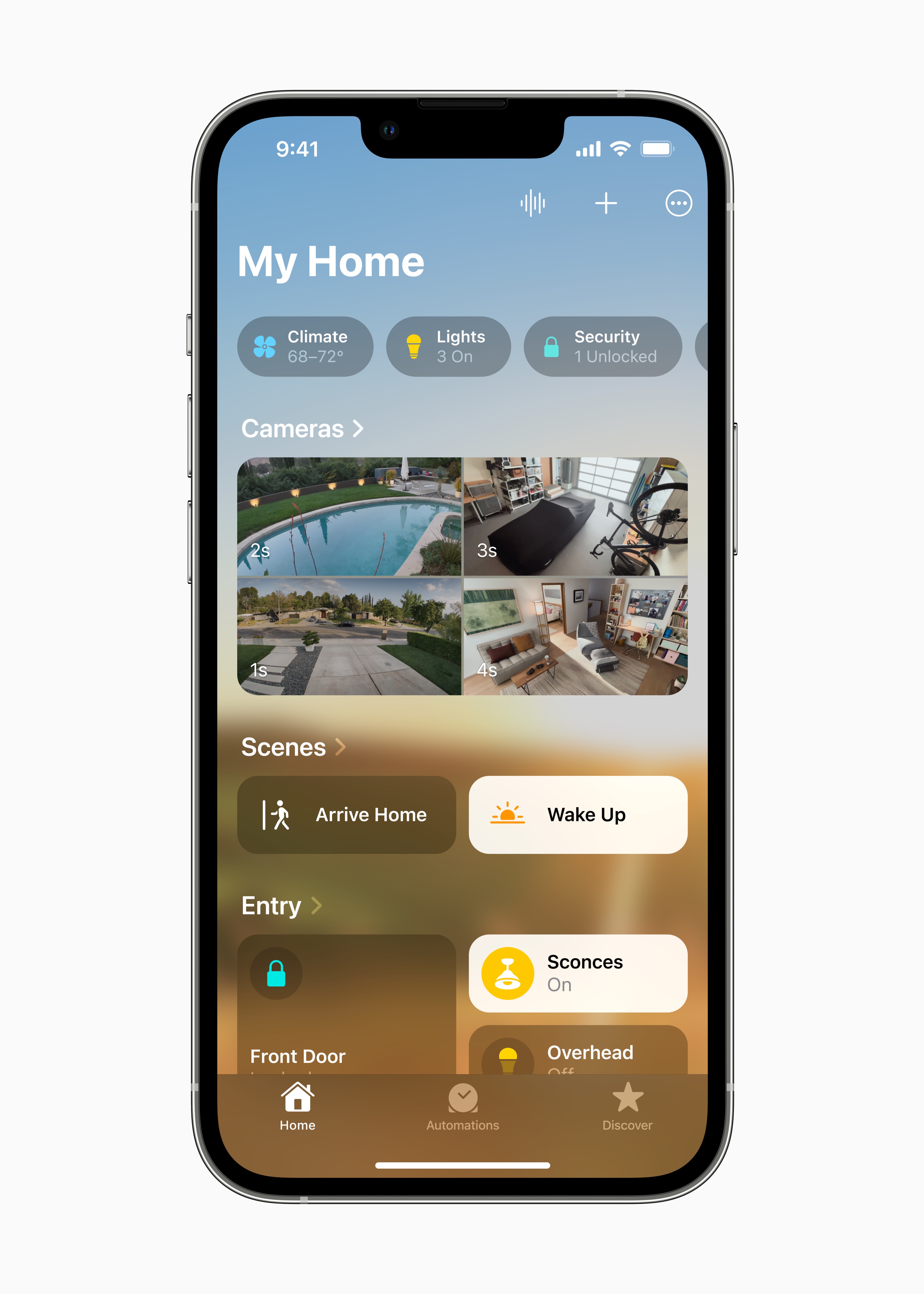
In the redesigned Home application, you have a better overview and you can more easily organize and display all your smart devices, so they are easier to control. And thanks to the improved code architecture, they work more efficiently and reliably.
The whole house under control
On the newly designed Household panel, you have the entire household in the palm of your hand. You can find the rooms and the most important accessories on the main panel of the application, so you can get to the most used devices faster.
Categories
All accessories are quickly accessible in the Air Conditioning, Lights, Security, Speakers & TVs and Water categories, grouped by room and complete with detailed status information.
New display of camera footage
You can see up to four broadcasts from the cameras right on the home page, and by scrolling you can get to shots from other places in the house.
Tiled look
The accessory tiles are redesigned to make it easier to navigate between different types of devices using shape and color. These can be controlled directly from the tile - just tap on its icon. And you can get to other control elements by clicking on the name of the accessory.
Still this yearUpdated architecture
Improved code architecture increases speed and reliability – especially for homes with multiple smart devices. The Home app allows for more efficient control of multiple devices at once. 8
Widgety on the lock screen
New widgety on the iPhone's lock screen clearly shows the status of devices in your home and allows you to quickly access their more detailed control.
Still this yearSupport for Matter
Matter is a new smart home connectivity standard that enables compatible smart home accessories to work seamlessly across platforms. It gives you an even wider choice of compatible smart home devices to control through the Home app and Siri from the device Apple.
Health
Medication overview
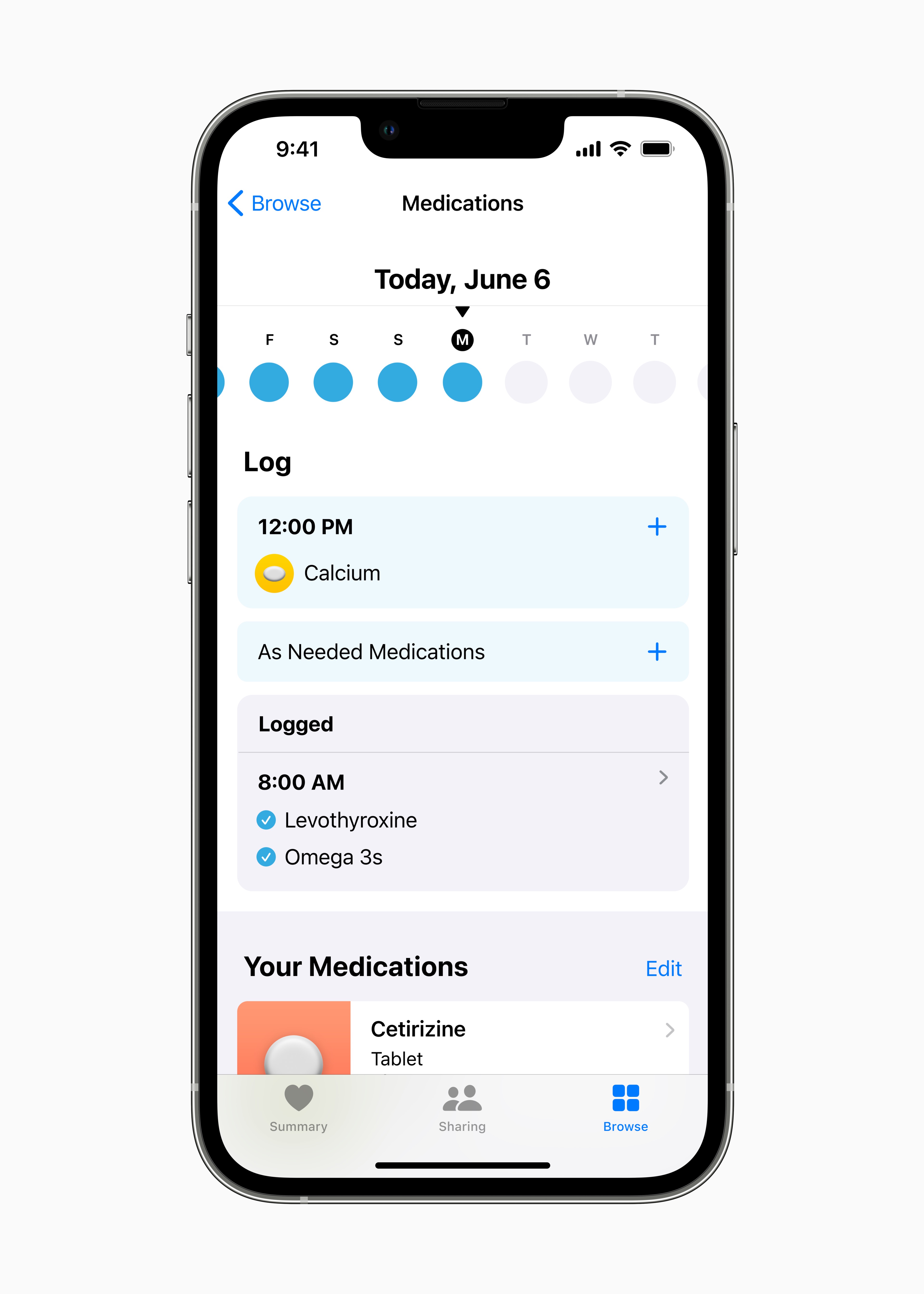
Create a list of medicines so that you can conveniently record the medicines, vitamins and dietary supplements you take. And assign your own visuals to them for easier remembering.
Medication reminders
Create your own schedule and reminders for each product, whether you take it several times a day, once a week, or as needed.
Medication report
Record when you take your medication, either through reminders or directly in the Health application. Thanks to the interactive graphs, you know exactly when the medicine was taken and how conscientiously you take it.
Invitation to share health information
Invite your loved ones to securely share their health data with you. When they receive the invitation, they can choose which data to make available to you.
Notification of deviations in the cycle
Get notified when your cycle records indicate a less frequent period, irregular or long periods, or persistent spotting.
Condition
Fitness app for iPhone users
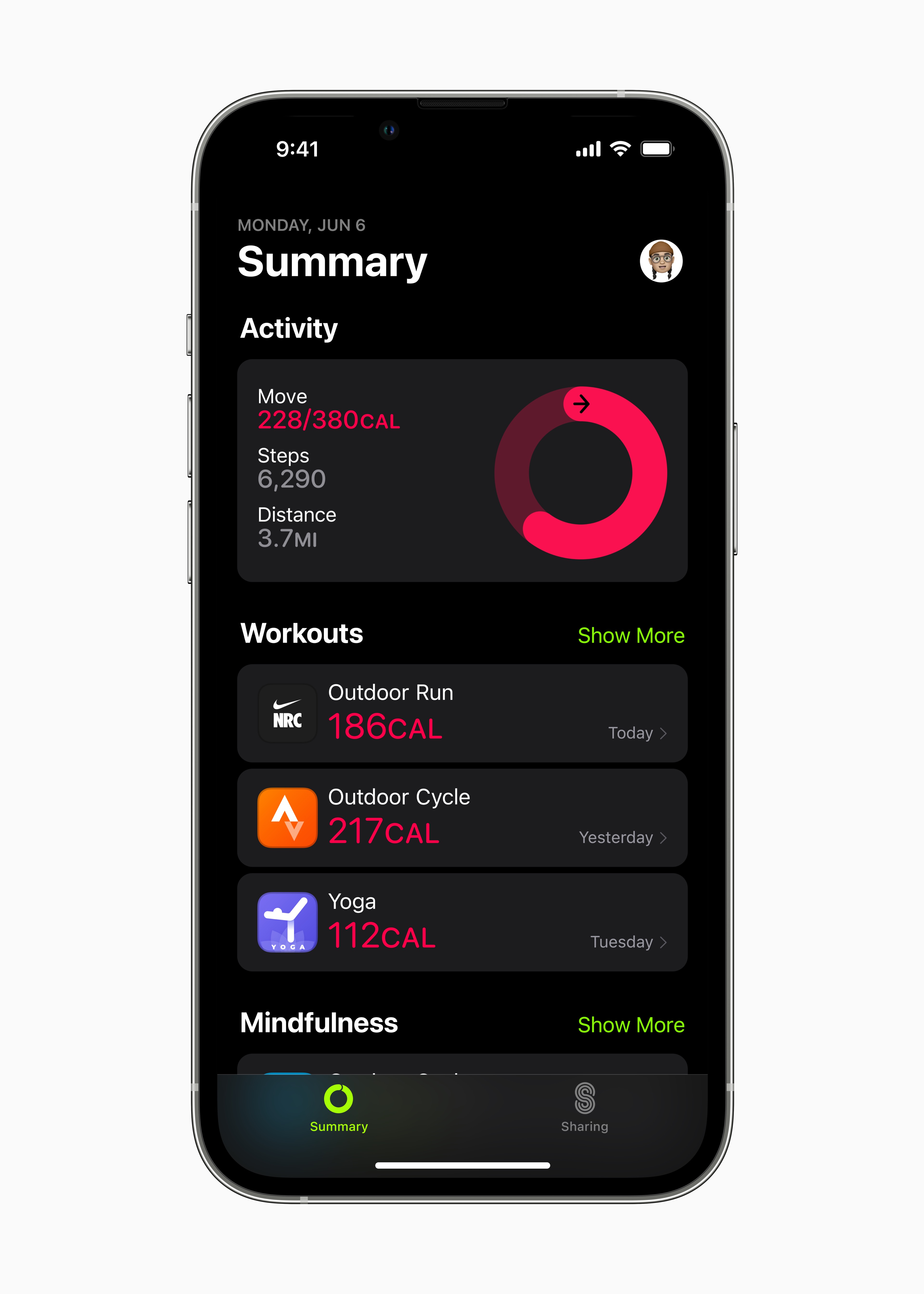
Achieve your training goals, even if you don't have one Apple Watch. The amount of calories burned is estimated from the iPhone's motion sensor data, the number of steps, the distance you travel, and training records from third-party apps, which count towards your daily exercise goal.
Family sharing
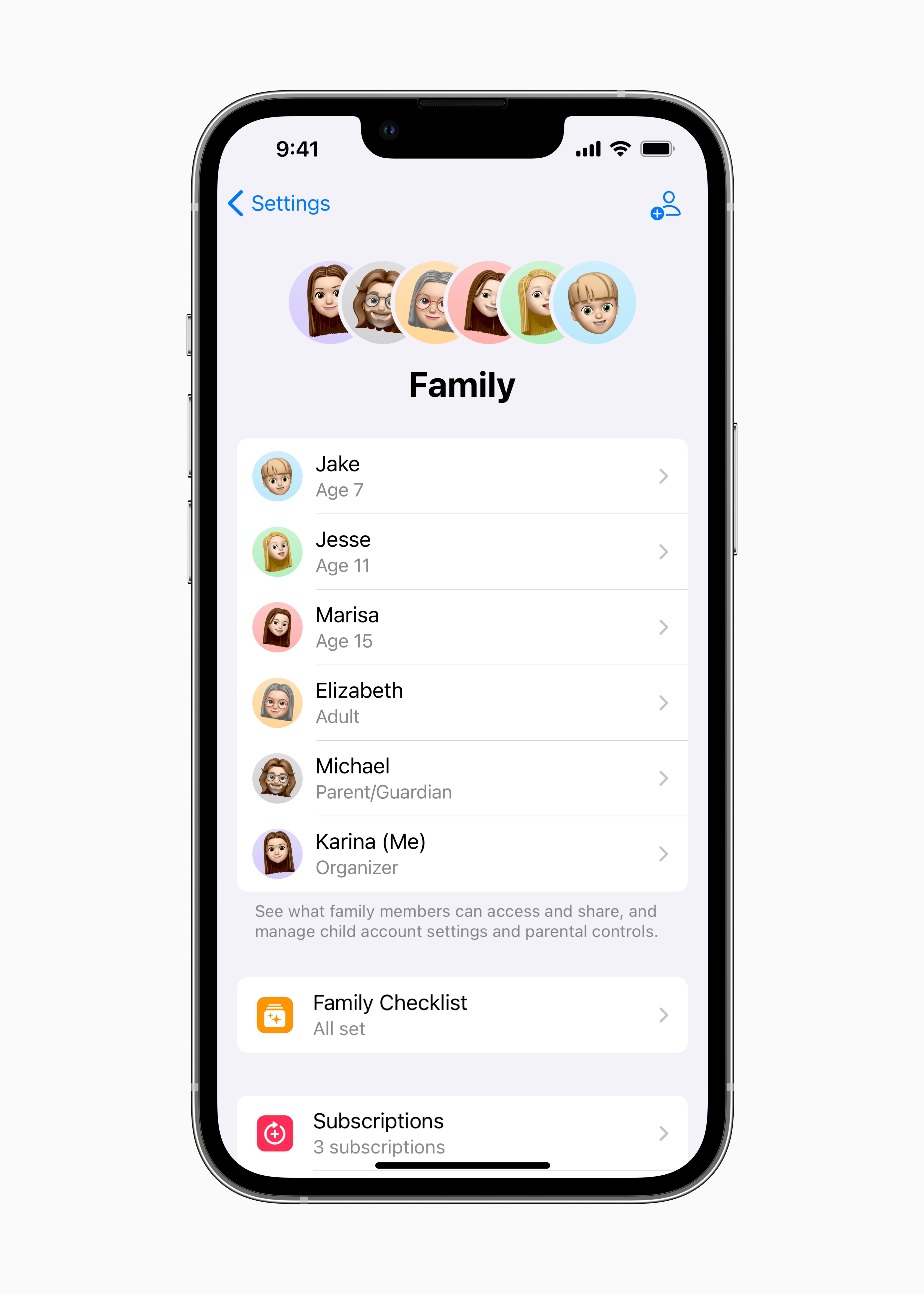
Improved child account settings
Set up an account for your child right from the start with appropriate parental control features, including clear suggestions for accessible media according to the child's age.
Device settings for children
With Quick Start, you can easily set up your child's new iOS or iPadOS devices – even with all the appropriate parental control features.
Requests to extend screen time in Messages
Requests from children for more screen time now go to Messages, where you can easily accept or decline them.
Family to-do list
Check out helpful tips and suggestions, so you know you can adjust content accessibility for kids when they reach a certain age, turn on location sharing, or share subscriptions with them.Cloudu+ with all family members.
Privacy
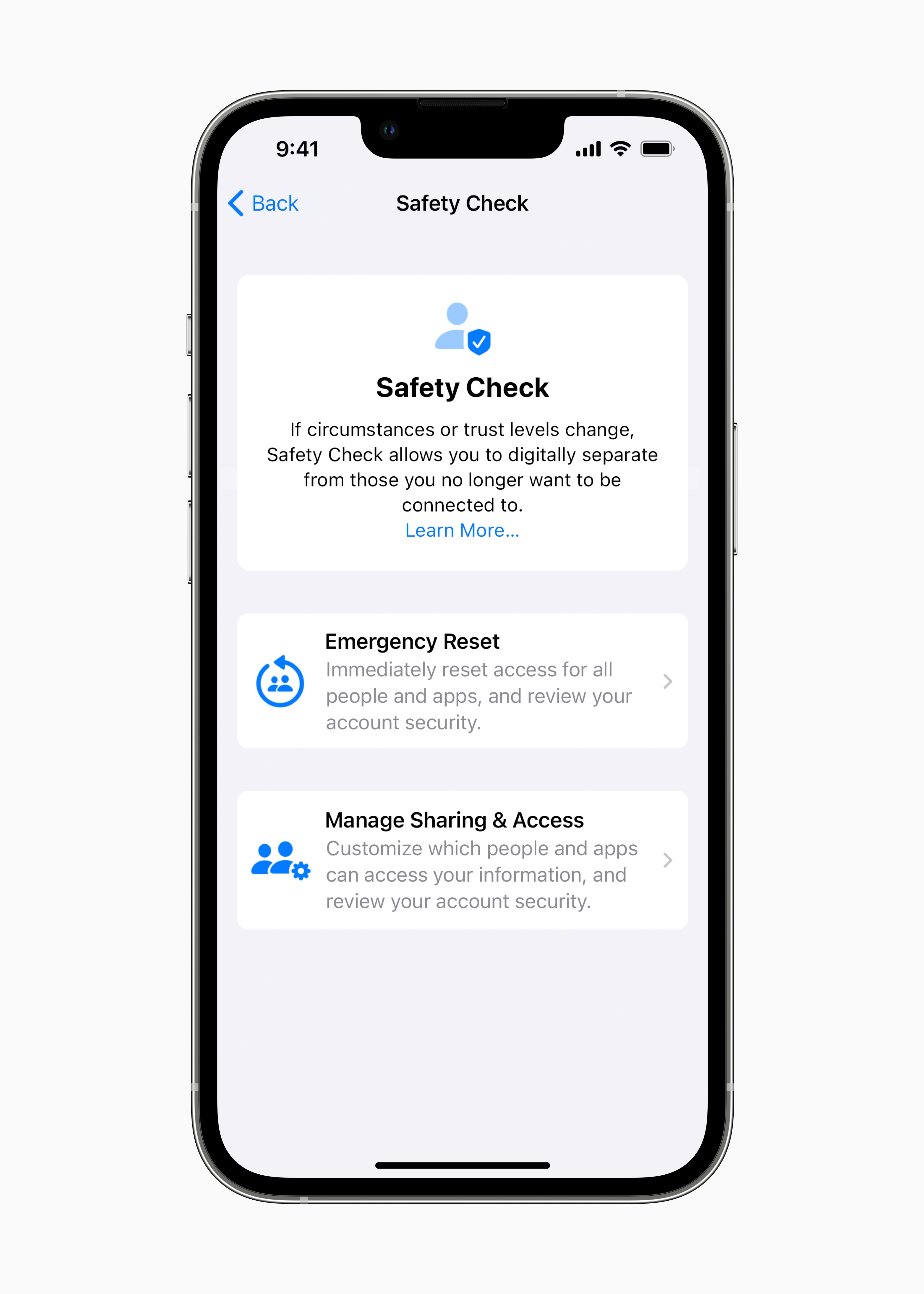
Security check
In this new section of Settings, people who are exposed to domestic or intimate partner violence can quickly reset their granted user access. In it you will also find a list of all access granted to other people and applications.
Clipboard permissions
When apps want to paste clipboard contents copied in another app, they need your permission.
Improved media streaming
Stream video even from devices that support streaming protocols other than AirPlay. No need to grant permission to access Bluetooth or local network.
Locked albums Hidden and Recently deleted in Photos
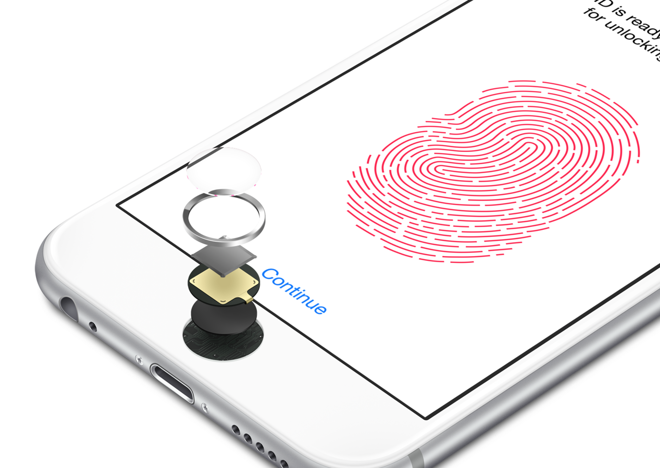
The Hidden and Recently Deleted albums are locked by default and can be unlocked using an iPhone authentication method: Face ID, Touch ID, or passcode.
Security
Fast security response
You will now receive important security updates on your device even faster. Have them added automatically - independent of regular software updates.
Face ID in landscape
Face ID works in landscape orientation on supported iPhone models.
Block mode
This new security mode provides extreme protection for a select few users whose digital security could be compromised by a serious, personally targeted cyberattack. It significantly strengthens device protection and radically limits some features to miniIt exploited the opportunity to launch an attack using highly targeted spyware.
Disclosure
Mirroring Apple Watch
Control it Apple Watch from iPhone using Switch Control or other accessibility features and get z Apple Watch maximum.
Detection mode in Magnifier
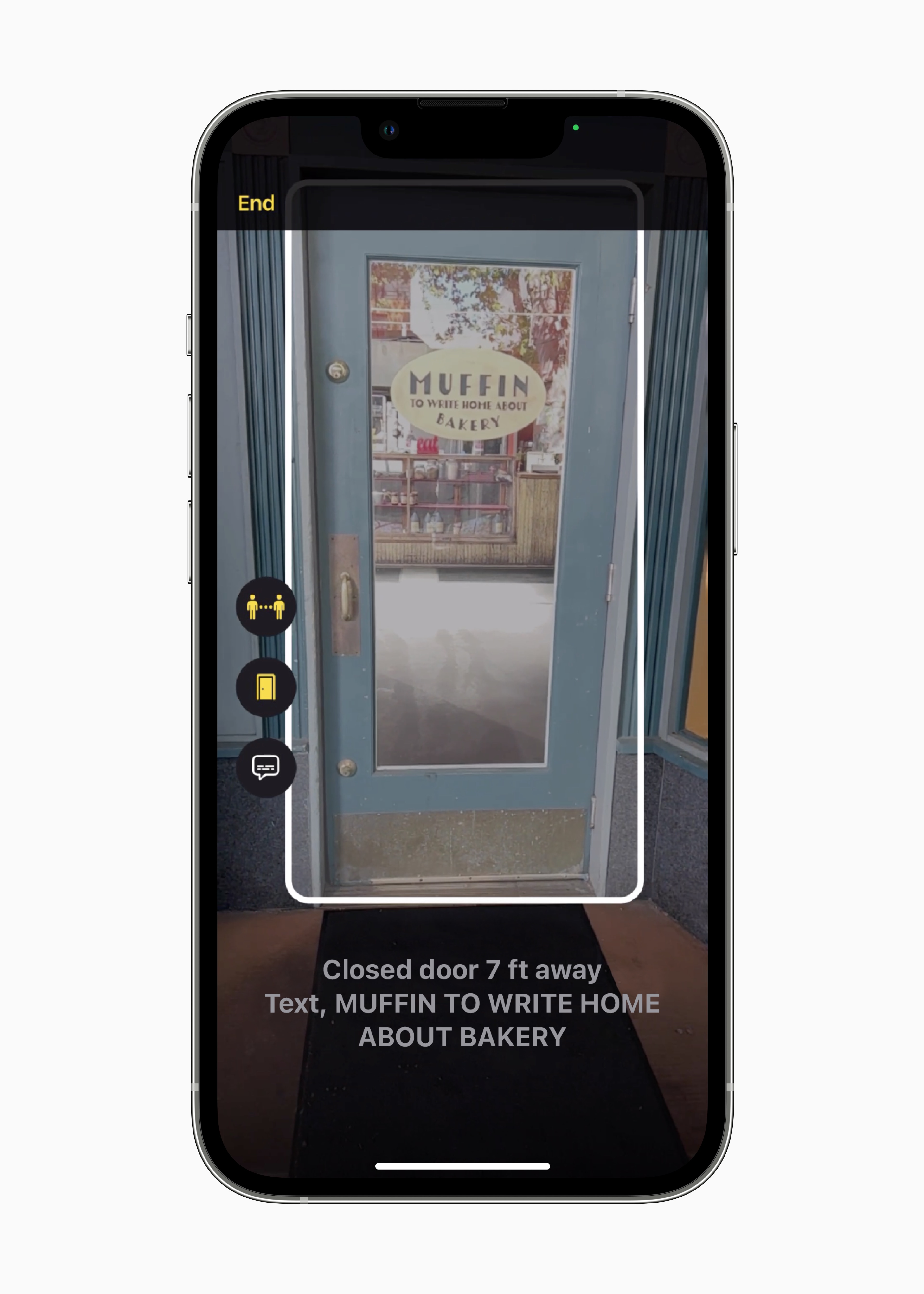
Let your surroundings be described in the new Magnifier mode with options such as Door Detection, People Detection and Image Descriptions.
Door detection in Lupa
Find a door, have its markings read or interpreted, and find out how it opens.
Playmate
Combine input from multiple game controllers into one so your personal assistant or friend can help you to the next level.
New access options in Books
Take advantage of new themes and customization options – including setting bold, line spacing, character or word spacing, and more.
New languages and voices in VoiceOver and Narrator content
VoiceOver and Content Narrator now support more than 20 new languages and regions, including Bengali (India), Bulgarian, Catalan, Ukrainian, and Vietnamese. And you can choose from dozens of new voices optimized for accessibility features.
Home location detection using VoiceOver in Maps
When you use VoiceOver, Maps will now let you know you're at the starting point of a walking route with an automatic sound and haptic response.
Activities in Lupa
Save frequently used camera, brightness, contrast, filter, or other settings in Magnifier so you have them right at hand.
Addition audiograms in Health
Import your data into the Health app on your iPhone audiograms.
Additional customization options for Sound Recognition
Train yourself iPhone to recognize specific sounds in your environment, such as the beeping of an electrical appliance in the kitchen,oneto the door and more.
Even more
Application Clips
Larger size limit
A 50 percent larger size limit allows you to find and download more impressive app clips.
Support for live activities
Use live activities from app clips. *
Accurate location suggestions in Spotlight and widgetfor proposals Siri
Get more precise location-based app clips in Spotlight and widgetfor proposals Siri.
Knihy
Customizable reader
Thanks to the new options, you can set the reader interface as you like. Choose from themes for different environments or moods, set your font and font size, spaces and more.
Camera
Blurred foreground in portraits
Blur objects in the foreground of the photo in portrait mode when you want to achieve a more believable depth of field effect.
Higher recording quality in Movie mode
Shooting videos in Filmmaker mode on iPhone 13 and iPhone 13 Pro creates a more accurate depth of field effect in profile shots and around hair and glasses.
Contacts
Messages and call status
You can see all unread messages and missed FaceTime calls or phone calls from friends and family right on your desktop.
Dictionary
New dictionaries
Seven new bilingual dictionaries are available: Bengali-English, Czech-English, Finnish-English, Kannada-English, Hungarian-English, Malayalam-English and Turkish-English.
FaceTime
Handoff on FaceTime
Seamlessly transfer FaceTime calls from iPhone to Mac or iPad and vice versa. When the call is transferred, the connected Bluetooth headphones are also switched to the new device.
SharePlay support when discovering new apps
See which of your installed apps support SharePlay and open them from FaceTime. Or explore in App Discuss what else you can share with friends.
Cooperation
Tap the Share button during a FaceTime call to start collaborating in Files during the call. Keynote, Numbers, Pages, Notes, Comments, Safari or in supported apps from other developers.
Still this yearFreeform*
Flexible canvas
Canvas Freeform is perfect for creating diagrams for new projects, collecting important materials, or brainstorming - the limits of its use are only limited by the imagination of the contributors.
Collaboration without barriers
With real-time collaboration, you can see what everyone is adding and editing, as if you were standing next to each other at a real whiteboard.
Procommunication in progress
Application Freeform is integrated with the Messages collaboration API, so you can see edits from individual collaborators right in your Messages conversations. And with a single tap, you can jump from Freeformstraight to a FaceTime call with the change maker.
Draw where you want
Freeform is a multi-purpose canvas where you can add ideas on the go. Write or draw wherever you need to, then move the text or drawing as you like.
Wide multimedia support
Insert images, videos, sounds, PDFs, documents or web links. You can add virtually any file and view it directly on the canvas.
Game Center
Activity
ProView your friends' activity and achievements in games - on the redesigned dashboard and in your Game Center profile.
Support for SharePlay
Multiplayer games in Game Center integrate SharePlay. So you can jump right into a game while you're on a FaceTime call with friends. *
Integration with Contacts
See your Game Center friends' profiles right in Contacts. And tap to see what they're playing and how far they've gotten in the game. *
iCloud+
Hide my email in applications
The Hide My Email feature is integrated into QuickType keyboard designs, so you don't have to give your personal email to third-party apps.
Custom email domain
Share your own domain with people outside of your Family Sharing group, buy a new domain, or directly from your email settings on iCloudu turn on interception email aliases.
Inclusive language
Choice of method of addressing
Choose your address in Frenchancin Uzbek, Italian, and Portuguese to make your device even more personal. In the Language & Region settings panel, you can choose a system-wide address—feminine, masculine, or neuter.
Keyboard
New layout for shuangping
Pro For users who use Shuangpin, the new Changyong layout is available.
QuickPath for Traditional Chinese
QuickPath now supports Traditional Chinese input using Pinyin.
Cantonese text input
Users can now enter Cantonese words and phrases using Jyutping and other fonetic methods.
Sichuan dialect support
Make typing Szechuan words and phrases easier with the Pinyin Simplified Chinese keyboard.
Autocorrect support for new languages
Autocorrect now works in three new languages: English (New Zealand), English (South Africa), and Kazakh.
Searching for emoticons in new languages
Emoticons are now searchable in 19 new languages including Albanian, Armenian, Azerbaijani, Burmese, Bengali, Estonian, Filipino, Georgian, Icelandic, Khmer, Lao, Lithuanian, Latvian, Marathi, Mongolian, Punjabi, Tamil, Urdu, and Uzbek (Latin) .
Key layouts for new languages
Keyboard layouts are now available for Apache, Bhutanese, Samoan, and Yiddish.
Keyboard haptic response
Turn on the keyboard's haptic response for more confidence when typing.
Memoji
More stickers with poses
Memoji stickers include six new expressive poses.
Stickers in Contacts
All Memoji stickers can be used as a contact picture, and you have three new pose stickers to choose from.
More hairstyles
Choose from 17 new and improved hairstyles including new small curls and variant boxer braids.
More headgear
Put a cap on your Memoji.
More nose shapes
Choose from multiple nose shapes when designing your Memoji.
More natural lip shades
More natural lip shades will help you hit the right shade when designing Memoji.
Hudba
Don't miss the news
News notifications and improved recommendations help you discover more music from the musicians you listen to.
Music recognition
Synchronization history
Tracks recognized in Control Center now sync with Shazam.
Notes
Quick Notes on iPhone
Prothrough the offer sharing take quick notes from any app on your iPhone.
Improved dynamic folders
With the help of handy new filters, you can automatically organize your notes into a dynamic folder. Create rules based on created or modified date, shares, mentions, checklists, attachments, or folders. Or depending on whether they are quick, pinned or locked notes.
Password lock
Lock your notes with an iPhone password so that they are protected by encryption during the entire transfer.
Group notes by date
Notes are grouped chronologically into categories such as Today or Yesterday in both the list and gallery views, so you can find your way around them easily.
Collaboration via link
Anyone you share the link with can collaborate on the note.
Filtering items that meet all criteria or at least one
In your own smart list or ProIn the tag viewer, you can filter items that match all or at least one of the selected criteria.
Fotky
Duplicate photo recognition
In Photos, in the section Albums > Other albums, there is a new option to search for duplicate photos, which you can use to quickly organize your library.
Locked albums Hidden and Recently deleted
The Hidden and Recently Deleted albums are locked by default and can be unlocked using an iPhone authentication method: Face ID, Touch ID, or passcode.
Copy and paste edits
Copy the adjustments made to one photo and apply them to another.
Alphabetical sorting of people
Sort the People album alphabetically.
Undo or redo an action
Redo or undo multiple photo edits.
Tap to play the Memories video again from the beginning
During playback, you can one-tap the Memories video to go back to the beginning, but the music will continue to play.
New types of memories
New types of memories include Today in History and Children at Play.
Turn off recommended content
Memories and recommended photos can be found in Photos and widgetu Turn off Photos.
Podcasts
New library in CarPlay
Over CarPlay You can access more content in your library faster. Downloaded and saved episodes are easier to access. And you can immediately start watching the latest episode of a series you've listened to.
Reminders
Pinned lists
Pin your favorite lists to keep them handy.
Templates
Save the list as a template, from which you can then repeatedly create routine tasks, lists of things for the trip and the like. Publish a template and share it via a link or download templates from others.
A smart list of handled reminders
In one place, you have all reminders that have already been resolved, including the time of completion.
Improved Scheduled and Today lists
Notes are grouped by date and time, making it easier to view or add to them. The Today list is divided into Morning, Afternoon and Tonight, so you can better plan your day. There are new weekly and monthly groups in the Scheduled list to make longer-term planning easier.
Improved list groups
By clicking on a group, you will see a complete overview of the lists and comments it contains.
Notifications in shared lists
Get notified when someone adds or completes a task to a shared list.
Formatting notes
You can add bullet points, choose a bold font, underline or cross out the text in the comments notes.
Filtering items that meet all criteria or at least one
In your own smart list or ProIn the tag viewer, you can filter items that match all or at least one of the selected criteria.
Settings
Settings AirPods
All functions and settings AirYou can find and edit your pods in one place. Once AirOnce you connect the pods, their menu will appear at the top of the Settings.
Editing known networks
You can now find a list of known networks in the Wi-Fi settings. You can delete them or view information about any of them.
Spotlight
Desktop search
You can access Spotlight directly from the bottom edge of the screen - you can easily open applications, find contacts or browse the web.
Search images in multiple applications
Spotlight can search for places, people, or scenes based on information from images in Messages, Notes, and Files. Or by what’s in them (like text, a dog, or a car). 13
Quick actions
Using Spotlight, you can quickly perform an action. For example, start a timer or shortcut, turn on focus mode or find out the name of a song in Shazam. By searching for the name of the application, you can see the shortcuts available for that application, or you can create your own in the Shortcuts application.
Running live activities
You can start live activities, such as watching a sports match, directly from the result in Spotlight.
Extended detailed results
When you search for businesses, sports competitions and teams, you will immediately see detailed results.
Stocks
Dates of publication of financial results
See when companies release earnings and put it on your calendar.
Several stock watch lists
Organize your watched stock symbols into different stock watch lists. Group symbols by any criteria such as sector, asset type, ownership status and more.
New possibilities widgetů
Try the new two-column layout in medium and large sizes widget, where you will see even more symbols.
System
New languages
New system languages include Bulgarian and Kazakh.
Tips
Collections
You can now view collections by topic and interest.
Translate
Translation using the camera
Translate text around you using the camera in the Translate app. By pausing the display, you can overlay the text with a translation and zoom in on it. Or translate the text on an image from the photo library.
New languages
Translate and system-level translation now supports Turkish, Thai, Vietnamese, Polish, Indonesian, and Dutch.
TV application
Sports: Live updates on the lock screen
If you can't watch a sports match, thanks to Live Activities you can at least watch its ongoing results on the lock screen.
Weather
Extreme weather warning
Get alerts about severe weather events in your area.
More detailed weather information
Click on any module in the Weather app to view more detailed information, such as hourly temperature and precipitation forecasts for the next ten days.



It is not yet here in Moravia
It hasn't arrived in the Central Bohemian Region yet either 😁
I'm from Moravia and now at 19/15 I already have...
I've been pulling it in Brno since 19:09
Mine and my wife's 12 mini nothing too :-( :-D
I don't know about others, but I updated for iOS I don't have 16
I'm already downloading 15.7 and then when I get it iOS16
Wouldn't it be better to have 16? :-)
This is the correct procedure, it will compare your values
Nothing for me yet either.
They don't have it either... they just wanted to post the article exactly on the 19th
Not even in Cologne yet 🤣
they had the article ready for 19:00. Nothing has come out yet
come on, 19:10 p.m
ummm, no :D.. an update was released, but I don't understand only 15.7
Take a look :-) If you have a hair dryer, it is recommended
I'm already downloading!!!
iPhone 12Pro – it offered me an update to 15.7
Also, but right below that iOS 16
So I only have iOS 15.7
16 then no :-)
Iphone X – It offered me the option to update to 15.7 and below ios 16. I'm downloading
The same with me.
I'm already downloading f cool
Just look a little and it's there :)
I have a Samsung and iosI turned 16 yesterday ❤️
You're embarrassing
At least a nice attempt at a joke :-D I find more than 60 comments about the fact that someone clicked on the update icon and is already downloading the update more embarrassing ;-)
I also download for about 8 hours and sometimes 10 minutes :D
But I don't want to wait 10 hours. So far I've always managed to update within an hour and now it says something between 9-10 o'clock
But fart, I already have it including the restart
After the update, updates are not available in App Store
The new conditions are not straightforward
I have a similar problem🙈
Said
So too. Updated from 15.6 directly to 16.
And an ugly Search button has been added to the bottom of the main screen
I can't download anything from app store not even on Mac, but I'm downloading the new update right now.
Exactly the same problem...
Just turn off Wi-Fi and download something over data
Iphone 13 per max iOS I have 16 RC and the update to stable is still nowhere even though I have it since yesterday beta profile, does anyone know where the problem is?
those are your experiments :)
You are an experiment
it's the same version.
It was written somewhere that you have to wait for iOS 16.0.1, what is being downloaded today will probably be the same version you already have installed.
I think it's not the same version because I found a lot of bugs in the RC.
Is the same. What bugs did you find?
Is the same. What bugs did you find?
For example, my keyboard keeps freezing. It's infuriating. Iphone xr
Approximately 7 hours😂 so probably not today.
And should I update straight to 16, or first to 15.7 and then to 16? I guess it doesn't matter, right?
straight to iOS 16 but then you can't update the applications in appstore :/
That's no longer possible. I then have an old system and AppStore Updates are no longer available. I can't accept the terms and conditions, they say I should try again later,
I have exactly the same thing
Already updated in AppStore it works 😊
iphone 13 for the apple keeps flashing :(
Installed
It also throws you an error when accepting contract media services Apple ? That is, when trying to buy something or update applications?
Yes
it works now, at least for me.
Yes
So I did it step by step, it probably wasn't necessary, but I won't spoil anything. 15.7 is installed and 16 is already downloading, it shows 1 minute left :-)
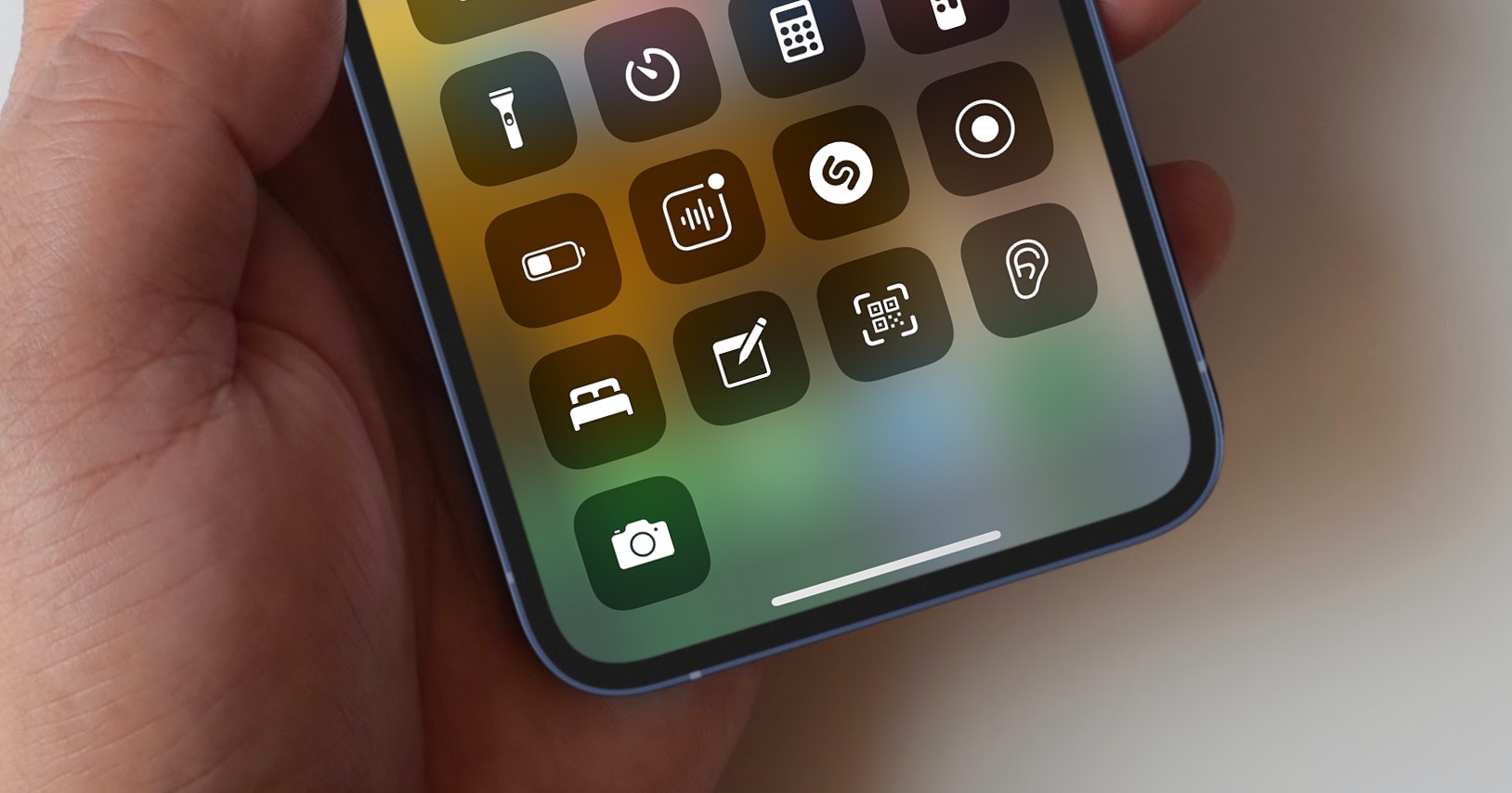
Battery percentage. Whether I have them on or off in the flashlight settings, they still show up. That must be some kind of bug. (13 max)
I have 13 Pro Max and it works correctly. Try restarting...
I tried restarting. But it still shows me the percentage in the flashlight icon, regardless of whether I have it on or off in the settings. So the appearance of the icon as it was in iOS I can't set 15 at the moment.
Hello, what should I do if I don't have the item - Duplicates in the Albums column at the bottom?
I don't have duplicates either
It is necessary to wait for the system to digest all the photos and compare them... which will probably take a while (second day??)
Cropping an object in photos and moving it elsewhere doesn't work on X?!?
Eats a flashlight
on 12Pro The supposedly dynamic island at the bottom is well within thumb reach, they did a better job of that than on the 14cts.
What are you talking about? No one on 12pro dynamic island no :D
however, I wrote on a whim, I just like the clustering at the bottom instead of the top in the summary.
A little disappointed with iOS 16. I feel like it's not very well tuned. Safari It's been a long time. I feel like I'm iPhone slowed down a lot. And I have iPhone 13. Well, I installed it…..
Or wait until the content is "pre-indexed"... Give it a day or two.
Ip 13 pro.. everything works as it should! I just don't see the search for duplicate photos anywhere, otherwise absolute satisfaction
Look, if you go all the way down in the photos, it's there...😊
Well..and😀if I go down as I want, then nothing... just synchronization with cloudem
You have to download emulator beta 3.12 and it works
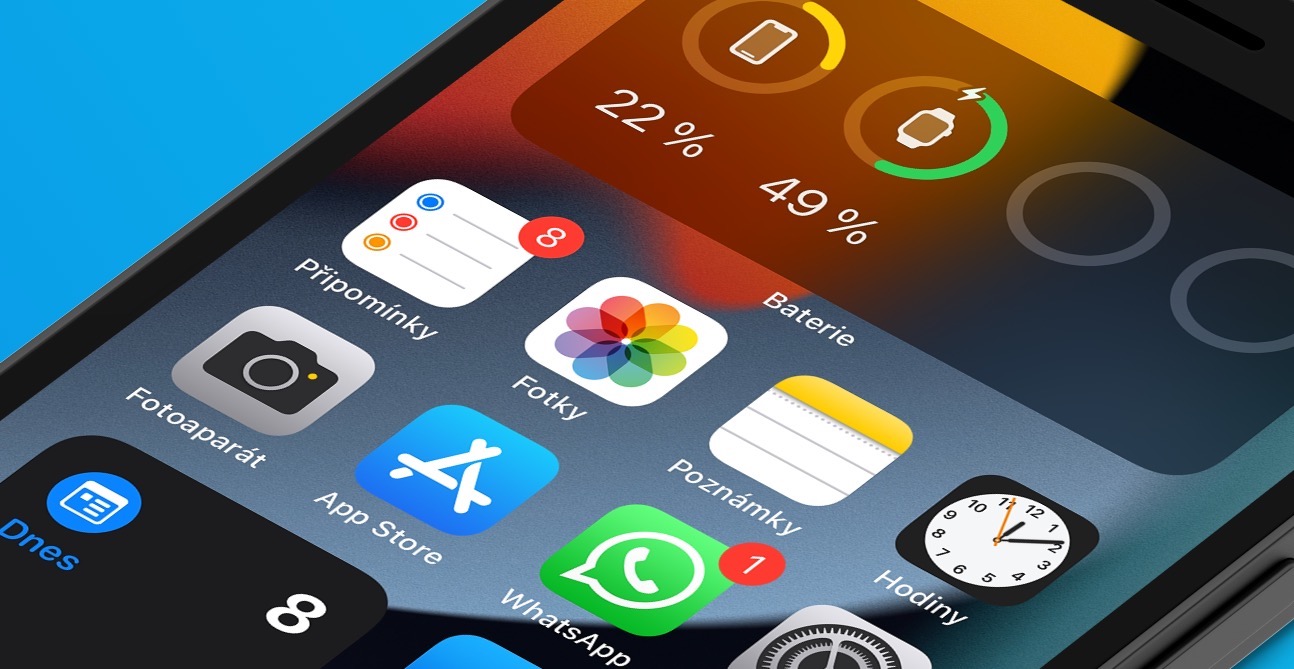
I see one disadvantage in ios 16 vs ios 15 when I charge the battery. so compared to ios 15 is not in capital letters when I change the display to see how much is charged it was in ois 15 ios 16 I have to focus only on the battery indicator and it's hard to see in green, hopefully they'll fix it
When you download the control center, it shows how much it has in percentage, and you just have to add it widget. And it's beautiful to see there
I understand you, but why isn't it like it was on ios 15 when I lit the display I saw on the large display how much charge was left
I don't know, I added it to my screen wallpaper widget battery and there is at least a circle where you can see approximately how charged it is
With battery indicator Apple obviously problems :D let's be glad that koneso we have % battery directly in ikone :D
Do you think mine? iphone 13 will have update support minibarely 5 years?
Vintage
It's funny to hide the album "locked" .. that's nice though iphone, but I'm not allowed to lend my tablet to my family.. where it can't be locked.. they would kick me out immediately 😀😀
It will have to work on the iPad only from the next version, because now the latest update is 15.7, not 16.
The Antutu Benchmark application has a big bug, it tests it and it crashes after a while
The boogers have done it again...!!!
He eats the flashlight like a pig!!!
My apps are crashing!!!
Safari devastated - a barn!!!
So I jumped on it and either I misunderstood the article or I don't know where to look. Widgety on the lock screen it only offers a couple of integrated apps, but not third-party apps :( which is a shame, because I would need to see the continuously measured blood sugar level there :( for something like that widgetIt works for me when the phone is unlocked.
Wait for the developers to update the app. It's all (unfortunately) up to them now. Apple provided them with the necessary tools, so they just need to implement everything in their applications, which will take some time.
May I ask what kind of sensor and application do you use that continuously measures your sugar? Thank you
Xr then nothing
A little OT, but I see that it is a read and widely commented article, how do you clean the shiny back of the iPhone around the cameras? On a black iP 13 Pro it's still dirty and it takes me an hour to clean it with a cloth 😃 please advise. Thanks :)
Stick a piece of smooth cloth slightly moistened with Alpa, or some mild alcohol (so as not to damage the cocks), on the hammer, and then clean it with long movements of the hammer.
The same phone.. and I'm as greasy as a pig, I try to at least clean before taking pictures.. I don't try to clean around things anymore.. and I have it cleaned by whoosh
Na iPhone 12mini I observe such acceleration that nestI'm going. 😀 And that's not even kidding.
yes, I confirm, it's a blast
I am also very satisfied with the speed on the iP 12 mini, we'll see what the flashlight does.
So for me iOS 16, so far a disappointment. 🤷♂️
iPhone 13: the keyboard and typing are terribly slow, both in applications and especially in iMessage 🤷♂️ you're typing and suddenly you get stuck and then two seconds later a scrawl of text pops up...
This has been happening to me for a long time. ios 14 but not with a two-second delay…
There was already an article about this. Just delete the dictionary and the problems are over.
hi, does anyone know what the "web" item in background app updates is? I don't have a "Web" app on my phone, and there's not much about it on the net. It appeared on ios 16.
I don't know, but I disabled background update and nothing happens. Everything works as it should.
12 for 2 days after the update, it warms up before the update, no problem.. there was also a restart immediately after the update and the game continues...;(
iPhone 12 – the phone has become incredibly fast. Otherwise ios 16 has some flaws, but otherwise it's fine.
iPhone SE 2022 the same, it seems faster to me, the battery is fine, but I don't see any of the errors...
Does your fitness work without Apple Watch? I have an iP11, my girlfriend is 12, both Garmin Epix (data from the app conect), I have 0 everywhere (steps, etc.) on the second phone (iP12) it works OK.
Anyone with a similar problem or a solution?
I stopped getting notifications on Apple Watch from 3rd party applications. Previously the phone was mirrored, now it's not, I have iPhone 12 mean appWatch 7. iOS 16 to watchOS 9
I have exactly the same problem, I can't even start Spotify, I'm also 12 mini and watch 7, I hope they fix it
Well, I have too. iPhone 12 mini and Watch 6, and I've never had a problem with this, and that's what I have iOS 16 to WatchOS 9 in mobile and watches from the first developer betaversion.
I'm quite annoyed that they removed the volume setting for the player on the lock screen. It probably won't be a problem, but I was used to it. Not so much for control, but that you could immediately see the level of the volume setting. I want that back!
Agree, add the side buttons in big steps and this was a must have :/
Well, that whole player on the lock screen is pretty stupid. ProDoes the album photo have to be full screen? Really cretinous.
Hello, the album photo of the song can be hidden by clicking on it. Have a nice rest of the day.
And tell me what is the use of a lock screen with mega super ultra new widgety, when the music player all those widgety hide??
Like, I don't want to say anything, but in that appThere are probably complete idiots working there.
I'm sorry, it only goes over the entire desktop when you click on the photo in the player
So I disabled the live photo option on the lock screen background + it's not working for me messenger while writing…
So far my enthusiasm = 0