Notifications are an integral part of practically all operating systems. They can alert you to countless different things and events – whether it is the arrival of a message, information about the system status or a change in status. Many of us are not even aware of the importance of notifications, because thanks to them we can react to anything immediately. However, let's face it, we don't want to receive notifications in all situations so as not to be disturbed while working or studying. In iOS 15 decided on this Apple to really work, so he came up with several options for adjusting the way of incoming notifications, either within the Focus modes or in the scheduled notification summaries.
You might be interested in
As iPhone set up special notifications from App Store
In addition to the above, we recently iOS 15.4 also saw new options for changing incoming notifications from App StoreYou can still set up notifications from this app in Settings → Notifications → App Store, however, there are two types of special notifications that must be set up directly within the application. Specifically, these are notifications about news and updates and recommendations and offers. If you would like to activate or deactivate the arrival of these notifications, just follow these steps:
- First, you need to go to the native app on your iPhone App Store.
- Once you've done that, tap on in the top right corner your profile icon.
- Subsequently, approx in the middle of the screen click the column with the name Notification.
- Here you just need to use the switches (de)activated options News and updates whether Recommendations and offers.
Gallery
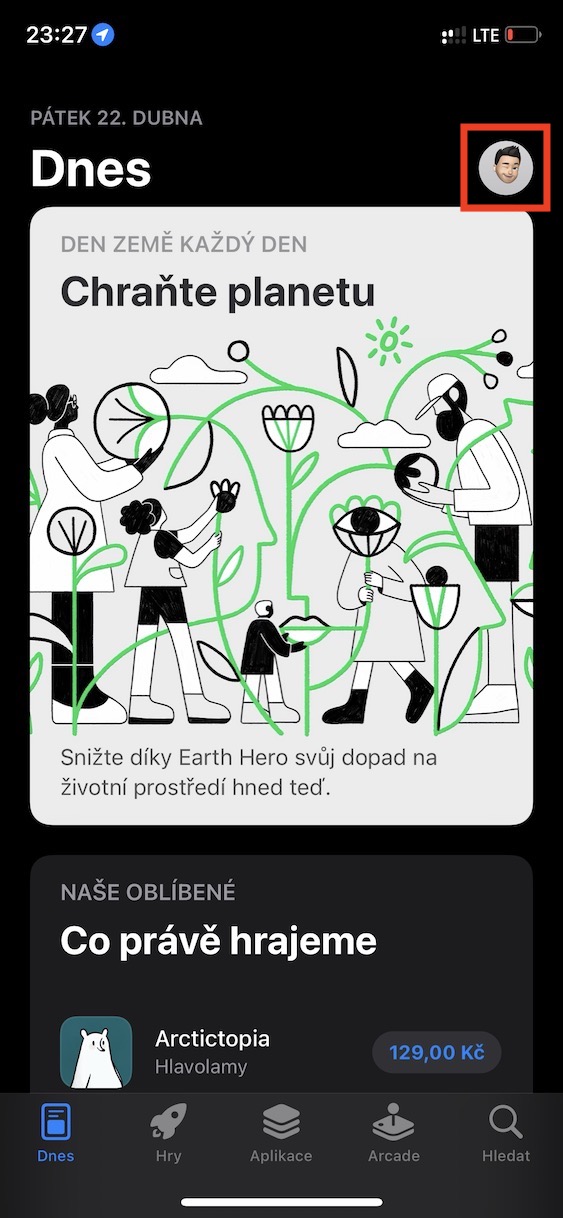
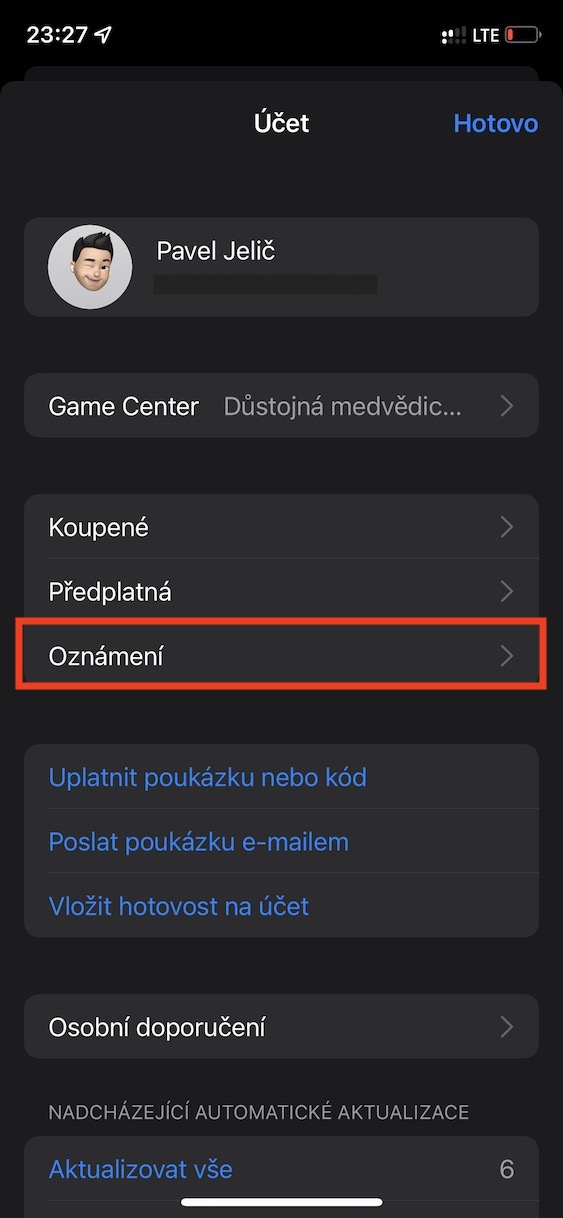
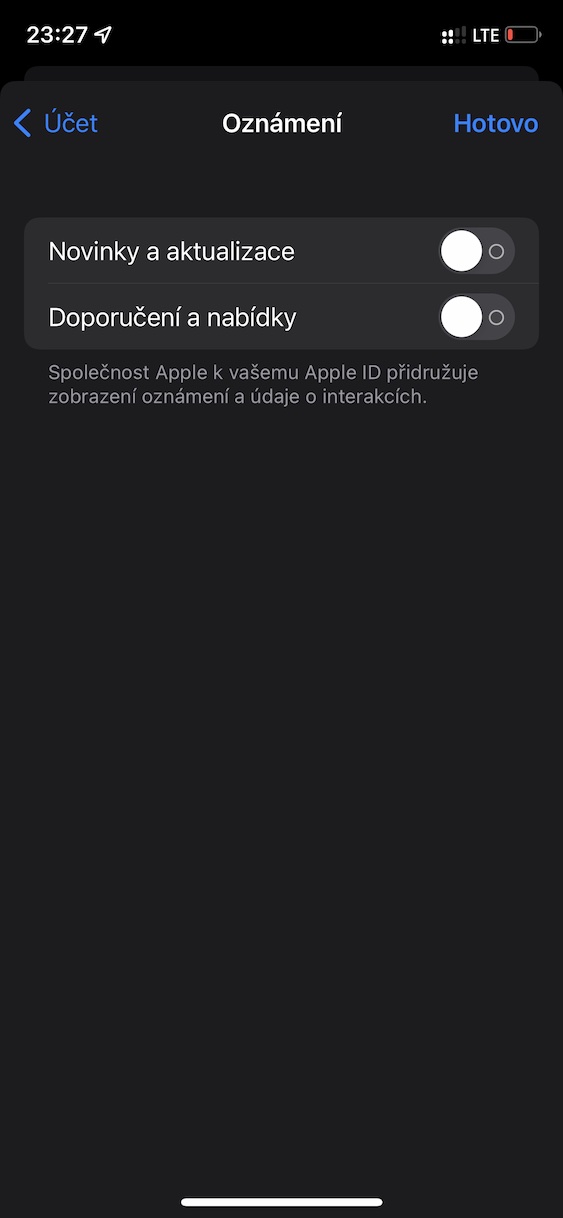
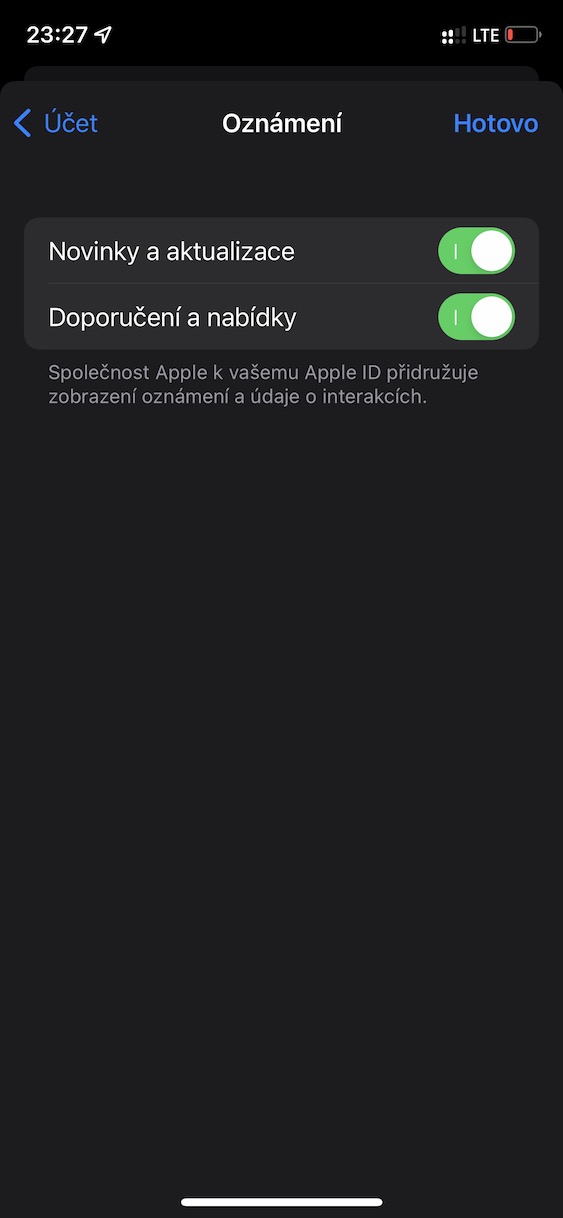
Using the above procedure, you can App Store you can set whether or not you should receive notifications about news and updates or recommendations and offers. If you activate these notifications, you may from time to time App Store for example, to notify you about the arrival of some new and interesting applications, or updates. In addition, you may receive a notification about a recommended application or various advantageous offers when the application is discounted. It is up to you whether you want to have these notifications turned on or not - although they can alert you to various news, on the other hand, they can be distracting when they arrive.