
If you are one of those individuals who follow the events in the Apple world, you certainly did not miss the developer conference a few months ago. WWDC21. At this conference, the Apple company introduced new major versions of its operating systems – specifically iOS and iPadOS 15, macOS 12 Monterey, watchOS 8 and tvOS 15. All of these operating systems were available for early access immediately after their introduction as part of beta versions, first for developers and then for ordinary testers. But currently, operating systems are iOS and iPadOS 15, watchOS 8 and tvOS 15 released to the general public and the remaining macOS 12 Monterey will then be available to the public in a few days. In our magazine we are constantly focusing on news from new systems and in this article we will look at another option from iOS 15.
You might be interested in
As iPhone v Safari hide your IP address from sites and trackers
Apple is one of the few tech giants that strives to protect the privacy of its consumers. Specifically, it achieves this through all sorts of features, the purpose of which is tofolio is constantly expanding, and it is also not part of the various user data leakage scandals that appear from time to time. We can specifically mention, for example, the Intelligent Tracking Prevention, which prevents websites and trackers from accessing your user data. Directly in iOS 15 then a "new" service was added iCloud+, which offers features Private Relay to hide your location and other data and Hide my email to disguise your real email. In iOS 15, you can now also set exactly who your IP address will be hidden from, as follows:
- First, on your iPhone with iOS 15 move to native app Settings.
- Once you've done that, scroll down a bit and unclick the box Safari.
- Then scroll down again to the category named Privacy and security.
- Then locate and click on the box here Hide IP address.
- nakonec you just have to choose whether you want to hide your IP address only before trackers, or even before pages.
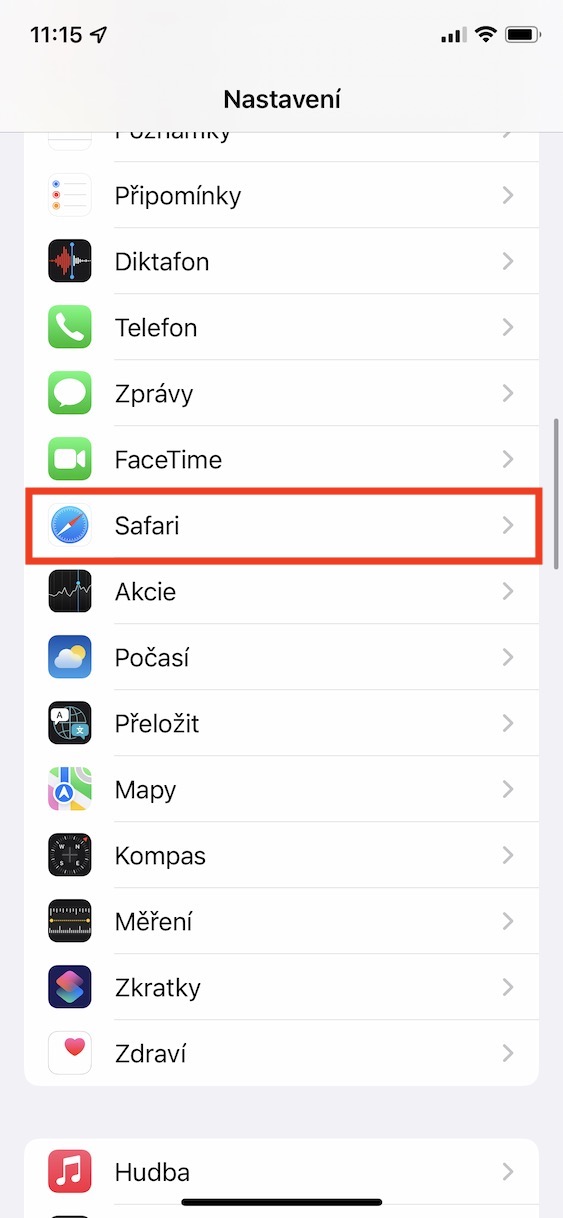
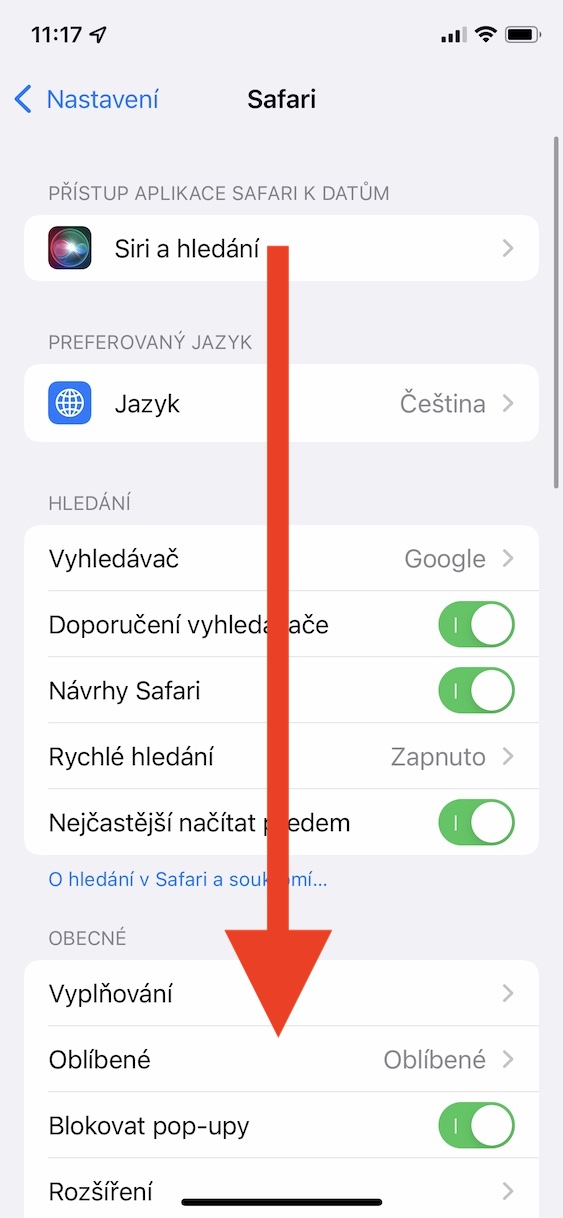
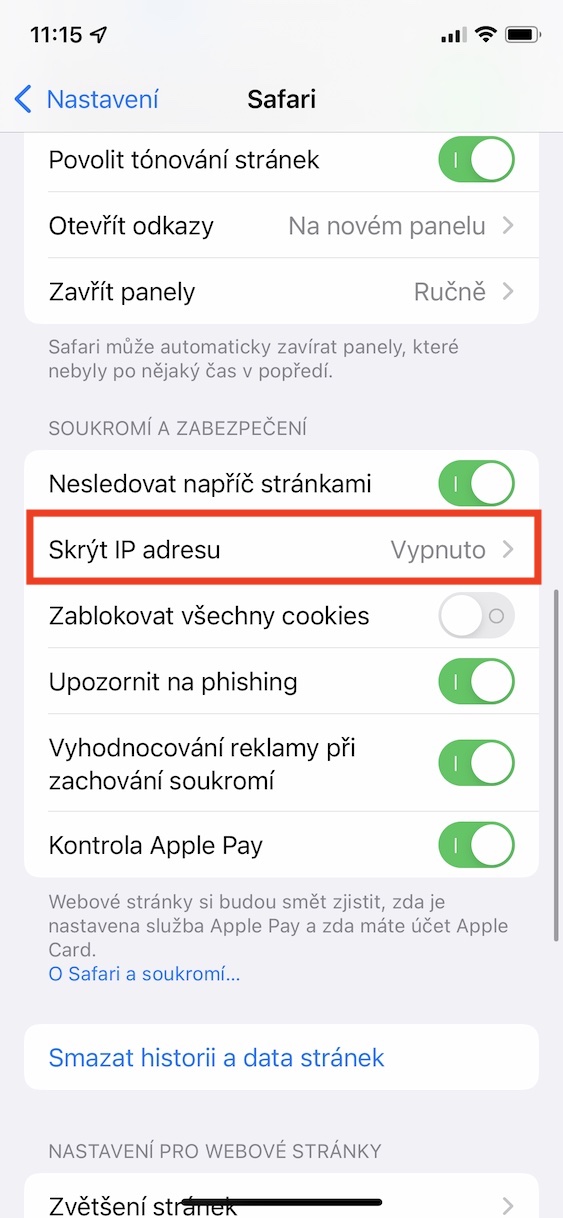
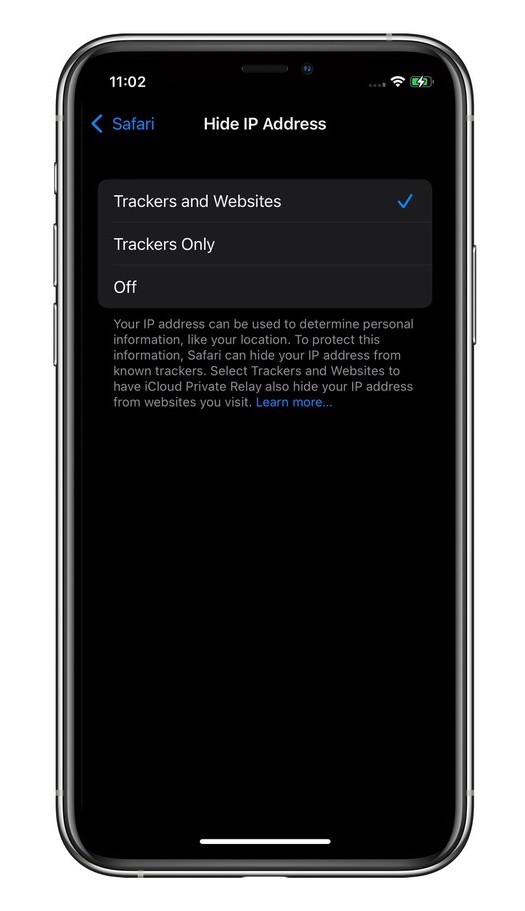
Prothrough the above procedure you can iOS 15 set whether to hide when browsing the web via Safari your IP address only from trackers, or even from websites. However, if you have the function active Private Relay, i.e. Private transmission, so Safari hides your IP address from all trackers and sites automatically. Thanks to the above procedure, you can set up IP address hiding even if you do not haveCloud+, i.e. if you use the free plan iCloudu.



I only have it in front of the trackers, but not in front of the web clients, how do I make it complete?
You need to go to Settings>Click on your name at the top>iCloud>Private transmission (betaversion)>Enable. Then you will see in the settings Safari The option to hide your IP address from websites will appear.
You forgot to mention that this feature is paid. You have to subscribe tooCloud.
Thank you very much.
iCloud I'm paying so it's okay.
Thank you once again. 👌🏻