To introduce new operating systems from AppThis year's first conference was held WWDC21. This developer conference took place at the beginning of June this year and it should be mentioned that it was attended by Apple introduces new operating systems traditionally every year. Specifically, we got to see the introduction of iOS and iPadOS 15, macOS 12 Monterey, watchOS 8 and tvOS 15. All of these operating systems were immediately available for early access as part of beta versions, first for developers and then for testers. Currently, the systems are "out" for the general public, except for macOS 12 Monterey, which we will see soon. In our magazine, we are constantly focusing on new features and improvements that are part of these systems, and in this article we will look at watchOS 8.
You might be interested in
As Apple Watch activate voice feedback during exercise
Apple Watch most of us use the iPhone as an extension of our hand. But the truth is that Apple watches were created primarily for recording activity and exercise. You can use native apps to track activity, however, it's true that some third-party apps can do a bit more. We can mention, for example, the function thanks to which the application informs you about some progress during exercise, i.e. about the distance traveled, etc. The Exercise application was originally able to inform you about this fact with a haptic response or notification, but now you can set it to receive voice notifications about your milestones . The procedure for activation is as follows:
- First it is necessary that you on your Apple Watch s watchOS 8 moved to the applications list.
- Once you've done that, locate and click on the app Settings.
- Then go down a piece below, where the column is located Exercises, which you tap.
- Then go all the way down and use the switch activate possibility Voice response.
Gallery
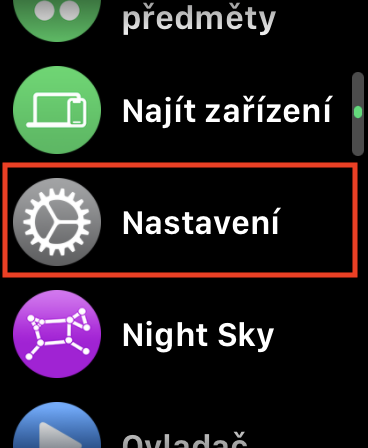
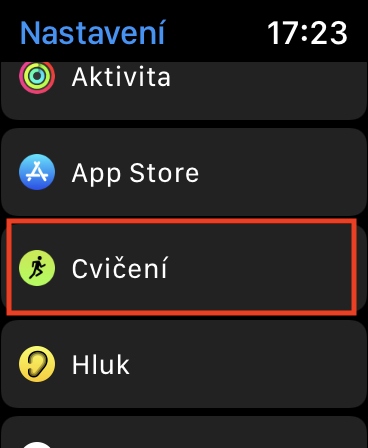
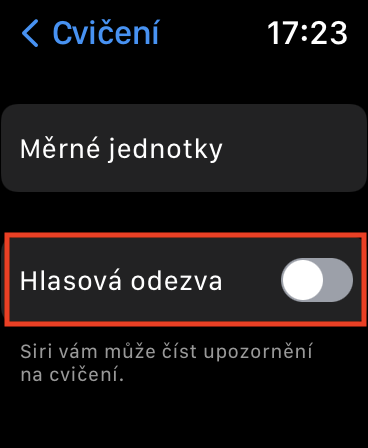
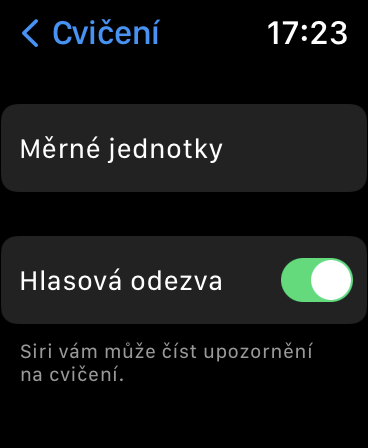
So, using the above procedure, you can on your Apple Watch activate voice feedback during exercise. Of course, you can also activate this function on your iPhone, in the Watch application. Just go to the My Watch section, click Exercise, and then activate the Voice Response option. Apple Watch as such, they won't notify you of milestones anyway - you need to have headphones connected to them. In addition to milestones, voice feedback can also inform you about the completion of activity rings.