
Nowadays, children often understand technology better than their parents. However, in certain situations, a parent should still keep a hand on their child and “protect” them in a certain way. Technology and the Internet can be a good servant, but on the other hand, they can also be a bad master. Above all, the Internet is full of all kinds of threats that a small child may not even have the slightest idea about. The best way to protect your child is to not give them access to the Internet at all, but this is rather unthinkable these days. Apple solves this situation brilliantly and offers parents the option of creating a child account for their children. They can manage this account in various ways and thus have control over the phone.onem child control. This article will teach you how to create one on your Mac.
You might be interested in

How to Create a Child Account for Family Sharing on Mac
If you want to create a child account for your child as part of Family Sharing on your Mac, it's not complicated. Proceed as follows:
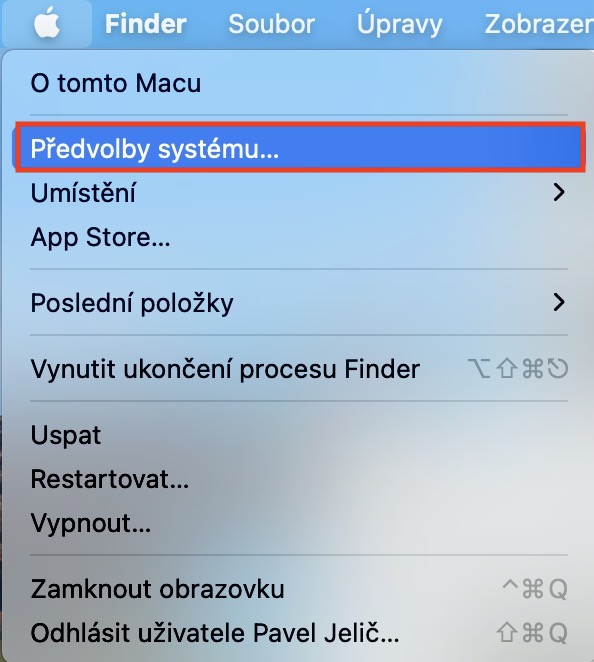
- First, you need to tap on the Mac in the upper left corner icon .
- Once you do so, select an option from the menu that appears System Preferences…
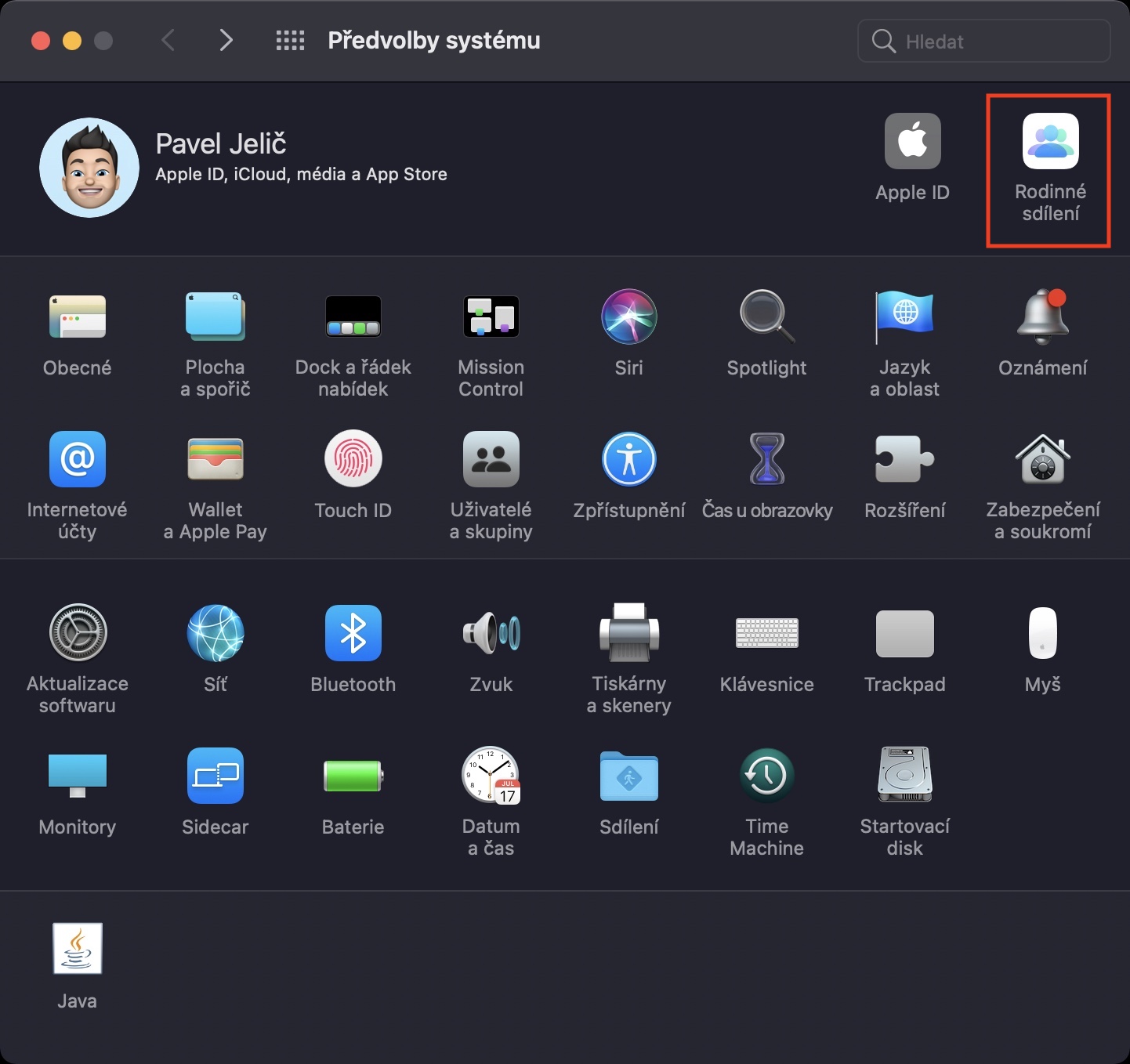
- This will open a new window with all available system management preferences.
- In the upper right corner of this window, now click on the option Family sharing.
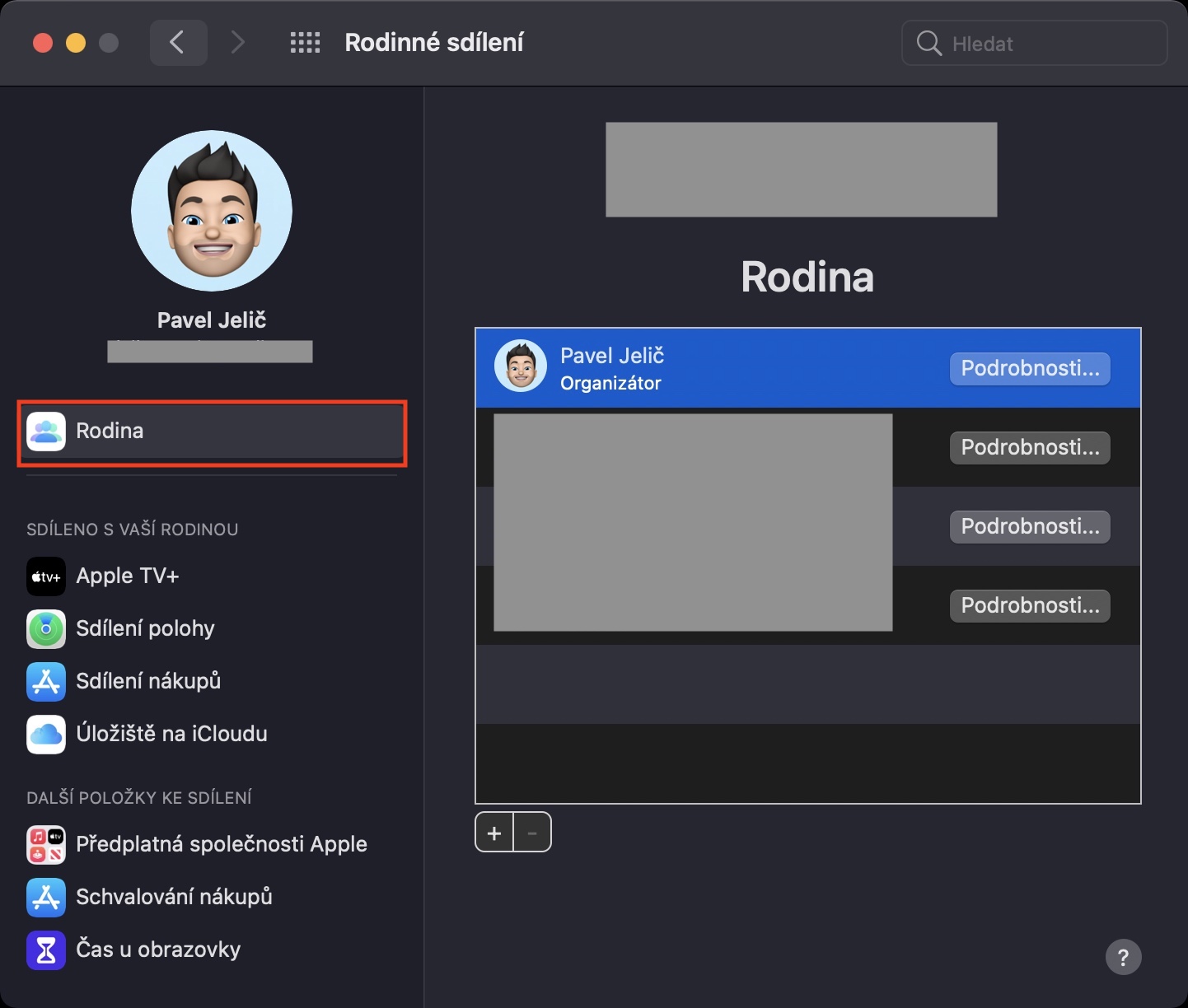
- Now it is necessary that you are in the section named in the left menu Rodina.
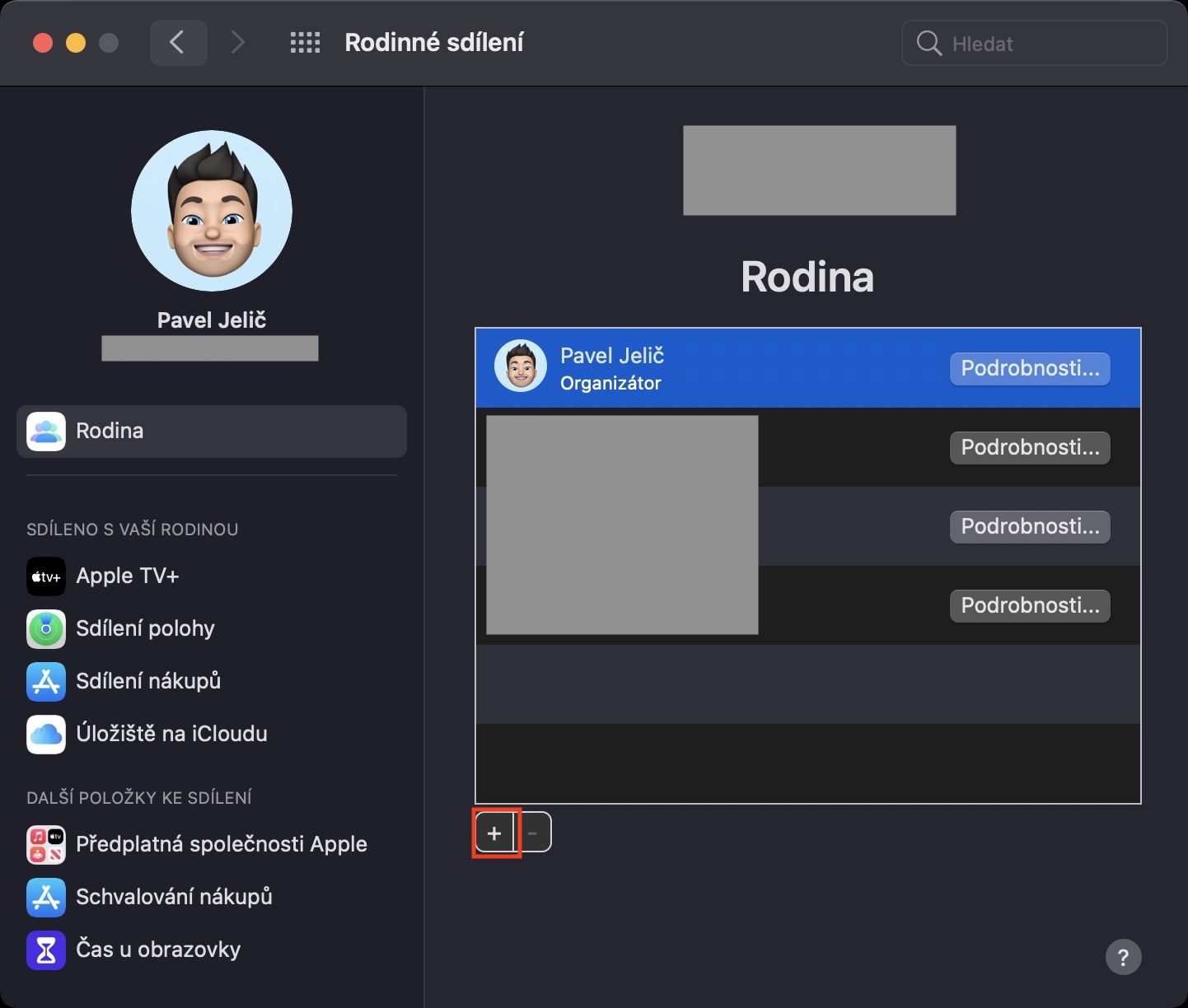
- If you are in this section, click under the table with current members the + icon.
- Another smaller window will appear, click the button in the lower left corner Create a child account.
- Once the next window loads, read the terms and conditions and click on the option Next.
- Then it is necessary for you to be in a certain way verified - in my case by credit card.
- On the next screen you are required to read the terms and conditions and tap on I agree.
- After that, all you have to do is enter the child's information and tap on Další bottom right.
- Then enter e-mail adress of your child, or tap on Don't have an email address?, whereby you can one create.
- After adding the address is necessary enter code who came to the specified e-mail address.
- Then enter telephone number for notifications and more confirm the terms and conditions.
Gallery
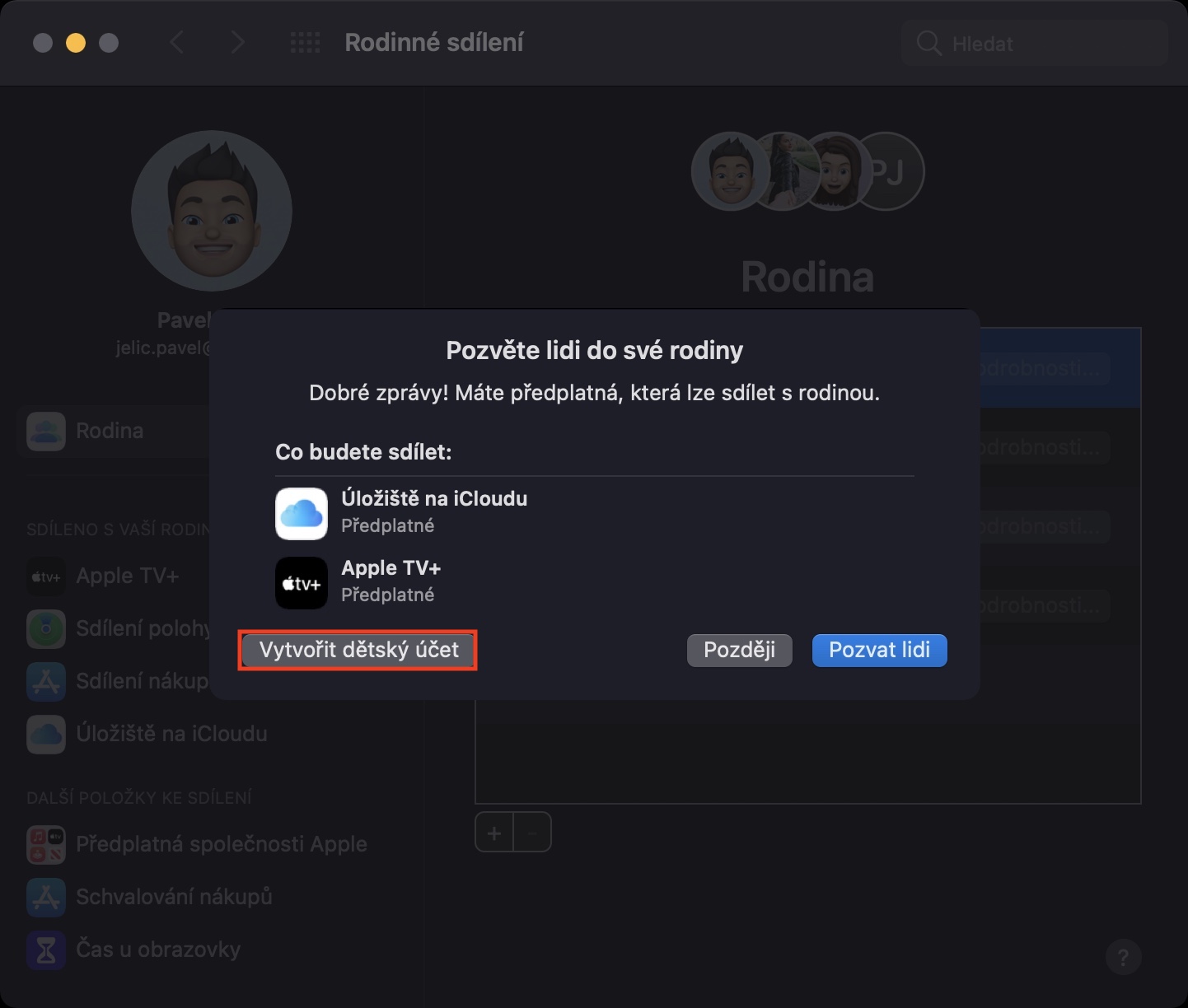
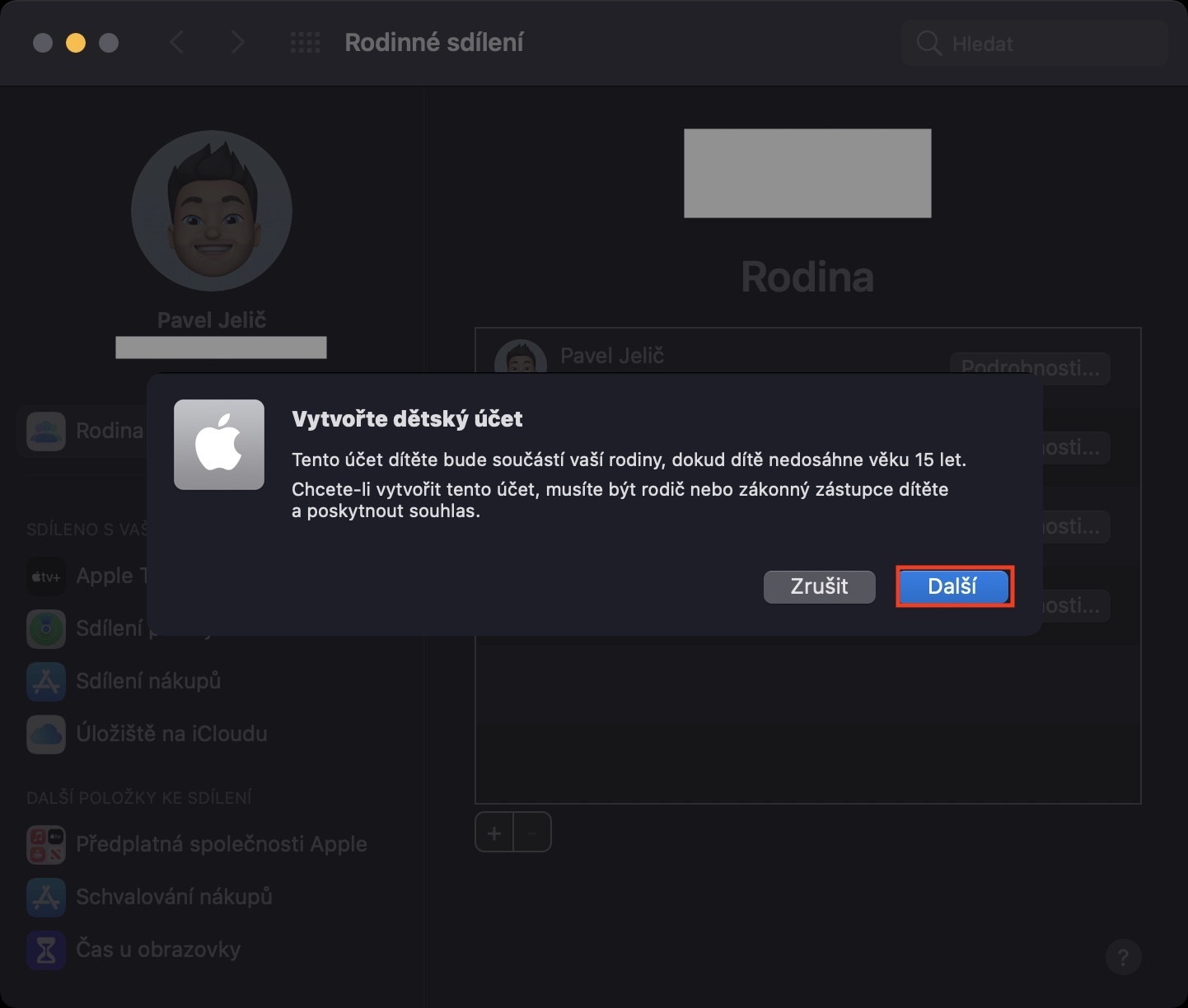
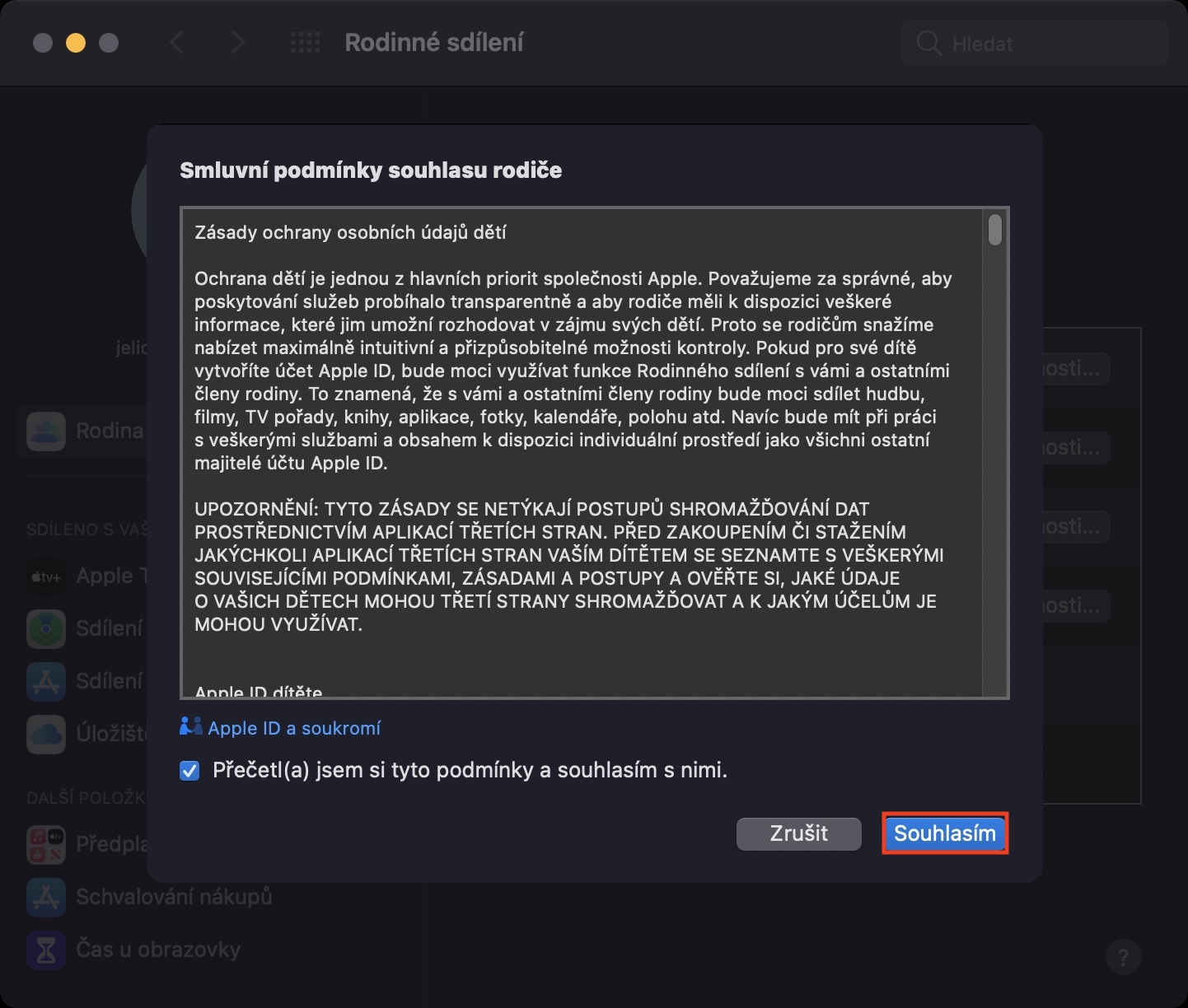
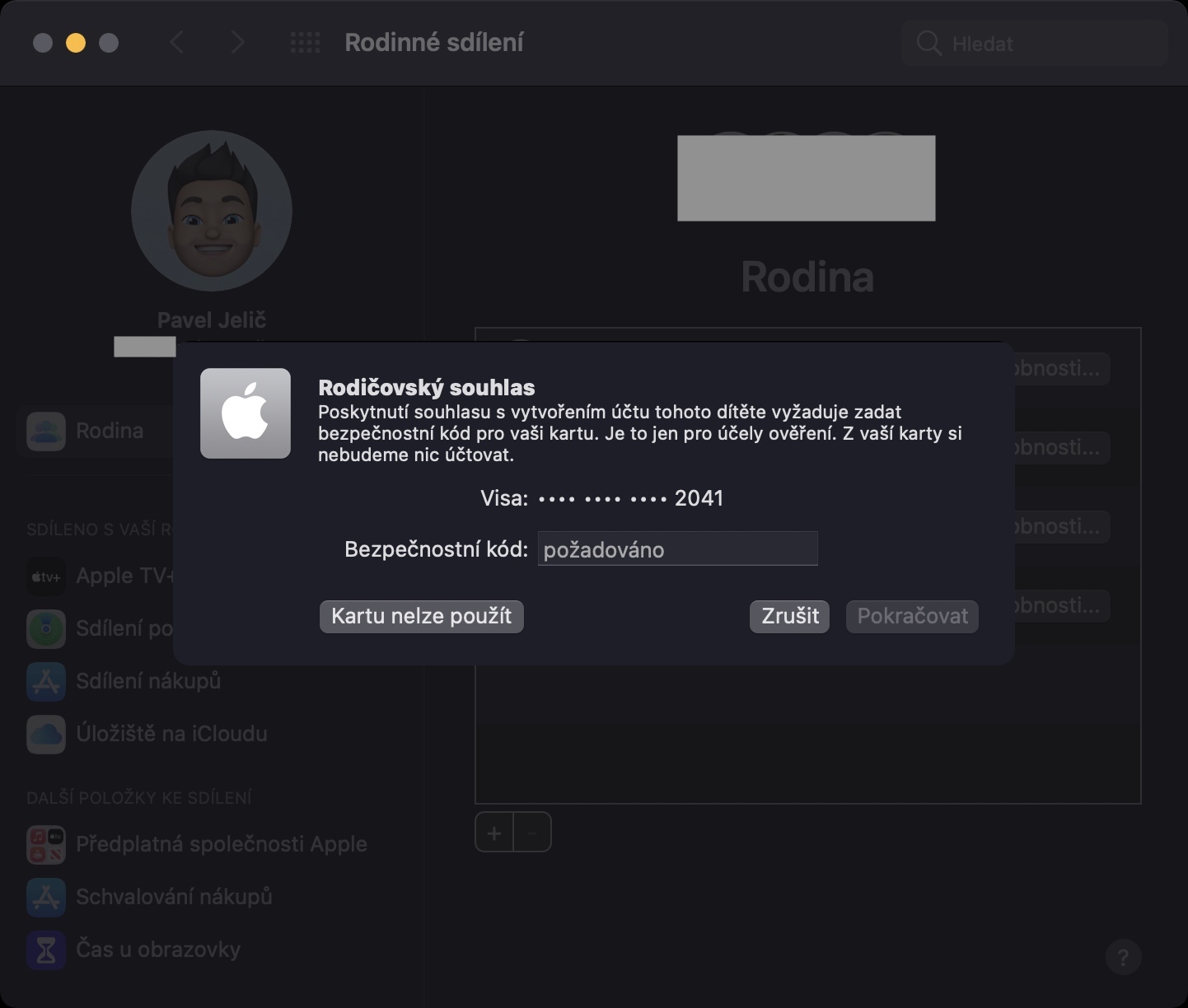
Using the above procedure, you can create a child account for Family Sharing within macOS. At the end of this procedure, you canchat view information about features that can help you regulate your child's account. From now on, you can use the feature Screen time set different limitations, in addition, you can track the child and his device in the app Find. This way, you can be at least a little more confident about what your child is doing on their Apple device.










A child's account is great. When a girl doesn't listen, I happily block her. Her favorite appky and then she's as good as a lamb.. 😁
But there is a problem with apple pay. It doesn't work for a child account. Does anyone have a tip on how to fix this?
I have created a child account, but how can I block them? appwhat?
This Apple Pay I would be interested too. Wallet It's possible to enable it as an app, but you can't add a card. And I'm afraid it probably won't work until the child is 13, which is what I was looking for.