
In recent days, our magazine has been focusing mainly on alternative applications for WhatsAppWe do this primarily for the reason that Facebook, which is behind the aforementioned communicator, decided to modify the terms and conditions of use. Specifically, after applying the changes, it was supposed to gain access to additional user data from WhatsAppThere have even been reports that it might be able to read your messages and then use them to better target ads. If you've already tried an alternative app for WhatsApp you have downloaded and started using it, you might be interested in how you can completely WhatsAppu delete account. In this article we will look at how to do that.
You might be interested in

How to delete an account on WhatsAppu
Regarding the available alternatives for WhatsApp, so you can use, for example, Signal, to Three whether TelegramIf you've gotten used to the alternative and now want all the data about you WhatsApp - hence Facebook – acquired, delete, then it is not anything extra complicated. The procedure is as follows:
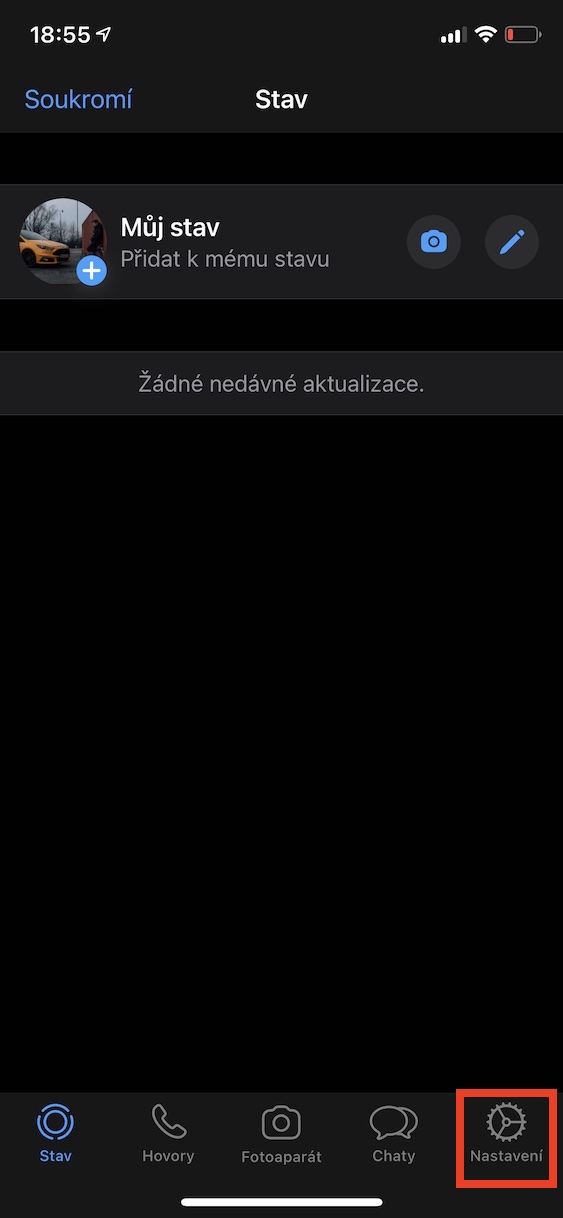
- First, you need to open the app on your iPhone WhatsApp.
- Once you've done that, click on the option on the left in the bottom menu Settings.
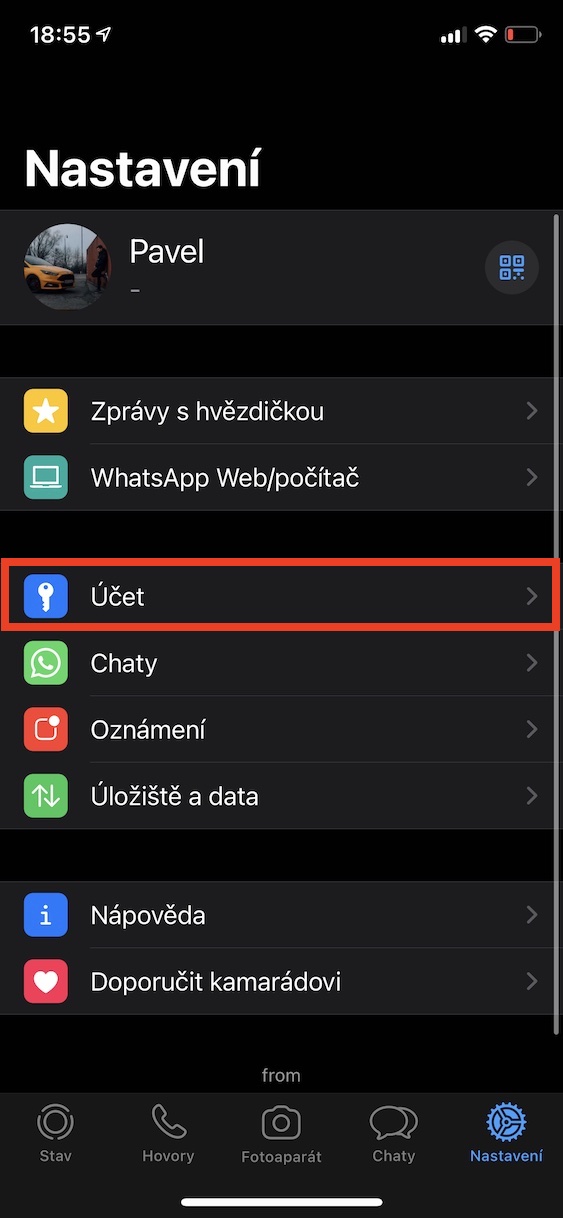
- On this screen, locate and click the box Account.
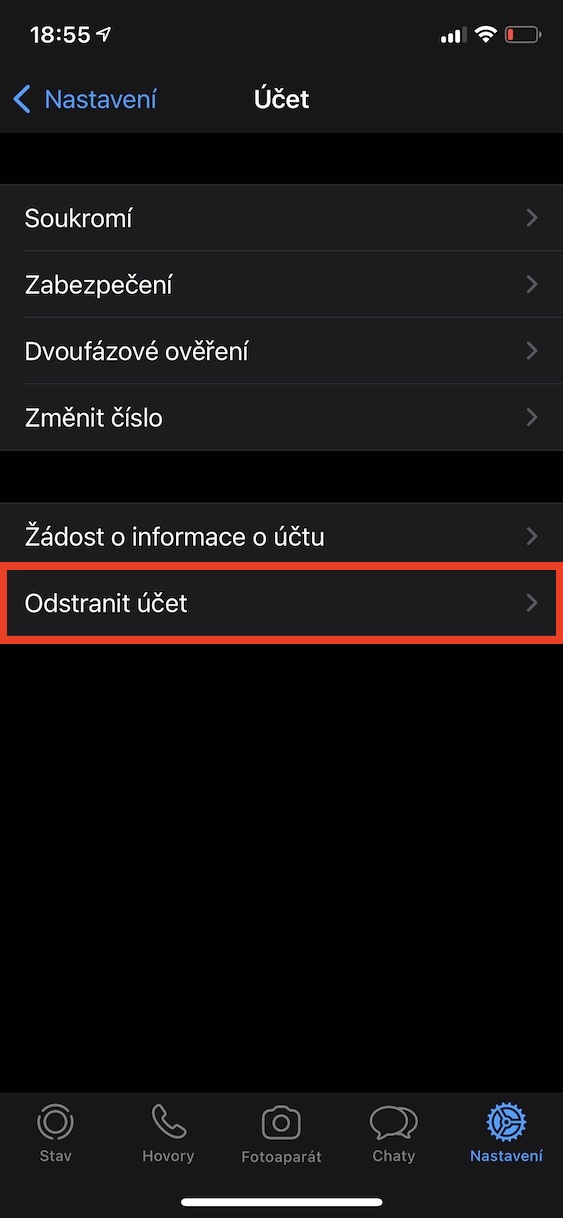
- Within this section, click on the line Delete account.
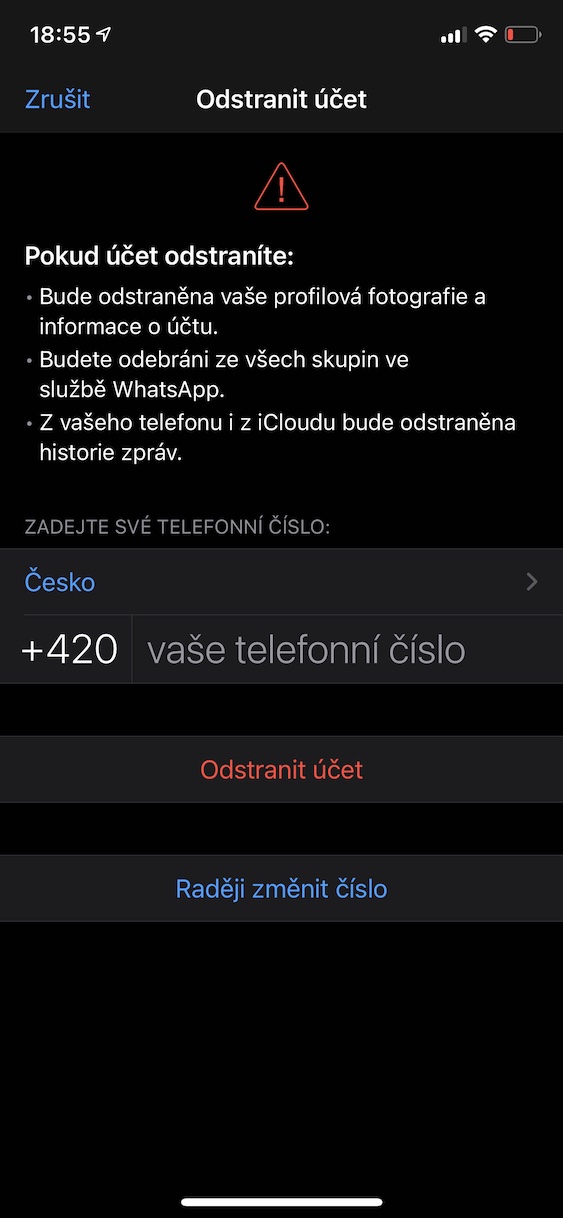
- Now read all about what happens if you delete your account.
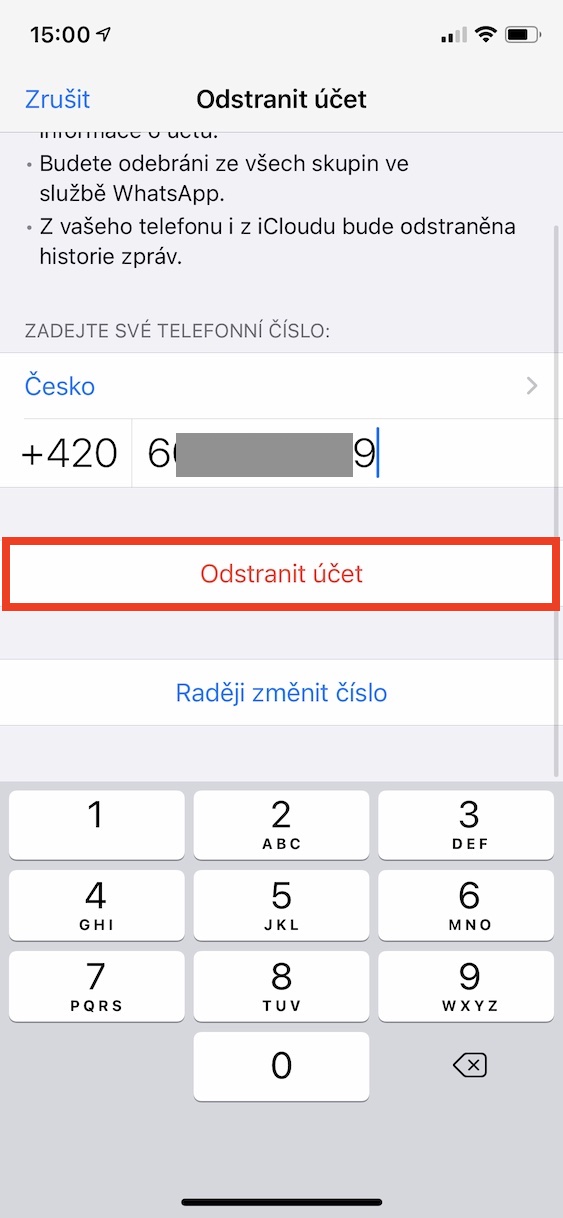
- If you agree with everything, then below enter your phone number.
- After entering the number and thinking about it, click the button Delete account.
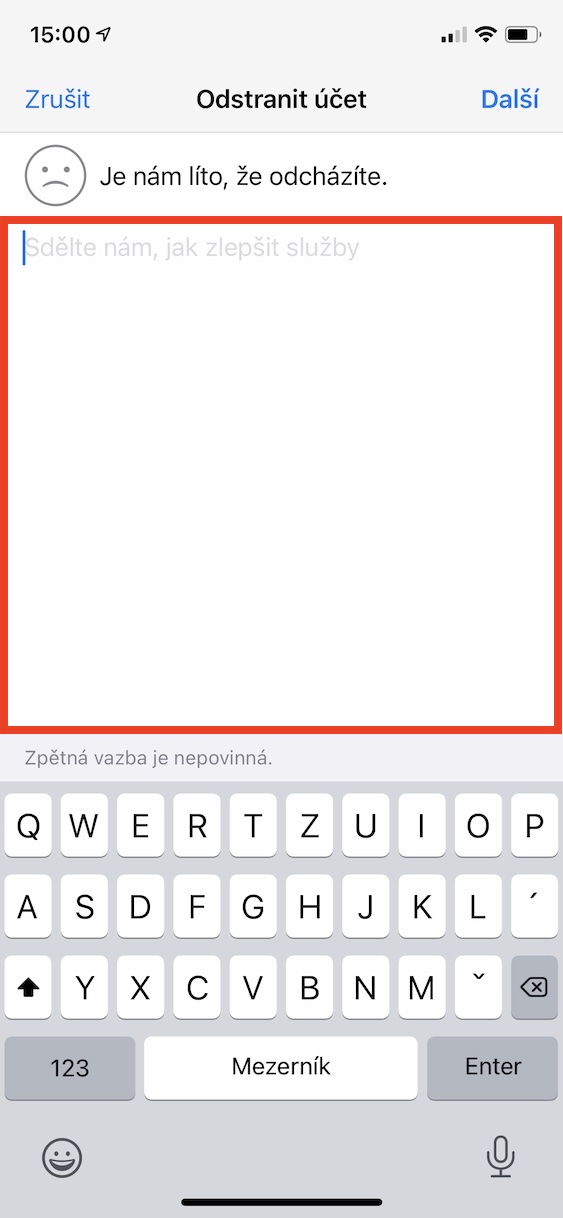
- Once you do so, a screen will appear where you can provide feedback.
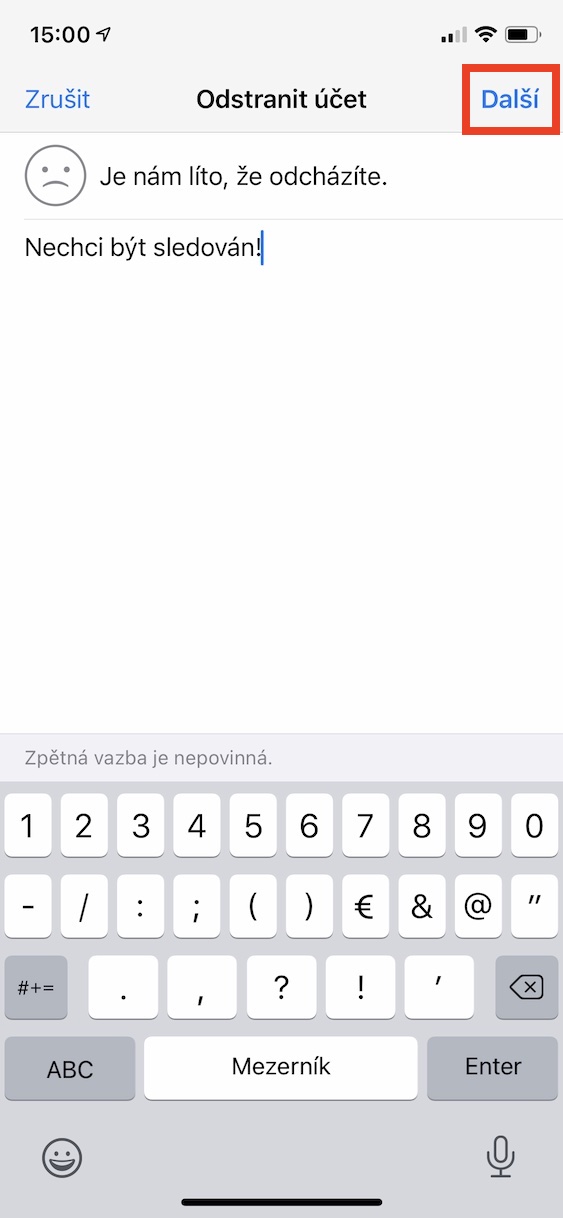
- Providing feedback is optional. Then tap on the top right Next.
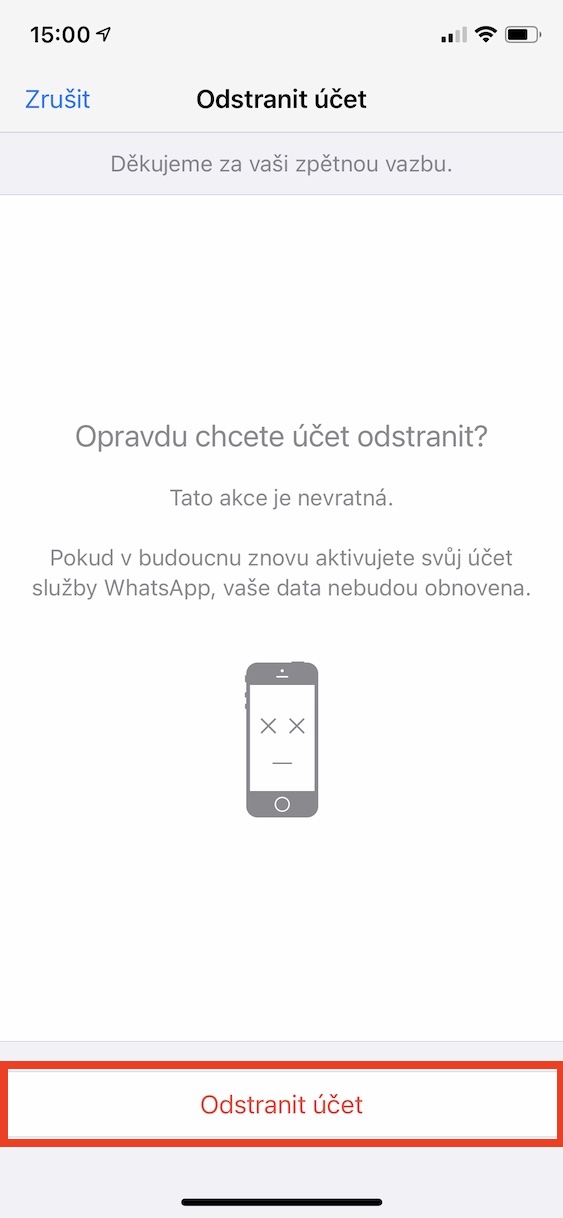
- On the next screen, you have one last chance to go back. The deletion is irreversible.
- To delete the account completely, tap at the bottom Delete account.
Gallery

If you deleted your account using the above procedure, WhatsAppu, then there is no going back. If ever in the future WhatsAppIf you return it, none of your data will be restored and you will start with a clean slate. Some of you may be wondering what exactly happens to your account after deletion:
- Your profile photo and all account information will be deleted;
- you will also be removed from all groups you joined within WhatsAppu joined;
- message history will be deleted, both from local storage and fromCloudu;
- personal data will also be deleted, which WhatsApp shares with Facebookem.
The complete deletion of your data may take up to 90 days from the time you requested account deletion. A copy of your data may also remain on i for up to 90 days.Cloudu. Directly WhatsApp However, it states that some diagnostic records may not be deleted – they do not contain any personal identifiers anyway. So it can still WhatsApp retain your data for legal purposes.
Gallery




Hello. I know it doesn't belong here. But I would need help with the file. Is it possible to use two wp on two ip under one phone number? the same account on two mobs.
Possibly fornest complete for a new mobile including history settings so that I can continue on the new mobile where I left off on the old IP. Thank you very much for the help and advice. Is it possible or not?
iCloud deposit WhatsAppu should ensure this, then turn it on in settings Handoff (start working on one Apple device and finish the second one with the same iCloudem), I think it should work like this, but I'm not sure, definitely try it.
Handoff it won't help.
Backup on one phone - authorize and restore the backup on the other and vice versa and so on. Nothing practical.