
It's been a few days since we last met.onehave finally seen the release of the first public version of macOS 11 Big Sur. This operating system comes with huge changes, both in design and functionality. Since the introduction itself, we have been bombarding you in our magazine with all kinds of articles and guides in which you can learn more about the new features. This article will be no different - specifically, we will take a look at how to use it on your Mac or MacBooku can set the top bar, or menu bar, to automatically hide. This gives you a slightly larger work area, which may be useful for some users. So how do you (de)activate this feature?
You might be interested in

How to set the top bar to automatically hide on Mac
If you want to set the top bar to automatically hide on your macOS device, it is not a complicated procedure. But as I already mentioned, you must have the latest macOS Big Sur installed on your Apple computer - this feature is not available in older versions of macOS. Let's see how to do it together.
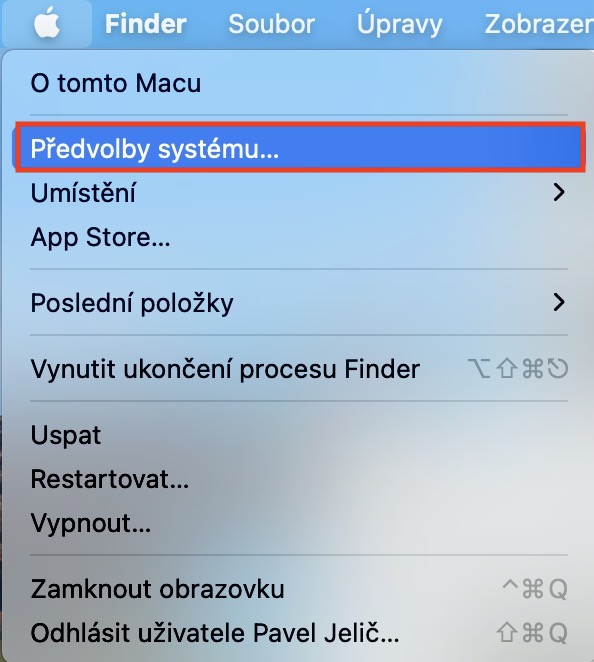
- First, you need to have on your Mac or MacBooku clicked on the top left icon .
- Once you do so, a menu will appear in which you can click on an option System Preferences.
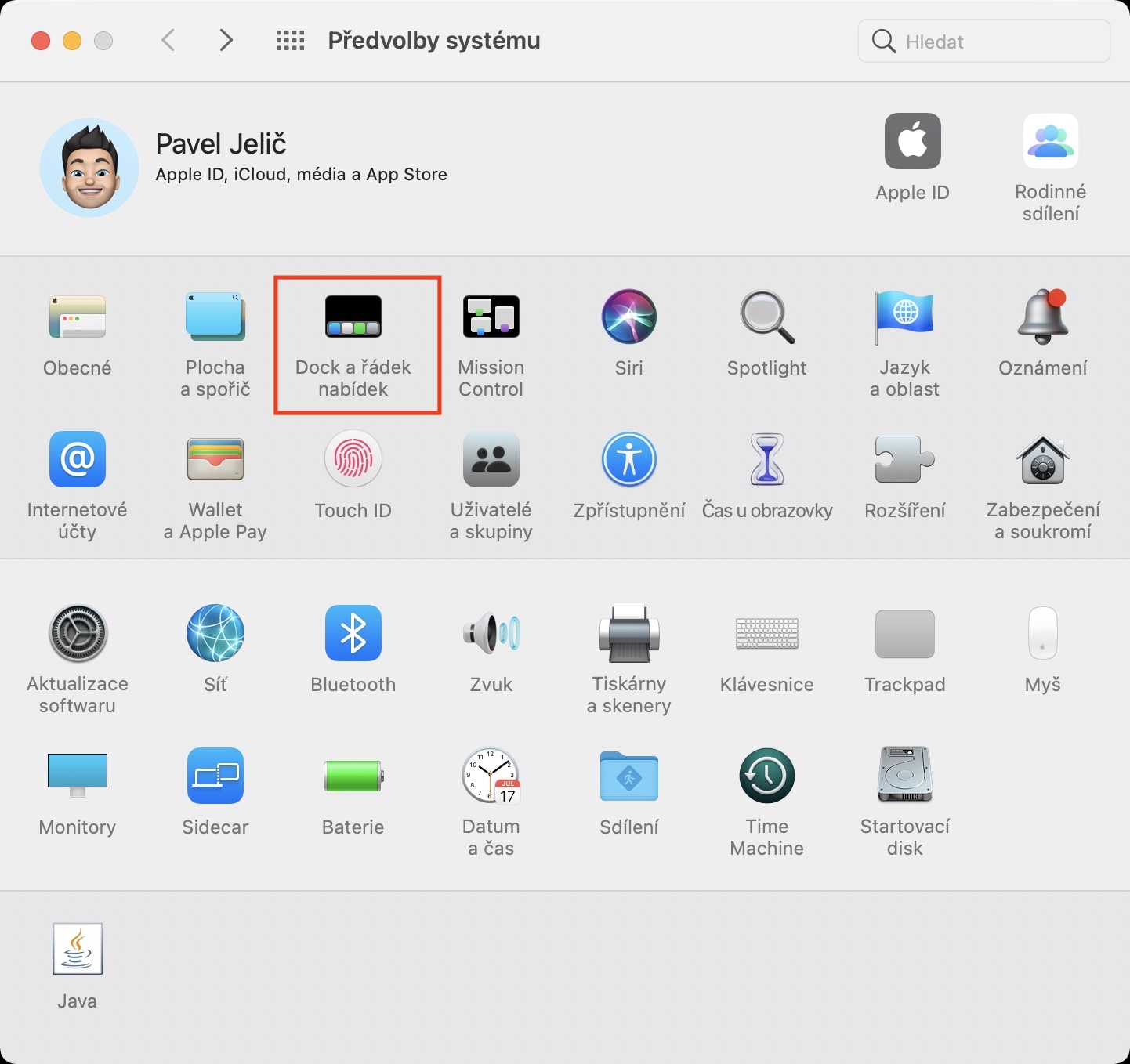
- This will open a new window that contains all the sections for editing system preferences.
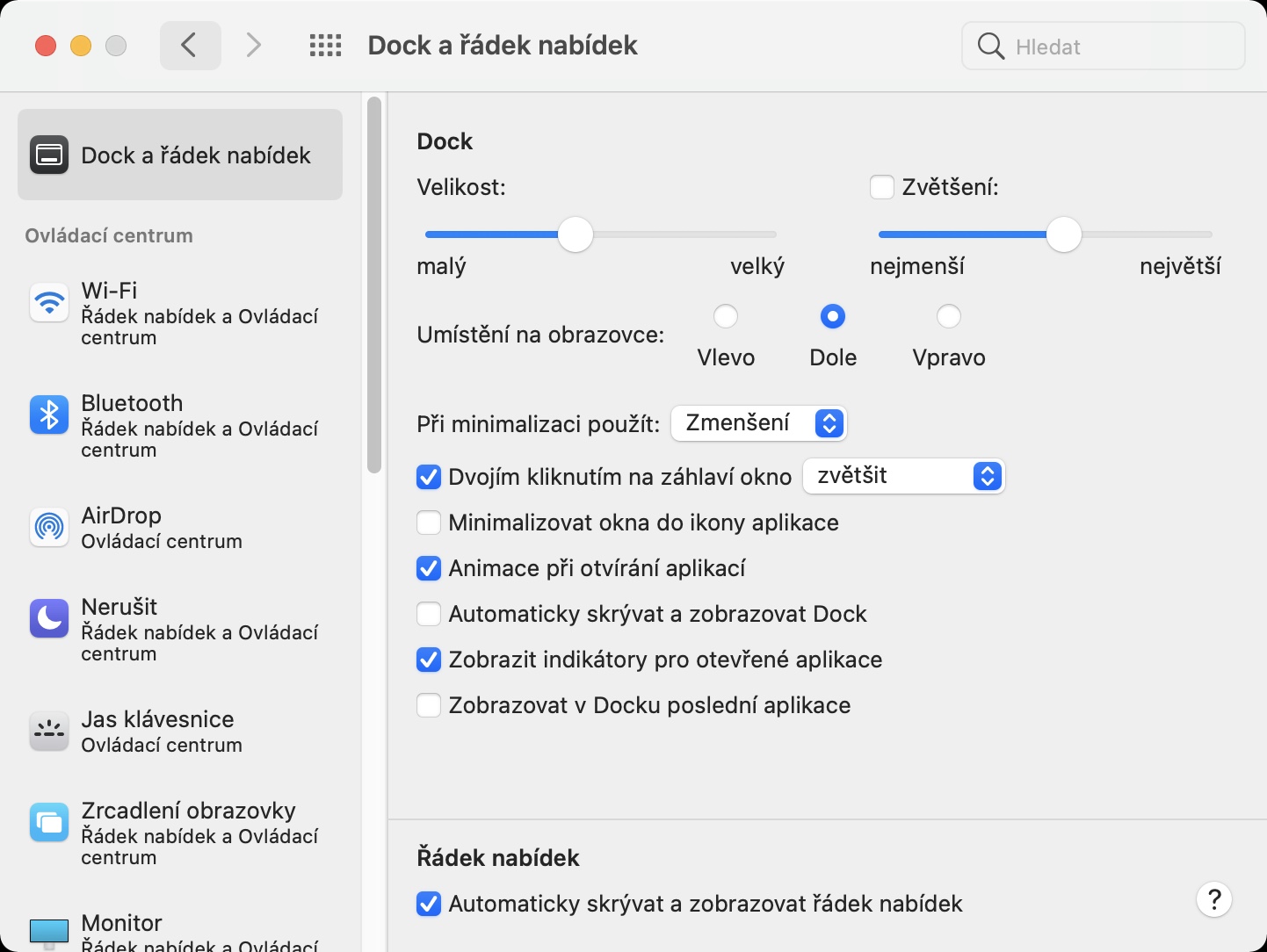
- Within this window, it is necessary to locate and click on the box Dock and the menu bar.
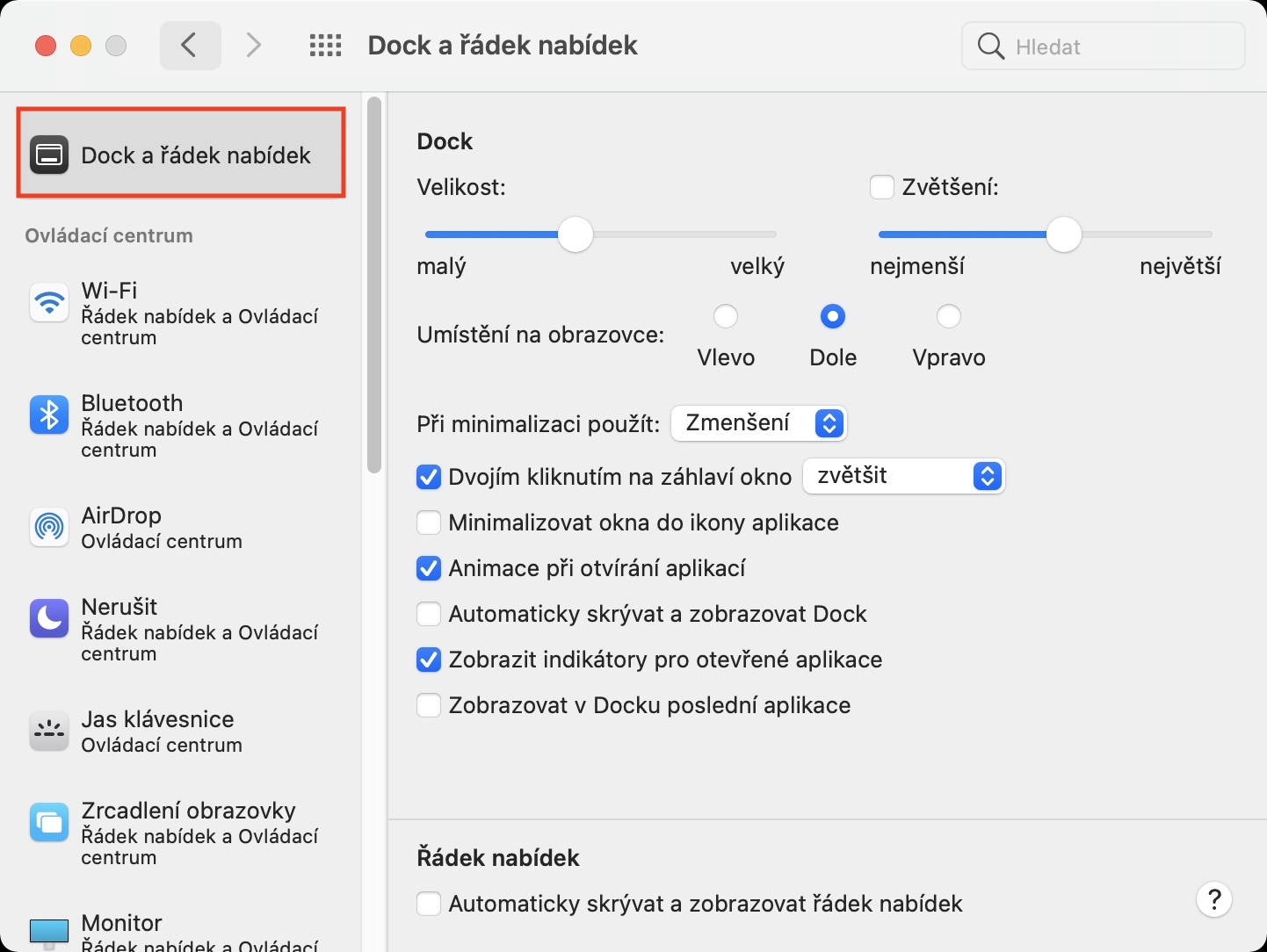
- Now make sure in the left menu that you are in the tab Dock and the menu bar.
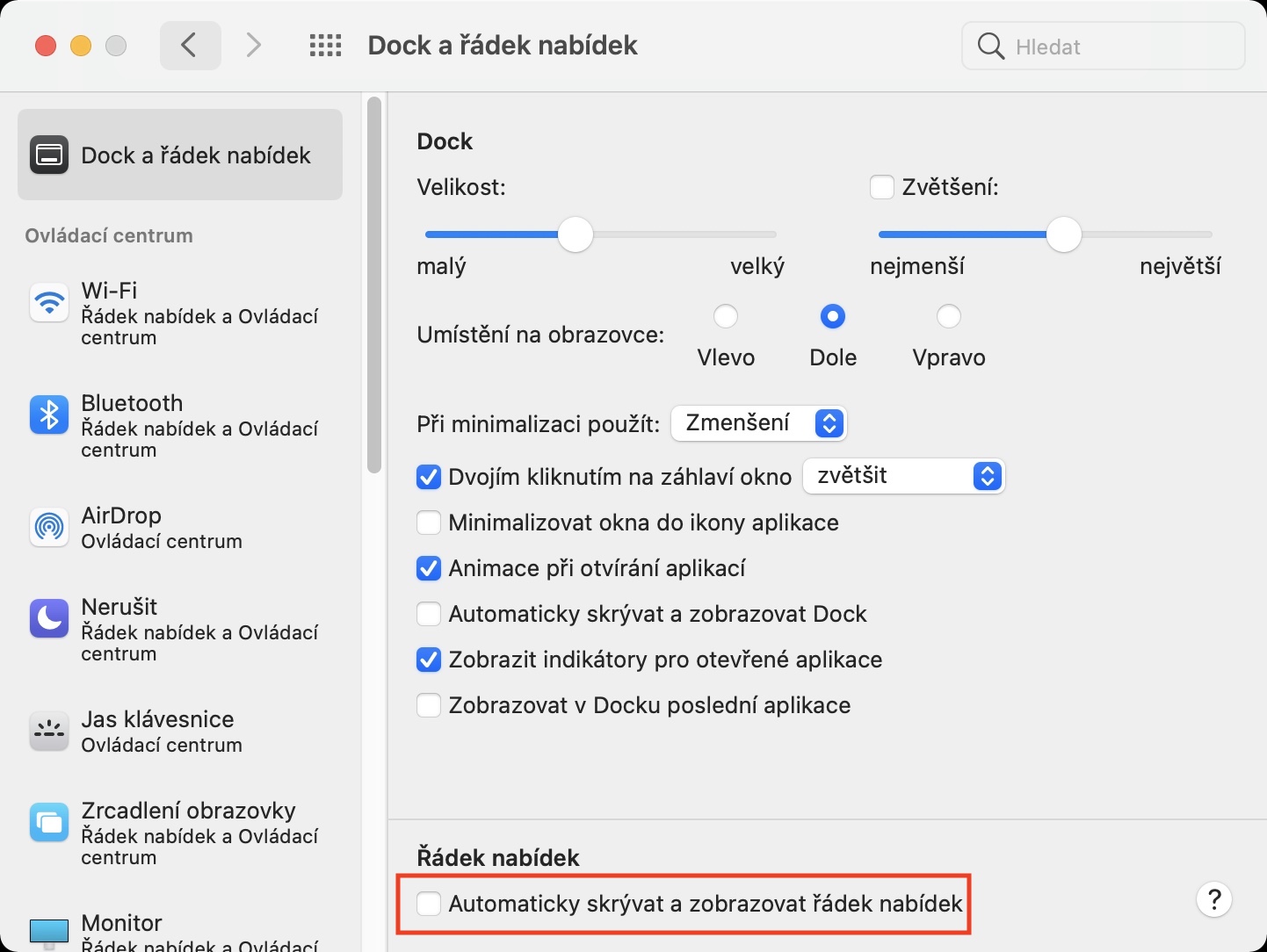
- nakonec you just need to get down (de)activated possibility Automatically hide and show the menu bar.
Gallery
After you activate this feature, the top bar will automatically hide, similar to, for example, Dock. The top bar will automatically remain hidden until you move the cursor upwards. Some users may find this feature useful if they are annoyed by the constant display of the time in the upper right corner. Of course, time is relatively important in my case, but I work better when I don't know exactly what time it is, and besides, I don't have to rush anywhere and back.chat.





I don't mind the bar, on the contrary, but what I'm missing is the battery percentage indicator, can you help me?
I also miss this on the iPhone 12ProOn older iPhoneI used to always look at the percentage on the flashlight and immediately knew how I was doing. Now I have to pull up the control menu 🙁
In System Preferences, click on "Dock and menu bar", scroll down in the menu on the left, where there is "Battery" and there is the option "Show percentage".
Thanks! I was looking for it at the battery 😁
It should also work if you right-click or trackpadwhen you CTRL + click on the flashlight, a menu appears and there is Show percentage somewhere. Or at least that's how it works on Mojave :-)
https://www.letemsvetemapplem.eu/2020/11/13/jak-na-macu-nastavit-aby-se-v-horni-liste-zobrazovala-procenta-nabiti-baterie/