If you are using the macOS operating system toanciWork office suite led by the application Pages, you might be wondering how to change the default font. This is set to Helvetica Neue at 11 pt by default. If you want to change this default, for example to the default font from Wordwhich is Times New Roman, you can easily do it. You will learn how to do it in this article.
You might be interested in

How to on Mac Pages change default font
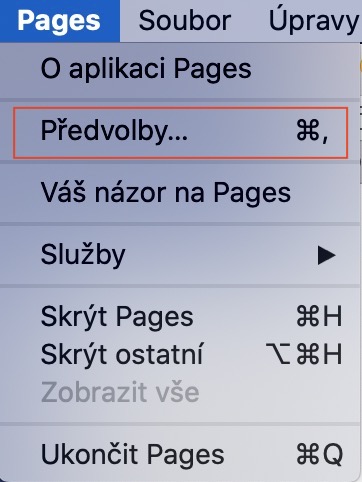
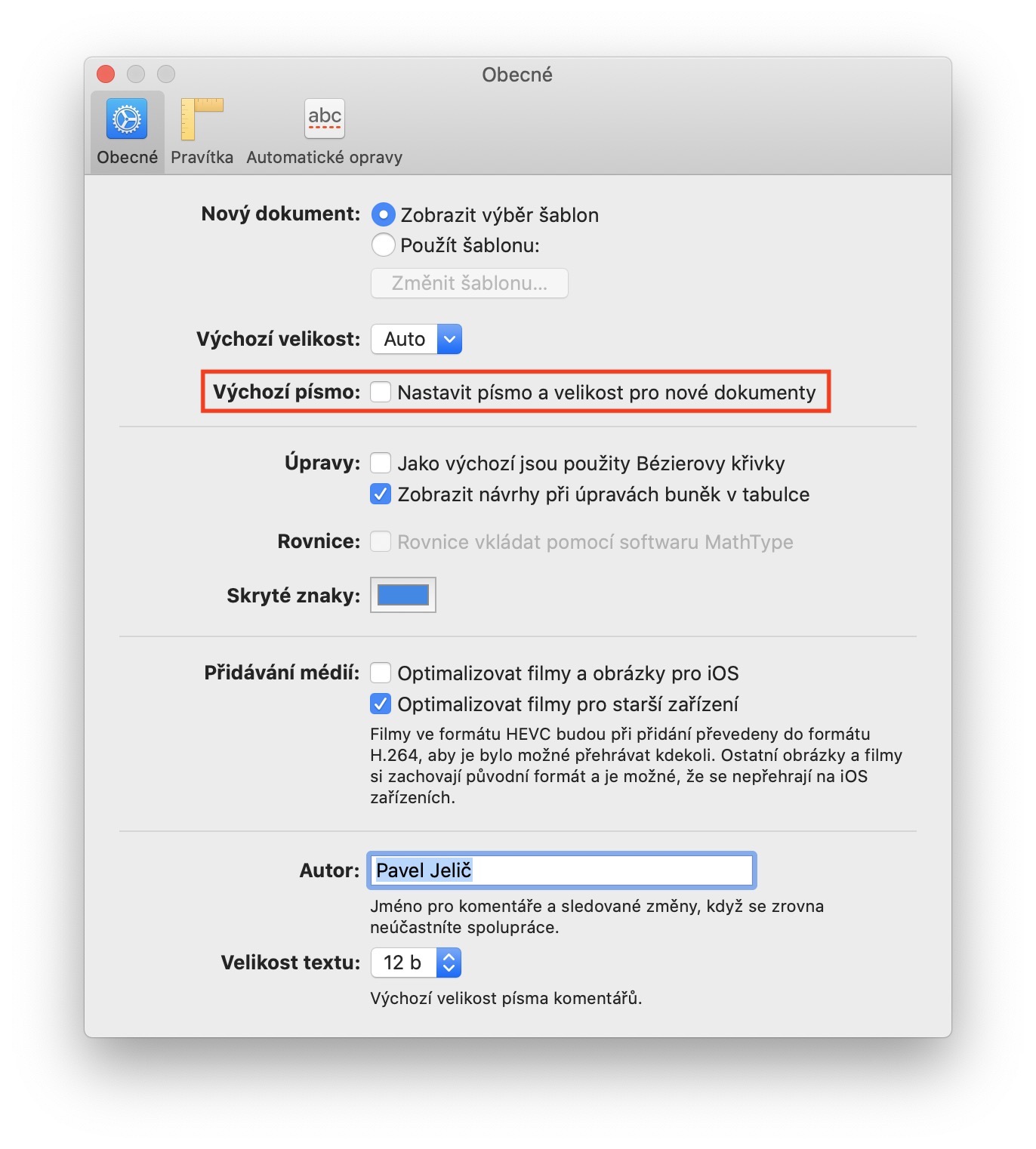
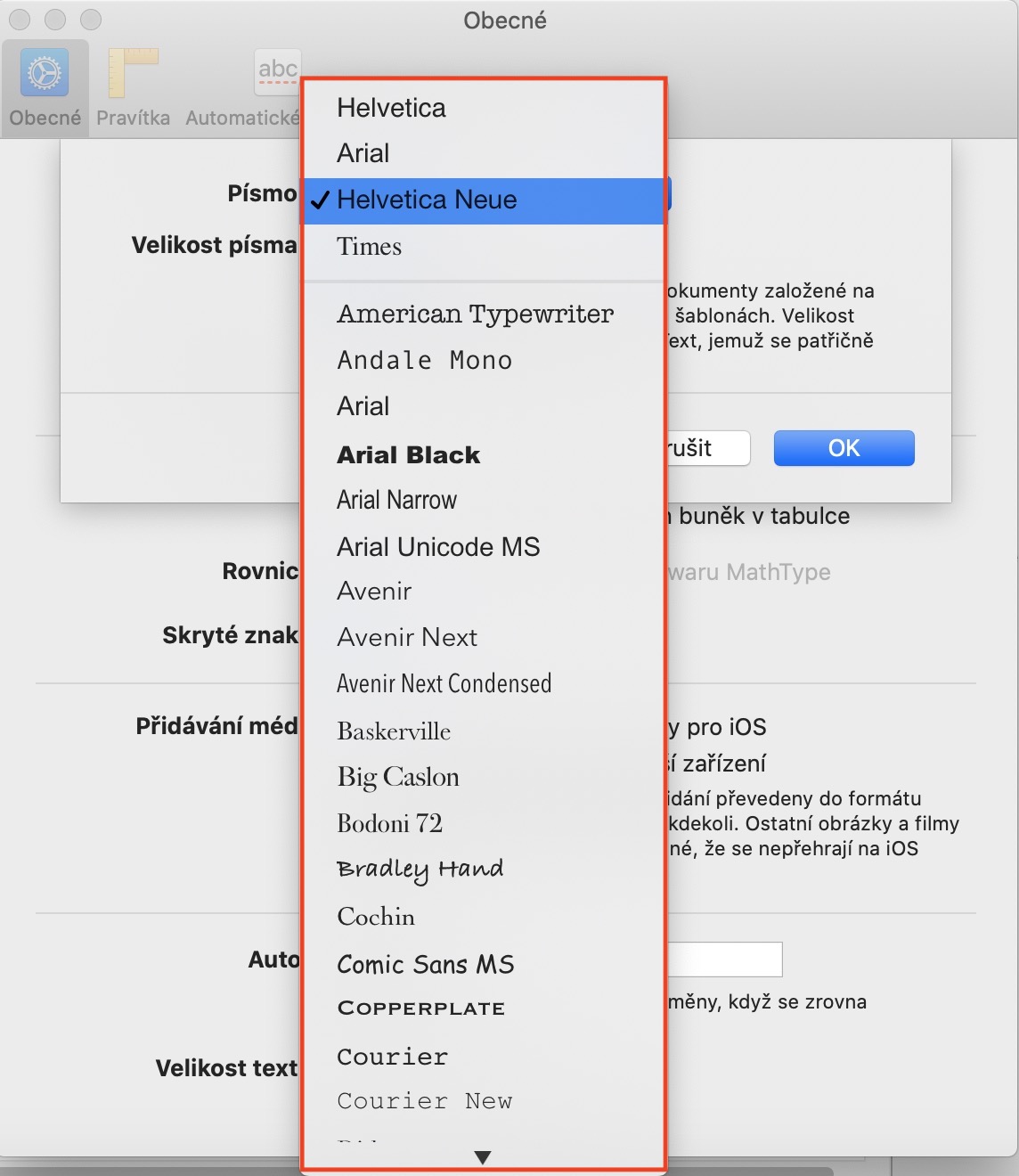
If you want to on your Mac or MacBooku change the default font settings in Pages, so run this app first. Once you've done that, click on the bold tab in the top bar Pages and select an option from the menu that appears Preferences… You can also press a hotkey instead Command + (comma). In the new window, make sure that you are in the section in the top menu In general. Here, simply check the option in the upper part of the window The default font. After ticking, another small window will appear in which you can choose yourself font along with his sizes. Once you have the font and its size selected, just press the button OKAY.
Gallery
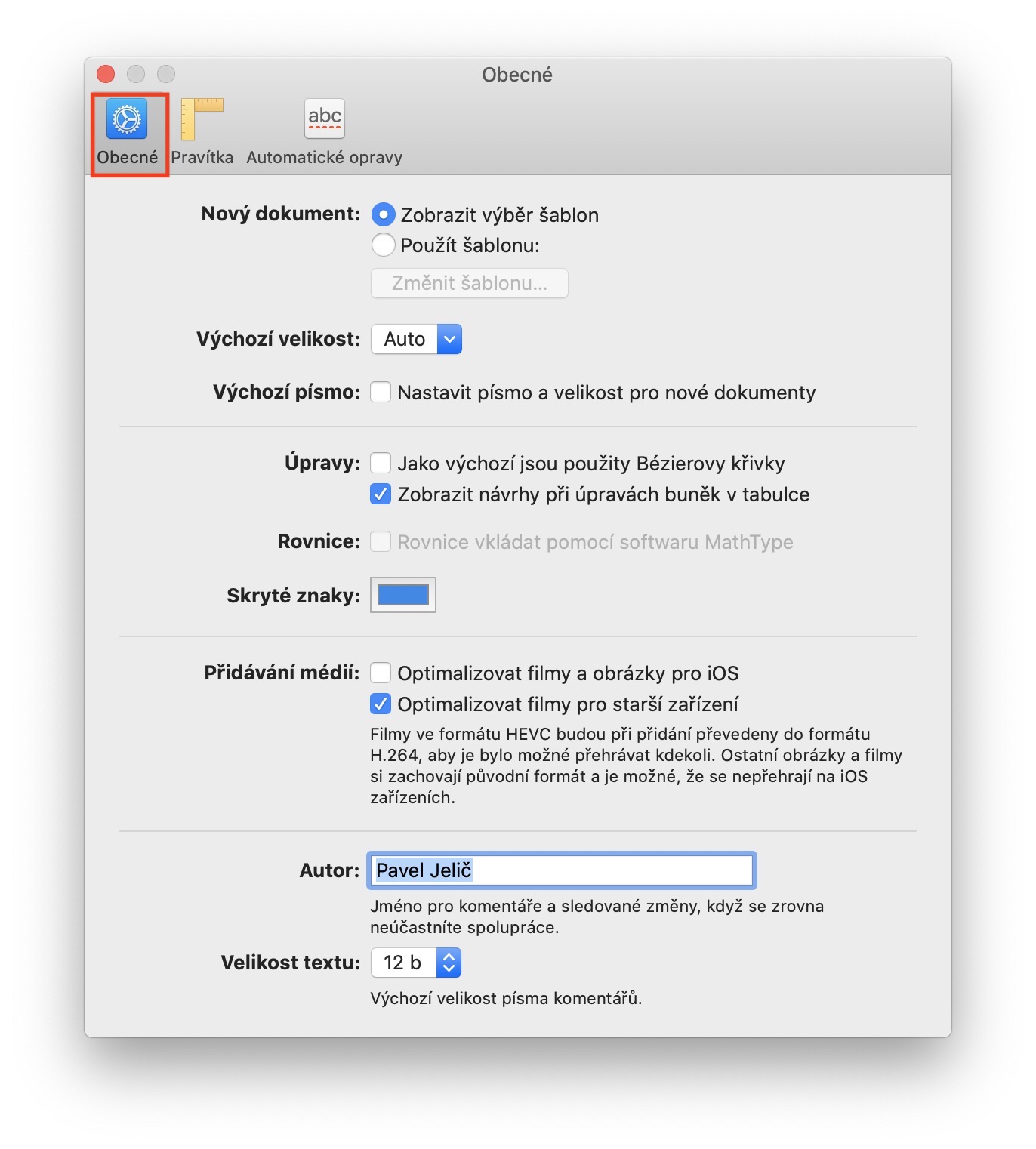
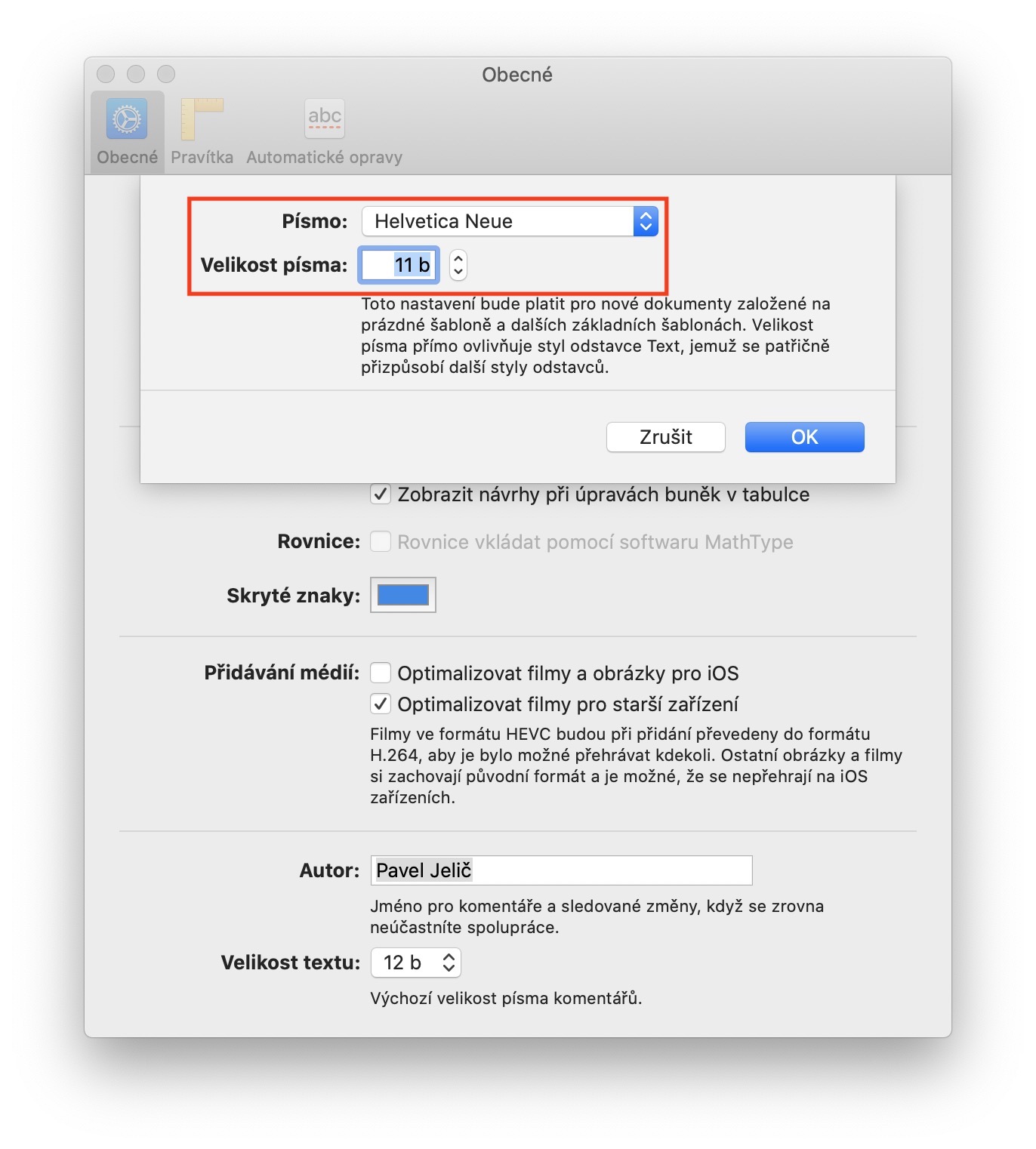
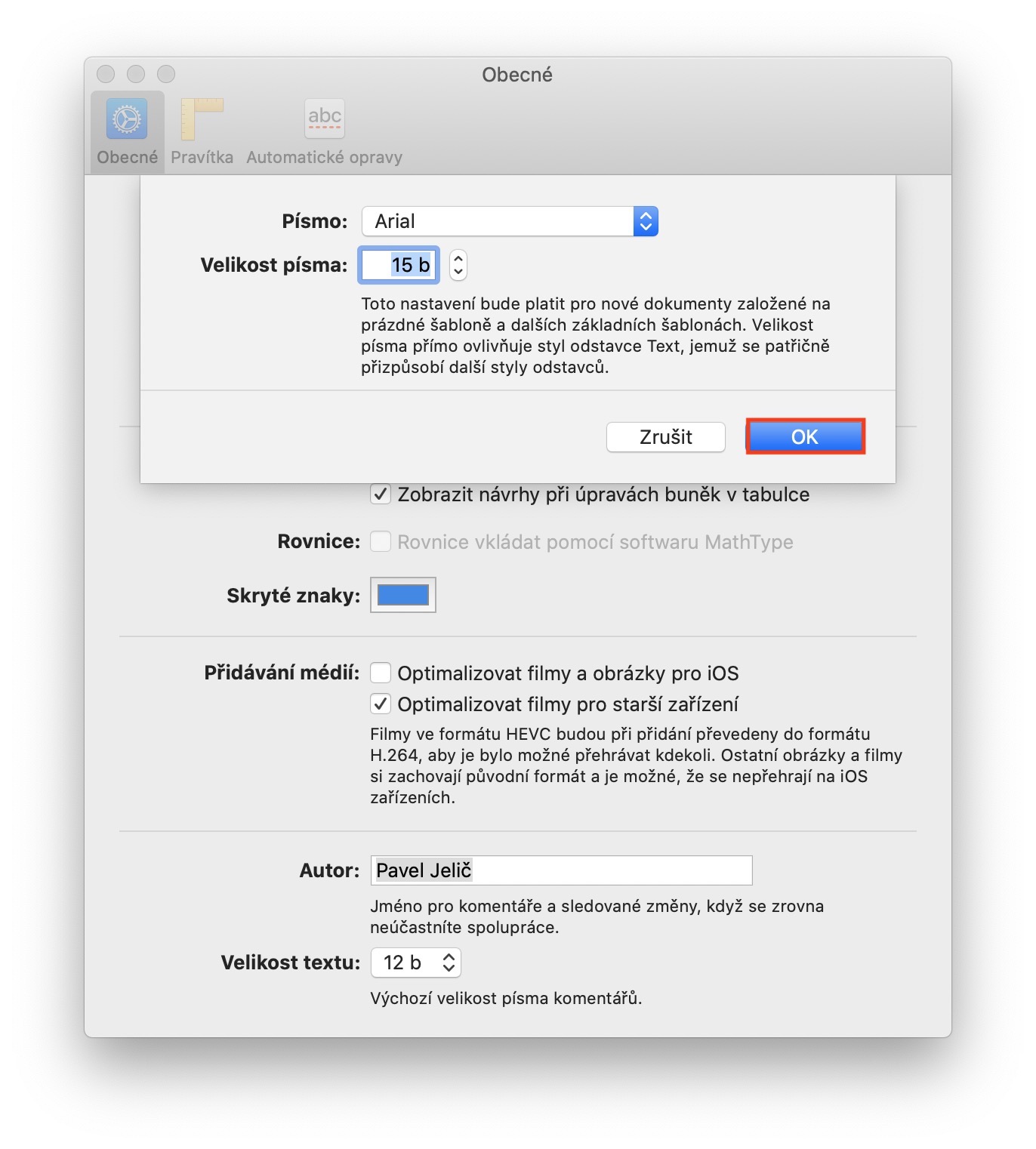
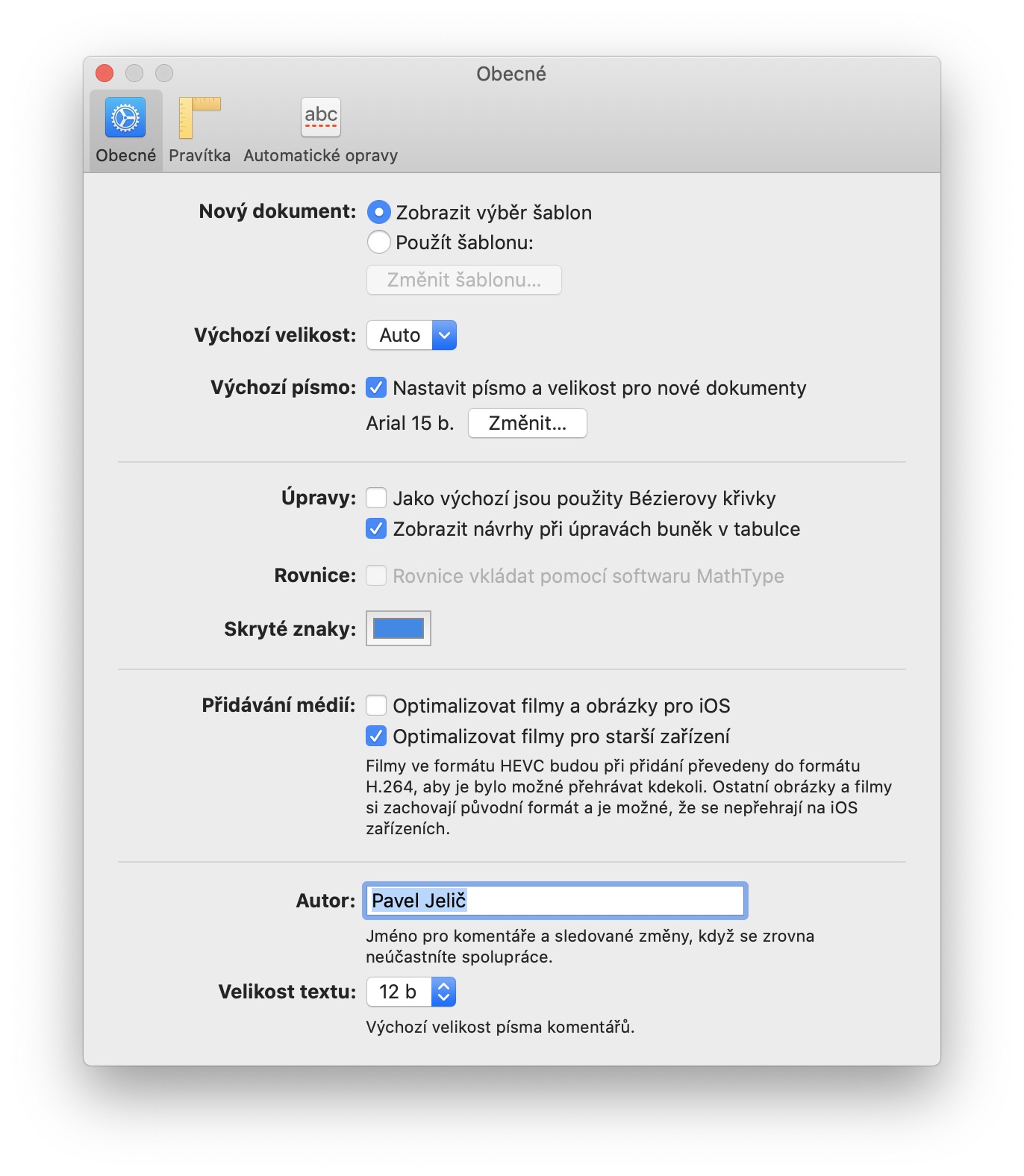
The settings you make using the above procedure will apply to new documents based on a blank template. Therefore, if you open a template or an already created document, these changes will not be transferred to it. The font size you set then directly affects the style of the Text paragraph, to which the other available paragraph styles adapt accordingly. In addition to this setting, you can also change the default document size (zoom) to a fixed one.