
If you are interested in the new flagships from Applol, so iPhone 11 or iPhone 11 Pro (Max) convinced us enough that it's time to move from the world of Android to the world of Applu a iOS, so welcome to this guide. You are most likely looking for a guide to find out how to transfer data from Android to iPhone. Right from the start, I can assure you that this is not a complicated method and the company Apple she tried to make everything as simple as possible - in short, as best she could. So let's see together how you can transfer data from Android to iPhone.
You might be interested in
How to transfer data from Android to iPhone
Gallery
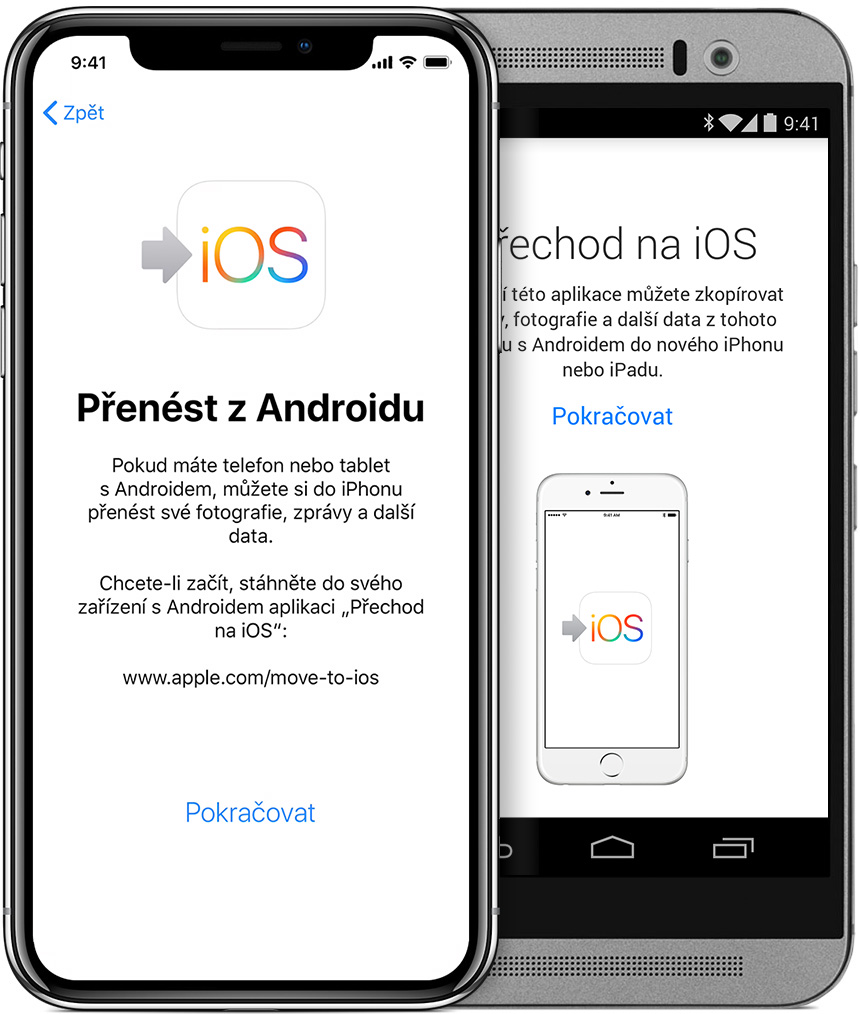
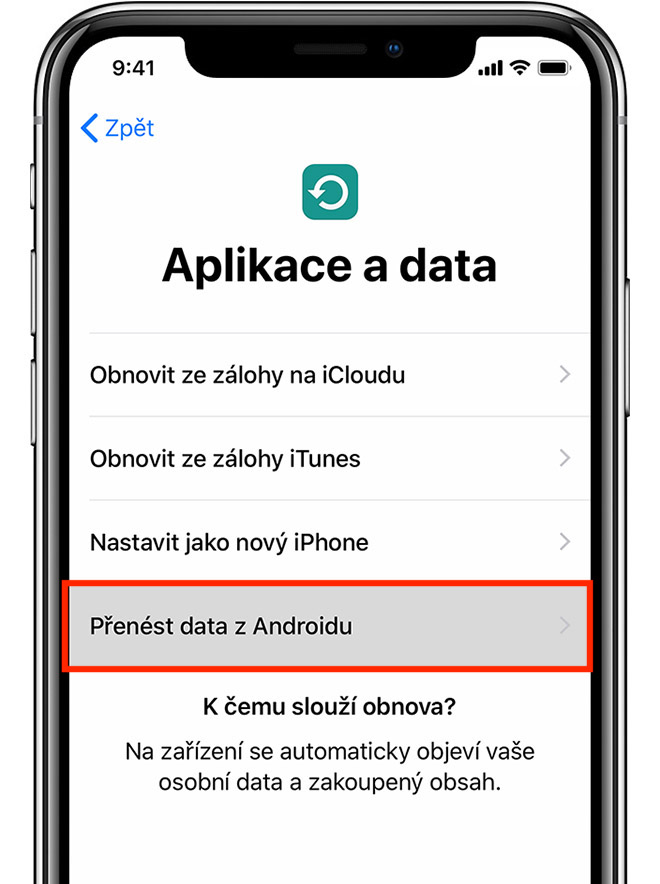
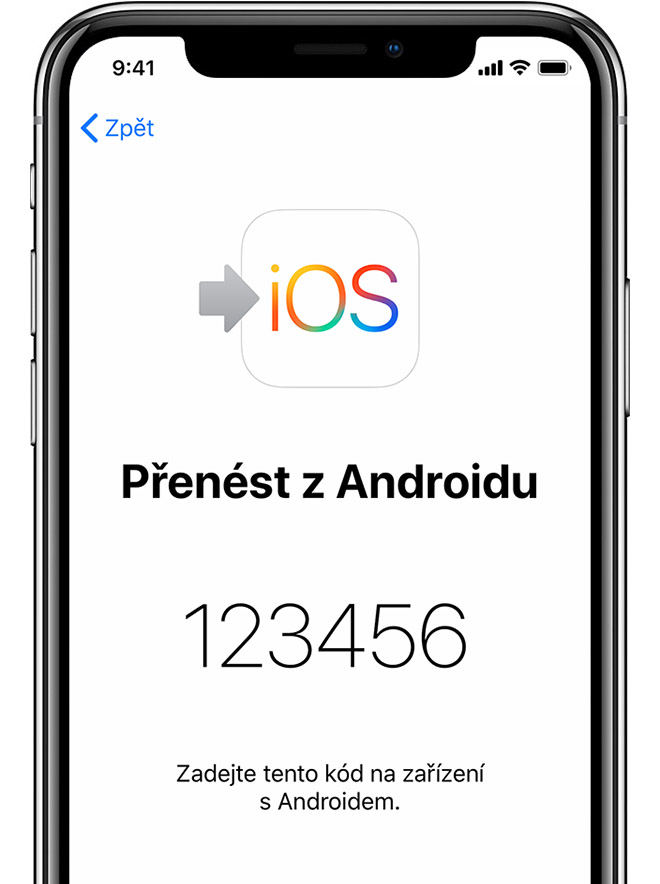
Transferring data from Android to iPhone is really very simple. The first step you need to take is to get hold of your old Android device one last time. Then open a shop here Google Play, where you can download the app Transition to iOS. If you don't want to search for the application, just click on this link. Once the app is downloaded, run a confirm all terms and conditions, which are required of you. Once you've done that, all you have to do is click on the option on the screen titled Find Code Next. Then on your new iPhone click through basic settings (Wi-Fi, location services, creation Apple ID, etc.) until you reach the screen Apps and data. Here you need to click on the option Transfer data from Android. It will then appear on your iPhone screen code, which is enough overwrite in the application Go to iOS, which is running on your Android device. Once you rewrite the code, iPhone together with this device, and then you have nothing left to do but just select content, which you want to transfer. Then it's just your choice confirm and wait until the whole process is completed.
Related
For everything to go smoothly, it is necessary that both devices are connected to a stable Wi-Fi network and that you do not move them too far apart. When I performed this procedure at my friend's house a few months ago, the transfer of several thousand photos along with contacts and other files took about 50 minutes. The entire process therefore depends on how many files and data need to be transferred to your iPhone. At the same time, please note that neither device should be discharged, otherwise you could have to start the entire transfer again. After connecting both devices to the charger, leave them next to each other and do not work on them - the Switch to application iOS should be on the Android screen all the time and you should not move it to the background. If you follow this procedure, all data should be successfully transferred. Not only will the apps be transferred, but iPhone It will then offer you possible alternatives, or the same applications, which you can download from App Store.



I was crossing xxx years ago and we didn't need anything. Photos saved on google photos, documents on google drive and contacts in gmail. I didn't mind that my SMS and other nonsense weren't transferred. I didn't even count on applications.
In my opinion, it is completely unnecessary to drag another SW to the transition.
+ who doesn't have one now google photos/drive I don't think he understands how the iPhone works.
I switched from Android a month ago, SMS, Whatsapp and similarly I calmly regretted it, I downloaded the contacts from Google and imported them into iCloudoh, photos too (I don't take photos of everything, I don't have FB :-), I have a subscription Officeso I installed OneDrive pro iOSwhere I have 1TB of space and photos from my iPhone are automatically uploaded to OneDrive even to a laptop with Win10 (ios I turned off photos completely, 5GB on iCloud(they are common to everything). I then deleted my Google account completely.
Does it work for you? imessage?apple id I'm left gray and it doesn't switch from the blue bubble to the green one if someone is offline
Hello, I can't transfer data, it stops at 26% and my Android phone shows that the internet connection is nestabil. And my wifi is quite strong.
Please advise how else to transfer data to iphone?
They will also transfer the game appwhat?