
You've probably been in a situation where you received an email with an attachment that you were supposed to sign and then send immediately. In most cases, you probably solved this by downloading the document, then manually signing it, scanning it, and sending it back. ProBut why make it so complicated when it can be so simple? You can sign any document on your Mac right away. You don't have to print it or worry about other unnecessary things. What used to be a lengthy process that often took minutes can now become a matter that you can solve in seconds. If you're also interested in how you can sign any document on your Mac without having to print it, keep reading.
You might be interested in

How to sign a document on Mac
Gallery
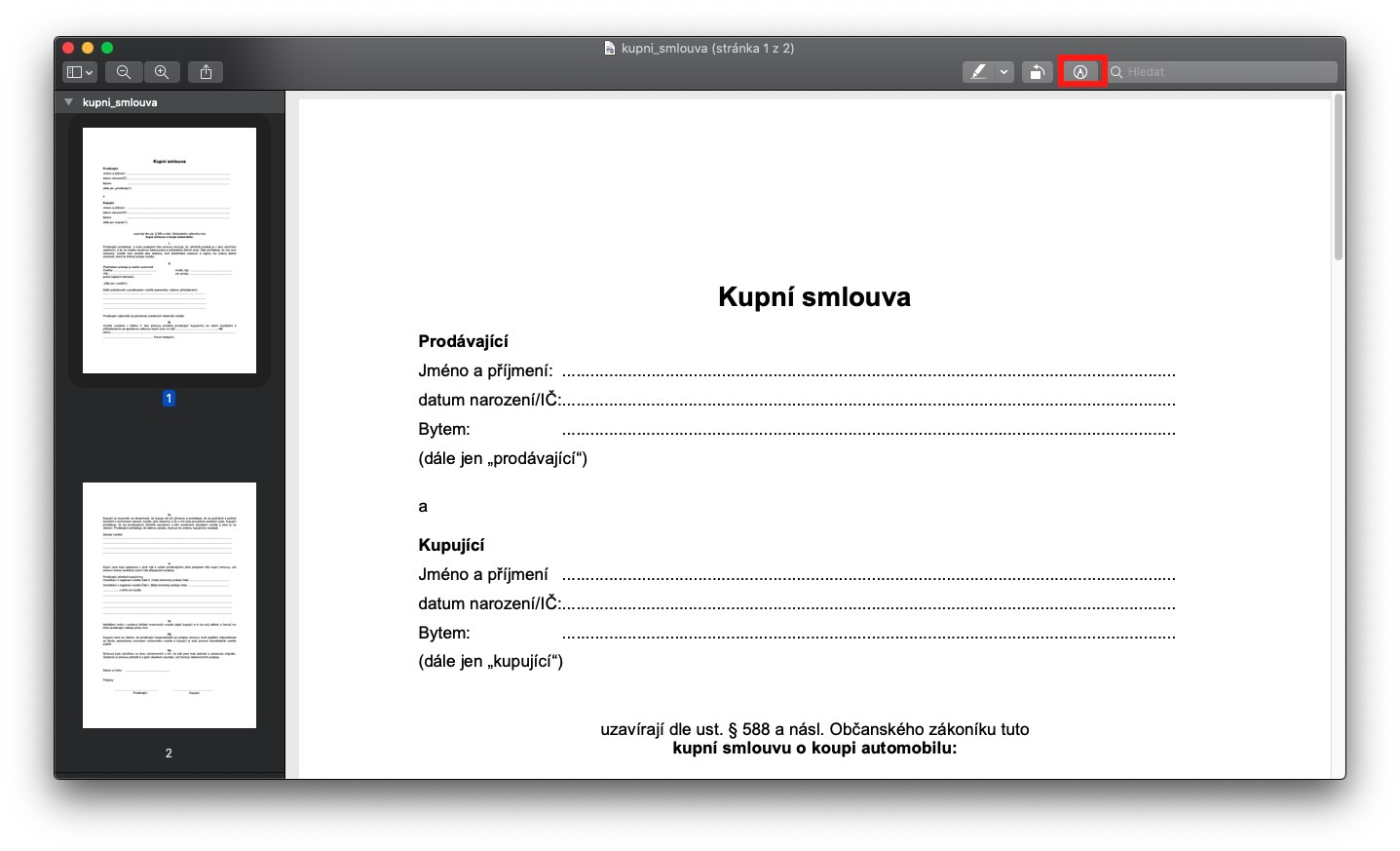
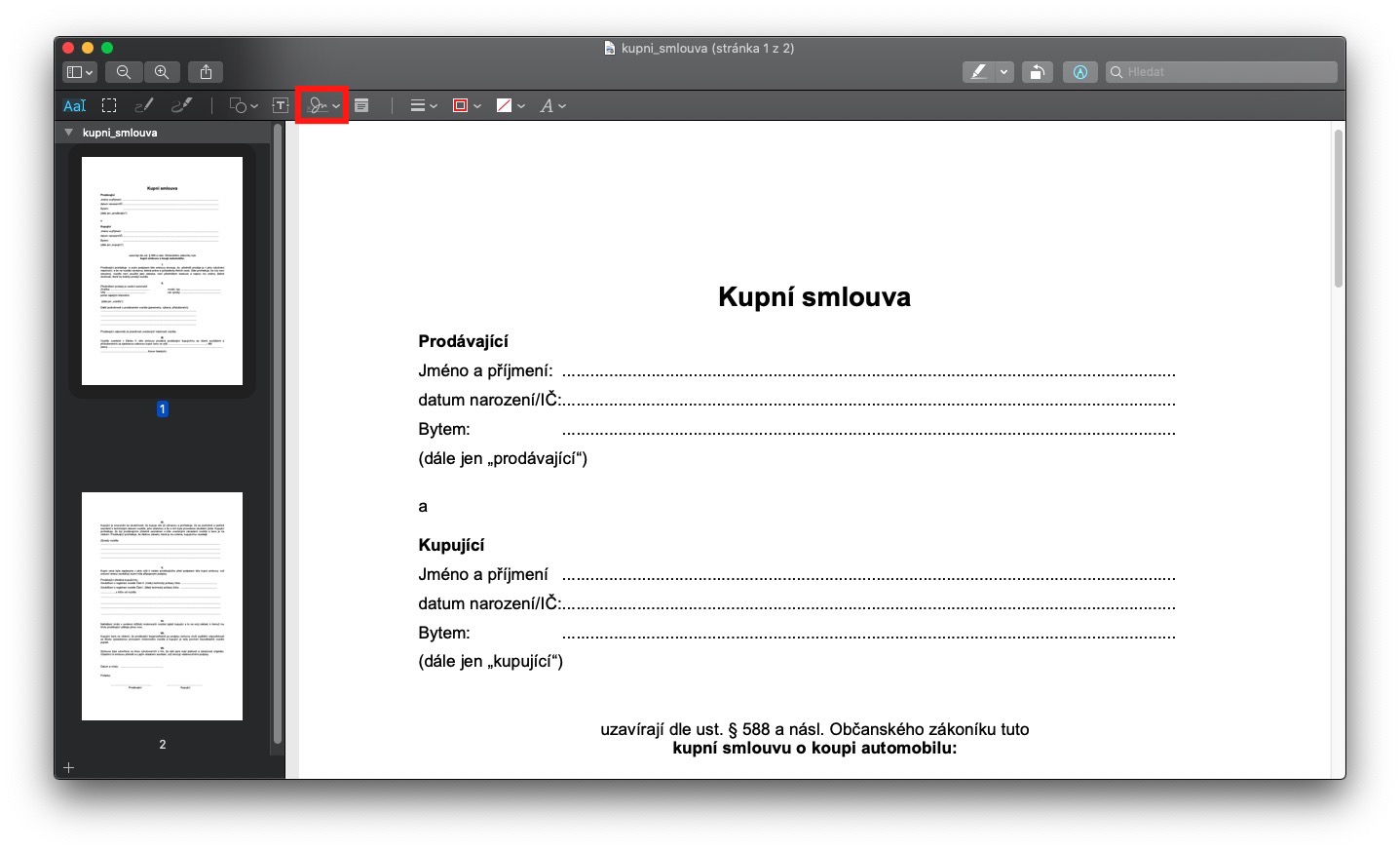

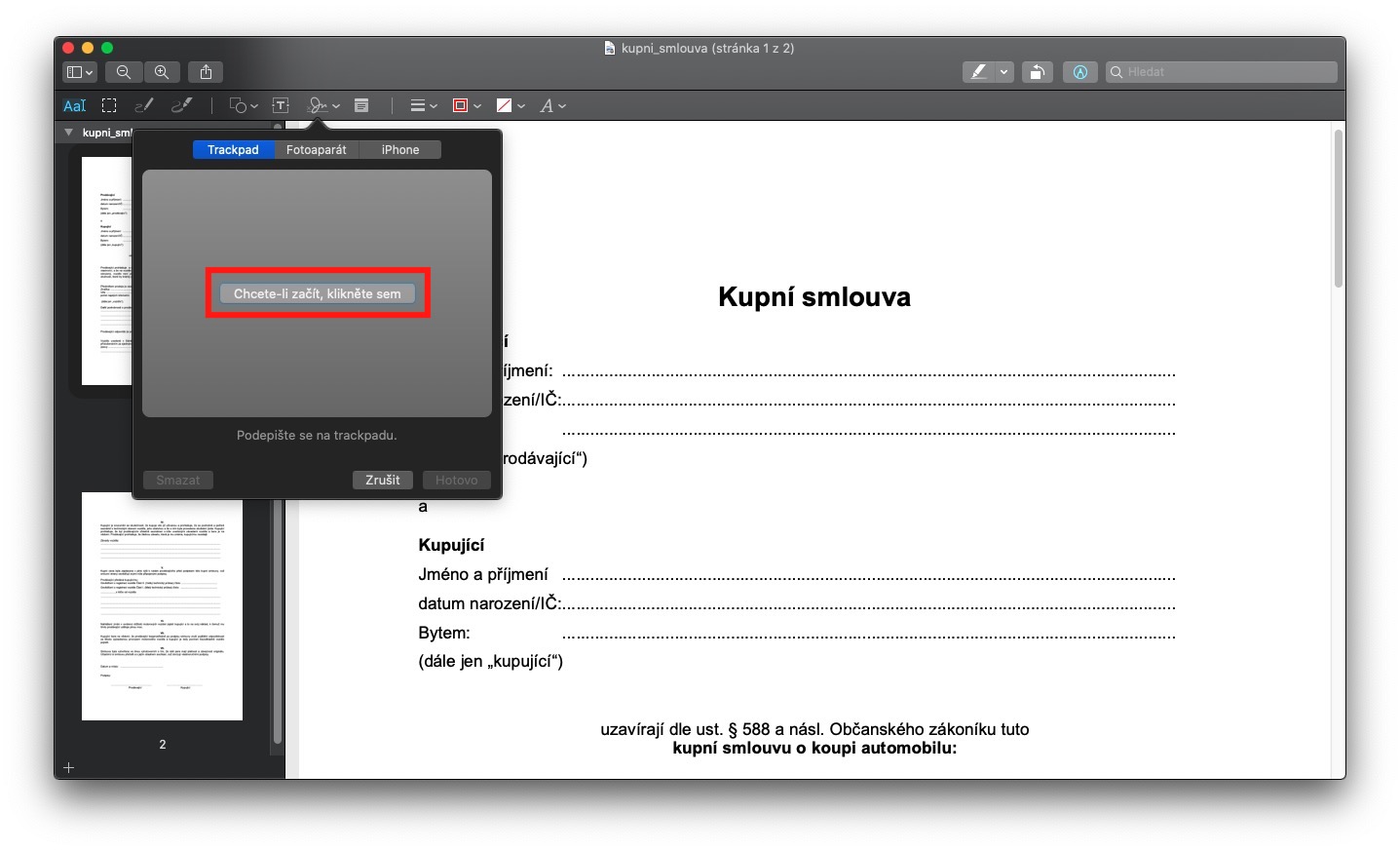
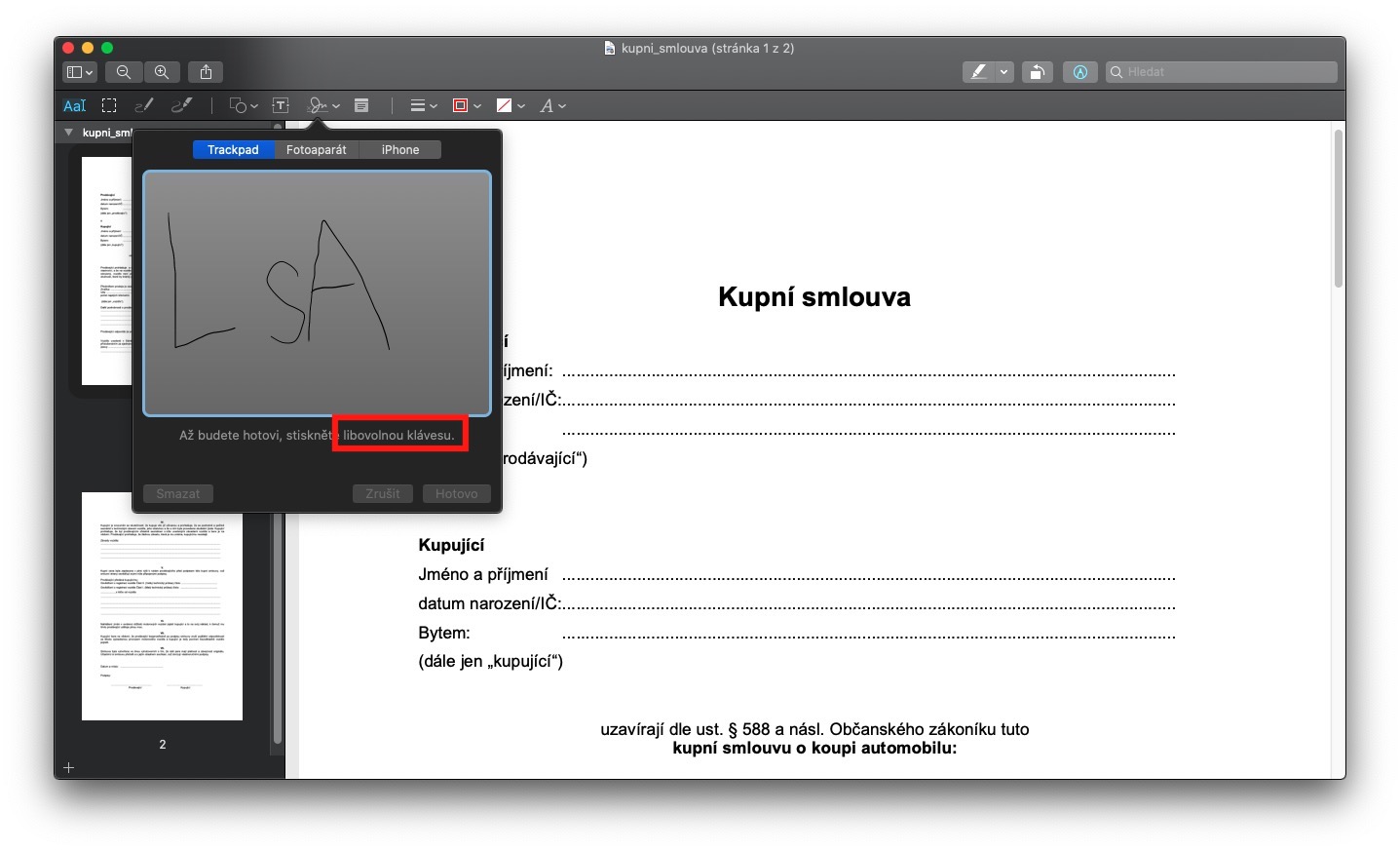
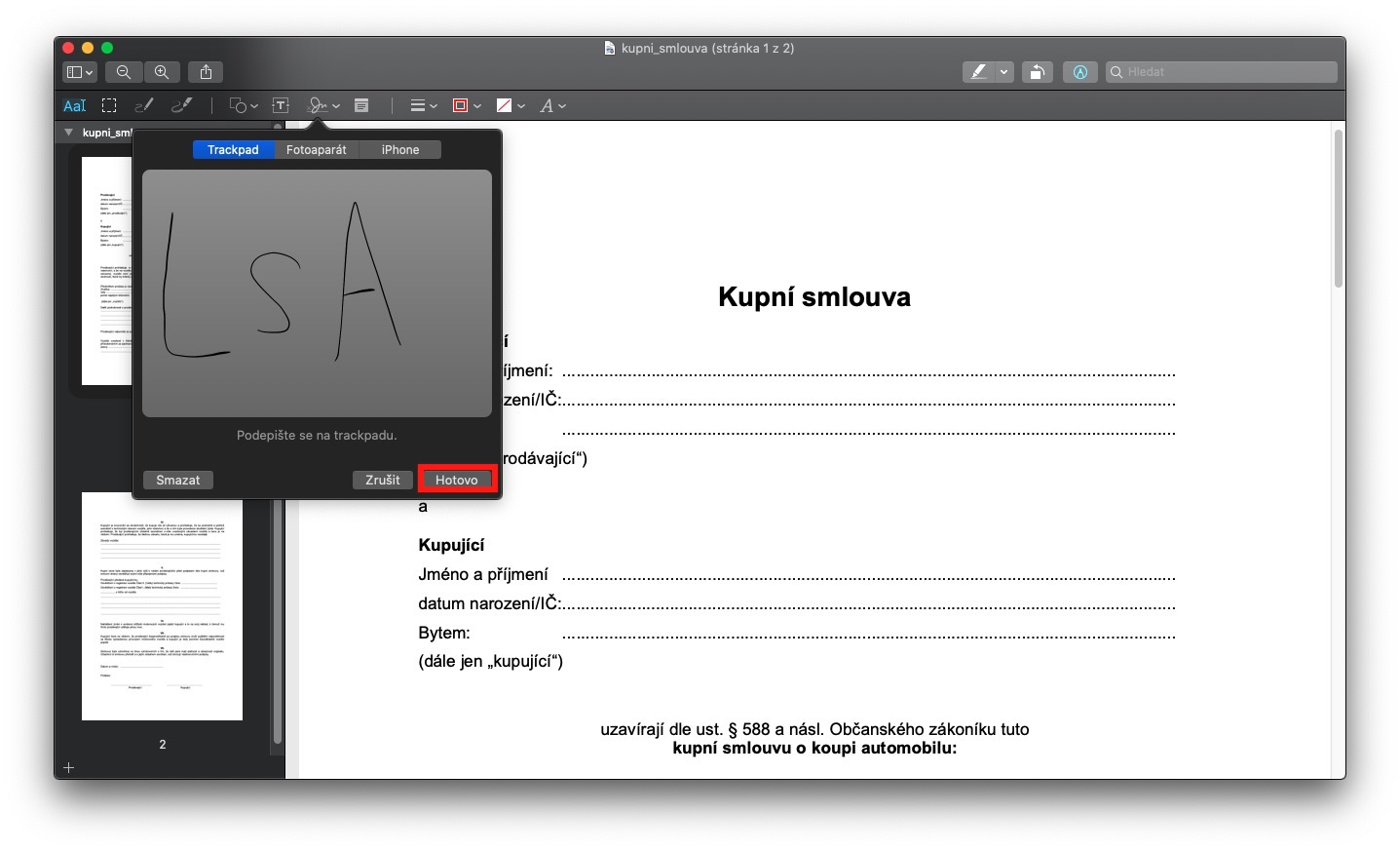
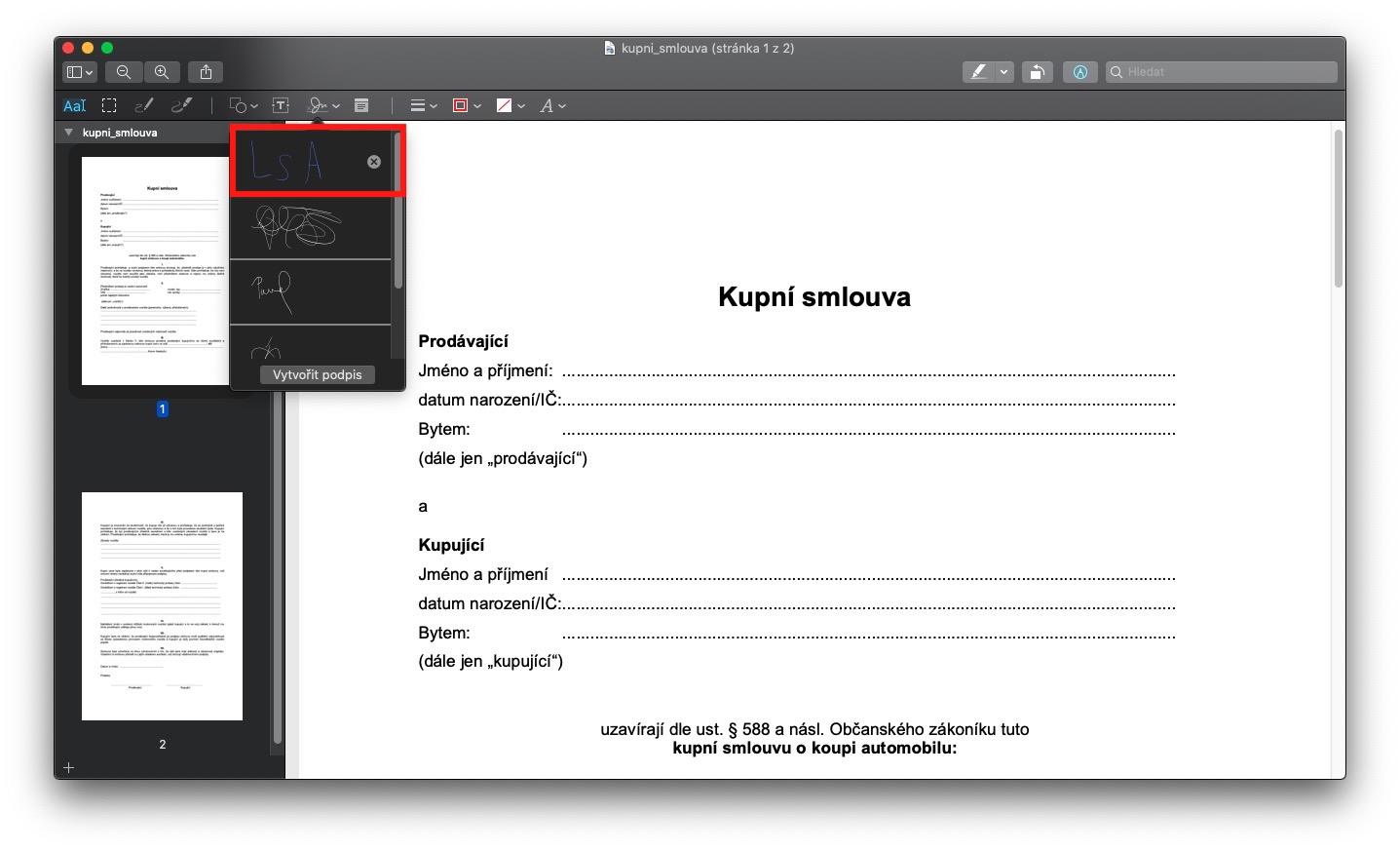
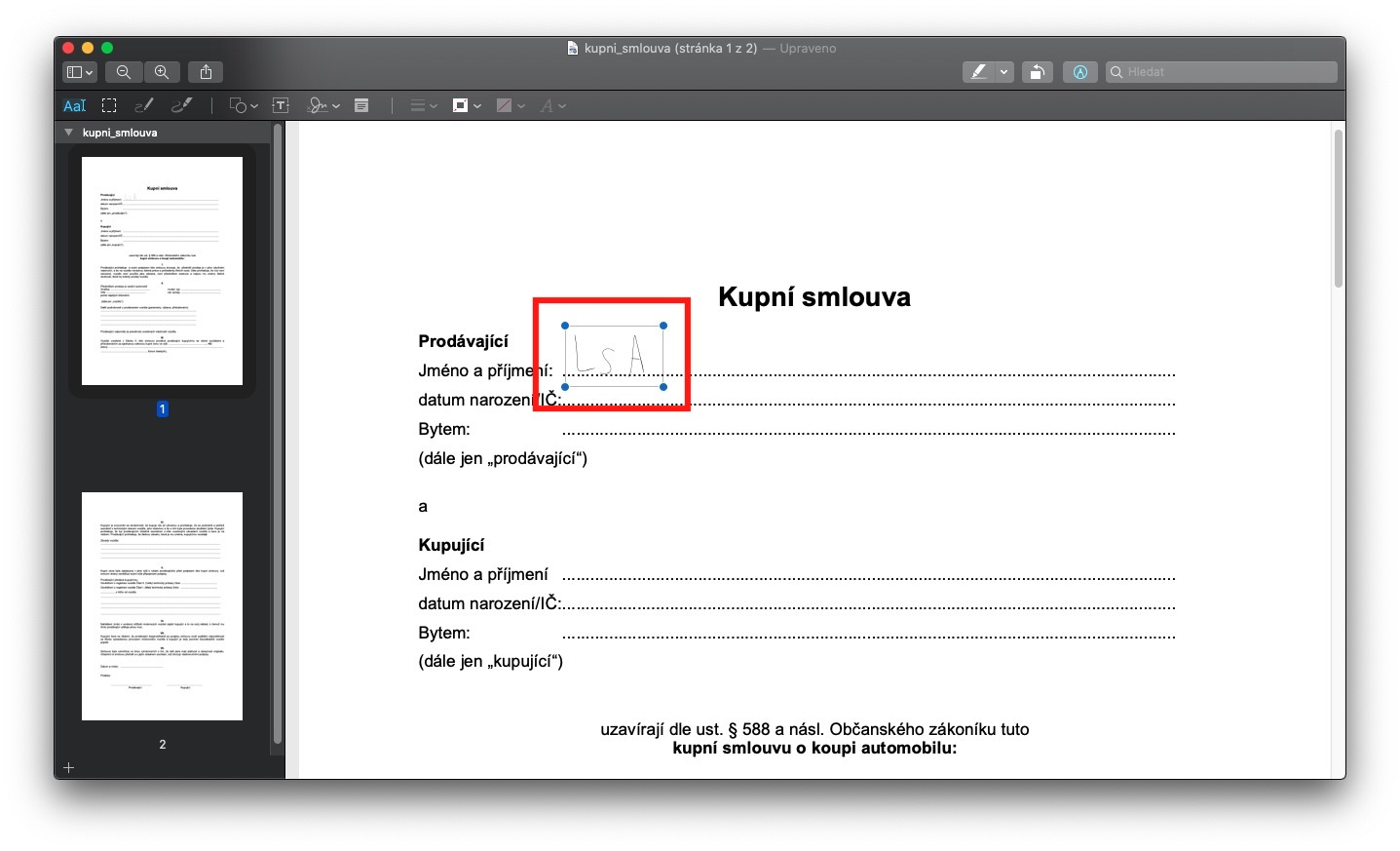
First, of course, you need to have one dokument, which you need to sign. Most often, these documents are in the format PDF, and in it we will show how to perform the signature. Once you have the PDF document ready, open it in the native application preview. Once you have done so, click on the option in the upper right corner of the screen Annotation – pencil icon in the wheel. Now click on the annotations menu signature icon (roughly in the middle). Here you use the button Create a signature simply create your own signature that you want to use to sign the document. You create a signature by clicking the button Click here to get started. Signature afterwards draw with your finger on trackpadu. When you're done, press any key. This completes the signature recording process. If you are satisfied with the signature, click on Done, otherwise press Delete and repeat the whole process again. After saving, the signature appears in list of signatures, which you press again to open signature icon in the annotations menu. After that, all you need to do is sign click. Then there will be inserting a signature into a document, where you can change it size and of course his too position. Once you have it signed, the document is enough impose and send back by email.
Related

However, definitely be aware that signing this way is definitely not electronic if you want a digital signature. An electronic signature is a form of certificate that can be used to verify your identity in today's anonymous internet age. Usually, this certificate is attached to the data mail, which both encrypts the outgoing data and signs it on your behalf. So signing on a Mac has nothing to do with a digital signature.



Luxury thanks 👍🏻
Luxury thanks 👍🏻
Luxury thanks 👍🏻
Luxury thanks 👍🏻
Luxury thanks 👍🏻
Luxury thanks 👍🏻
Luxury thanks 👍🏻
Luxury thanks 👍🏻
Luxury thanks 👍🏻
Luxury thanks 👍🏻
Luxury thanks 👍🏻
Luxury thanks 👍🏻
Luxury thanks 👍🏻
Luxury thanks 👍🏻
Luxury thanks 👍🏻
Luxury thanks 👍🏻
If writing is for you trackpadif strange or inconvenient, it is possible to let the Mac capture the signature with the front camera (a signature on a piece of paper, I mean).
so this is a thick guide with the camera.. can you please describe it in more detail? I've had my Mac for about 3 weeks..and I still can't do much..
It is practically the exact same procedure as described in the manual. However, after clicking on the option to add a signature, you have to move to the Camera section in the top menu of the small window to enter the signature. Here you can then scan the signature, for example from paper, using the camera on your Mac.