
Nowadays, most of us use streaming services such as Spotify or Deezer to listen to music. The second group of people, for example those who do not listen to music that often, drag and drop music to their iPhone in the classic way using a cable and the iTunes program on a PC or Mac. Moving music using iTunes is not at all complicated, but there are certain limitations that may not suit all users. Therefore, there is another option, which is to download music from the Internet directly to your phone. The classic method, such as with Android, is of course not possible with Apple phones for security reasons. However, there is always a trick that allows us to perform prohibited activities.
In today's guide, we'll look at how to download music from various storages to your iPhone using a web browser from Seznam. In my case, I chose the old friend Uloz.to, from which you can download music without any problems. If you're interested in downloading music directly to your phone, be sure to read this guide to the end to learn how to do it.
You might be interested in
How to download music directly to iPhone?
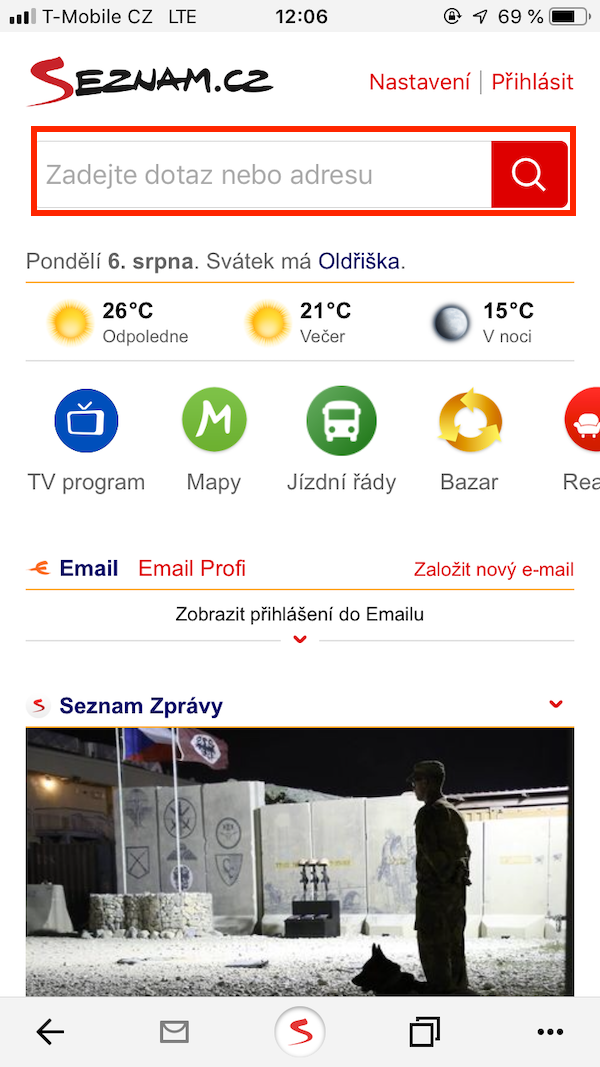
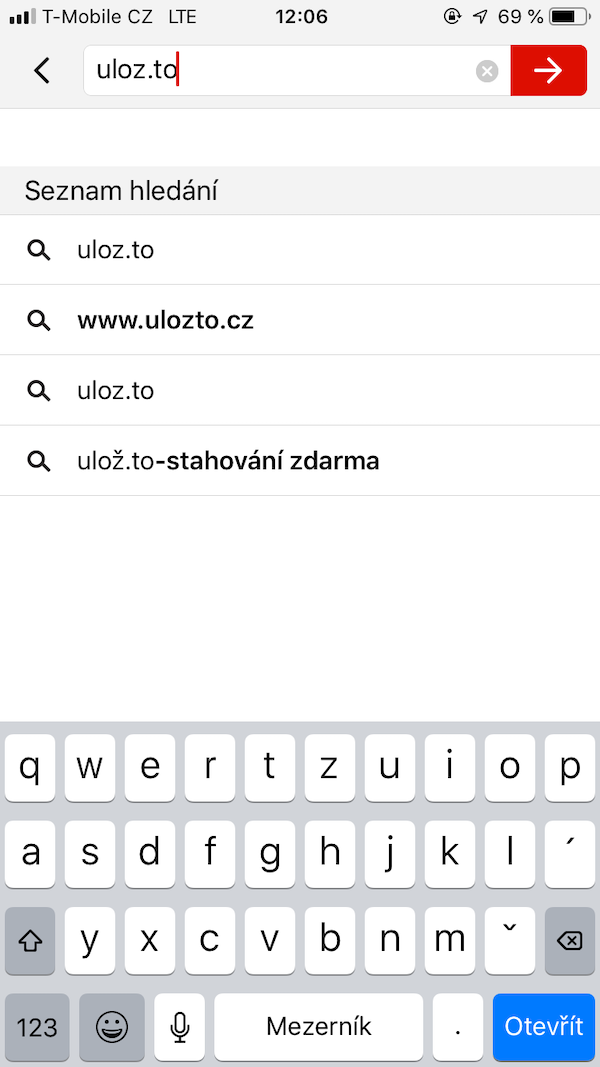
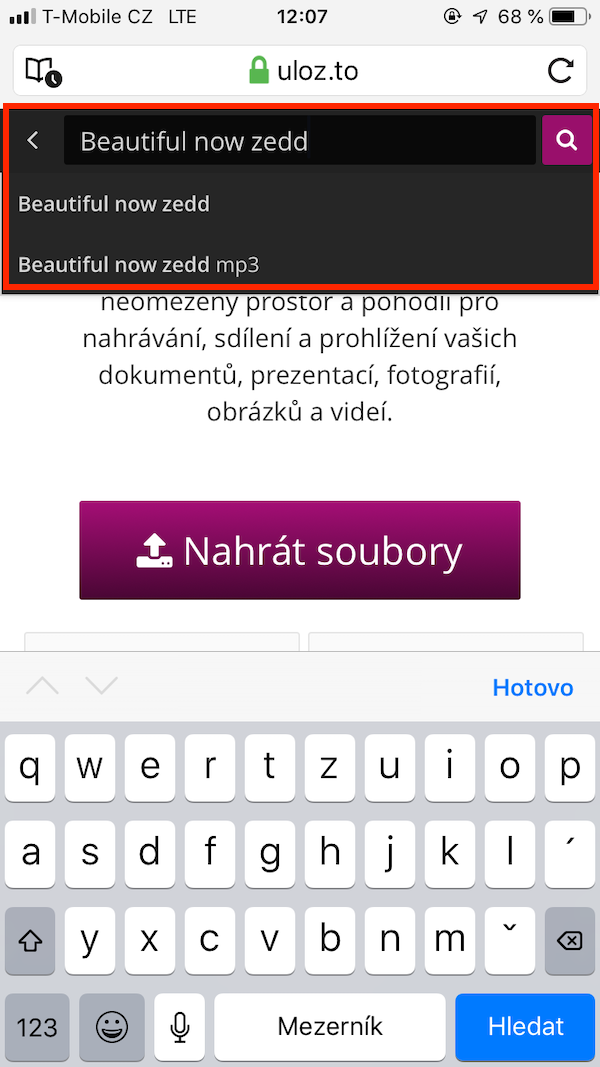
As I mentioned in the introduction, we will need a web browser from Seznam – we can download it from App Download the store using this link. We simply install the application, and then it let's start. Prowe're going through a short tutorial and once we're done with it, we just need to move on to page, from where we want to download music. In my case, I chose the Uloz.to server. We write the song we want to download in the search field. Then we click on the selected one, in the case of the Uloz.to service, we click on the button Download slowly, we describe the Captcha code, and then select again Download. A notification will appear that the page contains an attachment - click the button again Download. We can monitor the progress of the download by lower right corner we click on the icon three dots and select an option from the menu that opens Downloading. Here you can see if the song has been downloaded and then you can also download it from here overheat.
Gallery
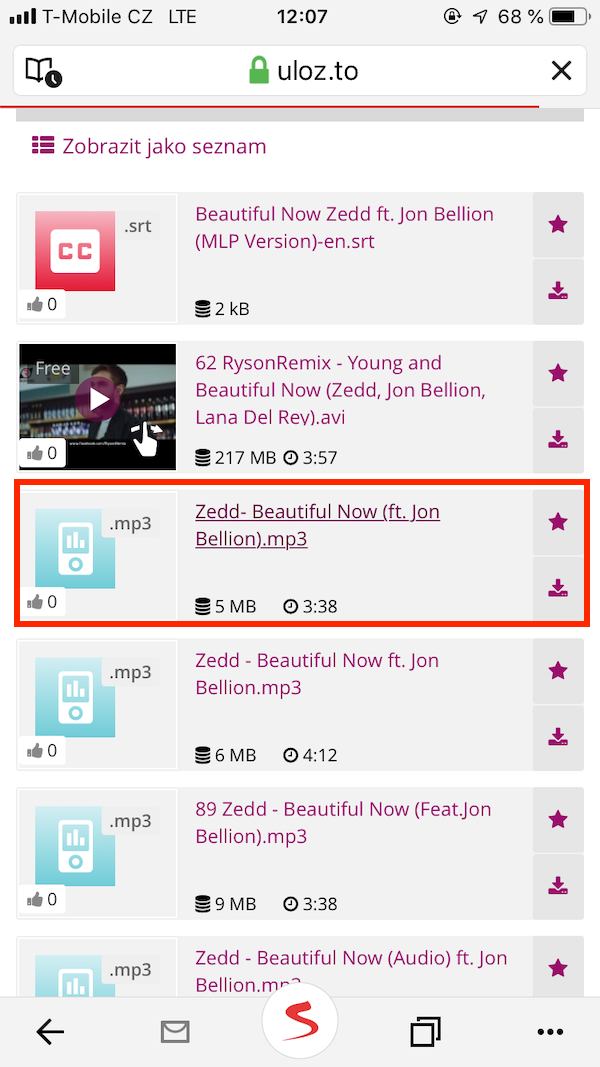
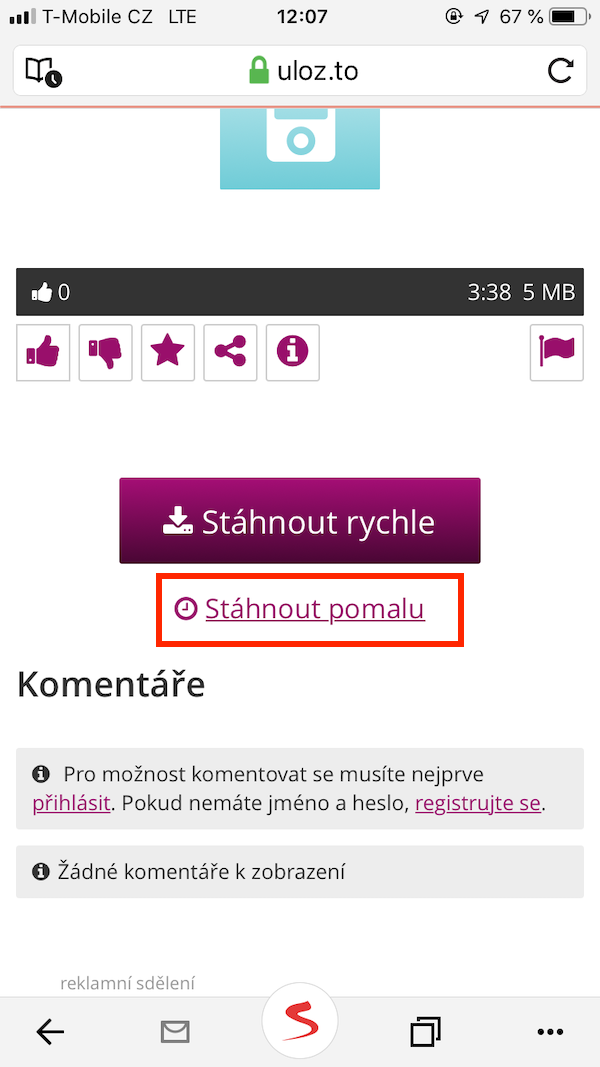
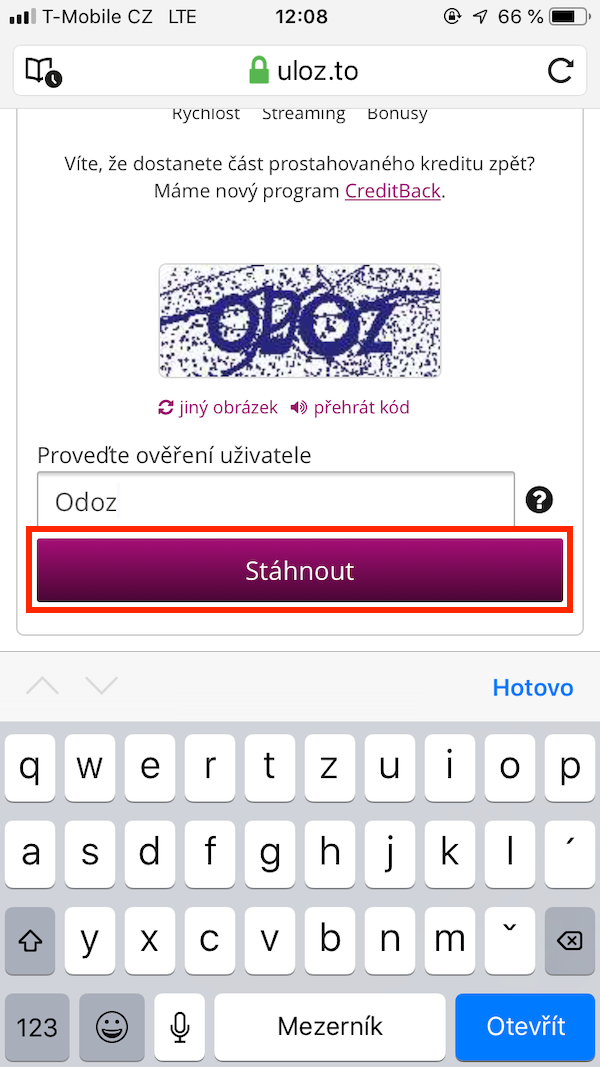
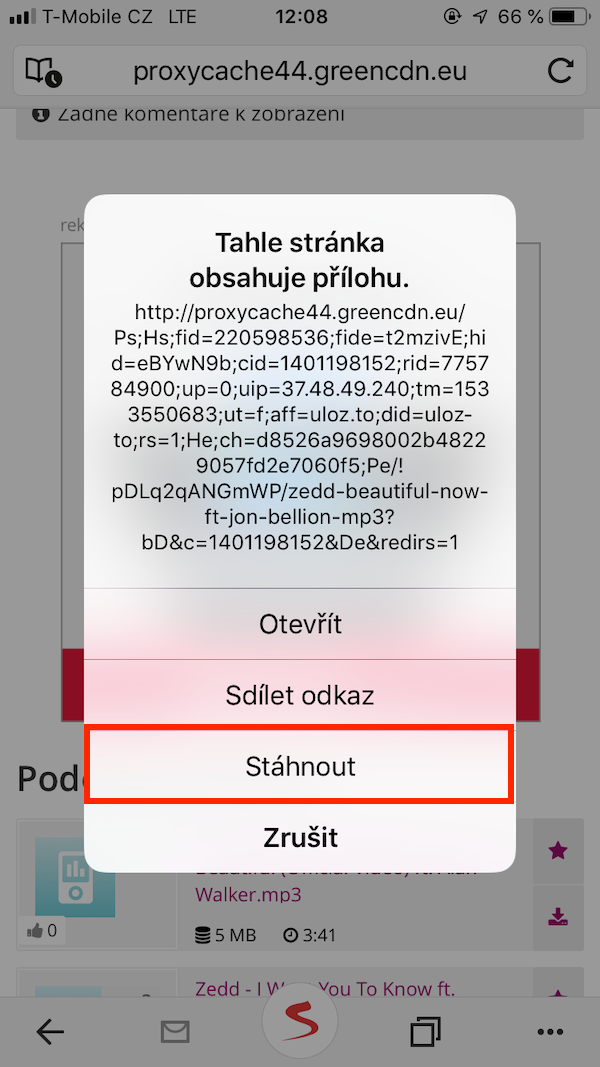
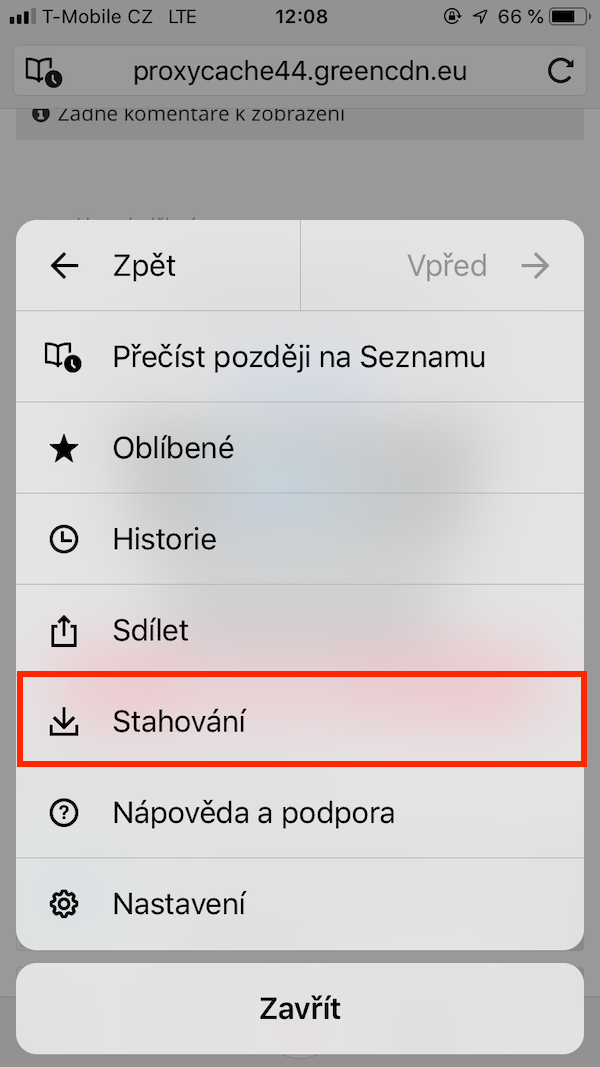
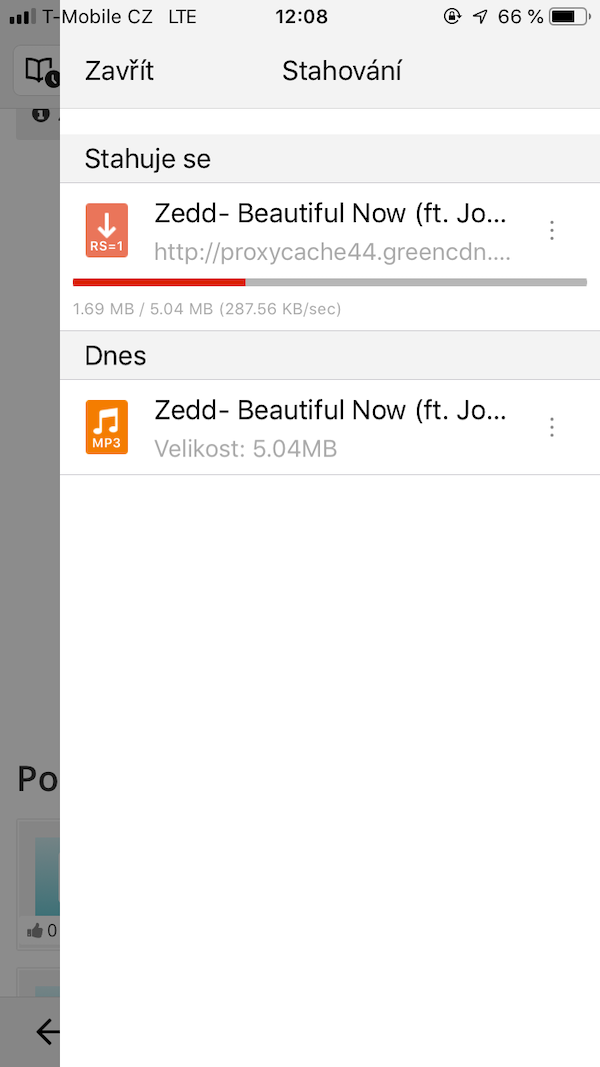
Using the Seznam web browser, you can of course download other files, not just music. The Seznam browser can also handle movies, PDF documents and more. Of course, it can also Safari, but in the case of the Browser List, you have the option to save all these files and view them at any time.
Tenorshare iCareFone
There are several different programs that you can use to download music to your iPhone without iTunes. However, we recommend Tenorshare iCareFone, because it is one of the most effective options. With iCareFone you can enjoy your favorite music anytime and on any device you want! Find out below how you canCareFone can help.
- You can use it on your iPhoneCareFone You can upload any music you have on your PC or in iTunes, safely without overwriting any data. iPhone is often tied to a single iTunes library and with iCareFone this restriction will disappear. If you have purchased some music and want to share it across multiple Apple ID, with andCareFone That's no problem.
- Transfer and manage any music and video formats. iCareFone can work with all file formats.
- The usual fear of losing the music you have stored on your iPhone, when synchronizing new songs, it is with iCareFone eliminated.
In addition to that, Tenorshare alsoCareFone can be your favorite device manager. You can use it to backup selected files, along with restoring them to your iPhone. You can also back up data from WhatsApp (z iOS do iOS, of iOS to Android, or perhaps from Android to iOS), as well as all music, photos, videos, contacts, SMS, audio recordings, notes and more.
TENORSHARE ICAREFONE DOWNLOAD HERE
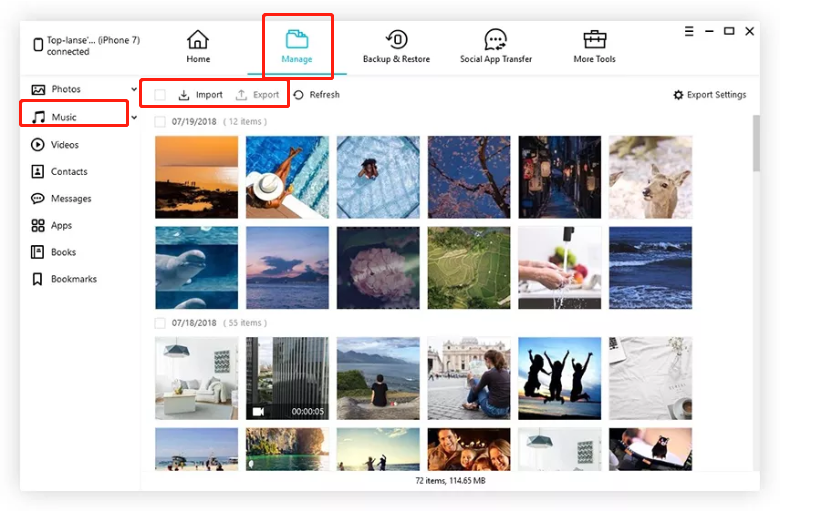
Step 1. – Connect your device. Download and install Tenorshare iCareFone to your PC or Mac and connect your iPhone using a USB cable.
Step 2. – Select your media. In the management section, you can transfer music from your computer to your iPhone, or you can download it from your iTunes library.
Step 3. – You will start transferring data. After you have done the previous step, tap the Transfer button. All data will be saved to your iPhone, iPad or iPod.


It's not easier to save.to appka?
Good tip! I didn't think of that... I use the Ph program in my old 4Sone Drive which allows me to drag and drop files from my PC almost like on Android.
Then when I want to play those files, whether music or movies, they play in the native application. iOS, or only in the browser from Seznam?
In that list, but you can send them to your phone, for example to vlc, documents, etc.
Supporting music piracy?
How about buying it?
You probably also belong to that category of people who, if they exceed the speed limit by 6 kilometers in a car in the city, go to the city police to confess to paying the fine and their conscience will remain clear. So he doesn't wake up from his sleep. So go there and join the queue of similarly affected individuals.
but it also works in safari, why should I list the browser? that there would be hidden advertising? :P
I am using the app now. Cloud Music, I download music from my PC. It works fine too.
Thank you very much! even easier than through that list…koneok :) I couldn't download iTunes because I have an older one windows on pc :(
Another good app is iMazing
Or app Documents – downloads, unpacks, puts in folders and plays everything, even subtitles for avi 😄😄
Or app Documents – downloads, unpacks, puts in folders and plays everything, even subtitles for avi 😄😄
Documents program ;)
However, spotify in the family costs 25,- a month, is it worth doing such stupid things? 🙄
I thought it was 8,99 Euros
+ mobile internet
So I find that less comfortable than syncing it there from iTunes 🤔
iTunes and comfortable? You're joking :D Des bes
I don't understand why without itunes. It's as if there was an article on how to simply cut bread without a knife.
I looked for a way without iTunes because, for completely unknown reasons, the automatic synchronization stopped after connecting my iPhone to the PC, and for God's sake, I haven't been able to drag songs from the PC to the phone for 4 days :-) I even had iTunes updated after a long delay, but it didn't help. So I can claim that I may be the first person on the planet who s Applem is not satisfied. We have already had with my iPhonekm 7 many problems. During the first software update, all my photos, songs and messages were deleted from the phone, only about 20 photos taken in the first week of use remained. iPhone (I got it for Christmas), of course, as a former Android user, I was very angry about that and decided to start using the familiar iCloudAfter about a month I decided to check on the computer how oneorCloud It doesn't look like I'll ever have to save data from it on my phone again. They'll come to iCloud, again, only those photos were looking at me – those 20, from the first week after starting to use the iPhone, no others, and I had several hundred of them on my phone. So I called, already quite excited, to Apple Support. I talked to the gentleman for an HOUR and he couldn't figure out what the problem was, so an English-speaking employee joined our call. In the end, the mystery was solved - my great iPhone It was somehow misconfigured with our wifi router (I used it maybe 3 times, otherwise I use data because I have faster ones). ProWe solved the problem, but I resigned andCLoud I haven't climbed in yet. So today I'm solving the problem of synchronizing and dragging music via iTunes to my mobile, so far without success. I'm firmly determined to take the entire laptop and my iPhone and go personally to iStoreto help me. That's why there are people who are probably looking for other ways to download music :-)
and you will probably be the only person on the planet who is satisfied with iTunes :D Terrible app.
If so, then Documents. 😉
I don't want to steal anything from anyone. on DW.de you can download short educational videos or educational mp3s for learning the German language. Legally. How the hell do I get this on my iPad? I do not want Apple to slander, but with android it is very simple. How u Apple? Do you see the dog on the list or something else?
thank you and have a nice day
Michal
ProC? ProThere is also music that you can't find on Spotify etc... maybe that's why.
konea very reasonable person :D