
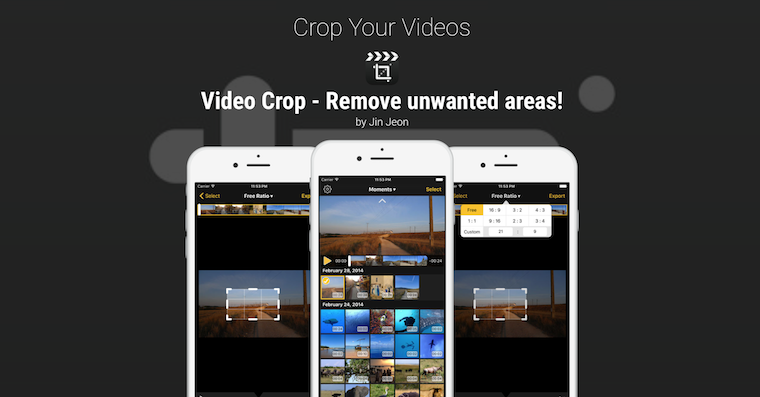
A lot of us shoot videos vertically. In general, there is nothing wrong with it if you only play the video on your phone, but it will not look so good on the TV. Sometimes you may start shooting a video horizontally, but when you finish recording, the video will show up in Photos as shot vertically (and vice versa). This is because just when you started recording the video, the gyroscope was in the wrong position and misjudged what mode you were recording in. Unfortunately, we do not yet have the option to rotate the video directly in the Photos application, but there are applications in which this is easily possible. One of them is iMovie directly from Apple and today we will show you how to rewind a video in this application.
You might be interested in
Change the orientation of the recorded video
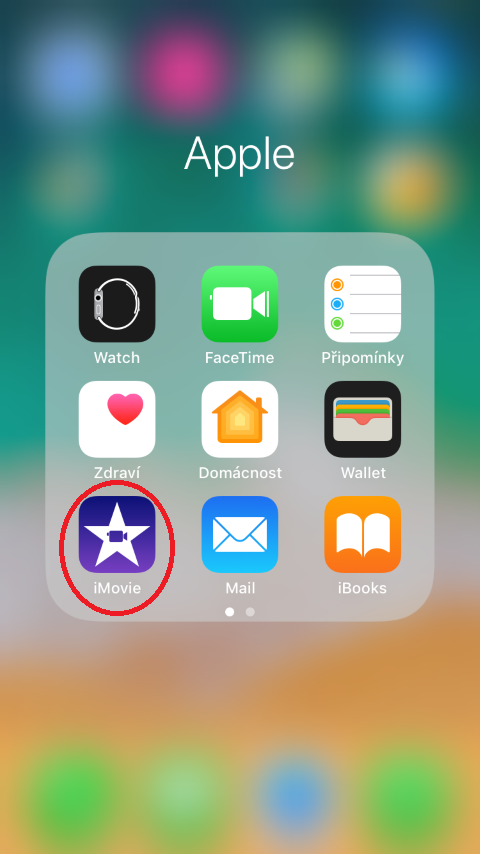
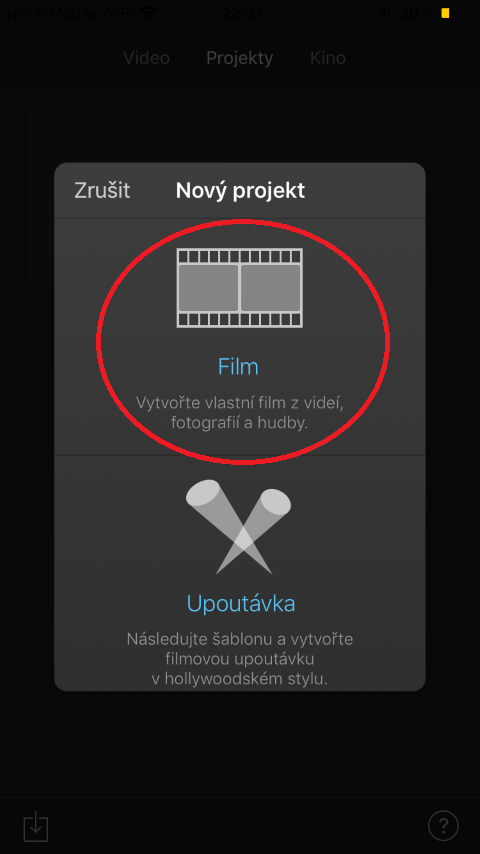
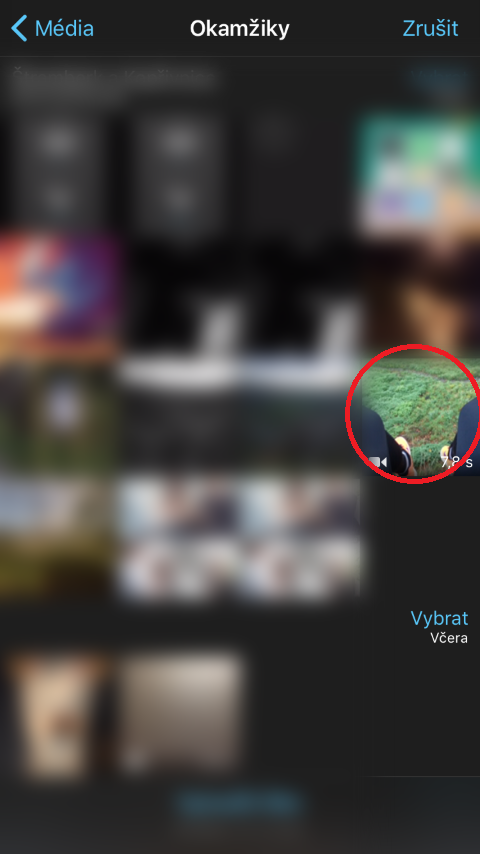
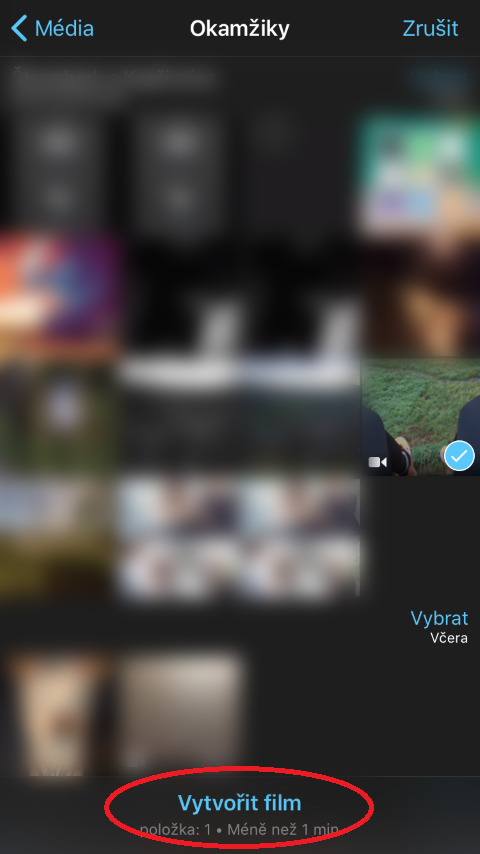
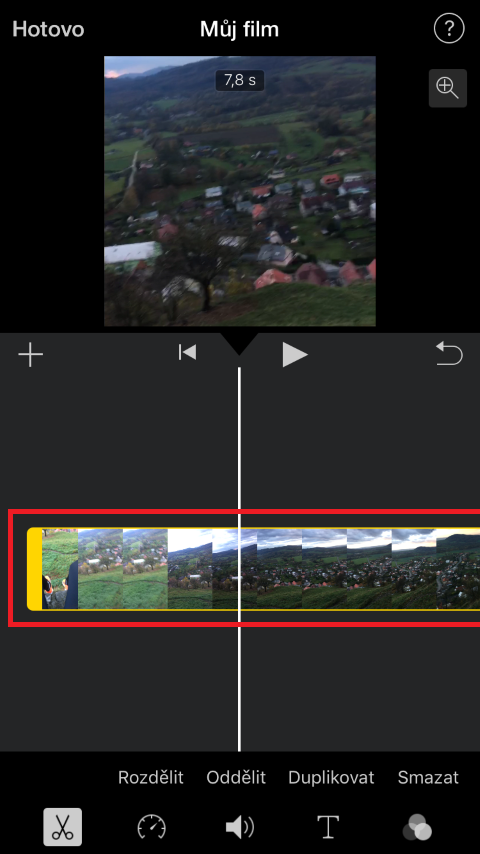
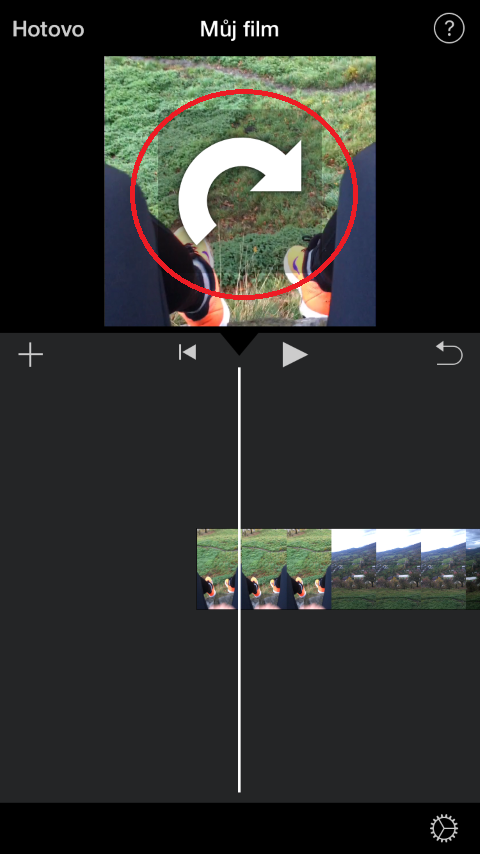
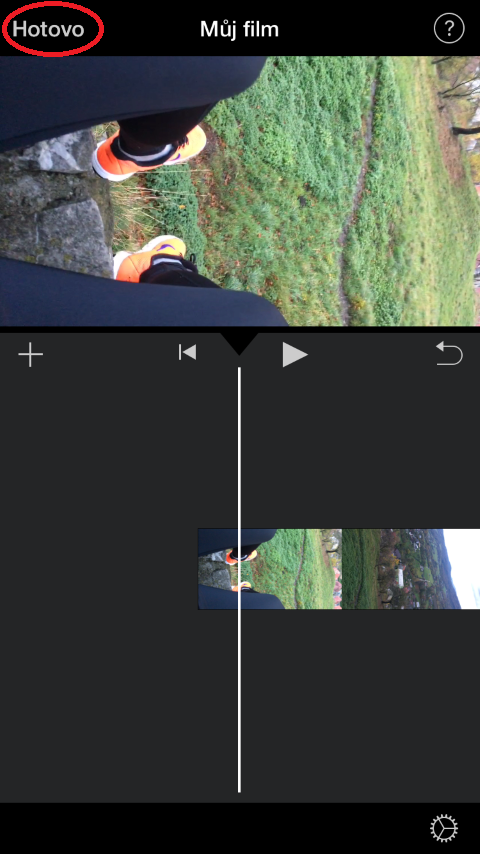
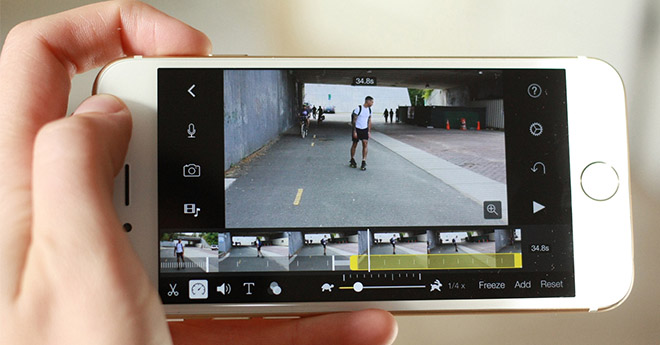
Z App Download the store iMovie. Once you download the app, open it and select it Create a project. Choose from the two options now displayed Film. Then select the video you wish to rotate from your gallery. Click on it and tap on at the bottom of the screen Create a movie. You will see a timeline with the video. Click on the video to view it in the top preview. Then use the gesture on the preview – place two fingers on the video and move them in a circle shape - clockwise or counterclockwiseuntil it appears rotate video icon. Then just lift your fingers from the screen and the video will rotate. Once you are satisfied with the result, just select in the upper left corner Done.
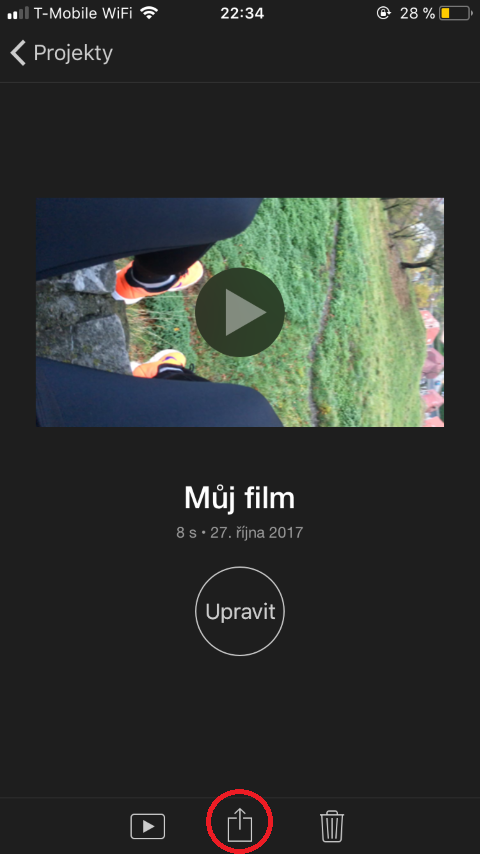
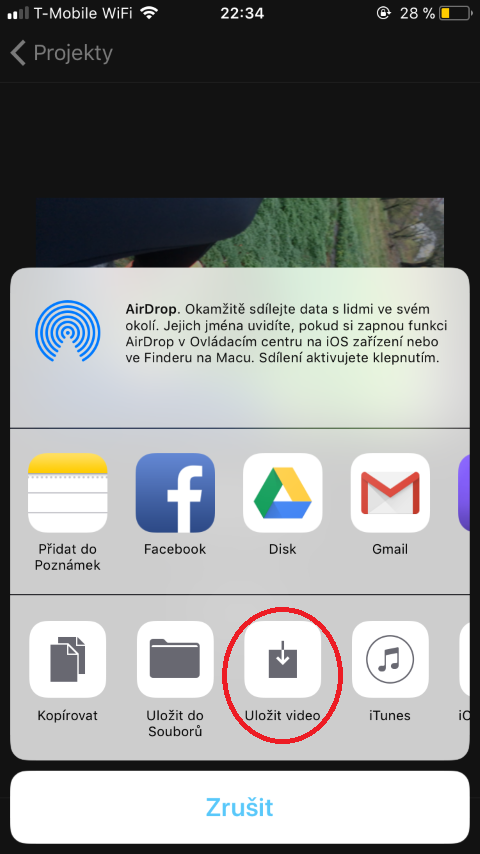
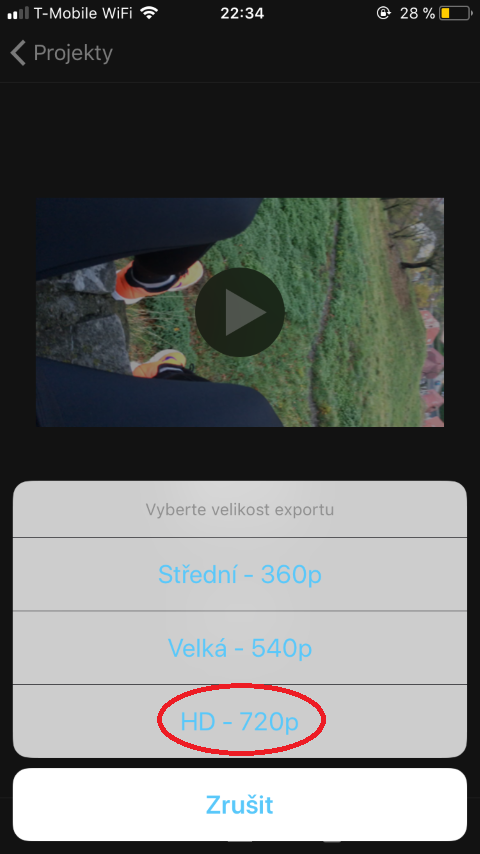
You export your movie using the share icon at the bottom of the screen. Click it and select Save Video . The last thing iMovie will ask you before saving is what quality you want to save the video in. I always prefer the highest quality, in this case HD. The video will be saved after some time, depending on its length, and you can find it in your gallery.
Gallery










Thanks for the tip. I do it in such a way that if I get my hands on a video shot like this, I ask myself what kind of idiot filmed it and delete it.
Right opinion! :-D
I don't understand why I have to download some crazy-sized app for such a trivial thing, not to mention the fact that I'm downloading it just to rotate the video (that's ridiculous), and complete 100 steps just because my video didn't rotate! And for the diehard supporters applu, who have an excuse for all the mistakes and shortcomings – no, I'm not an idiot and I shot the video horizontally, it just didn't turn over. I have Iphone a apple I like it, but it's starting to annoy me with those little things. I expect ALMOST perfection and flawlessness from such an expensive machine.
I'm doing the same thing... just for those who don't have imovie and don't want to download almost 700mb! So... app There are a lot of programs under 10mb in the store.
Maybe turn with both fingers in the direction or both in the opposite direction, but not with one like this and the other like that...
Thanks for the heads up, fixed.
Shoot videos in portrait mode maximal depravity. Yes, it's better in the hand, but that's the only positive.
I don't understand why manufacturers don't make phones so that even if I hold the phone vertically, it records the video in classic landscape. After all, there are enough pixels in both dimensions to fit a 4K video.
Either way, I'm crazy, but I followed the instructions and I got the video to full screen and removed the black bars, but the image is also rotated. So either I'm doing something wrong or this help sucks
Either way, I'm crazy, but I followed the instructions and I got the video to full screen and removed the black bars, but the image is also rotated. So either I'm doing something wrong, or I really don't know what this article was about.
I don't understand why I have to download some crazy-sized app for such a trivial thing, not to mention the fact that I'm downloading it just to rotate the video (that's ridiculous), and complete 100 steps just because my video didn't rotate! And for the diehard supporters applu, who have an excuse for all the mistakes and shortcomings – no, I'm not an idiot and I shot the video horizontally, it just didn't turn over. I have Iphone a apple I like it, but it's starting to annoy me with those little things. I expect ALMOST perfection and flawlessness from such an expensive machine.