
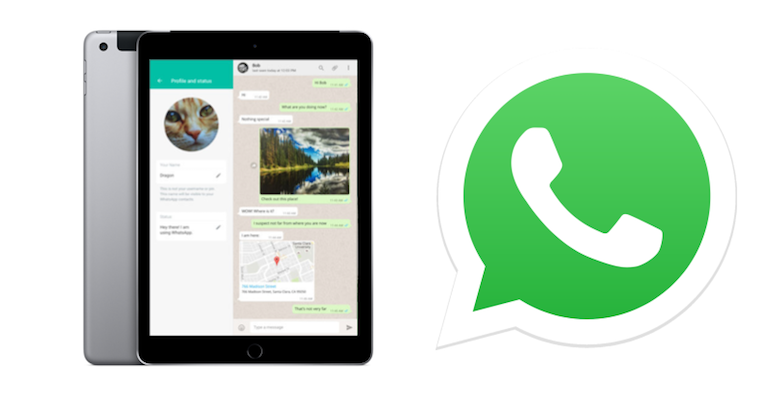
WhatsApp is one of the most popular chatapplications. Using an internet connection, you can send text messages, audio messages, images, videos, many different types of documents, or even make phone calls. All of this is of course free and without annoying ads.
You might be interested in
WhatsApp however, it is different from the others chatum tied to a specific phone number. The application itself is therefore only available for phones. Officially, there is no way to install it for other devices such as tablets, etc. In today's article, we will look at a way to solve the whole problem with up to 3 options. Thanks to the following procedures, you will be able to use this popular chat on iPad or iPod Touch.
1. Using WhatsApp Website directly in the browser
Pro purposes of use WhatsAppon a computer, the creators have come up with a special version of the application that can be run via the Internet interface directly in the browser. However, this version can also be run on an iPad or iPod. Unfortunately, in Safari is deprived of some functions, such as sending audio messages. Fortunately, WhatsApp The website is constantly evolving and therefore it is possible that full support will be available over time. Safari delivered.
- Open it Safari, or another browser, on your iPad or iPod and visit the page web site.whatsapp.com
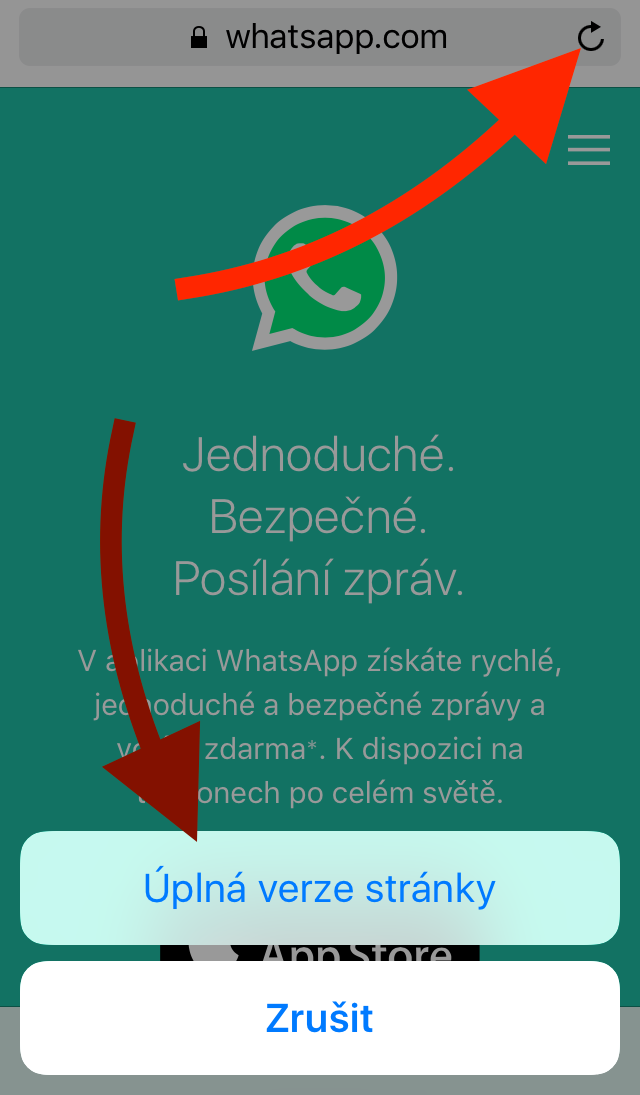
- After loading the page, you will find that it has opened in mobile view, which is not suitable for this tutorial. Proto do this, hold your finger on the refresh arrow at the top of the window. Select Full version of the site.
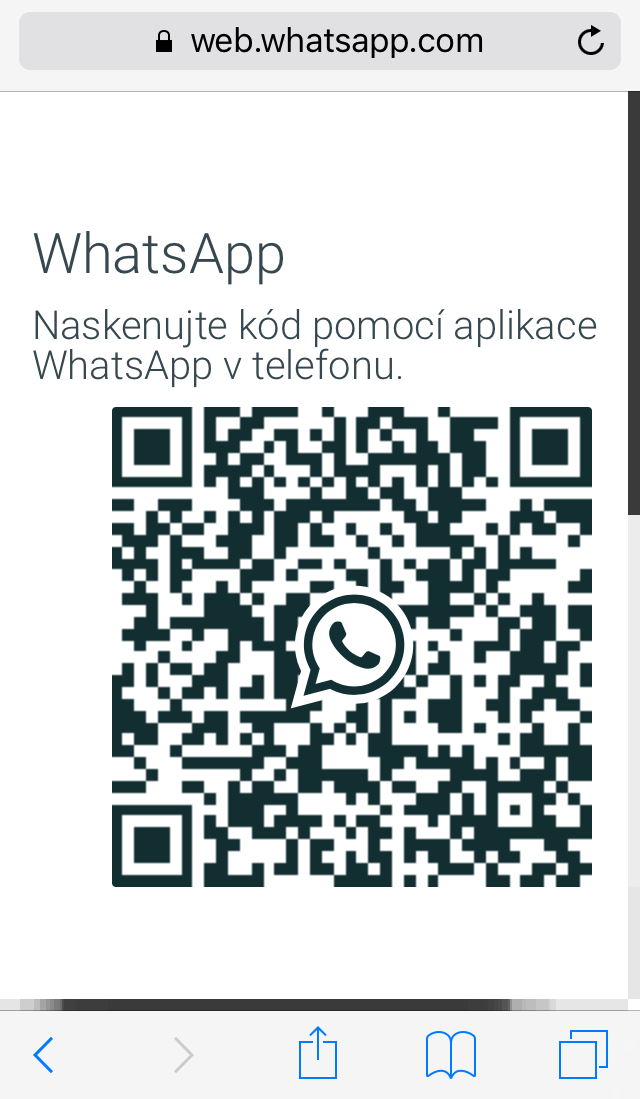
- Page WhatsApp The website will now load in full view along with a QR code. This code will log you into your account. You will need to scan it with your phone:
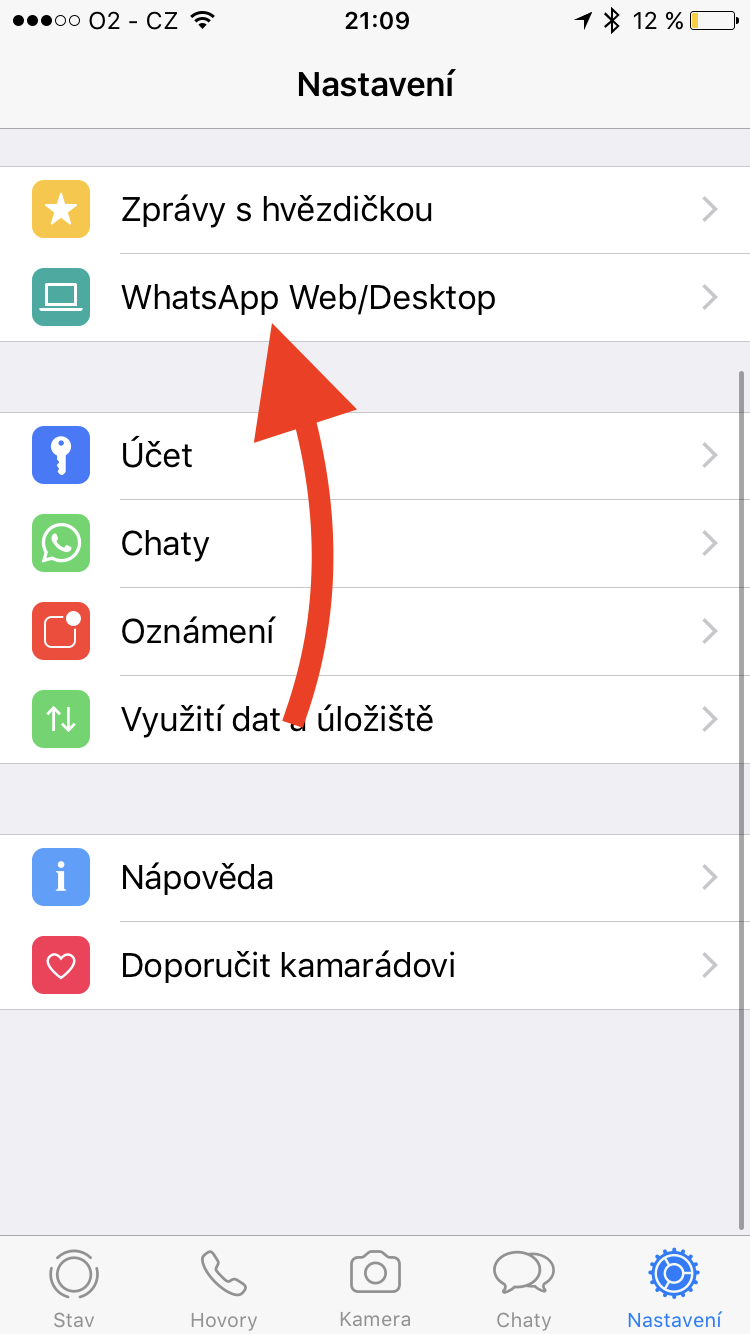
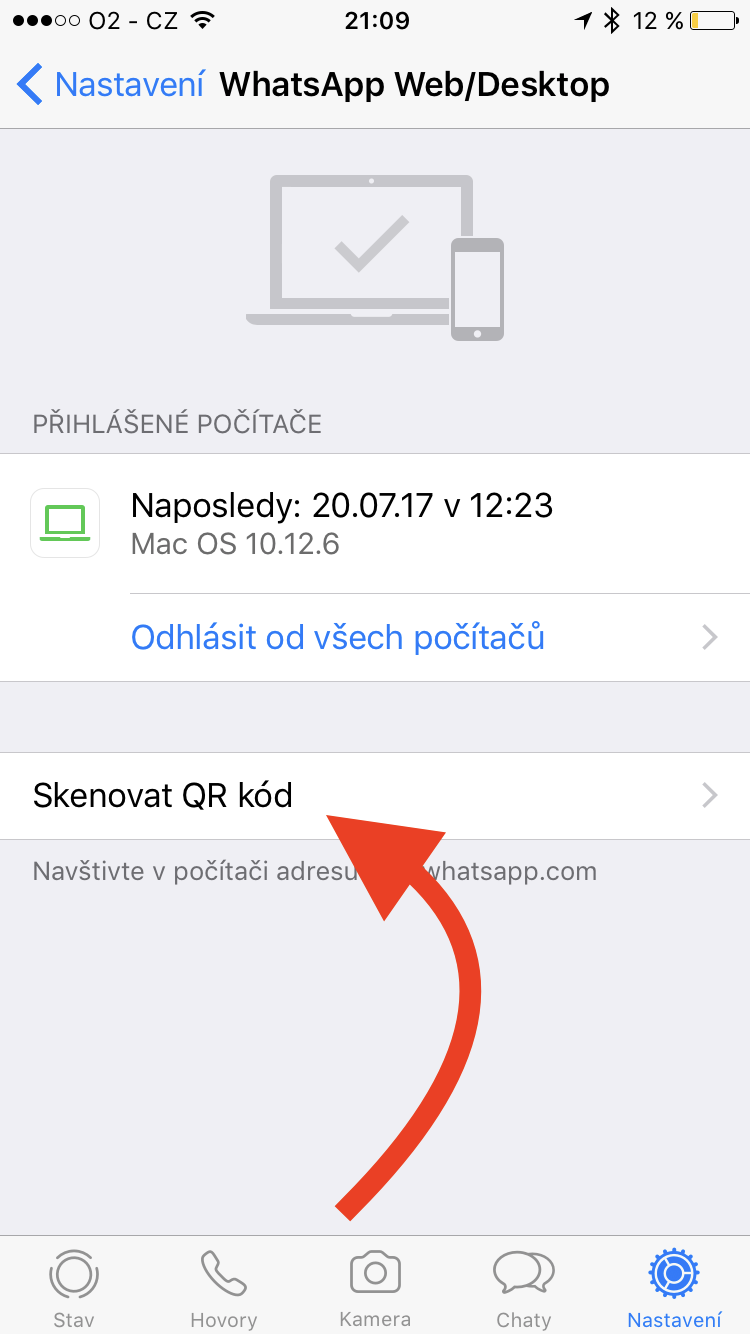
- Open the app on your iPhone WhatsApp. At the bottom of the window, visit the category Settings and then continue to WhatsApp Web/Desktop > Scan QR code. Point your phone's camera at the QR code from your iPad or iPod. The application itself loads the code and logs you in.
Gallery
2. Using an application from a third-party developer
Na App Store we can find many applications from third-party developers that can make up for the absence of the official application WhatsApp for iPad. Examples of such applications might include Chat for WhatsApp or Messenger for WhatsAppBoth of the aforementioned applications are free and offer clearer and easier access to chatu WhatsApp than through the browser. But they often display ads.
3. Using the unofficial WhatsPad++ app
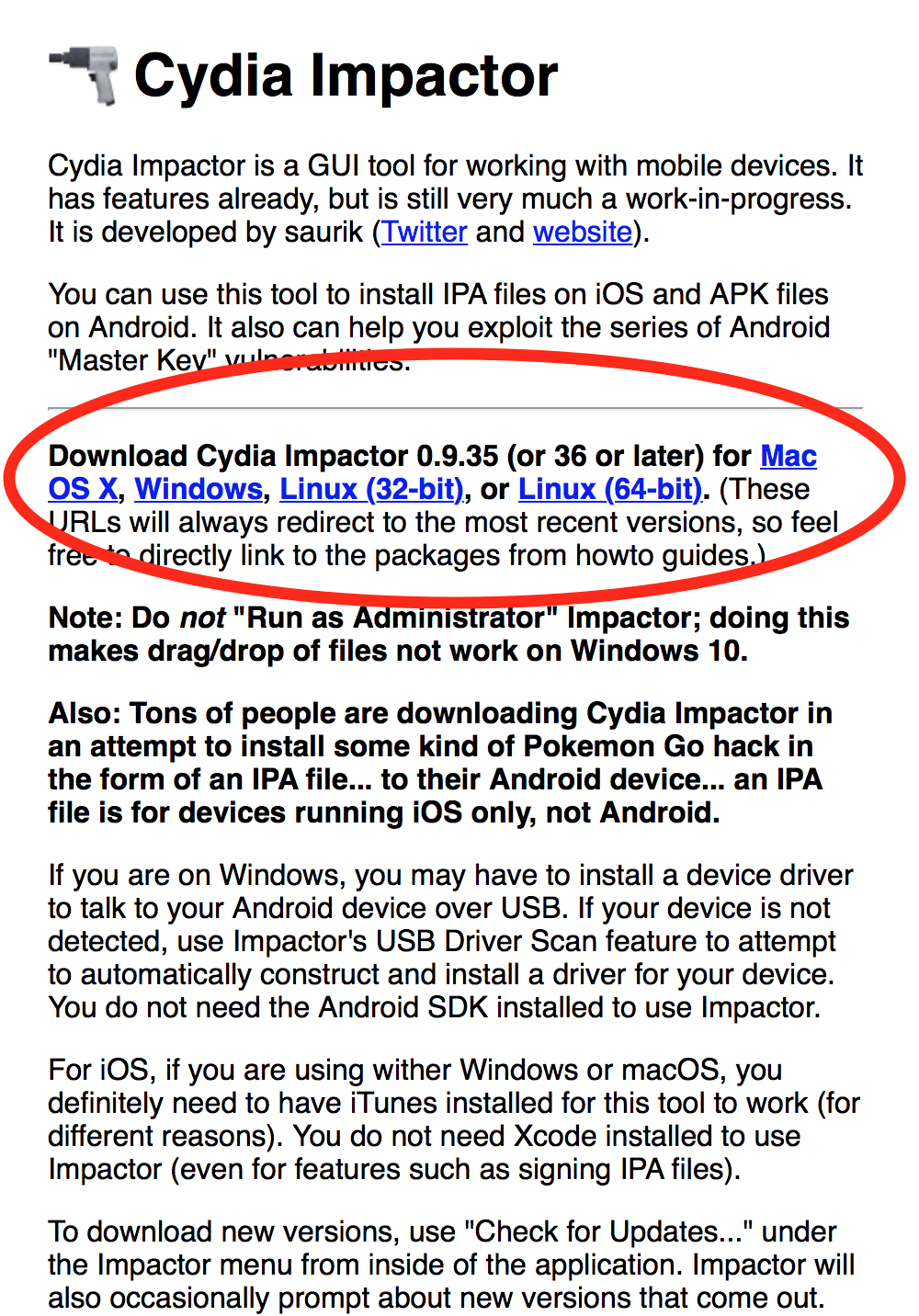
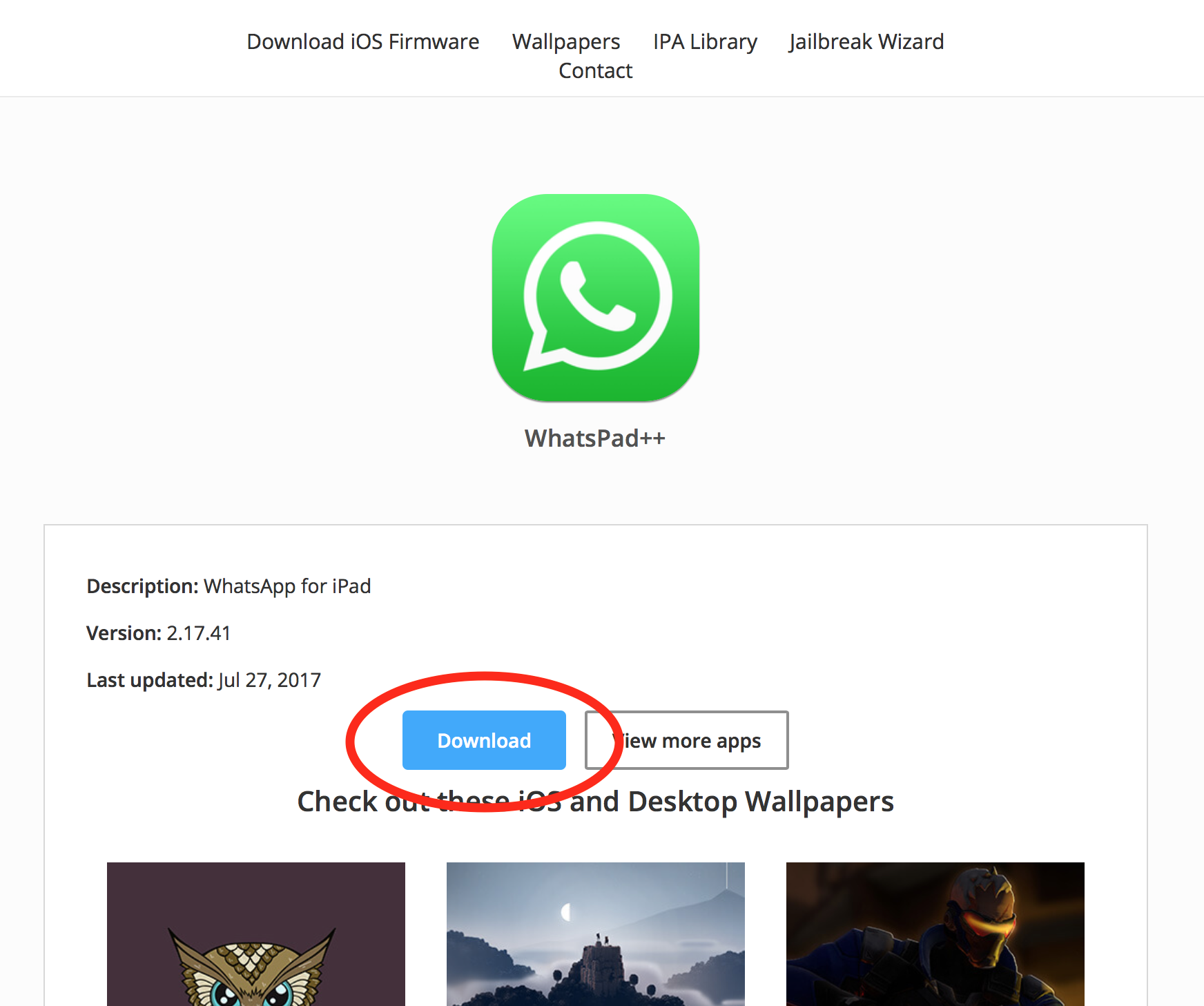
If you require a full-featured application WhatsApp, you can check out an unofficial program for iPad called WhatsPad++. This application is not available for download in App StoreYou can get it thanks to the Cydia Impactor software. This software allows you to install even unverified applications on iOS device. Since this is an unofficial application, use of the mentioned programs is at your own risk.
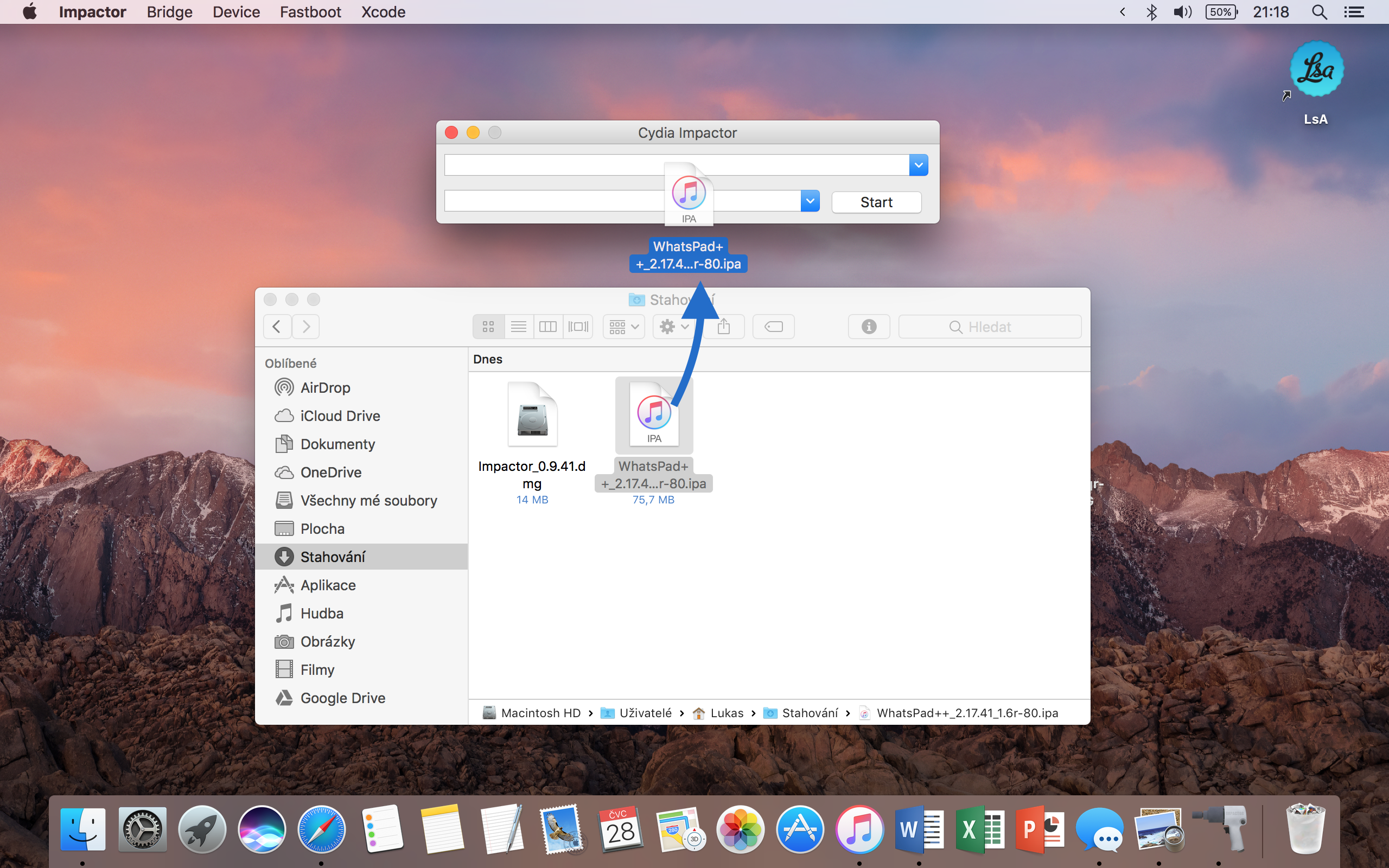
- Download and install on your Mac or PC WhatsPad++ a Cydia Impactor.
- Connect your iPad or iPod to the computer with a cable.
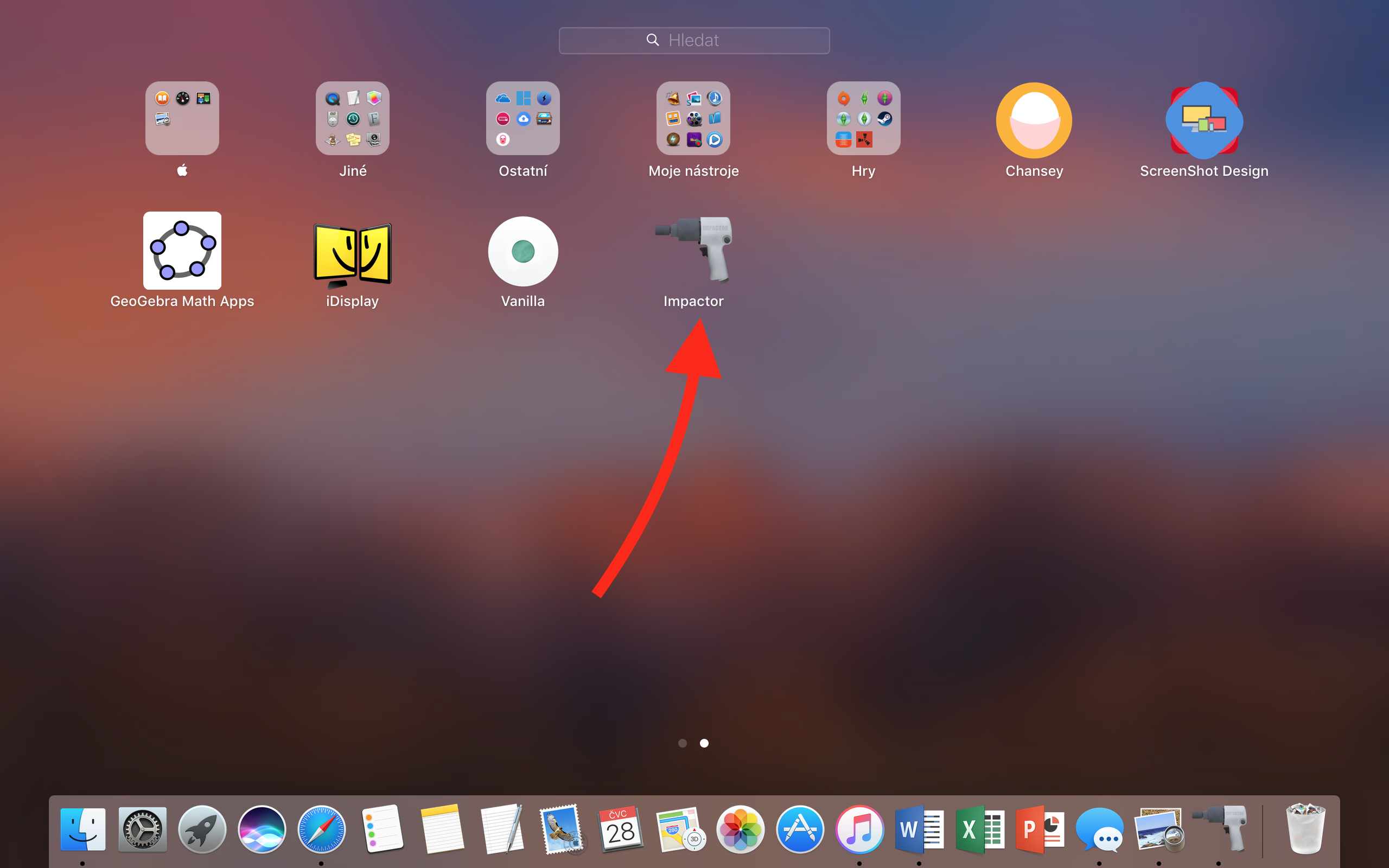
- Launch Cydia Impactor.
- Drag the downloaded WhatsPad++ file to the Cydia Impactor window.
- You will be asked and filled out Apple ID, which is used to install the application on the device. If you do not want to enter your own ID, you can create a new one at appleId.apple.com and then enter it.
- After entering Apple ID The application will start installing on your iPad or iPod. You will see the WhatsPad++ icon on your desktop. iOS.
- After the notification that the installation is complete, open Settings on your iPad or iPod. Then continue to General > Profils. Now open the profile called specified Apple ID and press the button Trust the developer.
- Everything is already ready to use. Open the app and follow the on-screen instructions.
It is also important to mention that if it was not filled out Apple ID linked to the developer account, the WhatsPad++ application expires after 7 days and will need to be reinstalled on the device. Pro For developers, this period is extended to up to 1 year.
Gallery
Source: iDrop News


We tried several third-party apps on the iPad (even paid ones), but none of them are able to run in the background. After about a minute, they disconnect and not only are they unable to display notifications for new messages, but they sometimes take quite a while to reconnect after opening. Pro Practical use is almost useless. Viber and others messengerThey have official apps for iPad too and everything works great and they are also tied to one specific phone number.
The application that has worked best for me so far is ChatMate for WhatsApp, includes a dark mode, is perfectly configured for multitasking, and has no ads.
It costs 90 CZK, so it is clear that it is without ads. ?
I would like to ask, please, whether there are notifications about new messages even after closing the application? Thank you.
No, unfortunately, like any client, it disconnects after a certain time. But there's simply no way to do that. Until the official application is released, we're out of luck. Unfortunately, we have to accept that Facebook he just decided to screw all the connected people on the planet. First he buys everything, puts ads where he can and that's the end of it for him - see tragic application Facebookfor iPads and no support WhatsAppon or Instagram…