
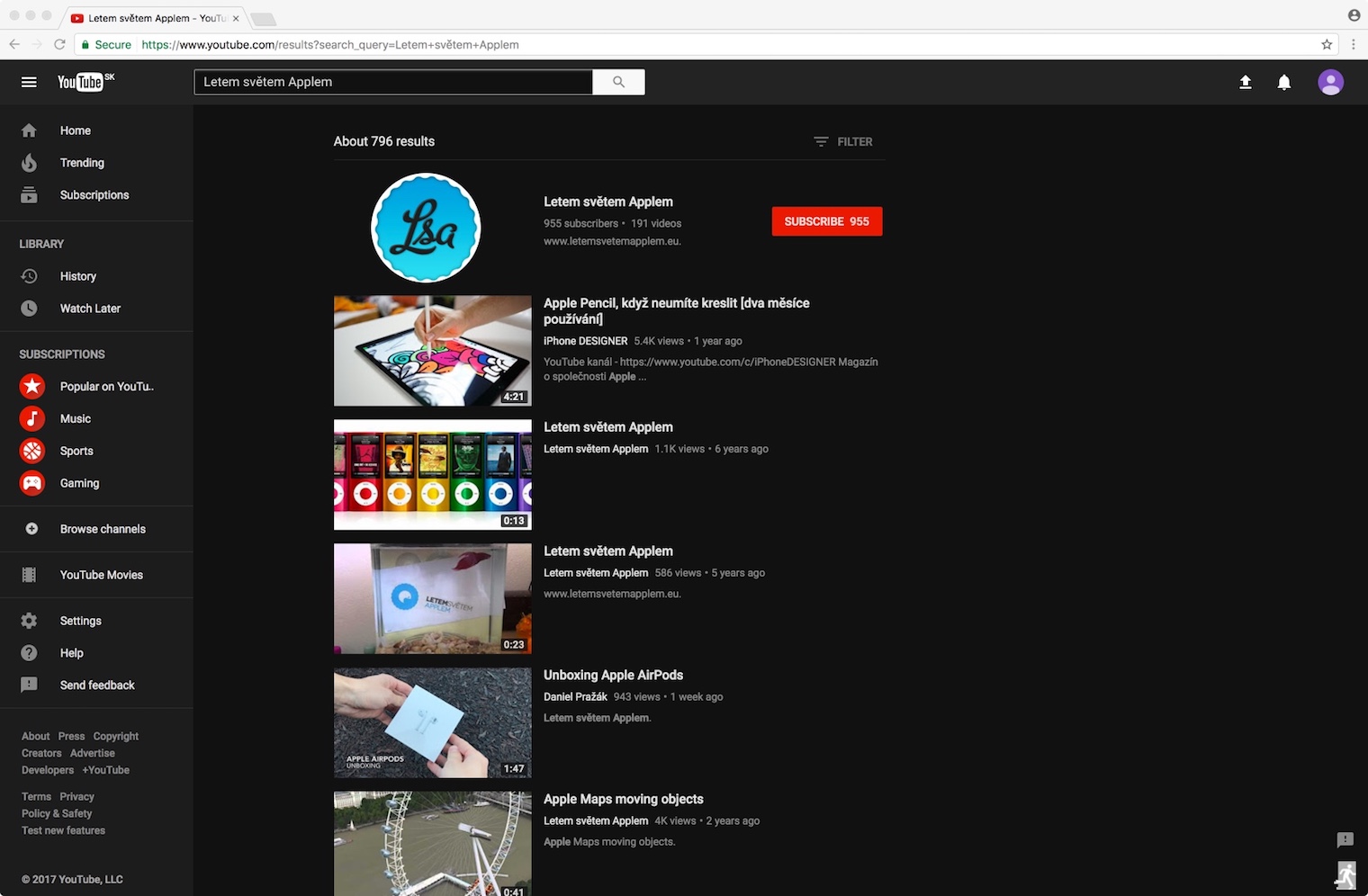
Dark Mode has been gaining popularity lately, and people are trying to find it in as many applications or operating systems as possible. However, I bet that the vast majority of our readers have no idea that one of the most visited sites in the world offers a hidden Dark Mode. Everyone knows YouTube, but many people don't know about its dark mode, and yet you can activate it right now. All you need is a YouTube or Google account and use the Google web browser. ChromeNow all you have to do is follow the steps below.
- Turn on Google Chrome and log in to YouTube
- Leave Youtube.com open and in the menuBar Chrome go to View – Develop – Developer Tool
- Now switch to the Console tab
- Insert the following text, including quotation marks: document.cookie="VISITOR_INFO1_LIVE=fPQ4jCL6EiE"
- Refresh YouTube.com (refresh)
- Click on your account picture in the upper right corner of the window and choose Dark Mode: On
- Done





Great thing, it only activated when I entered: document.cookie="VISITOR_INFO1_LIVE=fPQ4jCL6EiE"
It doesn't work for me personally: Uncaught SyntaxError: Invalid or unexpected token
you must have written it wrong. you have wrong syntax
It doesn't work for me either and I copied it so I couldn't have copied it wrong.
write this: document.cookie="VISITOR_INFO1_LIVE=fPQ4jCL6EiE"
there is a mistake in the article
v chrome it works but in safari no :/ at least for me personally
Maybe that's why the article says you have to have chrome?…….
If it doesn't work for you, use one of these codes:
document.cookie = "pref = F6 = 4, path = / domain = .youtube.com";
document.cookie = "VISITOR_INFO1_LIVE = fPQ4jCL6EiE; path = / “
document.cookie = "VISITOR_INFO1_LIVE = fPQ4jCL6EiE"
one of them must work
sorry i missed it :)
Unfortunately it doesn't work for me. :( Maybe it's because I don't own it Apple computer or laptop. Can anyone advise?
Has anyone already started it on safari ? oO
I personally use it for chrome, should also support safari: https://www.turnoffthelights.com/browser.html
Of course it also runs on safari
I only use safari ?
V chrome I use the dark mode extension on YouTube. https://chrome.google.com/webstore/detail/dark-skin-for-youtube/bfeknfgchonpnofdjokchhdhdnddhglm
Off topic: does anyone know about any app for AW2 where I won't need a treadmill iphone and when I come running, iphone Does it show a route that has been used? I have several of them downloaded and now I don't know which ones support it and which ones don't. I don't want to test them all at once?
and opera just click on youtube on your profile in the top right and there is approx. 5. Dark mode on/off
Is Tomáš Pospíšil coming here? ??
hooooo
It works in every browser, it's nothing extra, it's just a new design that is rolling out very slowly. Try logging out of Youtube and you will see the new design with the option to switch to dark mode, no need chrome not even bothering anywhere.