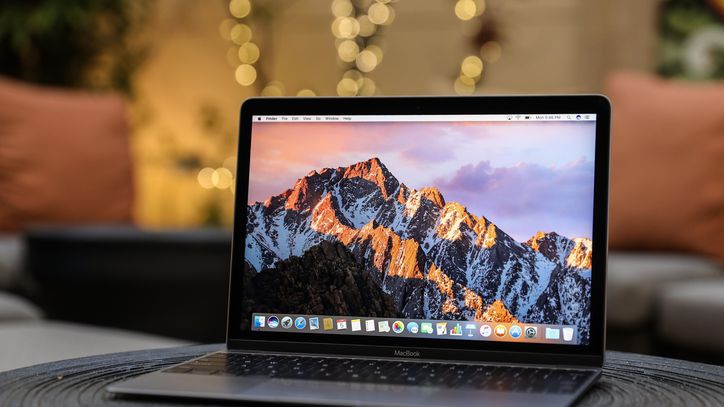
Many users who purchased MacBook or iMac, upon unpacking, they discovered that it had a slightly different keyboard than what they were used to from a computer with an operating system WindowsSpecifically, the Mac lacks the End keys, for example, Home, Page Up or Page down. Apple he sees no reason why he should put them in his keyboards and considers them unnecessary. Nevertheless, but Apple listened to the objections and added keyboard shortcuts to OS X that act like the End key, Home, Page Up or Page down. Apple however, he has prepared many more useful key combinations for us to look at.
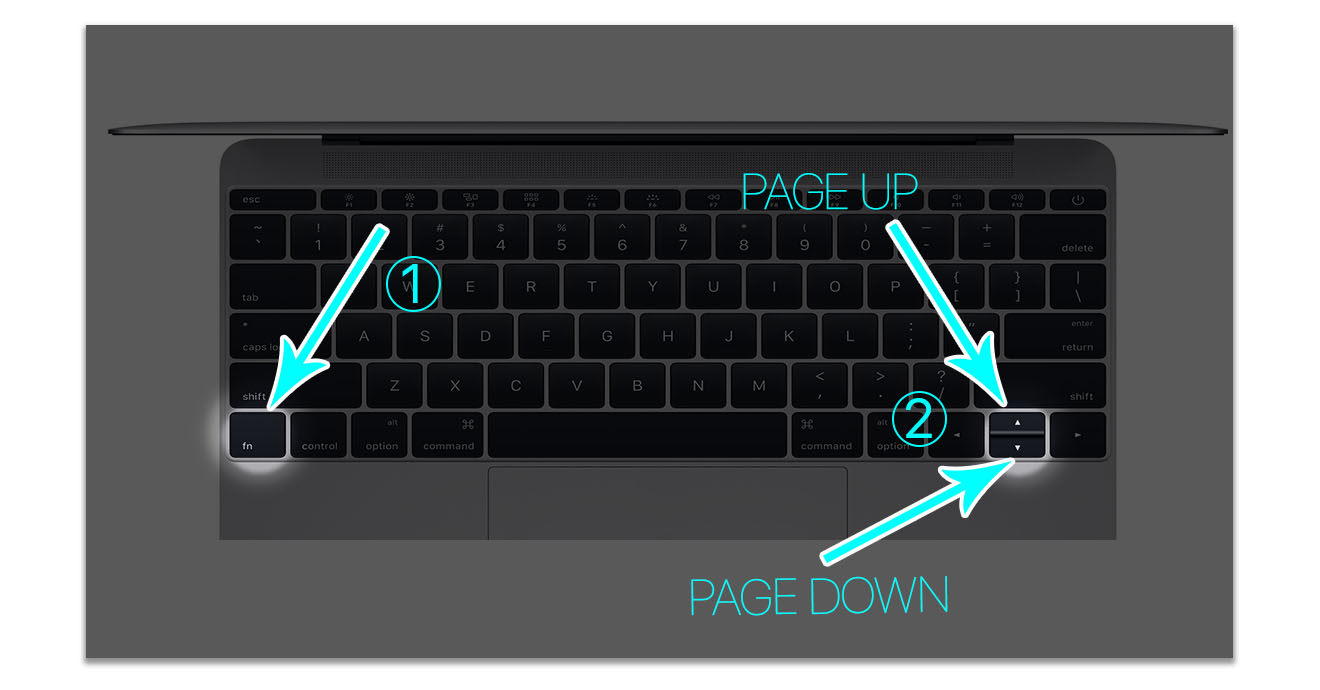
First, let's look at the key "Page Up", which is one of the classics Windows keys. Simply move an open browser page or application window up. On a Mac, we can achieve the same function by pressing a key fn and then the arrows up.
Key "Page Down" works the opposite of "Page Up" Simply put, it moves the open page down. On a Mac, we achieve this function by pressing the key fn and then the arrows full. By scrolling the page in the browser Safari downwards, we can also achieve this by simply pressing the spacebar.
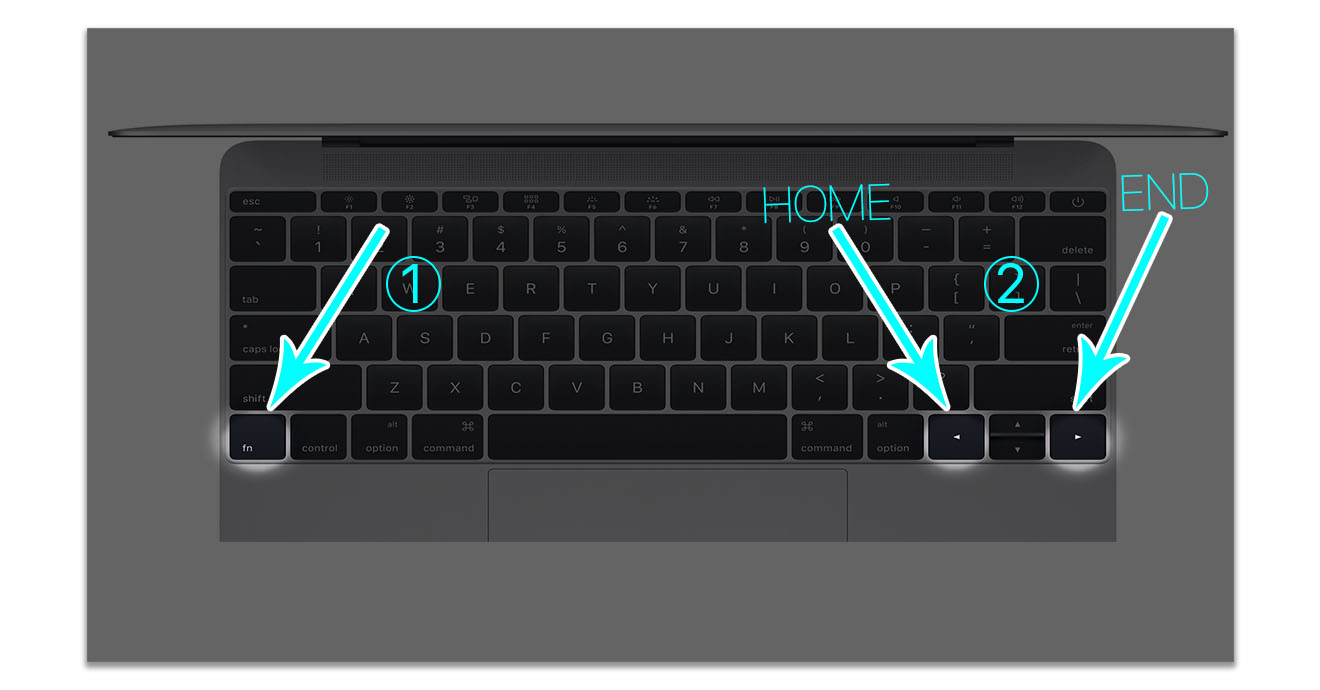
"Home” you would also search in vain on the Mac keyboard. It simply moves the screen to the very beginning of the document. We achieve this effect by pressing a key fn and subsequently left arrows.
Opposite of the " keyHome" is the " keyEnd", which in turn moves the screen toonec of the entire document or open page in the browser. As you probably already guessed, we achieve the effect by pressing the key again fn and subsequently arrows right.
We talked about the most famous keyboard keys Windowsu, but Apple added a few other interesting shortcuts to OS X that are definitely worth mentioning.
- Command (⌘) – Alt – Esc = The Force Quit Applications window will open where you can shut down an unresponsive application.
- Command (⌘) – Space = Spotlight search will open
- Command (⌘) – comma (,) = Preferences of the foreground application will open
- Command (⌘) – M = MiniThe foreground window is docked.
- Command (⌘) – A= All items are selected, for example in Finderall files are marked.
Of course, there are many more keyboard shortcuts, you can find them all at official website Applu. Shortcuts are available on all keyboards including Apple Wireless Keyboard. Keyboard Apple The Extended Keyboard already has keys in its design Page Up and Page Down integrated, yet this trick will work on it too.