It's already really cold outside and many of us are planning to go to the mountains over Christmas, so it's high time to look at how to protect your smartphone.one in winter. The conditions that currently prevail everywhere you look are the worst for our smartphones. When it's freezing, the humidity in the air is miniHowever, when changing from heat to cold and vice versa, the phone often gets dewy and moisture not only forms on its surface, but can also easily get where it has no business, i.e. inside. So let's take a look at how to take care of your smartphone.one in winter and what to watch out for.
Temporarily discharged battery
The greatest stress is placed on the battery and, of course, the liquid crystal display at sub-zero temperatures. All modelers will agree with me that the difference between using the same battery at -10 degrees (at which only expeditions, not racing cars, are driven) and at +25 degrees can be up to 40 minutes of extra driving time. Which is already a noticeable difference with an average battery life of 50 minutes for racing cars and 80 minutes for expedition specials. It is no different with the battery in a mobile phone iPhone, iPad tablet and iPod touch multimedia player. So you don't have to worry if your freshly charged phone shows low battery life at sub-zero ambient temperatures. Chemical processes occur in the battery, which are negatively affected by low temperatures. The battery status is automatically restored after the poneyou want the phone in a warm environment.
Low temperatures do not have a significant impact on the overall battery life. Of course, they do, but not enough to make it worth buying another phone for the winter to save battery life. iPhoneLow temperatures have a short-term effect on battery life. If your phone turns off at low temperatures, it is likely because the chemical process in the battery has stopped and it has stopped supplying the phone with the proper voltage. ProThe battery will recover in a warm environment. Do not charge your phone immediately after you get home, but wait until it has adjusted to the change in ambient temperature. Connect the charger to the iPhone at least 20 minutes after the temperature change.
Short circuit, the biggest enemy iPhone
Device batteries will most likely survive temperatures below -50 degrees Celsius and recover, but a shorted phone is a much bigger problem. A short circuit occurs in the winter when moving from a freezing temperature to a warm room. It may happen to you that while you were happily using your phone outside in -10 degrees Celsius, it will be damaged after a few minutes to tens of minutes at home. The short circuit causes the condensation of water vapor, which starts to condense after the transition from cold to warm. Therefore, try to avoid using the phone for at least 20 minutes before coming into the heat, and rather keep it in a warm pocket, where it is affected by much milder conditions than an ear that is whipped by an icy wind. If you do not avoid using the phone just before coming home and you know that the phone is exposed to a temperature difference of around 30 to 40 degrees Celsius in a short time, protect the phone in the following way.
Take a microtene bag and put your phone in it as soon as you get home. The water vapor will condense on the surface of the bag, instead of on the surface of the device, thus preventing a short circuit. Leave the phone in the bag for a few minutes and then take it out. It is also advisable to dry the phone with a dry cloth after taking it out of the bag.
It is not a problem to get blanking plugs for the internet for a few crowns or, in the worst case, a few dozen crowns. iPhone dock konewhich is 3,5mm jack konewhich. I recommend these plugs miniIt is best to use it in freezing temperatures. It not only protects the phone, but also protects the sensors, which help the service to determine whether the phone has been wet or not. So if the phone has already shorted out due to moisture, but the sensors retain their original color, the claim will most likely be accepted.
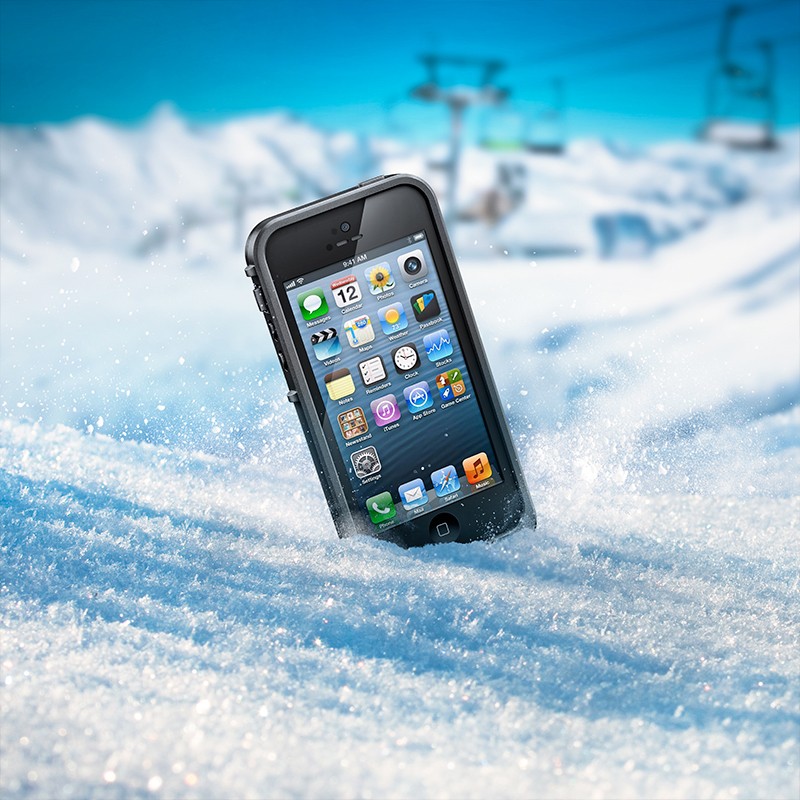
*You can read the review of the Lifeproof packaging from the photo right here.
Frozen crystals
While AMOLED displays use electrolyteminiscene diodes made of organic materials that work without problems even in extremely cold temperatures, iPhone uses LCD technology containing liquid crystals. As you know, everything that is liquid can solidify or freeze, it just depends on the temperature. As the temperature decreases, the viscosity of the crystals increases and their reactions slow down. The lower the ambient temperature, the slower the displays respond to the commands of the transistors. ProThe problem occurs when the ambient temperature is so low that the crystal stops responding completely and de facto freezes. There is no need to recover from this condition and I personally know cases where people lost several dozen pixels at once just because of the cold. While the display is heated from the inside by the phone's own power, from the outside it has to cope on its own. It is advisable to use one of the protective film screens during the winter, the review of which you can read here or hereIf iPhone In cold weather, do not perform tasks that require frequent changes in the display color, such as playing games or watching videos.