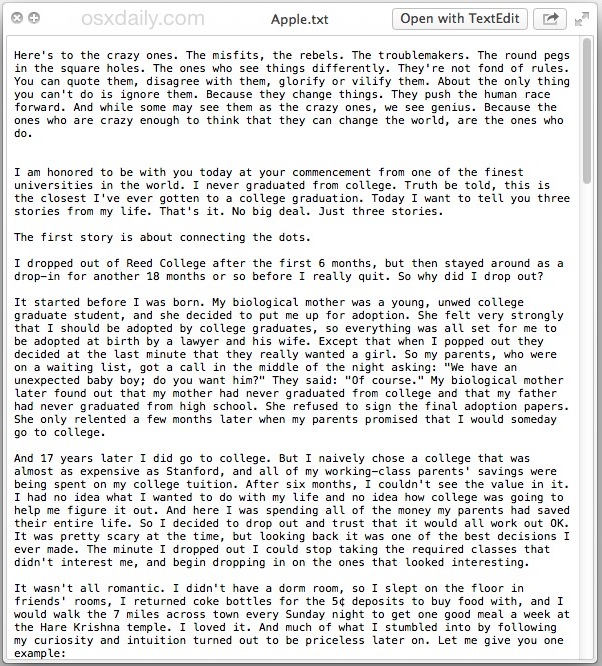
If you are using the latest version of iWork, respectively Pages on OS X, then you might not even know you've installed Steve Jobs files on your computer! In the application files, there is a document in .TXT format, which contains two speeches that fans can Applu and Steve Jobs can be recognized precisely because Jobs introduced them - once in a never-released version of the ad Think Different and once in his famous speech at Stanford University, which he ended with the now legendary words "Stay hungry, stay foolish."
As I found out, the document is only in the latest version Pages and therefore in iWork '09 you will look for it in vain. The document is hidden in the depths of the application Pages and to get to it you have to open the folder /Appapplications/Pages.app/Contents/Resources using the keyboard shortcut CMD+Shift+G. In the event that OS X tells you that the folder does not exist, then it is obvious that sa Pages located in another folder, for example in /Appapplications/iWork/Pages... Considering that the new version is accessible free of charge from App Store and is installed separately, then this problem should not occur. Once you have the folder open, all you have to do is find the file Apple.txt and open it.