
When moving to new premises, which serve as both a business and a residence, we decided to invest in something that many people forget. A router is something that most people perceive as a necessary evil and another box that needs to be paid for. If you have one computer, you can safely perceive the router as you have until now. However, if you use several different devices with different standards, at least some of which offer AC or Mimo, for example, it is advisable to invest some money in your home network and create a secure network that provides maximal performance that won't limit your device.
It's not like that here.onec it turned out that we used AirPort Extreme and AirPort Express to create a network that meets the latest current standards. While a colleague is preparing an article about how the entire network works and why we used this solution, I decided to prepare a review on AirPort Extreme and AirPort Express as such. In this article, we will specifically look at the larger of the company's two routers Apple AirPort Extreme.
Design
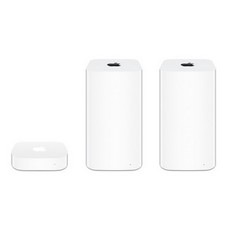
Apple used for the current generation AirPort Extreme again the same design as for TimeCapsule and the only difference between these two devices is that in addition to the Router, the TimeCapsule also contains a hard drive, otherwise both boxes do not differ in terms of design. The Router is quite tall and measures almost 17 centimeters in height, but it is slimmer. The base has the shape of a square measuring 9,8 cm. If you have Apple TV You probably already know that the dimensions are Apple TV, AirExtreme port and AirThe Port Express base is completely identical and all boxes can be conveniently stacked on top of each other.

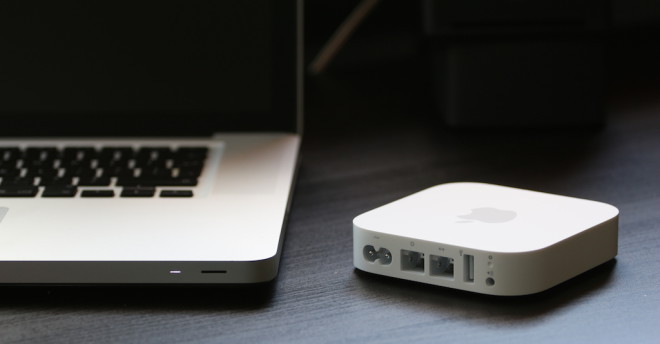
Surface AirThe port is made of white plastic, which provides throughput for the signal coming from six independent antennas, three of which belong to the 2,4Ghz network and three to the 5Ghz network. The bottom side contains cooling holes that help the Router maintain a suitable temperature. On the back we find all the ports, which include a power port, a USB port, a WAN port and three LAN ports. What is a bit surprising, especially considering the price of the router itself, is the fact that we only find USB 2.0 here, not the more modern and much faster USB 3.0. That basically ends the entire design of the router, that is, if we do not forget the white power cable that is included in the package. Of course, you have to buy all other LAN cables separately.
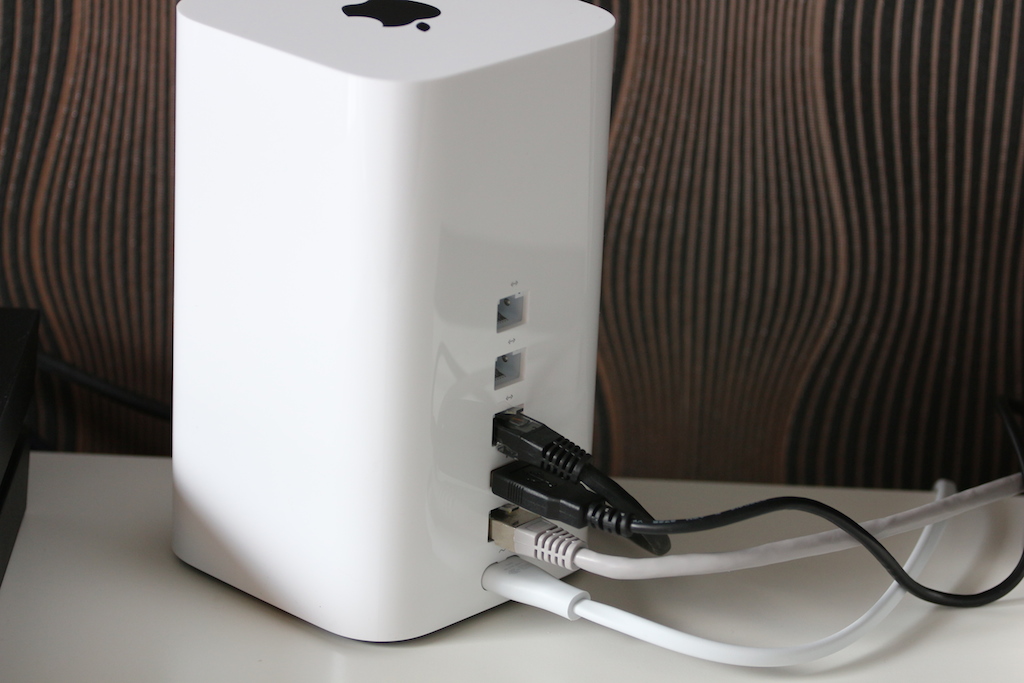
Left rear setting
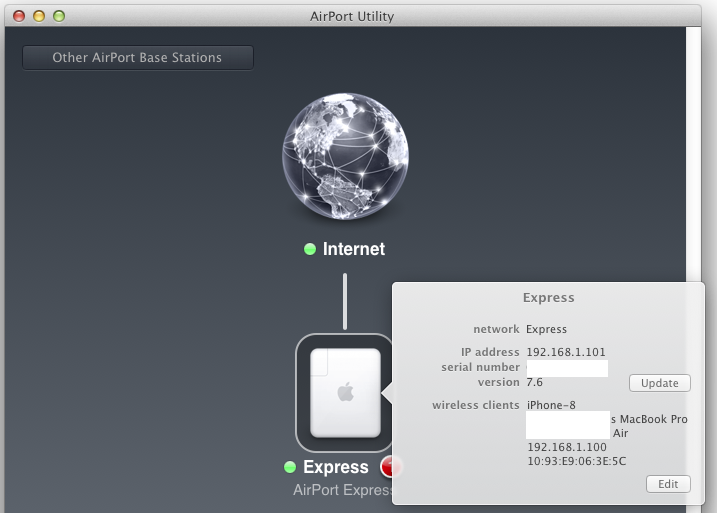
The biggest advantage of almost all solutions from the company Apple is simplicity, you can set everything up in a few minutes without ever seeing any Wi-Fi network before. Pro You can use either the application to set up the router AirPort Utility on Mac or the application of the same name for iOS. The same solution has Apple also ready for users WindowsThe application and its user interface are completely intuitive and allow you to make all the changes literally in the blink of an eye. You can create separate networks, turn on/off the 5GHz band, create passwords and connections for an external drive, work with the printer and so on. In short, everything you can think of is set up almost as easily as your iOS devices. So if you have no experience and don't want to pay for someone to set up your entire network, the solution is from AppIt's really ideal.
Experiences
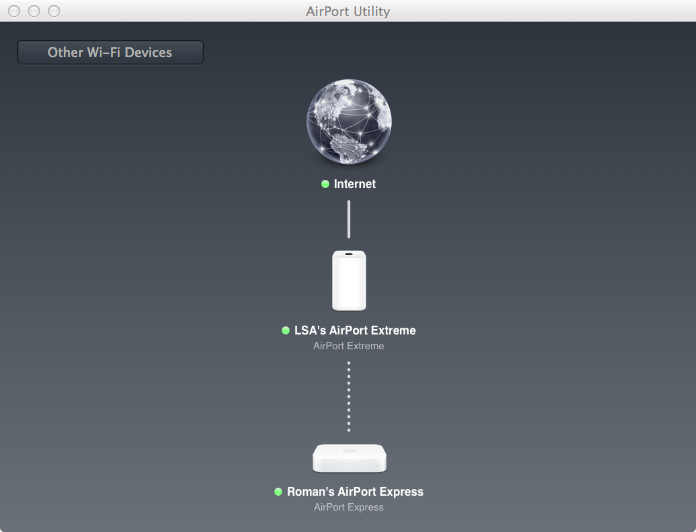
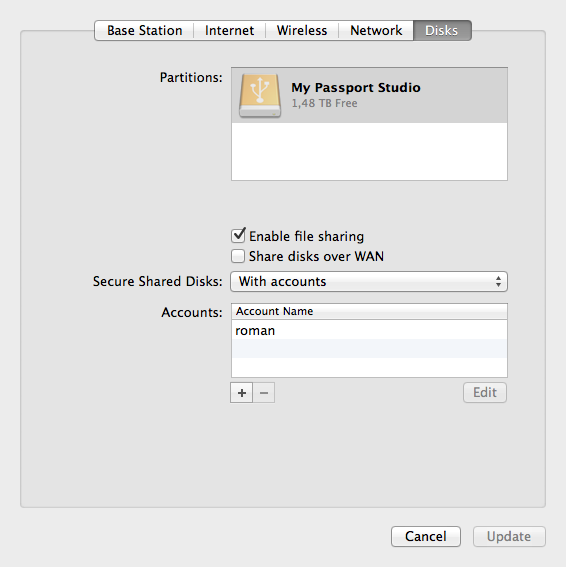
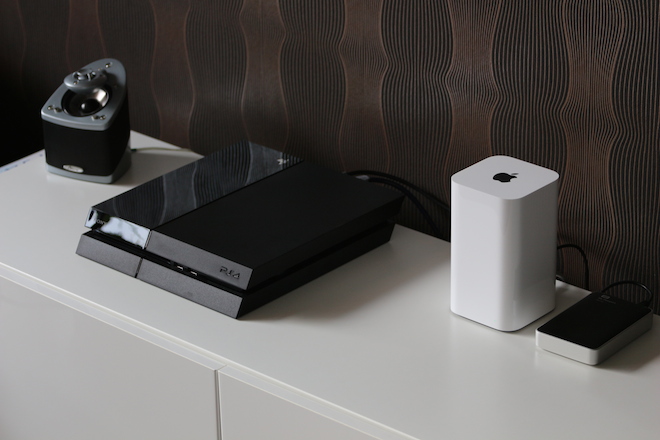
In our case it serves AirPort Extreme as a router, to which the internet is brought directly from the modem using a WAN cable and the PS4 and TV are connected to it using LAN. A hard drive is then connected to the USB port WD MyPassport 2TB, which serves as a storage for photos, movies and music. The router allows you to set access to the disk only for selected users, with the fact that it is possible to choose whether these are users who have created a special account within the home network, or have a password to the router, or have a password directly to the disk.
Unfortunately, in our case it failed AirPort Extreme reliably covers the entire area and in the farthestancIn the electrical part, the signal was already too weak to satisfy several devices. InancThe electrical part is therefore AirExpress Port, which acts as a signal extender from AirExtreme Port and a printer is also connected to it. You can also connect this to AirPort Extreme, however, you will encounter the problem that the router only has one USB port and so you have to choose between a printer and a disk. Unlike AirPort Express does not allow AirPort Extreme content sharing using AirPlay.
As for the signal strength, it is quite low for my taste and unless you have an apartment with plasterboard partitions that you are afraid to lean on, you must either find a suitable location for the router roughly in the middle of the living space or, if necessary, use an extender like we did. Even with an apartment size of 110 square meters, the router has trouble making its way between the walls from one corner of the apartment to the other. Without using AirThe Port Express Transmit Rate was at 30, and when using an extender, it has no problem with a value of 150.
Summary
AirPort Extreme is an easy and elegant solution to create a fast and secure network and is suitable for anyone who is not very familiar with the settings of individual parameters or does not want to deal with them. Personally, I regret the absence of USB 3.0, considering that we are already building a really fast network, it would be nice to connect an external disk using this port. There is no need to talk about the absence of a second USB port, when the router allows you to connect both a disk and a printer. The absence of the function also freezes AirPlay, if you want to use all the technologies that the network has Applu provides, you must own both ja AirPort Extreme, as well as AirPort Express. I was personally unpleasantly surprised by the signal strength, but I wouldn't like to speculate here whether it's a problem with my apartment or a problem with the router itself.
Overall, it can be said that the purchase AirWith Port Express you buy an elegant, fast router that has all the Wi-Fi network technologies available today and maxwith maximum signal transmission strength. Extreme offers easy setup and options for using, for example, a network drive with miniwith little experience setting individual parameters. On the other hand, it cannot be unequivocally stated that this is the best Router on the market, which lacks nothing at all, because it lacks a few little things that are worth considering. It is up to you whether you decide to choose this router, but try to think about what functions you expect from your network.
- AirYou can buy Port Extreme in the Czech Republic at an excellent price right here.
- AirYou can buy Port Extreme in Slovakia at an excellent price right here.





yeah, that's what I was thinking about last year, what router to buy...oneI decided to airport extreme (even flatter), which cost about 3500 new...after the horrors of setting it up, I bought itonestarted up and nestI was surprised... compared to a 500 CZK router, the range did not improve at all, quite the opposite. The only plus is that where it has one wifi bar, the signal is stronger, but on the other hand, now I leave the room and I have one bar less :D so I'll buy a new generation airport extreme, which has an even worse signal + buying an extender is a real bummer :D better buy a router for 1500-2000 with proper antennas and you're done with the worries. Unfortunately, here you apple routers are made on American paper walls and it's a bit of a problem here :)
ProThe problem is not in the apartment but in the router...!!! (express alla APLTV)
I agree with drtikol, the problem was solved by moving the router to a cabinet and thanks to that I now have a 3,5mm cable-jack just over a meter, previously it was 7m+
The idea that I'll give the money and I don't have it Air services, I would probably take a bite...
However, not to insult, the investment was due to the neighbors who have a password... the old d-link for 800,- had a better range, but 4-5 devices at once gave it a hard time and was noticeably slow, plus the city's noisy 2,4Ghz...
Now the express runs 3 pieces at 2,4Ghz and 4 pieces at 5Ghz and I have to say the bomb, the speed does not fluctuate and the presence of connected neighbors can only be recognized by a solid heat...
If you have more than 5 devices and you don't live at the stadium, I can recommend it. Sorry for the file and errors...
As for the range of this router, it depends a lot on how it is set up. The router contains 6 antennas, which it distributes as needed. So if you use band 2,4 and 5 at the same time, it splits the antennas in half. If you are still using the guest network, there will be a further reduction. Then it also depends on the devices that connect to the router, because it always applies that the wifi network runs on the mode, as its weakest connected device. Apple The router allocates its resources well and so performance degradation is not that bad. ProWiFi issues are quite complex and it is also known that some building materials significantly reduce performance, for example 5ghz has big problems with glass. AppRouters are good mainly because of their stability. It is a router that you set up once and never touch again. They are reliable and can keep a larger number of users logged in at the same time. In my opinion, it is an excellent router for households with a larger number of devices, small businesses or restaurants. The guest wifi is on a separate circuit, so clients cannot access your private network. And the cooperation with extenders is also excellent and reliable in the long term.
I also have a problem with range, and in a relatively small apartment (express). Anyway, the absence AirPlay at Extreme really surprises me.
Time Capsule AirPlay allows?
to domokun: what does "If you have more than 5 devices...problem" mean? It's a problem even if I have about 8 wifi devices at home but they are always actively used at the same time max 2 or 3? (I only occasionally have a smart TV with Plex and I surf both at home, but I still have no problem with a 500 CZK router from TP-Link)
@thomaspodrabsky: unfortunately, even TimeCapsule doesn't allow it AirPlay…
I can say for myself that it doesn't bother me that much, because I have TimCapsule in the room where I have it appletv (hdmi+optical) and in the others I have airportexpress… …however, I understand that if I only want the sound, it will be annoying…
I don't know how it is with the new AE, but with the older type I have a HUB connected to USB and on it 2 x printers and HD Western 1.5 TB and it works great.
This is really only for those who can't handle configuration. If I consider that extreme costs 5300,- and for proper coverage I will also need express for 2500,- ??? At the same time, if I buy a router with OpenWRT support (quality approx. 3500,-) and a 2TB external hard drive (approx. 2200), then for 5700,- I have what apple offers for almost 8000,- as TimeCapsuli. And I can connect both the 2TB disk to it, so I have a USB port left for the printer as well.
These strange and mysterious little boxes are better NO. I would always get a kick out of it when someone I know who wants to be COOL calls me that he "doesn't like it"...
Paying "panbuh" for normal useless routers with "standard interface for people who understand a little".
Pro For those of us who grew up on firmware modifications, etc. THIS is really not technical nonsense. Especially at its COOL price :)
To this day, most spaces on routers and APs "from the trash" work reliably for me.
But if someone needs THAT, make it exactly for her :))
I had a timecapsule, the reach is also very weak, I quickly got rid of it, bought a mikrotik + AP unifi for the attic, a signal for distribution with a super configuration. (another ssid for guests with various restrictions, etc. etc.)
That's strange. I was worried when I bought the Airport Express that it wouldn't have enough signal (because I read about it in many discussions), but to my surprise the signal is more than enough. In a large family house it covers an estimated 70-80% of the area, even on the second floor, so I don't know where other people have a problem. And toonewhen playing video via Apple tv bothering youoneIt doesn't really wait and plays instantly without stopping or reloading. The only thing I had a problem with was using it as an extender with noAppI couldn't do it with a hunting router. When I tried it with a Time capsule, it took 20 seconds. :-))
I have only good experiences with the new generation timecapsule/extreme signal. Compared to the linksys and d-link used before, everything works much more stable and faster. No signal loss, reassociation, hangs, no solution like FW (I'm a gamer, I've tried a lot) to use. As a result, instead of two boxes from "reputable" manufacturers, one timecapsule is enough for a 200+m2 apartment in a rented apartment. Of course nestI'm driving in the corner on the floor and I won't make sure that the speed does not drop below 300mbps in the toilet...
Mam AirThe Time Capsule 2TB port is still here + AirPort Express in our family home. In the neighboring family house, about 20 meters away, I have an Express. I also have Express in another family house about 40 meters away.
In my house I measure at iPhone 5s – 90Mbps
In the second house about 15-20 Mbps
In the third, around 8-10 Mbps
We tried different things but noApphunting solutions, but nothing worked for us as reliably as this configuration. Yes, I know it's expensive, but the simplicity of the setup and the resulting stable functionality are worth it to me. In addition, the Time Capsule automatically backs up my 3 iMacs via Time Machine. It works great.
Yes, me too… automatic backup via Time Machine on a Netgear router for 3300 and a connected 2TB disk for 2200,-. My Mac sees it as a TimeCapsule and so it behaves like that. Savings of 2500,- and the possibility of having other functionality there. DowloadManager (pyLoad), Bittorrent (Transmission)…. and others you can think of :-) that OpenWRT can do.
I have had very poor experiences with Netgear routers in terms of long-term stability on more complex networks. Reboots were often necessary and various errors appeared. And with time machine service to themappI've cried twice over my earnings when the backup file structure became unreadable after several months of backups. I've been using a few years older Time Capsule and now a new Time Capsule since the fall and I've never had a single problem with it. time machine backup or with the need to restart the device.
So there is a big difference between netgear for 500 or 4 or ten. I don't know what a complex network is? I mean functioning in a home network (cable modem – 1x router, 1x switch, 4 devices connected via cable, 8 via wifi). Uptime tells me netgear has been running for 68 days without a reboot. I have backups on this non-original TimeCapsuli since December 2013 and no problem. The basis is to have the disk that you have connected to the router formatted to HFSplus. So then on the router you mount e.g. mount -t hfsplus /dev/sda1 /mnt/TimeMachine/. Yes, you are right that if the disk is formatted to fat32 or ext3, it will fall apart after a while.
Dojan, this means that a lot of routers do not work for 4-5 machines connected at once, yes, I take 8 devices connected at once, to solve when they are connected only 2-3 are per head...
Ordinary tplinks simply can't handle it and you can't find out anywhere on the box, neither does the aplák, but several people have said that it's a big plus...
RomanI want to ask, what would be the use of USB 3 if its speed is not used by either .ac wifi or a LAN cable?? That would probably be useless then... :((
Otherwise, I think there are also routers on the market with the same parameters as APExtreme's, but the prices tend to be quite similar. I know from my own experience that compared to others, Extremka is quite strong and the signal range is usually better.
As for Espresska, it is better for smaller apartments or as an access point.
The old extremka (flat) was already overpriced towards the end, which is why it may have disappointed some people here. There were outdated technologies and weak antennas.
guys, have you tried whether ext.hdd can be used on time machine backup via airport extreme?
Piatra - yes he can :)
Honzahanus and does it also work with another router? e.g: http://datacomp.sk/asus-rt-n56u-dual-band-wifi-n-router-300n-5x3dbi-s-usb-_d86675.html#.U6gGL15ofm8
or
http://datacomp.sk/linksys-ea6300-ce-smart-wifi-ac-1200-router-usb3_d158090.html#.U6gGZl5ofm8
according to the documentation, linksys also supports hfs+, but from what I read somewhere on the net, the best and most reliable way to time machine backup is via time capsule. I plan to change the router to something with more functions in the near future, but I don't want to buy a piece of junk. a colleague advised me that Asus, I don't have any experience with Asus yet, but linksys are great routers and if it were possible, I would save some €
Mr. closed, and why do you consider cybejici usb 3 to be a defect? I would consider its existence unnecessary in a device with a ghz wifi throughput limit and 1000 mbps LAN, you cannot use the speed of usb 3
fix 5 ghz wifi
but otherwise thanks for the great review I'm planning to buy it too and then take a bath and go toonecne bing bang theory all series without cuts
those embarrassing 30 euroin d-link as "routers" - the best time to donate them to the class enemy on tapada and thus slow down his infrastructure
repair
in the west, the keyboard on the phone is fucking smallone
But I have a fundamental problem, that appI only connect wifi to the network cable and I can't connect an ADSL or 3G/4G modem to it (via USB). That makes it useless to me :-(. Or am I wrong?
So I bought it yesterday. Very easy to install, fast connection to iPad, iPad mini, iPhone, Win-notebook objectively very fast. Coverage in the house and garden is fine, I thought it would be better.
Transferring data to a hard drive via Wifi was fast. Before buying, I asked the seller whether it was possible to access the drive via the Internet (outside the Wifi network), he said yes. Unfortunately, not as I imagined (applications, cloud, log in, look at photos) does not work. Also how to view the contents of the disk
Hello, you have already published an article, see Attaching and accessing a disk.
I am very interested in this. I couldn't find it anywhere, but could I have missed it?
Otherwise, great work by all the editors?
In what time period can I expect to receive this guide? I urgently need a new router (ac), I already have WIFI in my home nesthey…
Guys, I have such a stupid question, but unfortunately I don't know much about it.. The Airport express if I want to use it as an extender Airport Time machine.. how is it done? Do I have to connect them with ethernet? Or does the express catch the wifi signal and throw it away?? Thanks a lot
Is there already some instruction as written by Mr. Zavřel 11.01.15, maybe I missed it?
To be honest, I have rather conflicting feelings about your review. I don't know how much they differ Apple AirPort Extreme from the time of your testing compared to today (whether an improved model / revision is being sold today, or whether Apple he only made great progress with the firmware), but I can only refute all the criticized shortcomings.
1. I previously had an ASUS RT-AC68U router (it broke) and on chatI have a TP-LINK Archer C2600 router, which is rated as one of the best on the market. AirThe Port Extreme beats them both – both in signal quality and range, as well as stability and reliability. I have a significantly better signal at home compared to the Asus.
2. "WD MyPassport" type drives are "pocket/travel" type, primarily intended for direct connection to a PC. It is better to connect a "desktop" type drive (WD MyCloud) – via an Ethernet cable. But in your case, transferring 5GB of data in less than 3 minutes is still a decent score.
Is it possible to connect a HUB to the USB and include more than one printer?
Hello, I know that this is already an older thread, but I would like to know what type of HDD is more suitable, with or without power supply, and my question is whether I will be able to record videos from IP SE in 4K or some movies on it, whether it will be operable or if it will crash .
Thank you for answer.
I understand that NAS would be a better choice, but airI have a port at home and some unnecessary disks.