
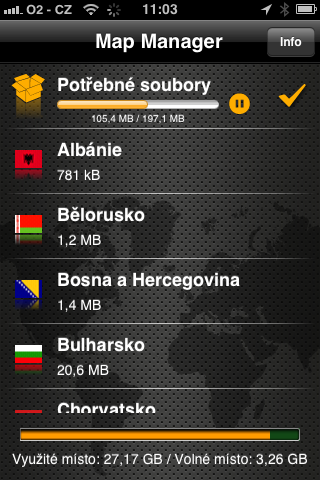
Perhaps the most widely used navigation application on the device Apple s iOS is undoubtedly Navigon. It has now undergone a major update to version 2.0. The difference compared to previous versions is that Navigon now gives you, for example, Europe doesn't have to take up about 1,9 GB of data on your device like it used to. The maps are simply separate from the downloaded app itself from AppStoreNow the user chooses which maps to use and installs them on the device. Now it will be easier to perform any further updates to the program directly on the device, which was sometimes a problem when we did not have enough free space on the device. Prothat is, the size of the application is now the same for both the whole and only for Eastern Europe. The application has undergone many graphic and functional improvements, including a new system icon. My favorite items were preserved on my device after the update. Previously purchased add-ons (e.g. Panorama View 3D) can be downloaded for free after restoring purchases.
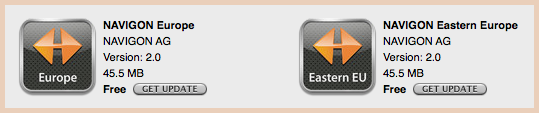

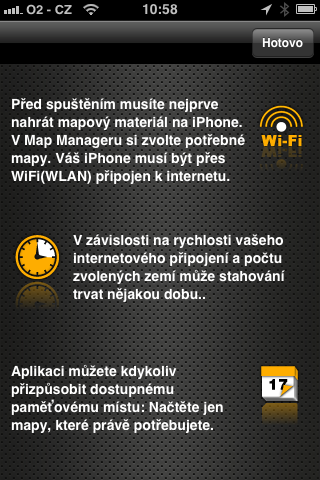
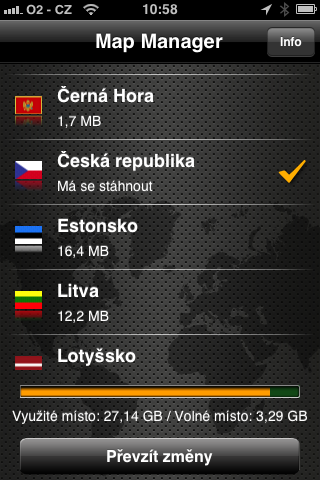
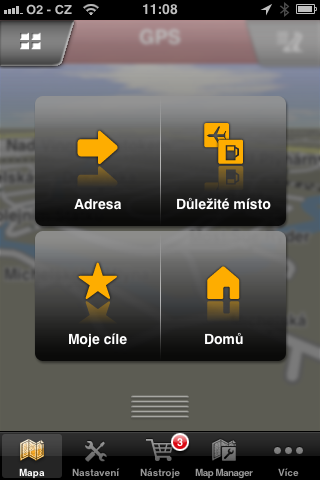
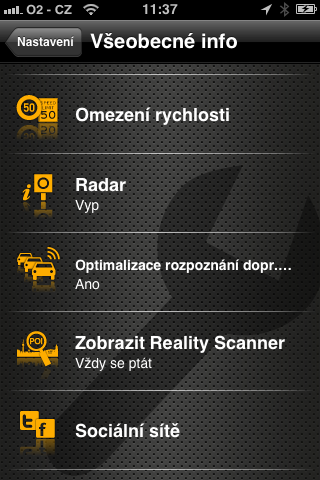
The following photo gallery shows what the new program options look like. The update applies to both the version for iPhone, as well as for iPad. At the moment, new versions 2.0 are available for all varianty Navigon, except for Australia and the Middle East. With this step, it can be expected that as soon as a newer map of a specific country is ready, it will be available for separate download. Now all changes were accumulated about 1 to 2 times a year into the entire update, which went through AppStore. Now map downloads are done offline AppStore from Navigon's (or Garmin's?) servers, so everything could work faster. In the opening image we see that Navigon is part of Garmin, which might not be bad for users at all. Of course, assuming that the maps are still included in the price of the original purchase of the application from AppStore. Now I downloaded them for free, although in the future? We'll see...

|

|
|
|

|
|
|
|
|
|
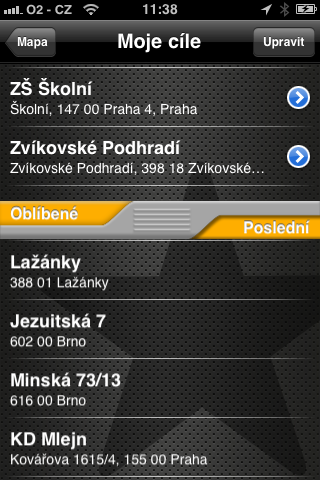
|
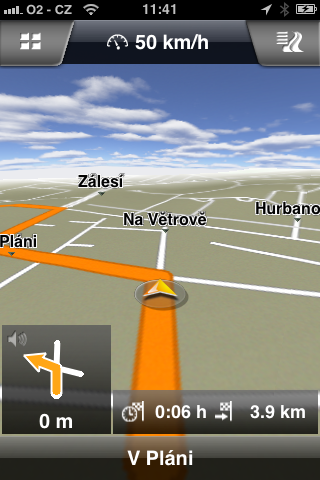
|
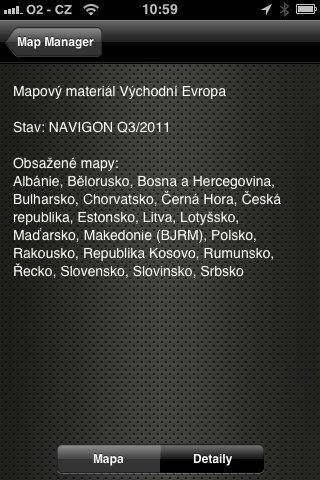
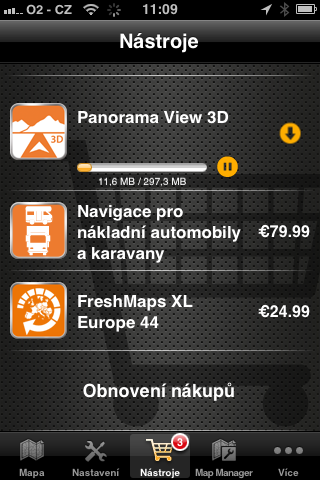
The map data is identical for both versions (iPhone, iPad), which we see in the size of the map of Montenegro from the map selection for Navigon Eurofor iPad version and compare with the 4th image of the gallery. I just don't know what to think about the new paid sub-service FreshMaps XL Euro44 pro iOS for almost $19 (or €25). I admit that I don't know if it was previously available for iOS, but I don't know about it. New maps 4 times a year? And for how long? For a year or forever? This service is usually for 2 years with Navigon car navigation systems. I don't want to provoke unfounded speculation here, but it is possible that we will have to pay for new maps in the future. According to the 6th picture, a map package marked Q3/2011 is now available. I don't know how often and in detail the Czech Republic will be updated. Many unanswered questions. The discussion here may provide some clues.


Does the map download differ depending on which version of Navigon I have purchased? E.g. if I have Eastern Europe, only the Eastern countries will be offered for download, if all of Europe then all European countries?
Mr. Hofman, as you wrote about Panorama View 3D, I assume that you use it. I wonder if (and where) it can be used in the Czech Republic?
I have been using Panorama view 3D for a long time and it is nothing more than a 3D map. For example, if you drive past a hill, it can be seen in the navigation. It's more like just a decoration, but maybe it will help someone to get their bearings :-)
2 Conpuerus: The first paragraph exactly as you write see. photo:
a/ all-Europe version:
http://www.letemsvetemapplem.eu/wp-content/uploads/2011/11/IMG_0838.png
b/ Eastern Europe version: http://www.letemsvetemapplem.eu/wp-content/uploads/2011/11/navigon2_05.png
---
The Panorama View 3D is just such a graphic improvement compared to the standard display, it has a more plastic feeling from the display, see examples "with" and "without", mainly when zooming out the map:
http://www.letemsvetemapplem.eu/wp-content/uploads/2011/11/s_3d.png
http://www.letemsvetemapplem.eu/wp-content/uploads/2011/11/bez_3d.png
You can easily switch between the two views. The demos show that Panorama View 3D filters some information that can be too much in normal view.
Jj, koneThey really redesigned the navigator. I really didn't enjoy downloading 2GB of data every time and overwriting the original application. It's nice to download only the countries I really need at the moment.
Can you tell me which browser you use?
I plan to buy one for my dad but was horrified when I saw one that had its own adjustment chart, owl elements, etc..
In the environment iOS suicide in my opinion...
I just downloaded the 2.0.0 update and wse OK wc. keeping favourites.
The separation of maps from the application certainly has an advantage in that they do not need to be downloaded in the wrong way, however, in my opinion, this also means that Navigon has found a way to charge for map updates. As long as they were part of the app, they had to be free, of course Apple paid updates do not enable the application.
So I assume the next update of the navigation user interface will only be an update of the interface, not the maps. New maps will have to be purchased, for example, through the aforementioned FreshMaps XL, which will most likely be a "subscription", i.e. a fee once a year.
I quite like it, but I have a bit of a problem – I can't find the music controls anywhere that work. drive It was clickable at the bottom right, can anyone please advise?
Thanks,
S.
I have a problem. After starting the updated Navigon, the wheel spins for a while, but then I get the message: "It was not possible to establish a connection to the NAVIGON server. Restart the application." Of course, restarting does not solve anything. Not even restarting iPhone. Mom iPhone4, no jailbreak. Connected to wifi, net works.
What do you think, is it some kind of local problem of mine or did their servers go down? Apphuh?
When tooneThese scoundrels will put Traffic Information into operation in the Czech Republic. We cannot use their product to its full potential and they are already planning to make us pay for updates. When I bought this navigation system years ago, it clearly stated that updates would be free for life.
2 Václav: I had exactly the same problem with my iPad 2, where I have navigation for offline planning. What helped was deleting the app from the iPad and reloading it from AppStore and it worked the first time. Fortunately, I'm used to it and I always export my favourites before a major update of Navigon. Deleting them will result in losing the favourites from the previous version. Backing up this data from the navigation would require a connection to iCloud like salt!!!
I had the honor to try Navigon. It works, but it doesn't fit. I still prefer TomTom navigation :-)
Friends, can someone verify if it is already possible to display the speed and distance to the destination in the bar at the same time? or does it have to be switched manually again? or is it possible to install some automation?